Up to date
This page is up to date for Godot 4.3.
If you still find outdated information, please open an issue.
Using NavigationLinks
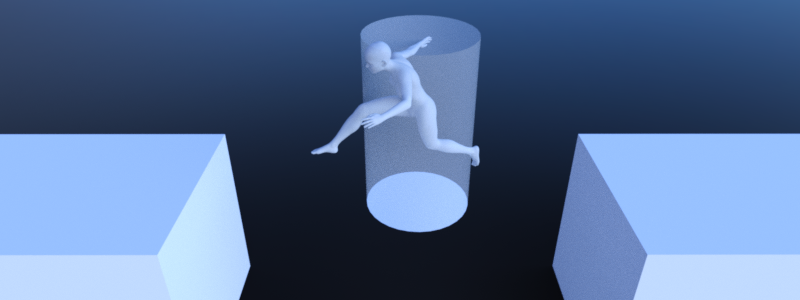
NavigationLinks are used to connect navigation mesh polygons from NavigationRegion2D and NavigationRegion3D over arbitrary distances for pathfinding.
NavigationLinks are also used to consider movement shortcuts in pathfinding available through interacting with gameplay objects e.g. ladders, jump pads or teleports.
2D and 3D versions of NavigationJumplinks nodes are available as NavigationLink2D and NavigationLink3D respectively.
Different NavigationRegions can connect their navigation meshes without the need for a NavigationLink
as long as they have overlapping edges or edges that are within navigation map edge_connection_margin.
As soon as the distance becomes too large, building valid connections becomes a problem - a problem that NavigationLinks can solve.
See Using NavigationRegions to learn more about the use of navigation regions. See Connecting navigation meshes to learn more about how to connect navigation meshes.
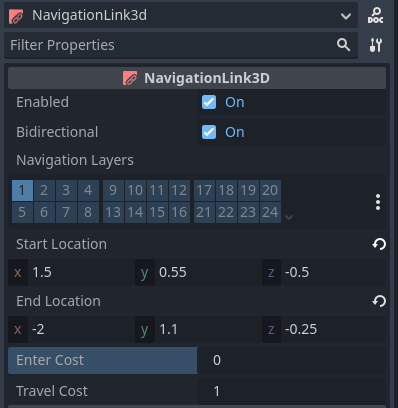
NavigationLinks share many properties with NavigationRegions like navigation_layers.
NavigationLinks add a single connection between two positions over an arbitrary distance
compared to NavigationRegions that add a more local traversable area with a navigation mesh resource.
NavigationLinks have a start_position and end_position and can go in both directions when bidirectional is enabled.
When placed a navigationlink connects the navigation mesh polygons closest to its start_position and end_position within search radius for pathfinding.
The polygon search radius can be configured globally in the ProjectSettings under navigation/2d_or_3d/default_link_connection_radius
or set for each navigation map individually using the NavigationServer.map_set_link_connection_radius() function.
Both start_position and end_position have debug markers in the Editor.
The visible radius of a position shows the polygon search radius.
All navigation mesh polygons inside are compared and the closest is picked for the edge connection.
If no valid polygon is found within the search radius the navigation link gets disabled.
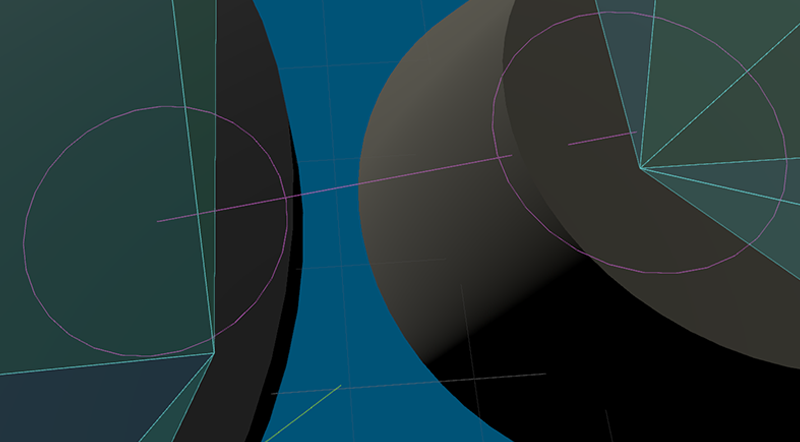
The link debug visuals can be changed in the Editor ProjectSettings under debug/shapes/navigation.
The visibility of the debug can also be controlled in the Editor 3D Viewport gizmo menu.
Un enlace de navegación no proporciona ningún movimiento especializado a través del enlace. En cambio, cuando un agente llega a la posición de un enlace, el código del juego debe reaccionar (por ejemplo, a través de disparadores de área) y proporcionar medios para que el agente se mueva a través del enlace para terminar en la otra posición del enlace (por ejemplo, a través de un teletransporte o una animación). Sin eso, un agente intentará moverse por sí mismo a lo largo de la ruta del enlace. Podrías terminar con un agente caminando sobre un pozo sin fondo en lugar de esperar una plataforma móvil, o caminando a través de un teletransportador y avanzando a través de una pared.