Interpolation
Interpolation is a common operation in graphics programming, which is used to blend or transition between two values. Interpolation can also be used to smooth movement, rotation, etc. It's good to become familiar with it in order to expand your horizons as a game developer.
Die Grundidee ist, dass Sie einen Übergang von A nach B gestalten möchten. Ein Wert t repräsentiert die dazwischen liegenden Zustände.
Wenn t zum Beispiel 0 ist, dann ist der Zustand A. Wenn t 1 ist, dann ist der Zustand B. Alles dazwischen ist eine Interpolation.
Eine Interpolation zwischen zwei reellen (Float-) Zahlen kann wie folgt beschrieben werden:
interpolation = A * (1 - t) + B * t
Und wird oft vereinfacht zu:
interpolation = A + (B - A) * t
Die Bezeichnung für diese Art der Interpolation, bei der ein Wert mit konstanter Geschwindigkeit in einen anderen umgewandelt wird, lautet "linear". Wenn Sie also von Linearer Interpolation hören, wissen Sie, dass diese Formel gemeint ist.
Es gibt andere Arten von Interpolationen, die hier nicht behandelt werden. Eine empfohlene Lektüre ist anschließend die Seite Bezier.
Vektorinterpolation
Vektortypen (Vector2 und Vector3) können ebenfalls interpoliert werden, sie verfügen über praktische Funktionen dafür Vector2.lerp() und Vector3.lerp().
Für kubische Interpolation gibt es auch Vector2.cubic_interpolate() und Vector3.cubic_interpolate(), die eine Bezier-Interpolation durchführen.
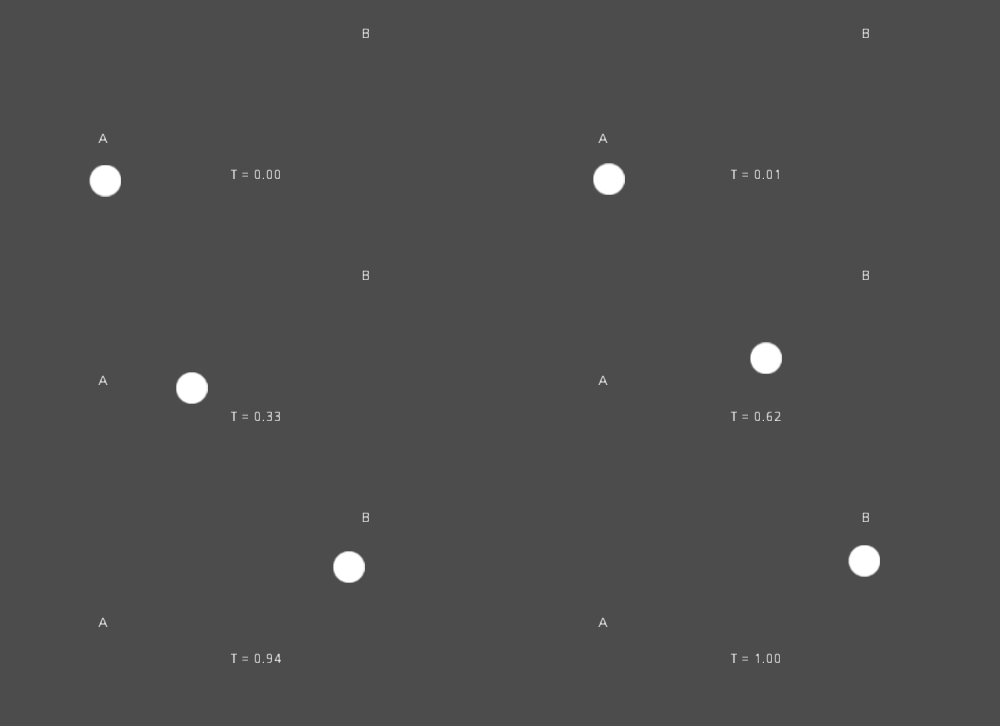
Hier ist ein Beispiel für Pseudocode, der mit Hilfe von Interpolation von Punkt A nach B verläuft:
var t = 0.0

func _physics_process(delta):
    t += delta * 0.4

    $Sprite2D.position = $A.position.lerp($B.position, t)
private float _t = 0.0f;

public override void _PhysicsProcess(double delta)
{
    _t += (float)delta * 0.4f;

    Marker2D a = GetNode<Marker2D>("A");
    Marker2D b = GetNode<Marker2D>("B");
    Sprite2D sprite = GetNode<Sprite2D>("Sprite2D");

    sprite.Position = a.Position.Lerp(b.Position, _t);
}
Es wird die folgende Bewegung produzieren:
Transformations-Interpolation
Es ist auch möglich, ganze Transformationen zu interpolieren (vergewissern Sie sich, dass sie entweder einen einheitlichen Maßstab oder zumindest denselben ungleichmäßigen Maßstab haben). Hierfür kann die Funktion Transform3D.interpolate_with() verwendet werden.
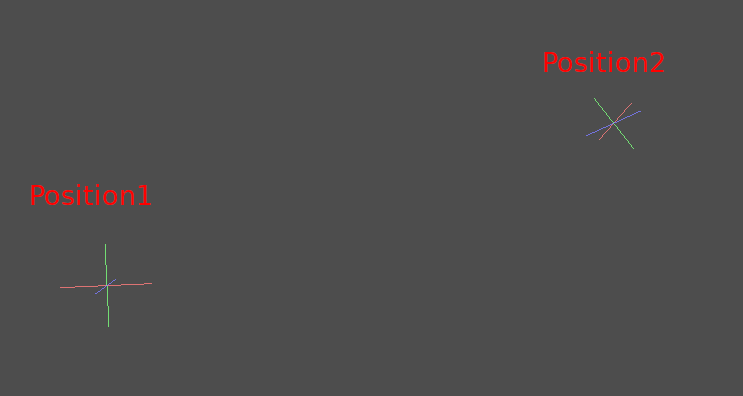
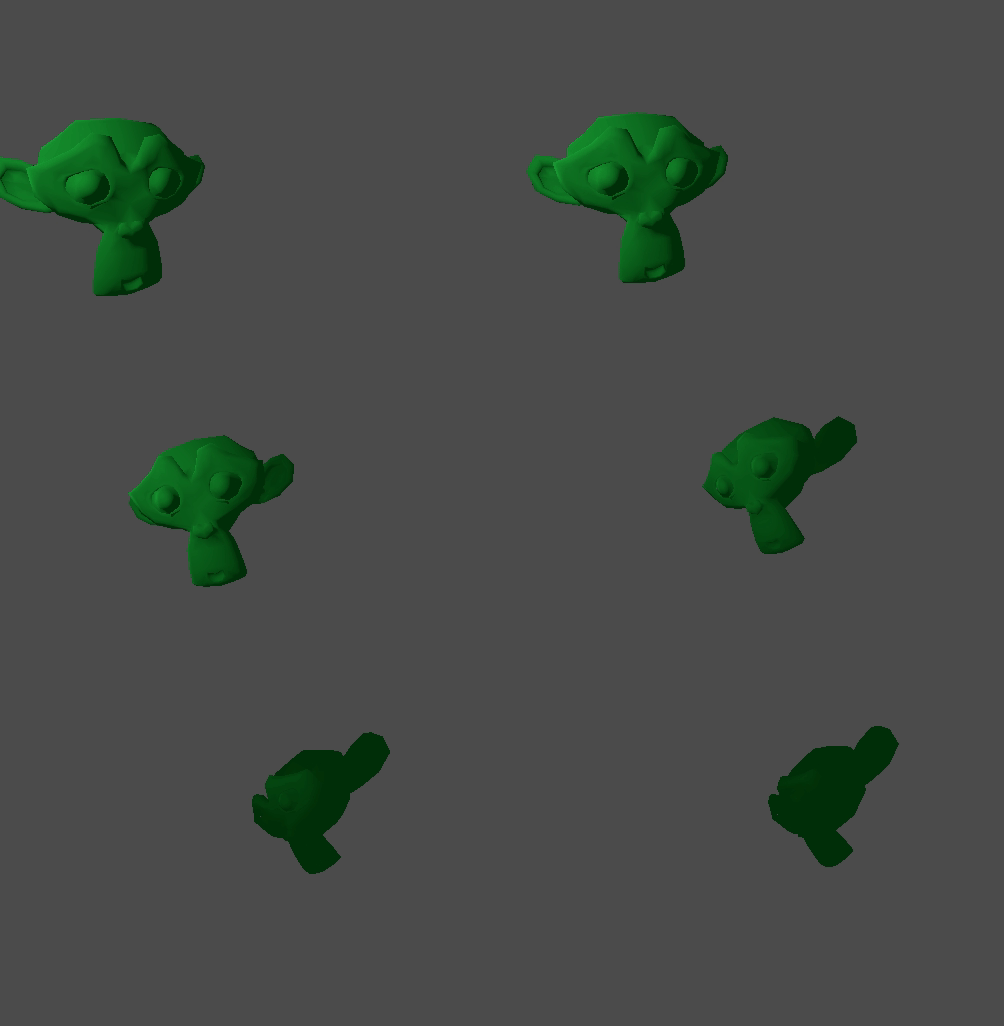
Hier ist ein Beispiel für die Transformation eines Affen von Position1 nach Position2:
Beim Benutzen des folgenden Pseudocodes:
var t = 0.0

func _physics_process(delta):
    t += delta

    $Monkey.transform = $Position1.transform.interpolate_with($Position2.transform, t)
private float _t = 0.0f;

public override void _PhysicsProcess(double delta)
{
    _t += (float)delta;

    Marker3D p1 = GetNode<Marker3D>("Position1");
    Marker3D p2 = GetNode<Marker3D>("Position2");
    CSGMesh3D monkey = GetNode<CSGMesh3D>("Monkey");

    monkey.Transform = p1.Transform.InterpolateWith(p2.Transform, _t);
}
Und wieder wird die folgende Bewegung erzeugt:
Gleichmäßige Bewegung
Interpolation can be used to smoothly follow a moving target value, such as a
position or a rotation. Each frame, lerp() moves the current value towards
the target value by a fixed percentage of the remaining difference between the values.
The current value will smoothly move towards the target, slowing down as it gets
closer. Here is an example of a circle following the mouse using interpolation smoothing:
const FOLLOW_SPEED = 4.0

func _physics_process(delta):
    var mouse_pos = get_local_mouse_position()

    $Sprite2D.position = $Sprite2D.position.lerp(mouse_pos, delta * FOLLOW_SPEED)
private const float FollowSpeed = 4.0f;

public override void _PhysicsProcess(double delta)
{
    Vector2 mousePos = GetLocalMousePosition();

    Sprite2D sprite = GetNode<Sprite2D>("Sprite2D");

    sprite.Position = sprite.Position.Lerp(mousePos, (float)delta * FollowSpeed);
}
So sieht es aus:

This is useful for smoothing camera movement, for allies following the player (ensuring they stay within a certain range), and for many other common game patterns.
Bemerkung
Despite using delta, the formula used above is framerate-dependent, because
the weight parameter of lerp() represents a percentage of the remaining
difference in values, not an absolute amount to change. In _physics_process(),
this is usually fine because physics is expected to maintain a constant framerate,
and therefore delta is expected to remain constant.
For a framerate-independent version of interpolation smoothing that can also
be used in process(), use the following formula instead:
const FOLLOW_SPEED = 4.0

func _process(delta):
    var mouse_pos = get_local_mouse_position()
    var weight = 1 - exp(-FOLLOW_SPEED * delta)
    $Sprite2D.position = $Sprite2D.position.lerp(mouse_pos, weight)
private const float FollowSpeed = 4.0f;

public override void _Process(double delta)
{
    Vector2 mousePos = GetLocalMousePosition();

    Sprite2D sprite = GetNode<Sprite2D>("Sprite2D");
    float weight = 1f - Mathf.Exp(-FollowSpeed * (float)delta);
    sprite.Position = sprite.Position.Lerp(mousePos, weight);
}
Deriving this formula is beyond the scope of this page. For an explanation, see Improved Lerp Smoothing or watch Lerp smoothing is broken.