Up to date
This page is up to date for Godot 4.3.
If you still find outdated information, please open an issue.
アニメーション
- サポートされているアニメーション:
全タイプのオブジェクトの幾何学変換アニメーション
ポーズ ボーンの幾何学変換アニメーション
シェイプキーアニメーション
ライトのアニメーション
カメラのアニメーション
単一オブジェクトの複数のアクション
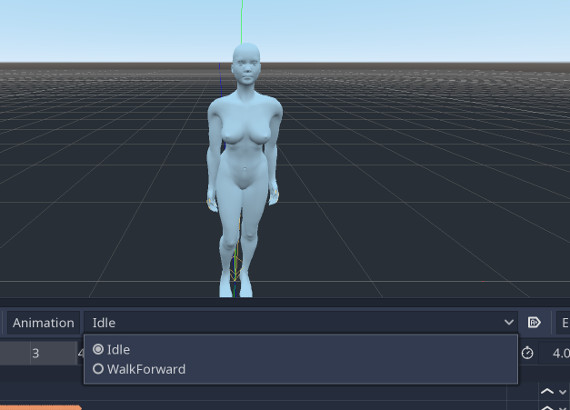
ほとんどのゲームでは、1つのオブジェクトで複数のアニメーションを切り替える必要があります。このアドオンは、複数のアクションを一度に単一のAnimationPlayerにエクスポートすることをサポートしており、アクションを簡単に切り替えることができます。
このワークフローは、BlenderのNLAトラックを使用します。この機能の使用方法に関する簡単なガイドを次に示します:
1. 隠しアクティブアクション
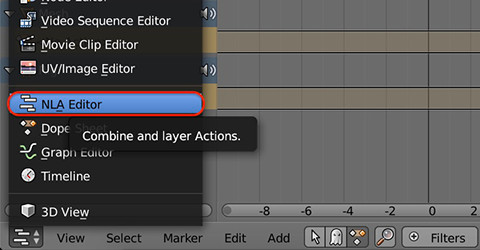
新しく作成されたアクションは、常にオブジェクトにバインドされたアクティブなアクションです。アクティブなアクションをNLAトラックに配置する方法はいくつかありますが、1つはもちろん NLAエデイター です

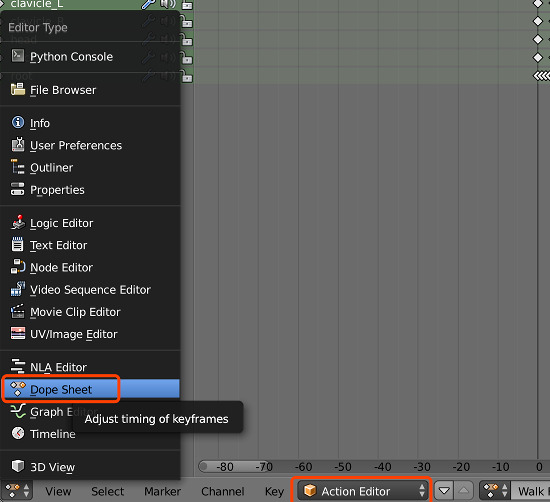
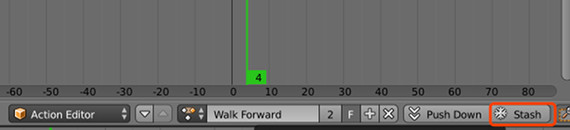
または ドープシート でアクションを隠すことができます
2. NLAトラックのミュートステータスを確認
An NLA track can be mute or unmute, the exporter will export all
the mute NLA track as a separate action, while blends all the unmute
NLA tracks into every action (including the action) being exported.

3. シーンのエクスポート
Export Stashed Actions オプションがオンになっていることを確認します。
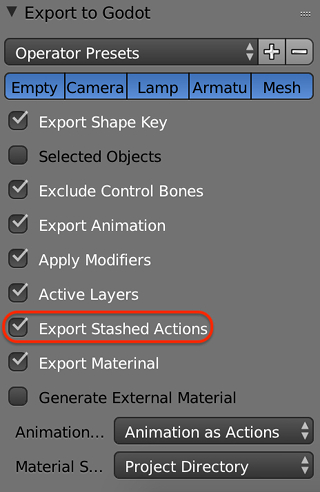
その後、すべての隠されたアクションとアクティブなアクションがAnimationPlayerにエクスポートされます。
制約
複雑なアニメーションは、オブジェクト制約を使用して作成される場合があります。通常の例はインバース キネマティクスです。アドオンは、オブジェクトに何らかの制約があるかどうかを自動的にチェックします。存在する場合、すべての制約がアクションにベイクされ、オブジェクトとともにエクスポートされます。
アニメーションモード
Godot and Blender have different structure to store animation data. In Godot animation data is stored in an AnimationPlayer node, instead of in each animated node. In order to fix this inconsistency and still make the animation play versatile, this add-on has three animation exporting modes.
'Animation as Actions' モード
すべてのアニメーションをオブジェクトアクションとして扱うので、エクスポートされたシーンでは、すべてのオブジェクトが独自のAnimationPlayerを持ち、そのアクションを保持します。
'Scene Animation' モード
アニメーションがBlenderのタイムラインで再生するのと同じ結果を生成するようにしたい場合、この方法を使用します。このモードでは、シーン内のすべてのアニメーションは、シーンルート内の1つのAnimationPlayerに配置されます。
'Animation as Action with Squash' モード
This mode has very similar behavior of mode 'Animation as Action', but it can generate fewer AnimationPlayers; objects in parent-children relationship would share their AnimationPlayer. It is useful when you have several rigs, and each Skeleton and Mesh has actions; then one rig would have just one AnimationPlayer.