Android Studio
Android Studio 是由 Google 與 JetBrains 提供的免費 Android 開發 IDE,基於 IntelliJ IDEA,內建功能豐富的編輯器,支援 Java 與 C/C++。可用於 Godot 核心引擎與 Android 平台相關原始碼的開發。
匯入專案
在 Android Studio 的歡迎畫面中選擇 Open。
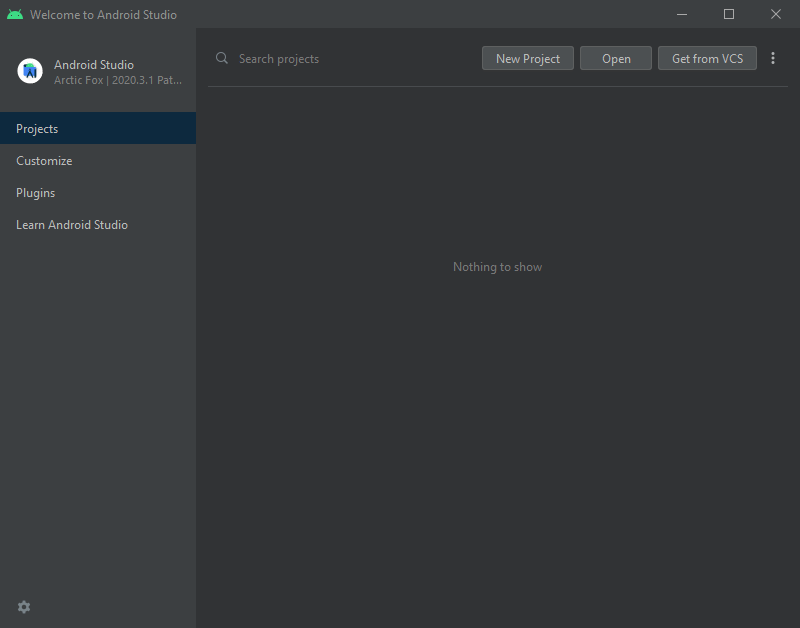
Android Studio 的歡迎畫面。
前往
<Godot 根目錄>/platform/android/java並選擇settings.gradle檔案。Android Studio 會匯入並建立專案索引。
Android Studio 專案結構
Godot Android 專案是以 Android Studio 的模組方式 組織的:
lib模組:- 位於
<Godot 根目錄>/platform/android/java/lib,這是一個**函式庫模組**,主要組織 Godot 的 Java 與原生程式碼,使其可作為可重複利用的依賴/套件使用。
- 位於
此模組產生的套件會發布到 MavenCentral,供其他 Android 模組或專案作為依賴使用。
editor模組:- 位於
<Godot 根目錄>/platform/android/java/editor,這是一個**應用程式模組**,存放 Godot 編輯器 Android 移植版的原始碼。
- 位於
此模組依賴於
lib模組。
app模組:- 位於
<Godot 根目錄>/platform/android/java/app,這是一個**應用程式模組**,存放 Android 打包範本的原始碼。
- 位於
此模組依賴於
lib模組。
建置與除錯 editor 模組
- 要建置
editor模組: 選擇 執行/除錯設定下拉選單 並選擇
editor。
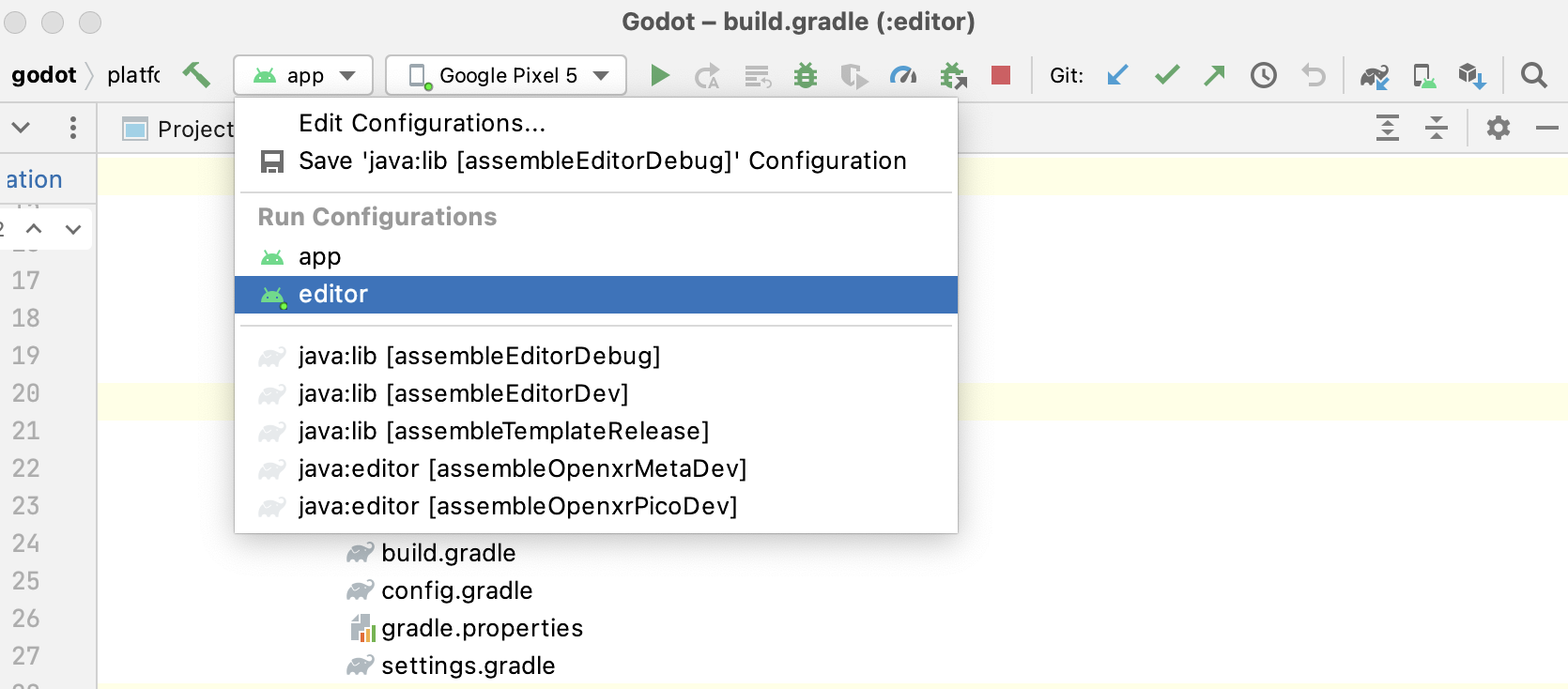
從上方選單選擇 Run > Run 'editor' 或點擊 執行圖示。
- 要建置
- 要除錯
editor模組: 在上方選單選擇 View > Tool Windows > Build Variants 開啟 Build Variants 視窗。
在 Build Variants 視窗,確認 Active Build Variant 欄位下
:editor條目設為 dev。
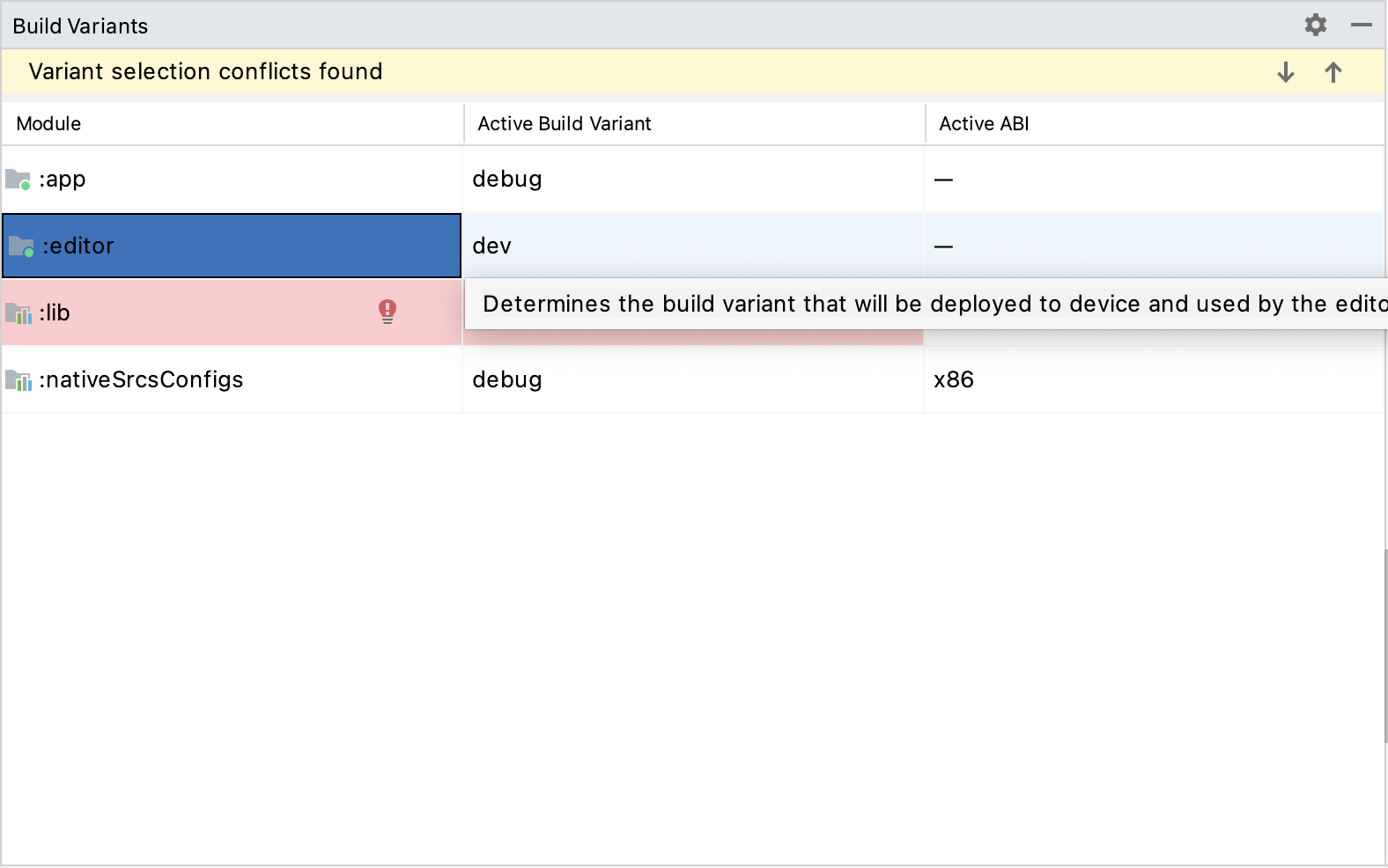
於上方選單點選 Run > Edit Configurations... 開啟 運作/除錯設定 視窗。
於 運作/除錯設定 視窗中,選擇
editor條目,並於 Debugger 區塊將 Debug Type 設為Dual (Java + Native)
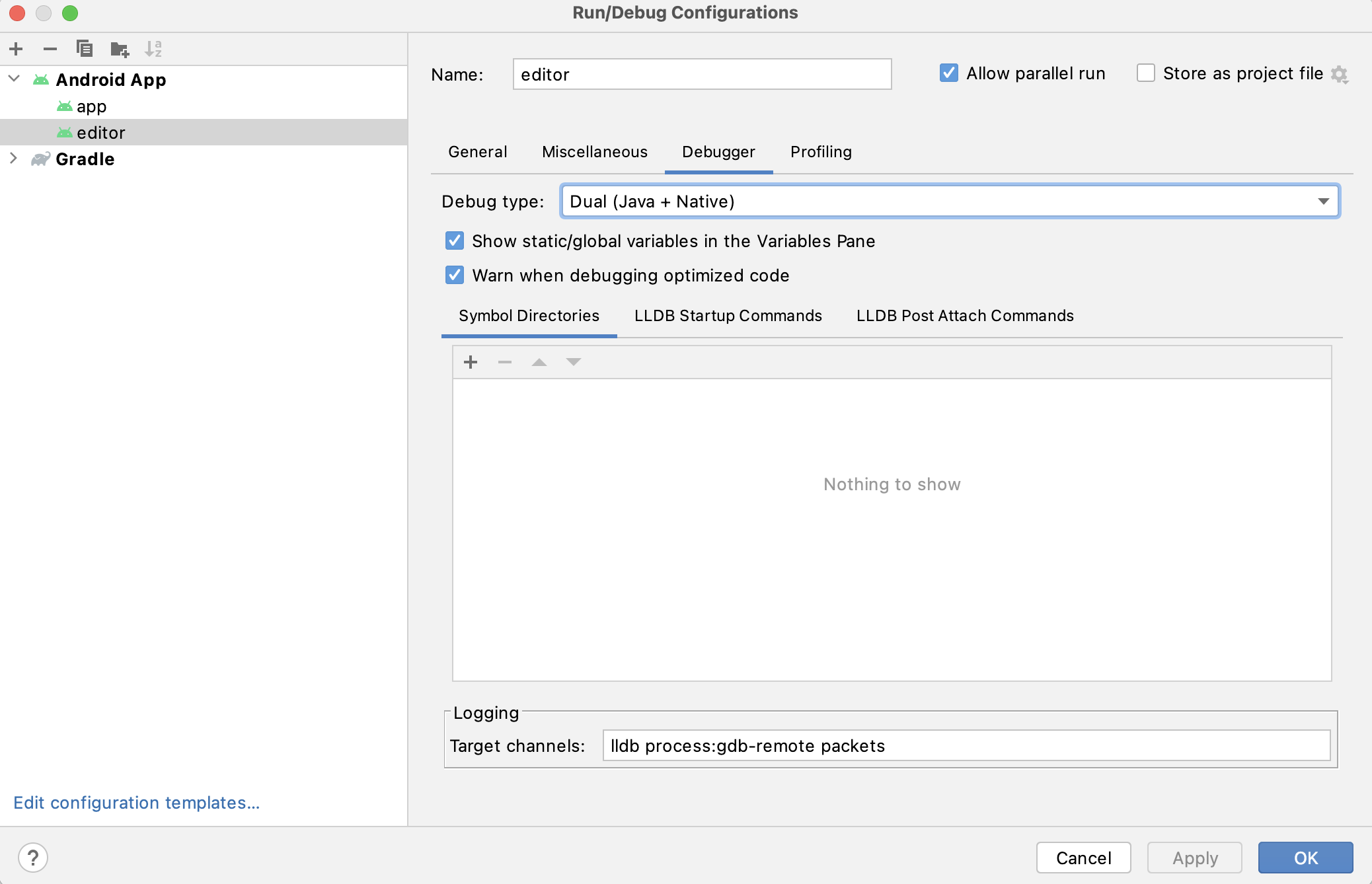
從上方選單選擇 Run > Debug 'editor' 或點擊 偵錯圖示。
- 要除錯
建置與除錯 app 模組
app 模組執行時需要在其 assets 目錄(<Godot 根目錄>/platform/android/java/app/assets)下有一個 Godot 專案。這通常在 Godot 編輯器匯出時自動處理,但在 Android Studio 開發時,需手動將 Godot 專案放入該目錄來模擬匯出流程。之後即可依下方指示執行/除錯 app 模組:
- 要建置
app模組: 選擇 執行/除錯設定下拉選單 並選擇
app。
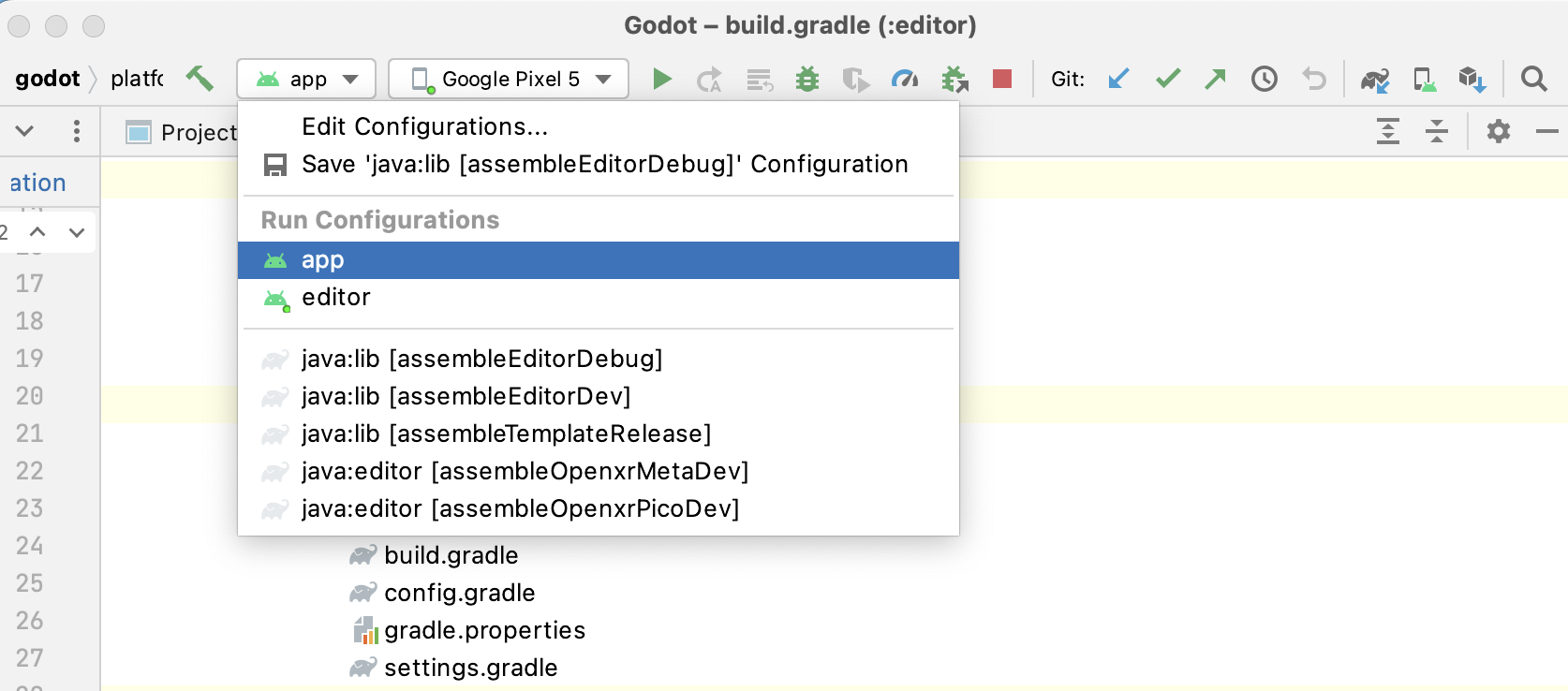
從上方選單選擇 Run > Run 'app' 或點擊 執行圖示。
- 要建置
- 要除錯
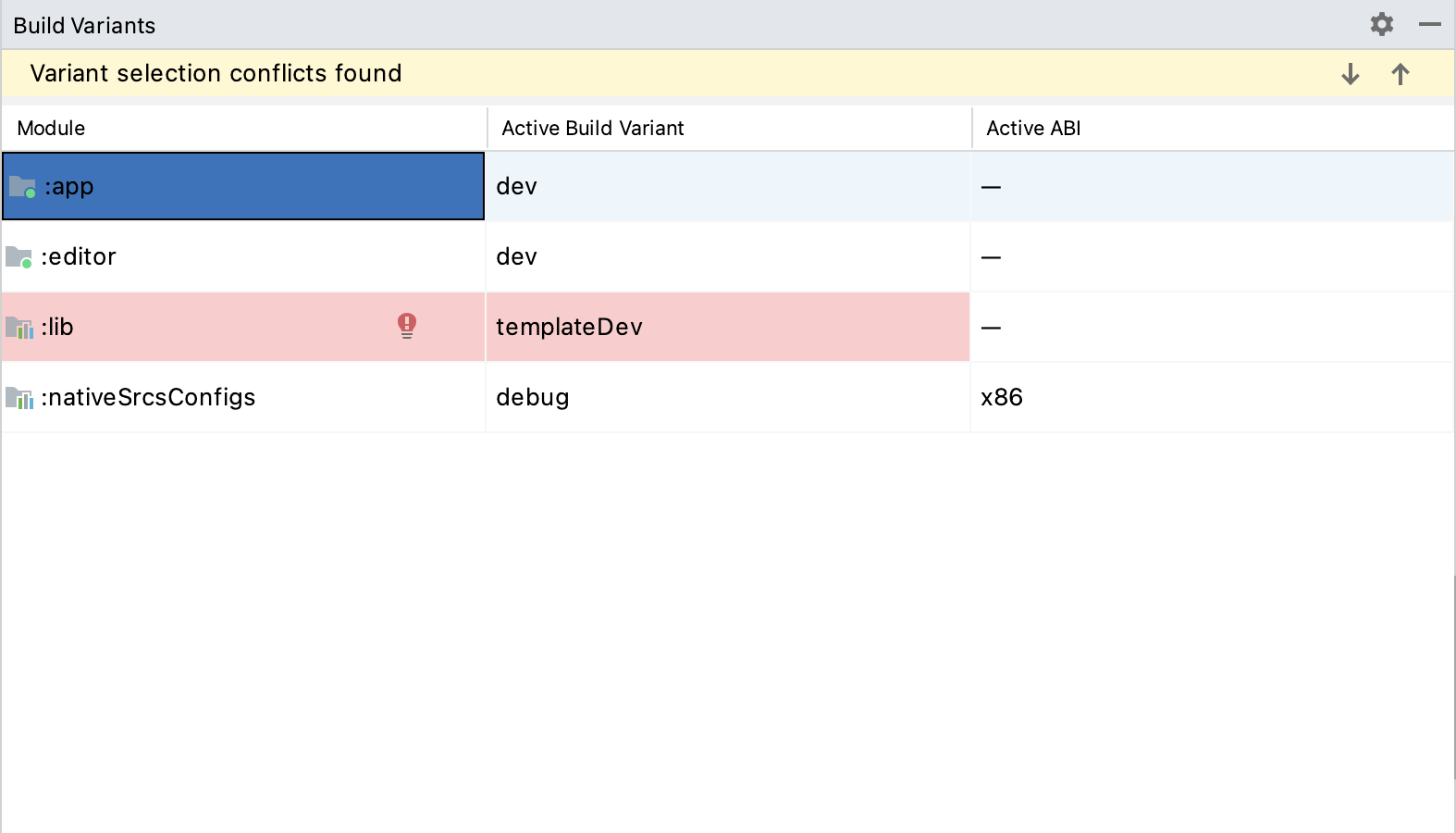
app模組: 在上方選單選擇 View > Tool Windows > Build Variants 開啟 Build Variants 視窗。
在 Build Variants 視窗,確認 Active Build Variant 欄位下
:app條目設為 dev。
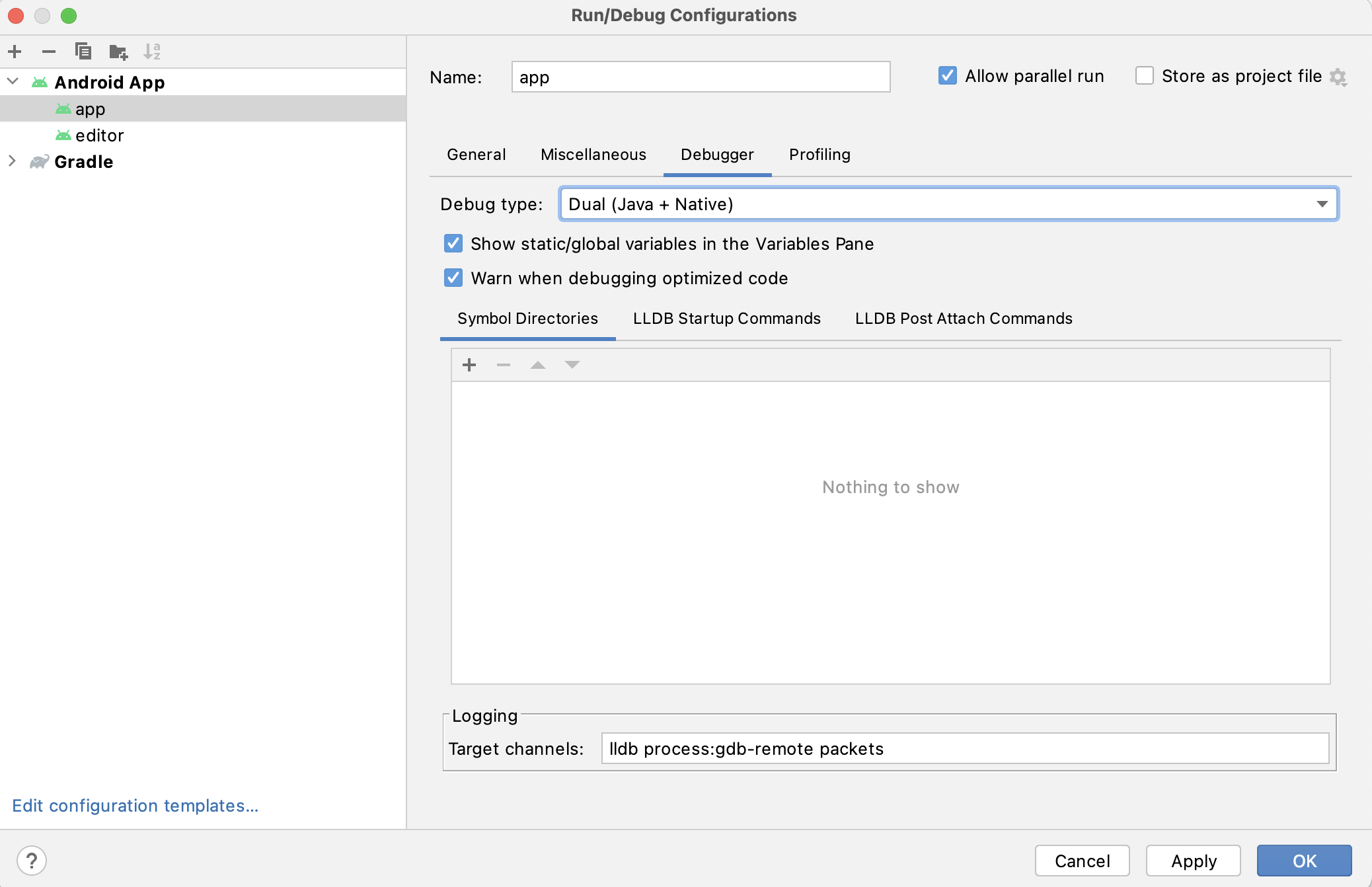
於上方選單點選 Run > Edit Configurations... 開啟 運作/除錯設定 視窗。
於 運作/除錯設定 視窗中,選擇
app條目,並於 Debugger 區塊將 Debug Type 設為Dual (Java + Native)
從上方選單選擇 Run > Debug 'app' 或點擊 偵錯圖示。
- 要除錯
若遇到任何問題,請至 Godot Android 開發頻道 詢問協助。