Logo

Über

  • Einführung
    • Bevor es losgeht
    • Über Godot Engine
    • Aufbau der Dokumentation
    • Über diese Dokumentation
  • Featureliste
    • Plattformen
    • Editor
    • Rendern
    • 2D Grafik
    • 2D-Tools
    • 2D-Physik
    • 3D-Grafik
    • 3D-Tools
    • 3D Physik
    • Shader
    • Skripting
    • Audio
    • Importieren
    • Eingabe
    • Navigation
    • Netzwerkfunktionen
    • Internationalisierung
    • Fensterverwaltung und OS Integration
    • Mobile
    • XR Unterstützung (AR und VR)
    • GUI System
    • Animation
    • Dateiformate
    • Verschiedenes
  • Systemanforderungen
    • Godot-Editor
      • Desktop- oder Laptop-PC - Minimum
      • Mobiles Gerät (Smartphone/Tablet) - Minimum
      • Desktop- oder Laptop-PC - Empfohlen
      • Mobiles Gerät (Smartphone/Tablet) - Empfohlen
    • Exportiertes Godot-Projekt
      • Desktop- oder Laptop-PC - Minimum
      • Mobiles Gerät (Smartphone/Tablet) - Minimum
      • Desktop- oder Laptop-PC - Empfohlen
      • Mobiles Gerät (Smartphone/Tablet) - Empfohlen
  • Häufig gestellte Fragen
    • Was kann ich mit Godot machen? Wie viel kostet es? Wie lauten die Lizenzbedingungen?
    • Welche Plattformen werden von Godot unterstützt?
    • Welche Programmiersprachen werden in Godot unterstützt?
    • Was ist GDScript und warum sollte ich es verwenden?
    • Was war die Motivation, GDScript zu entwickeln?
    • Which programming language is fastest?
    • Welche Arten von 3D-Modellformaten unterstützt Godot?
    • Wird ein proprietäres SDK à la FMOD, GameWorks, etc. in Godot unterstützt werden?
    • Wie kann ich Godot erweitern?
    • Wie installiere ich den Godot Editor (für Desktop-Integration) auf meinem System?
      • Windows
      • macOS
      • Linux
    • Ist der Godot-Editor eine portable Anwendung?
    • Warum priorisiert Godot Vulkan und OpenGL über Direct3D?
    • Warum ist die Godot Engine darauf aus, ihren Feature-Umfang klein zu halten?
    • Wie sollten Assets für einen optimalen Umgang mit unterschiedlichen Bildschirmauflösungen und Seitenverhältnissen angelegt werden?
    • Wann erscheint die nächste Godot-Version?
    • Welche Godot-Version sollte ich für ein neues Projekt verwenden?
    • Sollte ich mein Projekt aktualisieren, um neue Godot-Versionen zu verwenden?
    • Sollte ich den Forward+- Mobile- oder Compatibility-Backend verwenden?
    • Ich würde gerne etwas beitragen! Wie kann ich anfangen?
    • Ich habe eine tolle Idee für Godot. Wie kann ich sie teilen?
    • Ist es möglich mit Godot Anwendungen zu entwickeln die keine Spiel sind?
    • Ist es möglich Godot als Bibliothek zu nutzen?
    • Welches UI-Toolkit nutzt Godot?
    • Warum verwendet Godot das SCons Buildsystem?
    • Warum verwendet Godot nicht die STL (Standard Template Library)?
    • Weshalb verwendet Godot keine Exceptions?
    • Verwendet Godot ein ECS (Entity-Component-System)?
    • Warum zwingt Godot seine Benutzer nicht zur Implementierung von DOD (Data-Oriented Design)?
    • Wie kann ich die Entwicklung von Godot unterstützen oder einen Beitrag leisten?
    • Wer arbeitet an Godot? Wie kann ich euch kontaktieren?
  • Einhaltung von Lizenzbedingungen
    • Was sind Lizenzen?
    • Anforderungen
    • Einbinden des Lizenztextes
      • Credits-Bildschirm
      • Lizenzbildschirm
      • Ausgabe-Log
      • Begleitdatei
      • Gedrucktes Handbuch
      • Ein Link zur Lizenz
    • Lizenzen von Drittanbietern
  • Godots Release-Regeln
    • Godots Versionierung
    • Zeitplan für den Support von Releases
    • Welche Version sollte ich für ein neues Projekt verwenden?
    • Sollte ich mein Projekt aktualisieren, um neue Engine-Versionen zu verwenden?
    • Wann erscheint das nächste Godot-Release?
    • Was sind die Kriterien für die Kompatibilität der verschiedenen Engine-Versionen?
  • Änderungsprotokoll der Dokumentation
    • New pages since version 4.3
      • 2D
      • 3D
      • Debugging
      • Editor
      • Performance
      • Physik
      • Rendern
      • Shader
    • New pages since version 4.2
      • Über
      • 2D
      • Mitwirken
      • GDExtension
      • Auf neue Version umziehen
      • Rendern
      • XR
    • Neue Seiten seit Version 4.1
      • C#
      • Entwicklung
      • Auf neue Version umziehen
      • I/O
      • Plattformspezifisch
    • Neue Seiten seit Version 4.0
      • Entwicklung
      • Auf neue Version umziehen
      • Physik
    • Neue Seiten seit Version 3.6
      • 2D
      • 3D
      • Animation
      • Assets-Pipeline
      • Entwicklung
      • Auf neue Version umziehen
      • Physik
      • Skripting
      • Shader
      • XR
    • Neue Seiten seit Version 3.5
    • Neue Seiten seit Version 3.4
      • 3D
      • Animation
      • Editor
    • Neue Seiten seit Version 3.3
      • GDScript
    • Neue Seiten seit Version 3.2
      • 3D
      • Über
      • Bewährte Praktiken
      • Entwicklung
      • Editor
      • Export
      • Eingabe
      • Mathematik
      • Plattformspezifisch
      • Physik
      • Shader
      • Skripting
      • Benutzeroberfläche (UI)
    • Neue Seiten seit Version 3.1
      • Projekt-Ablauf
      • 2D
      • Audio
      • Mathematik
      • Eingaben
      • Internationalisierung
      • Shading
      • Netzwerkfunktionen
      • Plugins
      • Multi-Threading
      • Inhalte erstellen
      • Optimierungen
      • Rechtliches
    • Neue Seiten seit Version 3.0
      • Schritt für Schritt
      • Skripting
      • Projekt-Ablauf
      • 2D
      • 3D
      • Physik
      • Animation
      • GUI
      • Viewports
      • Shading
      • Plugins
      • Plattformspezifisch
      • Multi-Threading
      • Inhalte erstellen
      • Verschiedenes
      • Kompilieren
      • Engine-Entwicklung

Erste Schritte

  • Einführung
    • Einführung in Godot
      • Was ist Godot?
      • Was kann die Engine?
      • Wie funktioniert es und wie sieht es aus?
      • Programmiersprachen
      • Was muss ich wissen, um Godot zu nutzen?
    • Lernen, mit GDScript zu programmieren
      • Lernen im Browser mit der GDScript-App
    • Überblick über Godots Schlüsselkonzepte
      • Szenen
      • Nodes
      • Der Szenenbaum
      • Signale
      • Zusammenfassung
    • First look at Godot's interface
      • Der Projektmanager
      • Ein erster Blick auf den Godot-Editor
      • Die fünf Hauptbildschirme
      • Integrierte Klassenreferenz
    • Neue Features kennenlernen
      • Dieses Handbuch optimal nutzen
      • Lernen, wie ein Programmierer zu denken
      • Lernen mit der Community
      • Community-Tutorials
    • Godots Design-Philosophie
      • Objektorientiertes Design und Komposition
      • Rundum-sorglos-Paket
      • Open Source
      • Community-gesteuert
      • Der Godot-Editor ist ein Godot-Spiel
      • Separate 2D- und 3D-Engines
  • Schritt für Schritt
    • Nodes und Szenen
      • Nodes
      • Szenen
      • Erstellen der ersten Szene
      • Ändern der Propertys eines Nodes
      • Ausführen der Szene
      • Die Hauptszene festlegen
    • Instanzen erstellen
      • In der Praxis
      • Bearbeiten von Szenen und Instanzen
      • Szeneninstanzen als Designsprache
      • Zusammenfassung
    • Skriptsprachen
      • Verfügbare Skriptsprachen
      • Welche Sprache soll verwendet werden?
        • GDScript
        • .NET / C#
        • C++ per GDExtension
      • Zusammenfassung
    • Erstellen eines ersten Skripts
      • Projektkonfiguration
      • Ein neues Skript erstellen
      • Hello, world!
      • Im Kreis drehen
        • Gehen wir voran
      • Vollständiges Skript
    • Auf Spielereingaben hören
      • Bewegung beim Drücken von "oben"
      • Vollständiges Skript
      • Zusammenfassung
    • Signale nutzen
      • Einrichten einer Szene
      • Verbinden von Signalen im Editor
      • Ein Signal über Code verbinden
      • Vollständiges Skript
      • Benutzerdefinierte Signale
      • Zusammenfassung
  • Ihr erstes 2D-Spiel
    • Voraussetzungen
    • Inhalt
      • Einrichten des Projekts
        • Organisieren des Projekts
      • Die Spieler-Szene erstellen
        • Node-Struktur
        • Sprite-Animation
      • Den Spieler programmieren
        • Animationen
        • Vorbereitung auf Kollisionen
      • Die Gegner erschaffen
        • Node einrichten
        • Gegner-Skript
      • Die Hauptszene des Spiels
        • Mobs spawnen
        • Main-Skript
        • Die Szene testen
      • Head-up-Display
        • ScoreLabel
        • Nachricht
        • StartButton
        • Das HUD mit Main verbinden
        • Alte Creeps entfernen
      • Fertigstellung
        • Hintergrund
        • Soundeffekte
        • Tastenkürzel
        • Sharing the finished game with others
  • Ihr erstes 3D-Spiel
    • Inhalt
      • Einrichten des Spielbereichs
        • Einrichten des spielbaren Bereichs
      • Spielerszene und Eingabeaktionen
        • Eingabeaktionen erstellen
      • Den Spieler mit Code bewegen
        • Testen der Bewegung unseres Spielers
      • Gestaltung der Mob-Szene
        • Monster außerhalb des Bildschirms entfernen
      • Monster spawnen
        • Erstellen des Spawn-Pfads
        • Mobs zufällig spawnen
      • Springen und Zerstampfen von Monstern
        • Steuerung der Physik-Interaktionen
        • Springen
        • Monster zerstampfen
      • Den Spieler töten
        • Hitbox mit dem Area-Node
        • Das Spiel beenden
        • Code-Checkpoint
      • Punktestand und Neustart
        • Ein UI-Theme erstellen
        • Den Spielstand im Auge behalten
        • Einen neuen Versuch wagen
        • Musik hinzufügen
      • Die Animation des Charakters
        • Verwendung des Animations-Editors
        • Die Schwebe-Animation
        • Die Mobs animieren
      • Nächste Schritte
        • Das Handbuch erkunden

Handbuch

  • Bewährte Praktiken
    • Einführung
    • Anwendung objektorientierter Prinzipien in Godot
      • Wie Skripte in der Engine funktionieren
      • Szenen
    • Szenenorganisation
      • Wie man effektiv Beziehungen aufbaut
      • Auswahl einer Node-Baum-Struktur
    • Wann Szenen, wann Skripte verwenden
      • Anonyme Typen
      • Benamnte Typen
      • Performance von Script vs PackedScene
      • Fazit
    • Autoloads im Vergleich zu regulären Nodes
      • Das Problem mit abgehackten Sounds
      • Gemeinsame Funktionen oder Daten verwalten
      • Wann Sie ein Autoload verwenden sollten
    • Wann und wie man es vermeidet, Nodes für alles zu verwenden
    • Godot-Schnittstellen
      • Objektreferenzen erfassen
      • Zugriff auf Daten oder Logik aus einem Objekt
    • Benachrichtigungen in Godot
      • _process, _physics_process und *_input
      • _init vs. Initialisierung vs. Exportieren
      • _ready vs. _enter_tree vs. NOTIFICATION_PARENTED
    • Daten-Präferenzen
      • Array vs. Dictionary vs. Object
      • Enumerationen: int vs. string
      • AnimatedTexture vs. AnimatedSprite2D vs. AnimationPlayer vs. AnimationTree
    • Logik-Präferenzen
      • Nodes hinzufügen und Propertys bearbeiten: Welches zuerst?
      • Load vs. Preload
      • Große Levels: statisch vs. dynamisch
    • Projektorganisation
      • Einführung
      • Organisation
      • Styleguide
      • Importieren
        • Bestimmte Ordner ignorieren
      • Groß- und Kleinschreibung beachten
    • Versionsverwaltungssysteme
      • Einführung
      • Versionsverwaltungs-Plugins
        • Offizielles Git-Plugin
      • Dateien, die von VCS ausgeschlossen werden sollen
      • Mit Git unter Windows arbeiten
      • Git LFS
  • Fehlersuche
    • Der Editor läuft langsam und verwendet alle meine CPU und GPU-Ressourcen, was meinen Computer laut werden lässt
    • Der Editor zeigt Stutter- und Flicker-Effekte auf meinem Monitor mit variabler Bildwiederholrate (G-Sync/FreeSync)
    • Der Editor oder das Projekt benötigt sehr lange, um zu starten
    • Der Godot-Editor scheint einzufrieren, nachdem die Systemkonsole angeklickt wurde
    • Das Icon des Godot-Editors im macOS-Dock wird jedes Mal dupliziert, wenn es manuell verschoben wird
    • Einige Texte wie „NO DC“ werden in der oberen linken Ecke des Projektmanagers und des Editorfensters angezeigt
    • In der unteren rechten Ecke des Projektmanagers und des Editor-Fensters erscheint ein Mikrofon- oder "Aktualisierungs"-Symbol
    • Der Editor oder das Projekt erscheint übermäßig scharf oder unscharf
    • Der Editor oder das Projekt scheint ausgewaschene Farben zu haben
    • Der Editor/das Projekt friert ein oder zeigt ein gestörtes Bild an, nachdem der PC aus dem Standby-Modus wieder gestartet wurde
    • Das Projekt funktioniert, wenn es vom Editor ausgeführt wird, aber scheitert beim Laden einiger Dateien, falls es von einer exportierten Kopie läuft
    • The project crashes frequently or instantly after opening it from the project manager
  • Einführung in den Editor
    • Benutzeroberfläche des Editors
      • Verwenden des Projektmanagers
        • Erstellen und Importieren von Projekten
        • Öffnen und Importieren von Projekten
        • Herunterladen von Demos und Templates
        • Projekte mit Tags verwalten
        • Recovery Mode
      • Inspector Dock
        • Verwendung
      • Projekteinstellungen
        • Changing project settings
        • Reading project settings
        • Manually editing project.godot
        • Advanced project settings
      • Script Editor
        • Einführung
        • Features
        • Verwendung
      • Default-Editor-Tastenkürzel
        • General editor actions
        • Bottom panels
        • 2D / CanvasItem editor
        • 3D / Spatial editor
        • Text editor
        • Script editor
        • Editor output
        • Debugger
        • File dialog
        • FileSystem dock
        • Scene tree dock
        • Animation track editor
        • TileMap editor
        • TileSet Editor
        • Project manager
      • Anpassen der Benutzeroberfläche
        • Docks verschieben und ihre Größe ändern
        • Aufteilung des Skript- oder Shader-Editors in ein eigenes Fenster
        • Benutzerdefinierte Editor-Layouts
        • Benutzerdefinierte Editor-Einstellungen
    • XR editor
      • Using the XR editor
        • XR devices support
        • Runtime Permissions
        • Tips & Tricks
        • Beschränkungen und bekannte Probleme
    • Android-Editor
      • Verwendung des Android-Editors
        • Unterstützung von Android-Geräten
        • Runtime Permissions
        • Tips & Tricks
        • Beschränkungen und bekannte Probleme
    • Web-Editor
      • Den Web-Editor nutzen
        • Browser-Unterstützung
        • Einschränkungen
        • Importieren eines Projekts
        • Ein Projekt bearbeiten und ausführen
        • Wo sind meine Projektdateien?
    • Erweiterte Features
      • Kommandozeilen-Tutorial
        • Kommandozeilen-Referenz
        • Pfad
        • Projektpfad setzen
        • Projekt erzeugen
        • Editor starten
        • Szene löschen
        • Spiel starten
        • Debugging
        • Exportieren
        • Ein Skript ausführen
      • Einen externen Texteditor verwenden
        • Automatically reloading your changes
        • Einen externen Editor im Debugger verwenden
        • Offizielle Editor-Plugins
        • LSP/DAP-Unterstützung
      • Using the engine compilation configuration editor
        • Einschränkungen
    • Editor-Features verwalten
      • Editor-Features verwalten
        • Einführung
        • Ein Profil erstellen
        • Ein Profil teilen
  • Auf eine neue Version migrieren
    • Upgraden von Godot 3 auf Godot 4
      • Sollte ich auf Godot 4 upgraden?
        • Vorteile des Upgrades
        • Nachteile des Upgrades
        • Vorbehalte gegen das Upgraden
      • Vorbereitungen vor dem Upgrade (optional)
      • Ausführen des Projekt-Upgrade-Tools
        • Verwenden des Projektmanagers
        • Verwendung der Kommandozeile
      • Reparieren des Projekts nach Ausführung des Projekt-Upgrade-Tools
        • Automatisch umbenannte Nodes und Ressourcen
        • Manuelles Umbenennen von Methoden, Eigenschaften, Signalen und Konstanten
        • Überprüfen der Projekteinstellungen
        • Überprüfen der Umgebungseinstellungen
        • Shader upgraden
        • Aktualisierung von Skripten zur Berücksichtigung von abwärtskompatiblen Änderungen
        • ArrayMesh Ressourcen-Kompatibilitätsbruch
      • Liste der automatisch umbenannten Methoden, Eigenschaften, Signale und Konstanten
      • Portierung von Editoreinstellungen
      • Updating version control settings
    • Upgrade von Godot 4.0 auf Godot 4.1
      • Änderungen, die etwas kaputtmachen können
        • Kern
        • Animation
        • 2D-Nodes
        • 3D-Nodes
        • GUI-Nodes
        • Physik
        • Rendern
        • Navigation
        • Netzwerkfunktionen
        • Editor-Plugins
      • Änderungen am Verhalten
      • Aktualisieren Ihrer GDExtension für 4.1
    • Upgrade von Godot 4.1 auf Godot 4.2
      • Änderungen, die etwas kaputtmachen können
        • Kern
        • Animation
        • GUI-Nodes
        • Rendern
        • Text
        • GraphEdit
        • TileMap
        • XR
    • Upgrading from Godot 4.2 to Godot 4.3
      • Änderungen, die etwas kaputtmachen können
        • GDExtension
        • Animation
        • GUI-Nodes
        • Physik
        • Rendern
        • Text
        • Audio
        • Navigation
        • TileMap
        • XR
        • Editor-Plugins
      • Änderungen am Verhalten
        • Kern
        • Animation
        • GUI-Nodes
        • Multiplayer
        • Rendern
        • TileMap
        • Android
    • Upgrading from Godot 4.3 to Godot 4.4
      • Änderungen, die etwas kaputtmachen können
        • Kern
        • GUI-Nodes
        • Physik
        • Rendern
        • Navigation
        • Editor-Plugins
      • Änderungen am Verhalten
        • Kern
        • Rendern
        • CSG
        • Android
    • Upgrading from Godot 4.4 to Godot 4.5
      • Änderungen, die etwas kaputtmachen können
        • Kern
        • Rendern
        • GLTF
        • Text
        • XR
        • Editor-Plugins
      • Änderungen am Verhalten
        • TileMapLayer
        • 3D Model Import
        • Kern
        • Navigation
        • Physik
        • Text
  • 2D
    • Introduction to 2D
      • 2D workspace
        • Main toolbar
        • Koordinatensystem
        • 2D Viewport
      • Node2D and Control node
      • 3D in 2D
    • Canvas-Ebenen
      • Viewport- und Canvas-Elemente
      • CanvasLayers
    • Viewport- und Canvas-Transformationen
      • Einführung
      • Canvas-Transformation
      • Globale Canvas-Transformation
      • Stretch-Transformation
      • Window-Transformation
      • Transformationsreihenfolge
      • Transformationsfunktionen
      • Benutzerdefinierte Eingabeereignisse weiterleiten
    • Rendern
      • 2D Beleuchtung und Schatten
        • Einführung
        • Nodes
        • Punktlichter
        • Gerichtetes Licht
        • Allgemeine Licht-Propertys
        • Schatten einrichten
        • Normal und Specular Maps
        • Verwendung additiver Sprites als schnellere Alternative zu 2D-Lichtern
      • 2D-Meshes
        • Einführung
        • Optimierung der gezeichneten Pixel
        • Sprite2Ds in 2D-Meshes umwandeln
      • 2D Sprite-Animation
        • Einführung
        • Einzelne Bilder mit AnimatedSprite2D
        • Sprite-Sheet mit AnimatedSprite2D
        • Sprite-Sheet mittels AnimationPlayer
        • Zusammenfassung
      • 2D-Partikel-Systeme
        • Einführung
        • Zeitparameter
        • Zeichenparameter
        • Particle Process Material Settings
      • ParticleProcessMaterial 2D Usage
        • Prozessmaterial-Propertys
        • Particle Flags
        • Spawnen
        • Animated Velocity
        • Beschleunigungen
        • Anzeige
        • Emissions-Shapes
      • 2D-Antialiasing
        • Einführung
        • Die Antialiasing-Property in Line2D und benutzerdefiniertes Zeichnen
        • Multi-Sample Antialiasing (MSAA)
      • Manuelles Zeichnen in 2D
        • Einführung
        • Zeichnen
        • Aktualisieren
        • Koordinaten und Ausrichtung der Linienbreite
        • Zeichnen mit Anti-Aliasing
        • Tools
        • Beispiel 1: Zeichnen eines benutzerdefinierten Shapes
        • Beispiel 2: Zeichnen einer dynamischen Linie
      • 2D-Parallaxe
        • Einführung
        • Erste Schritte
        • Scroll-Skala
        • Unendliche Wiederholung
        • Scroll-Offset
        • Wiederholungsdurchläufe
        • Geteilter Bildschirm
        • Vorschau im Editor
    • Physik und Bewegung
      • Übersicht 2D-Bewegung
        • Einführung
        • Einrichtung
        • 8-Wege-Bewegung
        • Rotation + Bewegung
        • Rotation + Bewegung (Maus)
        • Klicken und Bewegen
        • Zusammenfassung
    • Tools
      • TileSets verwenden
        • Einführung
        • Erstellen eines neuen TileSets
        • Zusammenführung mehrerer Atlasse zu einem einzigen Atlas
        • Hinzufügen von Kollision, Navigation und Occlusion zum TileSet
        • Zuweisung von benutzerdefinierten Metadaten zu den Tiles des TileSet
        • Erstellen von Geländesätzen (Autotiling)
        • Zuweisung von Propertys zu mehreren Kacheln auf einmal
        • Alternative Kacheln erstellen
      • TileMaps verwenden
        • Einführung
        • Specifying the TileSet in the TileMapLayer
        • Multiple TileMapLayers and settings
        • Öffnen des TileMap-Editors
        • Auswahl der Kacheln zum Malen
        • Malmodi und Tools
        • Zufälliges Malen mit Streuung
        • Speichern und Laden von vorgefertigten Kachelplatzierungen unter Verwendung von Mustern
        • Automatische Handhabung von Tile-Verbindungen durch Terrains
        • Umgang mit fehlenden Tiles
  • 3D
    • 3D Einführung
      • 3D workspace
        • Main toolbar
        • View menu of viewport
        • Koordinatensystem
        • Raum- und Manipulations-Gizmos
        • Navigating the 3D environment
        • Transformations-Tastenkürzel im Stil von Blender verwenden
      • Node3D-Node
      • 3D-Inhalt
        • Manuell erstellte Modelle (mit 3D-Modellierungssoftware)
        • Generierte Geometrie
        • Unmittelbare Geometrie
        • 2D in 3D
      • Environment
        • Preview environment and light
        • Kameras
        • Lichter
    • 3D-Transformationen verwenden
      • Einführung
      • Probleme bei Eulerwinkeln
        • Achsenreihenfolge
        • Interpolation
        • Sagen Sie "Nein" zu Euler-Winkeln
      • Einführung in Transforms
        • Manipulation von Transforms
        • Präzisionsfehler
        • Abrufen von Informationen
        • Festlegen von Informationen
        • Interpolation mit Quaternionen
      • Transforms sind Ihr Freund
    • Prozedurale Geometrie
      • Nutzen des ArrayMeshs
        • Einrichten des ArrayMesh
        • Generierung der Geometrie
        • Speichern
      • Verwendung des MeshDataTools
      • Nutzen des SurfaceTools
      • Verwenden von ImmediateMesh
      • Was ist Geometrie?
      • Was ist ein Mesh?
      • Was ein Mesh ist
        • Oberflächen
        • Oberflächen-Array
      • Tools
        • ArrayMesh
        • MeshDataTool
        • SurfaceTool
        • ImmediateMesh
      • Welche sollte ich verwenden?
    • 3D-Text
      • Einführung
      • Label3D
        • Vorteile
        • Einschränkungen
      • TextMesh
        • Vorteile
        • Einschränkungen
      • Projizierter Label-Node (oder jedes andere Control)
        • Vorteile
        • Einschränkungen
      • Sollte ich Label3D, TextMesh oder ein projiziertes Steuerelement verwenden?
    • Rendern
      • 3D-Render-Beschränkungen
        • Einführung
        • Beschränkung der Texturgröße
        • Color-Banding
        • Tiefenpuffer-Präzision
        • Transparenz-Sortierung
      • Standardmaterial 3D und ORM-Material 3D
        • Einführung
        • BaseMaterial 3D-Einstellungen
        • Transparenz
        • Shading
        • Vertex-Farbe
        • Albedo
        • Metallisch
        • Rauheit
        • Emission
        • Normal Maps
        • Bent normal map
        • Umrandung
        • Klarlack
        • Anisotropie
        • Ambient Occlusion
        • Höhe
        • Subsurface Scattering
        • Hintergrundbeleuchtung
        • Brechung
        • Details
        • UV1 und UV2
        • Sampling
        • Schatten
        • Billboard
        • Wachstum
        • Transformation
        • Nah- und Fernausblendung
        • Material-Einstellungen
        • Render-Reihenfolge
        • Nächster Durchlauf
      • 3D Beleuchtung und Schatten
        • Einführung
        • Beleuchtungs-Nodes
        • Grenzwerte für die Anzahl von Lichtern
        • Shadow-Mapping
        • Gerichtetes Licht
        • Omni-Licht
        • Spot-Licht
        • Shadow-Atlas
        • Abwägung zwischen Performance und Qualität
      • Verwenden von Decals
        • Anwendungsfälle
        • Schnellstart-Anleitung
        • Decal-Node-Propertys
        • Decal-Rendering-Reihenfolge
        • Optimierung von Performance und Qualität
        • Einschränkungen
      • Physikalische Licht- und Kamera-Einheiten
        • Warum physikalische Licht- und Kamera-Einheiten verwenden?
        • Einrichtung von physischen Licht-Einheiten
        • Einrichten der physikalischen Kameraeinheiten
      • Partikelsysteme (3D)
        • Erstellen eines 3D-Partikel-Systems
        • Propertys des 3D-Partikelsystems
        • Prozessmaterial-Propertys
        • Partikel-Flags
        • Spawnen
        • Beschleunigungen
        • Anzeige
        • Kollision
        • Sub-Emitter
        • Partikel-Sub-Emitter
        • 3D-Partikel-Trails
        • Partikel-Turbulenz
        • 3D-Partikel-Attraktoren
        • 3D-Partikelkollisionen
        • Komplexe Emissions-Formen
      • Beleuchtung mit hohem Dynamikbereich (HDR)
        • Einführung
        • Computerbildschirme
        • Szenenlinear- und Asset-Pipelines
        • Parameter von HDR
      • Global Illumination
        • Einführung in Global Illumination
        • Verwendung der Voxel-Global Illumination
        • Signed Distance Field Global Illumination (SDFGI)
        • Verwenden der Lightmap-Global Illumination
        • Reflection-Probes
        • Vortäuschen von Global Illumination
      • Environment und Post-Processing
        • Environment
        • Kamera-Attribute
        • Environment-Optionen
        • Mid- und Post-Processing-Effekte
        • Optionen für Kamera-Attribute
      • Volumetrischer Nebel und Nebelvolumen
        • Propertys des volumetrischen Nebels
        • Lichtinteraktion mit volumetrischem Nebel
        • Verwendung von volumetrischem Nebel als volumetrische Beleuchtungslösung
        • Abwägung zwischen Performance und Qualität
        • Verwendung von Nebelvolumen für lokalen volumetrischen Nebel
        • FogVolume-Propertys
        • Benutzerdefinierte FogVolume-Shader
        • Vortäuschen von volumetrischem Nebel mit Quads
      • 3D-Antialiasing
        • Einführung
        • Multi-Sample Antialiasing (MSAA)
        • Temporales Antialiasing (TAA)
        • AMD FidelityFX Super Resolution 2.2 (FSR2)
        • Fast Approximate Antialiasing (FXAA)
        • Sub-pixel Morphological Antialiasing (SMAA 1x)
        • Supersample-Antialiasing (SSAA)
        • Screen-Space-Rauheitsbegrenzer
        • Texturrauheitsbegrenzer beim Import
        • Welche Antialiasing-Methode sollte ich verwenden?
    • Optimierungen
      • Verwenden von MultiMeshInstance3D
        • Einführung
        • Einrichten der Nodes
        • MultiMesh-Einstellungen
      • Mesh-Level of Detail (LOD)
        • Einführung
        • Visueller Vergleich
        • Erzeugen von Mesh-LOD
        • Vergleich von Mesh LOD-Darstellung und Performance
        • Konfigurieren der Performance und Qualität von Mesh-LOD
        • Verwendung von Mesh-LOD mit MultiMesh und Partikeln
      • Reichweitenbasierte Sichtbarkeit (HLOD)
        • Wie es funktioniert
        • Einrichten des Sichtbarkeitsbereichs
        • Propertys des Sichtbarkeitsbereichs
        • Tipps zur Konfiguration
      • Occlusion Culling
        • Warum Occlusion Culling verwenden?
        • Wie Occlusion Culling in Godot funktioniert
        • Occlusion Culling einrichten
        • Vorschau für Occlusion Culling
        • Überlegungen zur Performance
        • Fehlersuche
      • Auflösungsskalierung
        • Warum Auflösungsskalierung verwenden?
        • Optionen für die Auflösungsskalierung
        • Fehlersuche
      • Variable Rate Shading
        • Was ist Variable Rate Shading?
        • Hardware-Unterstützung
        • Variable Rate Shading in Godot verwenden
    • Tools
      • Level-Prototypen mittels CSG erstellen
        • Einführung in CSG-Nodes
        • Einen Level-Prototyp erstellen
        • Verwenden von Prototyp-Texturen
        • Converting to MeshInstance3D
        • Exportieren als glTF
      • Verwenden von GridMaps
        • Einführung
        • Beispielprojekt
        • Erstellen einer MeshLibrary
        • Kollisionen
        • Materialien
        • NavigationMeshes
        • Lightmaps
        • MeshLibrary format
        • Exportieren der MeshLibrary
        • Verwenden von GridMap
        • Verwenden von GridMap im Code
      • Third-person camera with spring arm
        • Einführung
        • What is a spring arm?
        • Spring arm with a camera
        • Setting up the spring arm and camera
  • Animation
    • Einführung in die Animations-Features
      • Einen AnimationPlayer-Node anlegen
      • Computeranimation basiert auf Keyframes
      • Anleitung: Erstellen einer einfachen Animation
        • Einrichten einer Szene
        • Hinzufügen einer Animation
        • Managing animation libraries
        • Hinzufügen eines Tracks
        • Der zweite Keyframe
        • Die Animation starten
        • Autoplay beim Laden
        • Hin und her
        • Track-Einstellungen
      • Keyframes für andere Propertys
      • Keyframes bearbeiten
      • RESET-Tracks verwenden
      • Onion-Skinning
      • Animation Markers
    • Animations-Track-Typen
      • Property-Track
      • Position 3D- / Rotation 3D- / Skalierung 3D-Track
      • Blend Shape-Track
      • Methodenaufrufs-Track
      • Bézierkurven-Track
      • Audio Playback-Track
      • Animationsplayback-Track
    • Cutout-Animation
      • Was ist das?
      • Cutout-Animation in Godot
      • Die Erstellung von GBot
      • Einrichten des Rigs
      • Anpassen des Pivotpunkts
      • RemoteTransform2D-Node
      • Vervollständigen des Skeletts
      • Skelette
      • IK-Ketten
      • Tipps zur Animation
        • Festlegen von Keyframes und Ausschließen von Propertys
      • Erstellen einer Standardpose
      • Nur Rotation ändern
      • Keyframing von IK-Ketten
      • Ein Sprite visuell hinter seinen Parent verschieben
      • Festlegen von Easing-Kurven für mehrere Tasten
      • 2D-Skelettverformung
    • 2D-Skelette
      • Einführung
      • Einrichtung
      • Erstellen der Polygone
      • Erstellen des Skeletts
      • Deformieren der Polygone
      • Interne Vertices
    • Verwendung des AnimationTree
      • Einführung
      • AnimationTree and AnimationPlayer
      • Erstellen eines Baums
      • Blending-Baum
        • Blend2 / Blend3
        • OneShot
        • TimeSeek
        • TimeScale
        • Übergang
        • StateMachine
      • BlendSpace2D and BlendSpace1D
      • Für besseres Blending
      • Root-Bewegung
      • Steuern aus dem Code heraus
    • Abspielen von Videos
      • Unterstützte Wiedergabeformate
      • Einrichten des VideoStreamPlayers
        • Handhabung von Größenänderungen und unterschiedlichen Seitenverhältnissen
        • Anzeige eines Videos auf einer 3D-Oberfläche
        • Looping eines Videos
      • Videodekodierungsbedingungen und empfohlene Auflösungen
      • Einschränkungen bei der Wiedergabe
      • Empfohlene Theora-Kodierungseinstellungen
        • Ausbalancieren von Qualität und Dateigröße
        • FFmpeg: Konvertieren unter Beibehaltung der ursprünglichen Videoauflösung
        • FFmpeg: Ändern Sie die Größe des Videos und konvertieren Sie es dann
      • Chroma Key-Videos
        • Einrichten der Szene
        • Schreiben des benutzerdefinierten Shaders
        • UI-Steuerelemente
        • Behandlung von Signalen
    • Filme erstellen
      • Aktivieren des Movie Maker-Modus
        • Nutzung der Kommandozeile
      • Auswahl eines Ausgabeformats
        • OGV (recommended)
        • AVI
        • PNG
        • Benutzerdefiniert
      • Konfiguration
      • Beenden des Movie Maker-Modus
      • Verwendung von hohen Grafikeinstellungen
      • Rendering mit einer höheren Auflösung als der Bildschirmauflösung
      • Nachbearbeitungsschritte
        • Converting OGV/AVI video to MP4
        • PNG-Bildsequenz + WAV-Audio in ein Video umwandeln
        • Video schneiden
        • Größenänderung des Videos
        • Reduzierung der Framerate
        • Erzeugen von kumulativen Bewegungsunschärfen mit FFmpeg
  • Assets-Pipeline
    • Import-Prozess
      • Assets in Godot importieren
      • Importparameter ändern
      • Mehrere Assets erneut importieren
      • Automatischer Neu-Import
      • Erzeugte Dateien
      • Ändern des Importressourcentyps
      • Ändern der Default-Importparameter
      • Weitere Lektüre
    • Importieren von Bildern
      • Unterstützte Bildformate
      • Texturen importieren
        • Ändern des Importtyps
        • 3D erkennen
      • Import-Optionen
        • Komprimieren > Modus
        • Komprimieren > Hohe Qualität
        • Komprimieren > HDR-Kompression
        • Komprimieren > Normal Map
        • Komprimieren > Channel-Pack
        • Mipmaps > Erzeugen
        • Mipmaps > Begrenzung
        • Rauheit > Modus
        • Rauheit > Src Normale
        • Prozessierung > Alpharand beheben
        • Prozessierung > Alpha vormultiplizieren
        • Prozessierung > Normal Map-Y Invertieren
        • Prozessierung > HDR als sRGB
        • Prozessierung > HDR-Clamp-Belichtung
        • Prozessierung > Größenbeschränkung
        • 3D Erkennen > Komprimieren nach
        • SVG > Skalierung
        • Editor > Skalieren mit Editor-Skalierung
        • Editor > Farben mit Editor-Theme konvertieren
      • Importieren von SVG-Bildern mit Text
      • Bewährte Praktiken
        • Unterstützung von hochauflösenden Texturen in 2D ohne Artefakte
        • Geeignete Texturgrößen in 3D verwenden
    • Audio-Samples importieren
      • Unterstützte Audioformate
      • Audio-Samples importieren
      • Import-Optionen (WAV)
      • Erzwingen > 8 Bit
      • Erzwingen > Mono
      • Erzwingen > Max. Rate
      • Bearbeiten > Beschneiden
      • Bearbeiten > Normalisieren
      • Bearbeiten > Loop-Modus
      • Komprimieren > Modus
      • Importoptionen (Ogg Vorbis und MP3)
        • Loop
        • Loop-Versatz
        • BPM
        • Beat-Zahl
        • Takt-Beats
      • Erweiterte Importeinstellungen (Ogg Vorbis und MP3)
      • Bewährte Praktiken
        • Geeignete Qualitätseinstellungen verwenden
        • Verwendung von Echtzeit-Audioeffekten zur Reduzierung der Dateigröße
    • Übersetzungen importieren
      • Spiele und Internationalisierung
      • Supported formats
    • 3D-Szenen importieren
      • Verfügbare 3D-Formate
        • Exportieren von glTF 2.0-Dateien aus Blender (empfohlen)
        • Importieren von .blend-Dateien direkt in Godot
        • Exportieren von DAE-Dateien aus Blender
        • Importieren von OBJ-Dateien in Godot
        • Importieren von FBX-Dateien in Godot
      • Überlegungen zum Modellexport
        • Konventionen zur Ausrichtung von 3D-Assets
        • Texturen separat exportieren
        • Überlegungen zum Exportieren
        • Überlegungen zur Beleuchtung
      • Benutzerdefinierte Anpassungen des Node-Typs mithilfe von Namenssuffixen
        • Opting out
        • Remove nodes and animations (-noimp)
        • Kollisionen erzeugen (-col, -convcol, -colonly, -convcolonly)
        • Occluder erstellen (-occ, -occonly)
        • Navigation erzeugen (-navmesh)
        • Ein VehicleBody erstellen (-vehicle)
        • Ein VehicleWheel erstellen (-wheel)
        • Rigid Body (-rigid)
        • Animations-Loop (-loop, -cycle)
        • Material alpha (-alpha)
        • Material vertex color (-vcol)
      • Import-Konfiguration
        • Import-Workflows
        • Szenenvererbung
      • Advanced Import Settings
        • Verwendung des Dialogs Erweiterte Importeinstellungen
        • Extrahieren von Materialien in separate Dateien
        • Animation options
    • Neuzuweisung von 3D-Skeletten
      • Animationen von mehreren Skeletten gemeinsam nutzen
      • Optionen für Neuzuweisung
        • Knochen-Map
        • Tracks entfernen
        • Knochen-Umbenenner
        • Ruheposen-Fixer
    • 3D-Szenen exportieren
      • Übersicht
      • Einschränkungen
    • Blender ESCN-Exporter
  • Audio
    • Audio-Busse
      • Einführung
      • Dezibel-Skala
      • Audio-Busse
      • Wiedergabe von Audio durch einen Bus
      • Effekte hinzufügen
      • Automatische Bus-Deaktivierung
      • Bus-Neuanordnung
      • Default-Buslayout
    • Audio-Effekte
      • Verstärken
      • BandLimit und BandPass-Filter
      • Capture
      • Chorus
      • Kompressor
      • Delay
      • Verzerrung
      • EQ
      • EQ6, EQ10, EQ21
      • Filter
      • HardLimiter
      • HighPassFilter
      • HighShelfFilter
      • Limiter
      • LowPassFilter
      • LowShelfFilter
      • NotchFilter
      • Panner
      • Phaser
      • PitchShift
      • Record
      • Reverb
      • SpectrumAnalyzer
      • StereoEnhance
    • Audiostreams
      • Einführung
      • AudioStream
      • AudioStreamPlayer
      • AudioStreamPlayer2D
      • AudioStreamPlayer3D
        • Reverb-Busse
        • Dopplereffekt
    • Gameplay mit Audio und Musik synchronisieren
      • Einführung
      • Synchronisierung mit der Systemuhr
      • Verwenden der Sound-Hardware-Uhr zum Synchronisieren
    • Aufnahme mit Mikrofon
      • Der Aufbau der Demo
    • Text-to-Speech
      • Grundlegende Verwendung
      • Anforderungen an die Funktionalität
        • Distro-spezifische Einzeiler
      • Fehlersuche
      • Bewährte Praktiken
      • Vorbehalte und sonstige Informationen
  • Export
    • Projekte exportieren
      • Warum exportieren?
        • Auf dem PC
        • Auf mobilen Geräten
      • Exportmenü
        • Exportvorlagen
        • Ressourcenoptionen
      • Konfigurationsdateien
      • Von der Kommandozeile exportieren
      • PCK vs. ZIP Pack-Dateiformat
    • Exportieren von Packs, Patches und Mods
      • Anwendungsfälle
      • Overview of PCK/ZIP files
      • Erzeugen von PCK-Dateien
      • Opening PCK or ZIP files at runtime
        • Fehlersuche
      • Zusammenfassung
    • Feature-Tags
      • Einführung
      • Default-Funktionen
      • Benutzerdefinierte Features
      • Projekteinstellungen überschreiben
      • Default-Überschreibungen
      • Taking feature tags into account when reading project settings
      • Anpassen des Builds
    • Exportieren für Windows
      • Changing the executable icon
      • Code-Signierung
        • Einrichtung
      • Umgebungsvariablen
      • Exportoptionen
    • Exportieren für Linux
      • Umgebungsvariablen
      • Exportoptionen
    • Exportieren für macOS
      • Anforderungen
      • Unterzeichnung und Notarisierung des Codes
        • Wenn Sie ein Apple Developer ID-Zertifikat haben und aus macOS exportieren
        • Wenn Sie ein Apple Developer ID-Zertifikat haben und von Linux oder Windows exportieren
        • Wenn Sie kein Apple Developer ID-Zertifikat besitzen
        • Signieroptionen
        • Notarisierungsoptionen
      • Berechtigungen
        • Gehärtete Laufzeitberechtigungen
        • App Sandbox-Berechtigung
      • Umgebungsvariablen
      • Exportoptionen
    • Exportieren für Android
      • OpenJDK 17 installieren
      • Android-SDK herunterladen
      • Einrichtung in Godot
      • Bereitstellung von Launcher-Icons
      • Export für den Google Play Store
      • Optimizing the file size
      • Umgebungsvariablen
      • Exportoptionen
    • Exportieren für iOS
      • Anforderungen
      • Exportieren eines Godot Projekts nach Xcode
      • Überlegungen zur aktiven Entwicklung
        • Schritte zum Verknüpfen eines Godot-Projektordners mit Xcode
      • Plugins für iOS
      • Umgebungsvariablen
      • Fehlersuche
        • xcode-select zeigt auf falschen SDK-Speicherort
      • Exportoptionen
    • Exporting for visionOS
    • Exportieren für das Web
      • Export file name
      • WebGL-Version
      • Mobile considerations
      • Audio playback
      • Exportoptionen
        • Thread and extension support
        • Exporting as a Progressive Web App (PWA)
      • Einschränkungen
        • Verwenden von Cookies für die Datenbeständigkeit
        • Hintergrundverarbeitung
        • Aufnahme des gesamten Bildschirms und der Maus
        • Audio
        • Netzwerkfunktionen
        • Zwischenablage
        • Gamepads
      • Dateien bereitstellen
      • Interaktion mit dem Browser und JavaScript
      • Umgebungsvariablen
      • Fehlersuche
        • Running the export locally shows another project instead
      • Exportoptionen
    • Manually changing application icon for Windows
      • Creating a custom ICO file
      • Ändern des Taskleisten-Icons
      • Ändern des Datei-Icons
      • Testen des Ergebnisses
    • Ausführen von Godot-Anwendungen unter macOS
      • App wird signiert, notarisiert und über den App Store vertrieben
      • App wird signiert, notarisiert und außerhalb des App Stores vertrieben
      • App ist signiert (einschließlich Ad-hoc-Signaturen), aber nicht notarisiert
      • App ist nicht signiert, ausführbare Datei ist Linker-signiert
      • Weder App noch ausführbare Datei sind signiert (nur für Apple Silicon Macs relevant)
    • Gradle-Builds für Android
      • Einrichten der Gradle-Build-Umgebung
      • Aktivieren des Gradle-Builds und Exportieren
    • Ein-Klick-Auslieferung
      • Was ist Ein-Klick-Auslieferung?
      • Unterstützte Plattformen
      • Verwendung der Ein-Klick-Auslieferung
      • Fehlersuche
        • Android
        • Web
    • Exportieren für dedizierte Server
      • Editor vs. Exportvorlage
      • Exportansätze
      • Exportieren eines Projekts für einen dedizierten Server
      • Starten des dedizierten Servers
      • Nächste Schritte
  • Datei und Daten-I/O
    • Laden im Hintergrund
      • Verwendung von ResourceLoader
      • Beispiel
    • Dateipfade in Godot-Projekten
      • Pfad-Trennzeichen
      • Zugriff auf Dateien im Projektverzeichnis (res://)
      • Zugriff auf dauerhafte Nutzerdaten (user://)
      • File logging
      • Umwandlung von Pfaden in absolute Pfade oder "lokale" Pfade
      • Editor-Datenpfade
        • Portabler Modus
    • Spielestände speichern
      • Einführung
      • Identifizieren beständiger Objekte
      • Serialisierung
      • Daten speichern und einlesen
      • Einige Anmerkungen
      • JSON vs. binäre Serialisierung
        • JSON-Beschränkungen
        • Binäre Serialisierung
    • Laden und Speichern von Dateien zur Laufzeit
      • Klartext- und Binärdateien
      • Bilder
      • Audio-/Videodateien
      • 3D-Szenen
      • Schriftarten
      • ZIP-Archive
    • Binäre Serialisierungs-API
      • Einführung
      • Vollständige Objekte vs. Objektinstanz-IDs
      • Paketspezifikation
        • 0: null
        • 1: bool
        • 2: int
        • 3: float
        • 4: String
        • 5: Vector2
        • 6: Rect2
        • 7: Vector3
        • 8: Transform2D
        • 9: Plane
        • 10: Quaternion
        • 11: AABB
        • 12: Basis
        • 13: Transform3D
        • 14: Color
        • 15: NodePath
        • Für altes Format:
        • Für neues Format:
        • 16: RID (nicht unterstützt)
        • 17: Object
        • 18: Dictionary
        • 19: Array
        • 20: PackedByteArray
        • 21: PackedInt32Array
        • 22: PackedInt64Array
        • 23: PackedFloat32Array
        • 24: PackedFloat64Array
        • 25: PackedStringArray
        • 26: PackedVector2Array
        • 27: PackedVector3Array
        • 28: PackedColorArray
  • Internationalisierung
    • Übersetzung von Spielen
      • Einführung
      • Konfigurieren der importierten Übersetzung
      • Ressourcen lokalisieren
      • Automatically setting a language
      • Locale vs. language
      • Schlüsselwörter in Text konvertieren
        • Platzhalter
        • Übersetzungskontexte
        • Pluralbildung
      • Größenänderung von Steuerelementen
      • TranslationServer
      • Bidirektionaler Text und UI-Spiegelung
      • Hinzufügen von Zeilenumbruch-Iterator-Daten zum exportierten Projekt
      • Strukturierter Text BiDi-Überschreibung
      • Lokalisierung von Zahlen
      • Lokalisierung von Icons und Bildern
      • Testen von Übersetzungen
      • Übersetzen des Projektnamens
    • Localization using spreadsheets
      • Formatierung
      • CSV-Importer
    • Localization using gettext (PO files)
      • Vorteile
      • Nachteile
      • Installation der gettext-Tools
      • Erstellen der PO-Vorlage
        • Automatische Generierung über den Editor
        • Manuelle Erstellung
      • Erstellen einer Übersetzungsdatei aus einer PO-Vorlage
      • Laden einer Übersetzungsdatei in Godot
      • Aktualisieren der Übersetzungsdateien, um der PO-Vorlage zu folgen
      • Überprüfen der Gültigkeit einer PO-Datei oder -Vorlage
      • Verwendung von binären MO-Dateien (nur bei großen Projekten sinnvoll)
      • Extracting localizable strings from GDScript files
      • Using context
      • Updating PO files
      • POT generation custom plugin
    • Gebietsschema-Codes
      • Liste der unterstützten Sprachcodes
      • Liste der unterstützten Skriptcodes
      • Liste der unterstützten Ländercodes
    • Pseudolokalisierung
      • Einführung
      • Aktivieren und Konfigurieren der Pseudolokalisierung
      • Konfigurationen der Pseudolokalisierung
      • Konfigurieren der Pseudolokalisierung zur Laufzeit
  • Behandlung von Eingaben
    • Verwendung von InputEvent
      • Was ist das?
      • Wie funktioniert es?
      • Anatomie eines InputEvents
      • Input actions
      • InputMap
    • Eingabe-Beispiele
      • Einführung
      • Events vs. Polling
      • Eingabe-Events
      • InputMap
        • Aktionen aufnehmen
      • Tastatur-Events
        • Tastaturmodifikatoren
      • Maus-Events
        • Maustasten
        • Mausbewegung
      • Touch-Events
    • Maus- und Eingabe-Koordinaten
      • Über
      • Hardware-Anzeigekoordinaten
      • Anzeigekoordinaten des Viewports
    • Anpassen des Mauszeigers
      • Verwenden der Projekteinstellungen
      • Verwenden eines Skripts
      • Mauszeigerliste
    • Controller, Gamepads und Joysticks
      • Unterstützung der Universaleingabe
        • Welche Input-Singleton-Methode sollte ich verwenden?
      • Vibrationen
      • Unterschiede zwischen Tastatur/Maus und Controller-Eingabe
        • Totzone
        • "Echo"-Events
        • Fenster-Fokus
        • Verhindern des Energiesparmodus
      • Fehlersuche
        • Mein Controller wird von Godot nicht erkannt.
        • Mein Controller hat falsch zugewiesene Tasten oder Achsen.
        • Mein Controller funktioniert auf einer bestimmten Plattform, aber nicht auf einer anderen Plattform.
    • Beendigungsanfragen bearbeiten
      • Beenden
      • Bearbeitung der Benachrichtigung
      • Auf mobilen Geräten
      • Senden einer eigenen Beenden-Benachrichtigung
  • Mathematik
    • Vektormathematik
      • Einführung
      • Koordinatensysteme (2D)
      • Vektoroperationen
        • Zugriff auf die Komponenten
        • Vektoren addieren
        • Skalarmultiplikation
      • Praktische Anwendungen
        • Bewegung
        • Ausrichtung auf ein Ziel
      • Einheitsvektoren
        • Normierung
        • Reflexion
      • Skalarprodukt
        • Blickrichtung
      • Kreuzprodukt
        • Normalen berechnen
        • Auf ein Ziel ausrichten
      • Weitere Informationen
    • Fortgeschrittene Vektormathematik
      • Flächen
        • Abstand zur Fläche
        • Wegbewegen vom Ursprung
        • Eine Ebene in 2D erstellen
        • Einige Beispiele von Ebenen
      • Kollisionserkennung in 3D
      • Weitere Informationen
    • Matrizen und Transformationen
      • Einführung
        • Matrixkomponenten und die Einheitsmatrix
        • Skalierung der Transformationsmatrix
        • Rotation der Transformationsmatrix
        • Basis der Transformationsmatrix
        • Verschieben der Transformationsmatrix
        • Fügen wir alles zusammen
        • Scheren der Transformationsmatrix (fortgeschritten)
      • Praktische Anwendungen von Transformationen
        • Positionen zwischen Transformationen konvertieren
        • Verschieben eines Objekts relativ zu sich selbst
        • Anwenden von Transformationen auf Transformationen
        • Invertieren einer Transformationsmatrix
      • Wie funktioniert das alles in 3D?
        • Darstellung der Rotation in 3D (fortgeschritten)
    • Interpolation
      • Vektorinterpolation
      • Transformations-Interpolation
      • Gleichmäßige Bewegung
    • Beziers, Kurven und Pfade
      • Quadratisches Bezier
      • Kubisches Bezier
      • Kontrollpunkte hinzufügen
      • Curve2D, Curve3D, Path und Path2D
      • Auswerten
      • Zeichnen
      • Durchlaufen
    • Zufallszahlengenerierung
      • Global-Scope vs. RandomNumberGenerator-Klasse
      • Die randomize()-Methode
      • Ermitteln einer Zufallszahl
      • Auf ein zufälliges Array-Element zugreifen
      • Abrufen eines zufälligen Dictionary-Werts
      • Gewichtete zufällige Wahrscheinlichkeit
      • "Bessere" Zufälligkeit durch Shuffle-Bags
      • Zufälliges Rauschen
      • Kryptografisch sichere Pseudozufallszahlengenerierung
  • Navigation
    • Übersicht 2D-Navigation
      • Einrichtung für 2D-Szenen
    • Übersicht 3D-Navigation
      • Einrichtung für 3D-Szenen
    • Verwendung des NavigationServer
      • Kommunikation mit dem NavigationServer
      • Threading und Synchronisierung
      • Unterschiede zwischen 2D- und 3D-NavigationServern
      • Warten auf die Synchronisierung
      • Server-Ausweich-Callbacks
    • Verwendung von NavigationMaps
      • Default-Navigations-Maps
      • Neue Navigations-Maps erstellen
    • Verwendung von NavigationRegions
      • Neue Navigationsregionen erstellen
    • Verwenden von Navigations-Meshes
      • Backen eines Navigations-Meshes mit einer NavigationRegion
      • Backen eines Navigations-Meshes mit dem NavigationServer
      • Navigations-Mesh-Blöcke für große Welten backen
      • Allgemeine Probleme beim Backen eines Navigations-Meshes
      • Skriptvorlagen für Navigations-Meshes
    • Verwenden von NavigationPaths
      • Ermittlung eines NavigationPaths
    • Verwendung von NavigationPathQueryObjects
      • Creating a basic path query
      • Path postprocessing options
      • Path simplification
      • Path metadata
      • Excluding or including regions
      • Path clipping and limits
    • Verwenden von NavigationAgents
      • NavigationAgent Wegfindung
      • NavigationAgent Wegverfolgung
        • Häufige Probleme bei der Wegverfolgung
      • NavigationAgent-Ausweichen
      • NavigationAgent-Skriptvorlagen
    • Verwenden von NavigationObstacles
      • Hindernisse und Navigations-Meshes
      • Hindernisse und Agenten-Ausweichverhalten
        • Statische Ausweich-Hindernisse
        • Dynamische Ausweich-Hindernisse
      • Prozedurale Hindernisse
    • Verwenden von NavigationLinks
      • Skriptvorlagen für Navigationslinks
    • Verwenden von NavigationLayers
    • Debug-Tools für Navigation
      • Navigations-Debugging aktivieren
      • Einstellungen zum Navigations-Debugging
      • Polygone des Navigations-Meshes debuggen
      • Debuggen von Kantenverbindungen
      • Debug-Performance
    • Verbinden von Navigations-Meshes
    • Unterstützung verschiedener Akteurstypen
    • Unterstützung für verschiedene Akteur-Forbewegungsarten
    • Unterstützung von Akteurs-Zugang zu verschiedenen Bereichen
    • Optimieren der Navigations-Performance
      • Performance-Probleme beim Parsen von Nodes in Szenenbäumen
      • Performance-Probleme beim Backen von Navigations-Meshes
      • Performance-Probleme mit NavigationAgent-Pfadabfragen
      • Performance-Probleme bei der eigentlichen Pfadsuche
      • Performance-Probleme bei der Synchronisierung von Navigations-Maps
  • Netzwerkfunktionen
    • High-Level-Multiplayer
      • High-Level vs. Low-Level-API
      • Mid-Level-Abstraktion
      • Überlegungen zum Hosting
      • Initialisieren des Netzwerks
      • Verbindungen verwalten
      • Remote-Prozeduraufrufe
      • Kanäle
      • Beispiel einer Lobby-Implementierung
      • Exportieren für dedizierte Server
    • HTTP-Anfragen stellen
      • Warum HTTP verwenden?
      • HTTP-Anfragen in Godot
      • Vorbereiten der Szene
      • Skripting der Anfrage
      • Senden von Daten an den Server
      • Benutzerdefinierte HTTP-Header einstellen
    • HTTP Client-Klasse
    • TLS/SSL certificates
      • Einführung
      • Obtain a certificate from a certificate authority
      • Erzeugen Sie ein selbst signiertes Zertifikat
    • Using WebSockets
      • HTML5 und WebSocket
      • Verwenden von WebSocket in Godot
        • Minimales Client-Beispiel
        • Minimales Server-Beispiel
        • Fortgeschrittene Chat-Demo
    • WebRTC
      • HTML5, WebSocket, WebRTC
        • WebSocket
        • WebRTC
      • Nutzung von WebRTC in Godot
        • Minimales Verbindungs-Beispiel
        • Lokales Signalisierungs-Beispiel
        • Remote-Signalisierung mit WebSocket
  • Performance
    • Einführung
    • Allgemein
      • Generelle Optimierungs-Tipps
        • Einführung
        • Messen der Performance
        • Detektivarbeit
        • Profiler
        • Prinzipien
        • Anhang
      • Optimierung mit Servern
        • Server
        • RIDs
        • Ein Sprite erstellen
        • Instanziieren eines Meshs in den 3D-Raum
        • Erstellen eines 2D-RigidBody und Verschieben eines Sprites damit
        • Abrufen der Daten von den Servern
    • CPU
      • CPU-Optimierung
        • Messen der Performance
        • CPU-Profiler
        • Externe Profiler
        • Manuelle Timing-Funktionen
        • Caches
        • Sprachen
        • Threads
        • SceneTree
        • Physik
    • GPU
      • GPU-Optimierungen
        • Einführung
        • Zeichenaufrufe, Statusänderungen und APIs
        • Pixel-Kosten vs. Vertex-Kosten
        • Pixel/Fragment-Shader und Füllrate
        • Transparenz und Blending
        • Multi-Plattform-Tipps
        • Mobile/Kachel-Renderer
      • Optimierungen durch MultiMeshes
        • MultiMeshes
        • Ein MultiMesh-Beispiel
      • Reducing stutter from shader (pipeline) compilations
        • Pipeline precompilation monitors
        • Pipeline precompilation features
        • Pipeline precompilation instancing
        • Shader baker
    • 3D
      • Optimierung der 3D-Performance
        • Culling
        • Transparente Objekte
        • Level of Detail (LOD)
        • Beleuchtung backen
        • Animation und Skinning
        • Große Welten
      • Animieren von Tausenden Objekten
        • Animieren von Tausenden von Fischen mit MultiMeshInstance3D
        • Steuern von Tausenden von Fischen mittels Partikeln
    • Threads
      • Mehrere Threads verwenden
        • Threads
        • Erstellen eines Threads
        • Mutexes
        • Semaphoren
      • Thread-sichere APIs
        • Threads
        • Globaler Scope
        • Szenenbaum
        • Rendern
        • GDScript Arrays, Dictionarys
        • Ressourcen
  • Physik
    • Einführung in die Physik
      • Kollisionsobjekte
        • Physikmaterial
        • Collision Shapes
        • Physikprozess-Callback
        • Kollisionsebenen und -masken
      • Area2D
      • StaticBody2D
      • RigidBody2D
        • Nutzung von RigidBody2D
        • Kontakt-Meldungen
      • CharacterBody2D
        • Character-Kollisions-Reaktion
    • Using Jolt Physics
      • Einführung
      • Notable differences to Godot Physics
        • Joint properties
        • Single-body joints
        • Collision margins
        • Baumgarte stabilization
        • Ghost collisions
        • Memory usage
        • Ray-cast face index
        • Kinematic RigidBody3D contacts
        • Contact impulses
        • Area3D and SoftBody3D
        • WorldBoundaryShape3D
      • Notable differences to the Godot Jolt extension
        • Project settings
        • Joint nodes
        • Thread safety
    • Verwenden von RigidBody
      • Was ist ein Rigid Body?
      • Wie man einen Rigid Body kontrolliert
      • Die "look at" -Methode
    • Verwendung von Area2D
      • Einführung
      • Was ist eine Area?
      • Area-Propertys
      • Überlappungs-Detektion
      • Area-Einfluss
        • Punkt-Schwerkraft
        • Beispiele
    • Verwenden von CharacterBody2D/3D
      • Einführung
      • Was ist ein Character Body?
      • Bewegung und Kollision
        • move_and_collide
        • move_and_slide
      • Erkennen von Kollisionen
      • Welche Bewegungsmethode ist zu verwenden?
      • Beispiele
        • Bewegung und Wände
        • Abprallen/Reflektieren
        • Plattformer-Bewegungen
    • Raycasting
      • Einführung
      • Space
      • Zugriff auf den Space
      • Raycast-Abfrage
      • Kollisionsausnahmen
      • Kollisionsmaske
      • 3D-Raycasting vom Bildschirm
    • Ragdoll-System
      • Einführung
      • Einrichten der Ragdoll
        • Erstellen von Physik-Knochen
        • Bereinigen des Skeletts
        • Anpassen der Collision Shape
        • Justierung der Gelenke
      • Simulation der Ragdoll
        • Kollisionsebene und Maske
    • Kinematischer Charakter (2D)
      • Einführung
      • Physikprozess
      • Einrichten einer Szene
      • Den kinematischen Charakter bewegen
    • Using SoftBody3D
      • Grundlegende Einrichtung
      • Stoffsimulation
      • Using Imported Meshes
    • Collision-Shapes (2D)
      • Primitive Kollisions-Shapes
      • Konvexe Kollisions-Shapes
      • Konkave oder Trimesh Kollisions-Shapes
      • Performance-Hinweise
    • Kollisions-Shapes (3D)
      • Primitive Kollisions-Shapes
      • Konvexe Kollisions-Shapes
      • Konkave oder Trimesh Kollisions-Shapes
      • Performance-Hinweise
    • Große-Welt-Koordinaten
      • Warum Große-Welt-Koordinaten verwenden?
      • Wie Große-Welt-Koordinaten funktionieren
      • Für wen sind Große-Welt-Koordinaten gedacht?
      • Aktivieren von Große-Welt-Koordinaten
      • Kompatibilität zwischen Single-Precision und Double-Precision-Builds
        • Bekannte Inkompatibilitäten
      • Einschränkungen
    • Physics Interpolation
      • Schnellstart-Anleitung
      • Einführung
        • Physics ticks and rendered frames
        • What can we do about frames and ticks being out of sync?
      • Using physics interpolation
        • Turn on the physics interpolation setting
        • Move (almost) all game logic from _process to _physics_process
        • Ensure that all indirect movement happens during physics ticks
        • Choose a physics tick rate
        • Call reset_physics_interpolation() when teleporting objects
        • Testing and debugging tips
      • Advanced physics interpolation
        • Exceptions to automatic physics interpolation
      • 2D and 3D physics interpolation
        • Global versus local interpolation
        • Resetting physics interpolation
        • 2D Particles
        • Other
    • Fehlersuche bei Physik-Problemen
      • Objekte bewegen sich mit hoher Geschwindigkeit durcheinander hindurch
      • Gestapelte Objekte sind instabil und wackelig
      • Skalierte Physik-Bodys oder Kollisions-Shapes kollidieren nicht korrekt
      • Dünne Objekte sind wackelig, wenn sie auf dem Boden liegen
      • Zylinder-Kollisions-Shapes sind instabil
      • Die VehicleBody-Simulation ist instabil, insbesondere bei hohen Geschwindigkeiten
      • Kollisionen führen zu Erschütterungen, wenn sich ein Objekt über Tiles bewegt
      • Framerate sinkt, wenn ein Objekt ein anderes Objekt berührt
      • Framerate suddenly drops to a very low value beyond a certain amount of physics simulation
      • Die Physiksimulation ist unzuverlässig, wenn sie weit vom Ursprung der Welt entfernt ist
  • Plattformspezifisch
    • Android
      • Godot Android-Library
        • Verwendung der Godot Android-Bibliothek
        • Godot Android-Plugins
        • Godot in bestehende Android-Projekte einbinden
      • Godot Android-Plugins
        • Einführung
        • Android-Plugins
        • Erstellung eines v2-Android-Plugins
        • Paketierung eines v2-Android-Plugins
        • Verwenden eines v2 Android-Plugins
        • Referenzimplementierungen
        • Tipps und Leitlinien
      • Android In-App-Käufe
        • Verwendung
      • Integrating with Android APIs
        • JavaClassWrapper (Godot singleton)
        • AndroidRuntime plugin
    • iOS-Plugins
      • Erstellen von IOS-Plugins
        • Laden und Verwenden eines vorhandenen Plugins
        • Erstellen eines iOS-Plugins
      • Plugins für iOS
        • Zugriff auf Plugin-Singletons
        • Asynchrone Methoden
        • Store Kit
        • Game Center
    • Web
      • The JavaScriptBridge singleton
        • Mit JavaScript interagieren
        • Callbacks
        • Kann ich meine Lieblingsbibliothek benutzen?
        • Die Eval-Schnittstelle
        • Herunterladen von Dateien
      • HTML5 Shell-Klassenreferenz
        • Die Engine
        • Engine-Konfiguration
      • Eigene HTML Seiten für Web Export
        • Einrichtung
        • Starten des Projekts
        • Das Verhalten anpassen
        • Anpassen der Präsentation
        • Debugging
    • Konsolenunterstützung in Godot
      • Konsolen-Portierungsprozess
      • Konsolen-Veröffentlichungsprozess
      • Unterstützung durch Drittanbieter
      • Middleware
  • Plugins
    • Editor-Plugins
      • Plugins installieren
        • Plugins finden
        • Installieren eines Plugins
        • Aktivieren eines Plugins
      • Erstellen von Plugins
        • Über Plugins
        • Erstellen eines Plugins
        • Ein benutzerdefinierter Node
        • Ein benutzerdefiniertes Dock
        • Registrierung von Autoloads/Singletons in Plugins
        • Using sub-plugins
        • Darüber hinausgehen
      • Erstellen von Plugins für den Hauptbildschirm
        • Was dieses Tutorial abdeckt
        • Initialisierung des Plugins
        • Hauptbildschirm-Szene
        • Aktualisieren des Plugin-Skripts
        • Testen des Plugins
      • Importieren von Plugins
        • Einführung
        • Konfiguration
        • Die EditorImportPlugin-Klasse
        • Optionen und Vorgaben
        • Die import-Methode
        • Plattformvarianten und generierte Dateien
        • Ausprobieren des Plugins
      • 3D-Gizmo-Plugins
        • Einführung
        • Das EditorNode3DGizmoPlugin
        • Ein einfacher Ansatz
        • Ein alternativer Ansatz
      • Inspektor-Plugins
        • Einrichten Ihres Plugins
        • Interaktion mit dem Inspektor
        • Hinzufügen einer Schnittstelle zum Bearbeiten von Propertys
      • Visual Shader-Plugins
    • Code im Editor ausführen
      • Was ist @tool?
      • Wie man @tool verwendet
      • Wichtige Informationen
      • Probieren Sie @tool aus
      • Variablen bearbeiten
      • Benachrichtigung bei Ressourcenänderungen
      • Meldung von Warnungen bei der Node-Konfiguration
      • Ausführen von Einmal-Skripten mit EditorScript
      • Instanziierung von Szenen
  • Rendern
    • Overview of renderers
      • Einführung
        • Renderers, rendering drivers, and RenderingDevice
      • Choosing a renderer
        • Switching between renderers
      • Feature comparison
        • Overall comparison
        • Lights and shadows
        • Globale Beleuchtung (Global Illumination)
        • Environment und Post-Processing
        • Antialiasing
        • StandardMaterial features
        • Shader features
        • Other features
    • Verwenden von Viewports
      • Einführung
      • Eingabe
      • Listener
      • Kameras (2D & 3D)
      • Skalieren & Dehnen
      • Welten
      • Capture
      • Viewport-Container
      • Rendern
      • Render-Target
    • Mehrere Auflösungen
      • Das Problem mit mehreren Auflösungen
      • Eine Größe für alle
      • Basisgröße
      • Größenänderung
      • Streckungseinstellungen
        • Streckungsmodus
        • Streckungsverhältnis
        • Streckungs-Skalierung
        • Streckungs-Skalierungsmodus
      • Häufige Anwendungsszenarien
        • Desktop-Spiel
        • Mobiles Spiel im Querformat
        • Mobiles Spiel im Hochformat
        • Nicht-Spiel-Anwendung
      • hiDPI-Unterstützung
      • Reduzierung von Aliasing beim Downsampling
      • Umgang mit Seitenverhältnissen
      • Skalierung des Sichtfelds
      • Scaling 2D and 3D elements differently
    • Behebung von Jitter, Stutter und Input-Lag
      • Was ist Jitter, Stutter und Input-Lag?
      • Unterscheidung zwischen Jitter und Stutter
      • Jitter
      • Stutter
        • Windows
        • Linux
        • macOS
        • Android
        • iOS
      • Input-Lag
        • Projektkonfiguration
        • Hardware/OS-spezifisch
      • Melden von Problemen mit Jitter, Stutter oder Input-Lag
    • Der Kompositor
      • Kompositor-Effekte
  • Skripting
    • GDScript
      • GDScript-Referenz
        • Geschichte
        • Beispiel für GDScript
        • Bezeichner
        • Schlüsselwörter
        • Operatoren
        • Literale
        • Annotationen
        • Kommentare
        • Code-Regionen
        • Fortsetzung der Zeile
        • Built-in-Typen
        • Variablen
        • Konstanten
        • Funktionen
        • Anweisungen und Kontrollfluss
        • Klassen
        • Exporte
        • Propertys (set/get)
        • Tool-Modus
        • Speicher-Management
        • Signale
        • Assert-Schlüsselwort
      • GDScript: Eine Einführung in dynamische Programmiersprachen
        • Über
        • Eigenschaften dynamischer Programmiersprachen
        • Arrays
        • Dictionarys
        • For & while
        • While
        • Benutzerdefinierte Iteratoren
        • Duck-Typing
      • GDScript exportierte Propertys
        • Grundlegende Verwendung
        • Gruppieren der Exporte
        • Strings als Pfade
        • Begrenzung der Eingabebereiche des Editors
        • Adding suffixes and handling degrees/radians
        • Floats mit Easing-Hint
        • Farben
        • Nodes
        • Ressourcen
        • Exportieren von Bit-Flags
        • Exportieren von Enums
        • Exportieren von Arrays
        • @export_storage
        • @export_custom
        • @export_tool_button
        • Festlegen exportierter Variablen aus einem Tool-Skript
        • Fortgeschrittene Exporte
      • GDScript Dokumentations-Kommentare
        • Dokumentieren eines Skripts
        • Dokumentieren von Skript-Membern
        • Vollständiges Skript-Beispiel
        • @deprecated und``@experimental``-Tags
        • BBCode und Klassenreferenz
      • GDScript Style Guide
        • Formatierung
        • Namenskonventionen
        • Code-Reihenfolge
        • Statische Typisierung
      • Statische Typisierung in GDScript
        • Ein kurzer Überblick über statische Typisierung
        • Wie man statische Typisierung einsetzt
        • Typisiert oder dynamisch: Halten Sie sich an einen Stil
        • Warnsystem
        • Häufige unsichere Vorgänge und ihre sicheren Entsprechungen
        • Fälle, in denen Sie keine Typen spezifizieren können
        • Zusammenfassung
      • GDScript Warnungs-System
      • GDScript Format-Strings
        • Format strings
        • Mehrere Platzhalter
        • Formatbezeichner
        • Padding
        • Escape-Sequenz
        • String format method
        • String concatenation
    • C#/.NET
      • C#-Grundlagen
        • Einführung
        • Voraussetzungen
        • Einen externen Editor konfigurieren
        • Erstellen eines C# Skripts
        • Projekteinrichtung und Workflow
        • Beispiel
        • Allgemeine Unterschiede zwischen C# und GDScript
        • Aktuelle Fallstricke und bekannte Probleme
        • Häufige Fallstricke
        • Die Performance von C# in Godot
        • Verwendung von NuGet-Paketen in Godot
        • Profilieren Ihres C#-Codes
      • C#-Sprachfeatures
        • Typumwandlung und Casting
        • Präprozessor-Defines
      • C#-Styleguide
        • Sprachspezifikation
        • Formatierung
        • Namenskonventionen
        • Membervariablen
        • Lokale Variablen
        • Implizit typisierte lokale Variablen
        • Weitere Überlegungen
      • C#-Diagnostik
        • GD0001: Missing partial modifier on declaration of type that derives from GodotObject
        • GD0002: Missing partial modifier on declaration of type which contains nested classes that derive from GodotObject
        • GD0003: Found multiple classes with the same name in the same script file
        • GD0101: The exported member is static
        • GD0102: The type of the exported member is not supported
        • GD0103: The exported member is read-only
        • GD0104: The exported property is write-only
        • GD0105: The exported property is an indexer
        • GD0106: The exported property is an explicit interface implementation
        • GD0107: Types not derived from Node should not export Node members
        • GD0108: The exported tool button is not in a tool class
        • GD0109: The '[ExportToolButton]' attribute cannot be used with another '[Export]' attribute
        • GD0110: The exported tool button is not a Callable
        • GD0111: The exported tool button must be an expression-bodied property
        • GD0201: The name of the delegate must end with 'EventHandler'
        • GD0202: The parameter of the delegate signature of the signal is not supported
        • GD0203: The delegate signature of the signal must return void
        • GD0301: The generic type argument must be a Variant compatible type
        • GD0302: The generic type parameter must be annotated with the '[MustBeVariant]' attribute
        • GD0303: The parent symbol of a type argument that must be Variant compatible was not handled
        • GD0401: The class must derive from Godot.GodotObject or a derived class
        • GD0402: The class must not be generic
      • Godot-API für C#
        • C# API-Unterschiede zu GDScript
        • C#-Collections
        • C#-Variant
        • C#-Signale
        • Exportierte Propertys in C#
        • Globale C#-Klassen
      • C#-Plattform-Support
    • C++ (godot-cpp)
      • About godot-cpp
        • Differences between godot-cpp and C++ modules
        • Versionskompatibilität
      • Erste Schritte
        • Workflow overview
        • Beispielprojekt
        • Einrichten des Projekts
        • Bauen der C++-Bindings
        • Erstellen eines einfachen Plugins
        • Kompilieren des Plugins
        • Verwendung des GDExtension-Moduls
        • Propertys hinzufügen
        • Signale
        • Nächste Schritte
      • Adding documentation
        • Documentation styling
        • Publishing documentation online
    • Andere Sprachen
    • The GDExtension system
      • Was ist GDExtension?
        • Versionskompatibilität
      • Die .gdextension-Datei
        • Einführung
        • Abschnitt „Konfiguration“
        • Abschnitt „Bibliotheken“
        • Abschnitt „Symbole“
        • Abschnitt „Abhängigkeiten“
      • GDExtension C example
        • Einführung
        • Einrichten des Projekts
        • Dateistruktur
        • Buildsystem
        • Initializing the extension
        • A basic class
        • A wrapper API
        • A demo project
        • Custom methods
        • Custom properties
        • Binding virtual methods
        • Registering and emitting a signal
        • Fazit
    • Kern-Features
      • Wie man die Godot-API liest
        • Vererbung
        • Kurzbeschreibung
        • Beschreibung
        • Tutorials
        • Propertys
        • Methoden
        • Signale
        • Enumerationen
        • Konstanten
        • Property-Beschreibungen
        • Methodenbeschreibungen
      • Debugging
        • Übersicht der Debugging-Tools
        • Output panel
        • Debugger-Panel
        • Der Profiler
        • Eigene Performance-Monitore
      • Leerlauf und Physik-Prozessierung
      • Gruppen
        • Verwalten von Gruppen
      • Nodes und Szeneninstanzen
        • Zugang zu Nodes
        • Node-Pfade
        • Nodes erstellen
        • Instanziierung von Szenen
      • Überschreibbare Funktionen
      • Cross-Language-Skripting
        • Instanziieren von Nodes
        • Zugriff auf Felder
        • Aufruf von Methoden
        • Mit Signalen verbinden
        • Vererbung
      • Erstellen von Skript-Vorlagen
        • Auffinden der Vorlagen
        • Default behavior and overriding it
        • Default-Vorlage
        • Liste der Vorlagen-Platzhalter
      • Auswertung von Ausdrücken
        • Grundlegende Verwendung
        • Übergabe von Variablen an einen Ausdruck
        • Festlegen einer Basisinstanz für den Ausdruck
        • Beispiel-Skript
        • Built-in-Funktionen
      • Manuelles Wechseln von Szenen
      • Instanziierung mit Signalen
        • Beispiel für Geschosse
      • Pausieren von Spielen und Prozessierungsmodus
        • Einführung
        • Wie das Pausieren funktioniert
        • Prozessierungsmodi
        • Beispiel für ein Pausenmenü
      • Dateisystem
        • Einführung
        • Implementierung
        • project.godot
        • Pfad-Trennzeichen
        • Ressourcen-Pfad
        • Nutzer-Pfad
        • Host-Dateisystem
        • Nachteile
      • Ressourcen
        • Nodes und Ressourcen
        • Extern im Vergleich Built-in
        • Laden von Ressourcen via Code
        • Laden von Szenen
        • Freigeben von Ressourcen
        • Erstellen Sie Ihre eigenen Ressourcen
      • Singletons (AutoLoad)
        • Einführung
        • Autoload
        • Benutzerdefinierter Szenenwechsler
      • Verwendung von ScreneTree
        • Einführung
        • MainLoop
        • SceneTree
        • Root-Viewport
        • Szenenbaum
        • Baum-Reihenfolge
        • "Aktiv werden" durch das Betreten des Szenenbaums
        • Änderung der aktuellen Szene
      • Szenen-Eindeutige Nodes
        • Einführung
        • Erstellung und Verwendung
        • "Selbe Szene"-Begrenzung
        • Alternative Ansätze
      • Logging
        • Printing messages
        • Project settings
        • Built-in file logging
        • Script backtraces
        • Crash backtraces
        • Creating custom loggers
  • Shader
    • Einführung in Shader
      • Shader in Godot
      • Shader-Typen
      • Render-Modi
        • Vertex-Prozessor
        • Fragment-Prozessor
        • Licht-Prozessor
    • Shader-Referenz
      • Shader-Sprache
        • Einführung
        • Datentypen
        • Arrays
        • Konstanten
        • Structs
        • Operatoren
        • Flußkontrolle
        • Verwerfen
        • Funktionen
        • Varyings
        • Interpolations-Qualifier
        • Uniforms
        • Built-in-Variablen
        • Built-in-Funktionen
      • Built-in-Funktionen
        • Trigonometric functions
        • Exponential and math functions
        • Geometric functions
        • Comparison functions
        • Texture functions
        • Packing and unpacking functions
        • Bitwise functions
      • Shader-Präprozessor
        • Warum einen Shader-Präprozessor verwenden?
        • Direktiven
        • Built-in defines
      • Spatial-Shader
        • Render-Modi
        • Built-ins
        • Globale Built-ins
        • Vertex-Built-ins
        • Fragment-Built-ins
        • Licht-Built-ins
      • 2D CanvasItem-Shader
        • Render-Modi
        • Built-ins
        • Globale Built-ins
        • Vertex-Built-ins
        • Fragment-Built-ins
        • Licht-Built-ins
        • SDF-Funktionen
      • Partikel-Shader
        • Render-Modi
        • Built-ins
        • Globale Built-ins
        • Start- und Prozess-Built-ins
        • Start-Built-ins
        • Prozess-Built-ins
        • Prozess-Funktionen
      • Sky-Shader
        • Render-Modi
        • Built-ins
        • Globale Built-ins
        • Himmels-Built-ins
      • Fog-Shader
        • Built-ins
        • Globale Built-ins
        • Fog-Built-ins
    • Ihr erster Shader
      • Ihr erster 2D-Shader
        • Einführung
        • Einrichtung
        • Ein erster CanvasItem-Shader
        • Ihre erste Fragmentfunktion
        • Ihre erste Vertex Funktion
        • Fazit
      • Ihr erster 3D-Shader
        • Wo kann ich mein Material zuordnen?
        • Einrichtung
        • Shader-Magie
        • Rausch-Höhenkarte
        • Uniforms
        • Mit Licht interagieren
        • Full code
      • Ihr zweiter 3D-Shader
        • Ihre erste Spatial Fragment-Funktion
        • Animieren mit TIME
        • Fortgeschrittene Effekte: Wellen
    • Verwendung von VisualShaders
      • Erstellen eines VisualShaders
      • Verwendung des visuellen Shader-Editors
      • Node-Interface von Visuellen Shadern
      • Visual Shader-Nodes
        • Expression-Node
        • Reroute node
        • Fresnel-Node
        • Boolescher Node
        • If-Node
        • Switch-Node
        • Mesh Emitter
    • Verwendung von Compute-Shadern
      • Erstellen eines lokalen RenderingDevices
      • Bereitstellung von Eingabedaten
      • Definieren einer Berechnungs-Pipeline
      • Ausführen eines Compute-Shaders
      • Abrufen von Ergebnissen
      • Freeing memory
    • Screen-Reading-Shader
      • Einführung
      • Bildschirmtextur
      • Beispiel für eine Bildschirmtextur
      • Hinter den Kulissen
      • Hintergrundpuffer-Logik
      • Tiefentextur
      • Normalen-Rauheits-Textur
      • Neudefinition von Bildschirmtexturen
    • Konvertierung von GLSL in Godot-Shader
      • GLSL
        • Shader-Programme
        • Vertex-Attribute
        • gl_Position
        • Varyings
        • Main
        • Makros
        • Variablen
        • Koordinaten
        • Präzision
      • Shadertoy
        • Typen
        • mainImage
        • Variablen
        • Koordinaten
      • The Book of Shaders
        • Typen
        • Main
        • Variablen
        • Koordinaten
    • Shader Style-Guide
      • Formatierung
        • Encoding und Sonderzeichen
        • Einrückung
        • Zeilenumbrüche und Leerzeilen
        • Leerzeilen
        • Zeilenlänge
        • Eine Anweisung pro Zeile
        • Leerzeichen bei Kommentaren
        • Dokumentations-Kommentare
        • Leerzeichen
        • Float-Zahlen
      • Zugriff auf Vektorelemente
      • Namenskonventionen
        • Funktionen und Variablen
        • Konstanten
        • Präprozessor-Direktiven
      • Applying formatting automatically
      • Code-Reihenfolge
        • Lokale Variablen
    • Verwendung eines SubViewports als Textur
      • Einführung
      • Die Szene einrichten
      • Einrichten des SubViewports
      • Anwenden der Textur
      • Erzeugen der Planetentextur
      • Einfärben des Planeten
      • Erzeugen eines Ozeans
    • Benutzerdefinierte Nachbearbeitung
      • Einführung
      • Single Pass Post Processing
      • Multi Pass Post Processing
    • Fortgeschrittenes Post Processing
      • Einführung
      • Vollbild-Quad
      • Tiefentextur
      • Example shader
      • Eine Optimierung
    • Erstellen von Bäumen
      • Beginnen Sie mit einem Baum
      • Malen mit Vertex-Farben
      • Schreiben Sie einen eigenen Shader für die Blätter
      • Verbessern des Shaders
  • Benutzeroberfläche (UI)
    • UI-Bausteine
      • Größe und Anker
        • Zentrieren eines Controls
        • Anchor Presets
      • Verwendung von Containern
        • Containerlayout
        • Optionen zur Größenanpassung
        • Containertypen
        • Erstellen benutzerdefinierter Container
      • Benutzerdefinierte GUI-Controls
        • So viele Controls...
        • Zeichnen
        • Größenanpassung
        • Eingabe
      • Tastatur/Controller-Navigation und Fokus
        • Node-Einstellungen
        • Erforderlicher Code
      • Galerie der Control-Nodes
    • GUI Skinning und Themes
      • Einführung in GUI-Skinning
        • Theme-Grundlagen
        • Benutzerdefiniertes Anpassen eines Controls
        • Benutzerdefiniertes Anpassen eines Projekts
        • Jenseits von Controls
      • Verwendung des Theme-Editors
        • Erstellen eines Themes
        • Übersicht über den Theme-Editor
        • Verwalten und Importieren von Elementen
      • Theme-Typ-Variationen
        • Erstellen einer Typvariation
        • Verwendung einer Typvariation
      • Verwenden von Schriftarten
        • Dynamische Schriftarten
        • Bitmap-Schriftarten
        • Laden einer Schriftart-Datei
        • Umrisse und Schatten von Schriftarten
        • Erweiterte Schriftart-Funktionen
    • Control-Node-Tutorials
      • BBCode in RichTextLabel
        • Einführung
        • Verwendung von BBCode
        • Sichere Handhabung von Benutzereingaben
        • Entfernen von BBCode-Tags
        • Performance
        • Verwendung der Funktionen push_[tag]() und pop() anstelle von BBCode
        • Referenz
        • Text-Effekte
        • Eigene BBCode-Tags und -Texteffekte
  • XR
    • Grundlagen-Tutorial
      • Einrichten von XR
        • Einführung in das XR-System in Godot
        • Welche Renderer zu verwenden
        • OpenXR
        • Einrichten der XR-Szene
      • Auslieferung für Android
        • Einrichtung
        • Gradle-Android-Build
        • Installation des Vendors-Plugins
        • Erstellen der Export-Vorgaben
        • Ausführung auf Ihrem Gerät vom Godot-Editor aus
      • Ein besseres XR-Startskript
        • Signale für unser Skript
        • Variablen für unser Skript
        • Unsere aktualisierte ready-Funktion
        • On session begun
        • On visible state
        • On focussed state
        • On stopping state
        • On pose recentered
      • AR / Passthrough
        • Environment-Blending-Modi
        • Konfigurieren Ihres Hintergrunds
        • OpenXR-spezifisch
        • Fügen wir alles zusammen
        • Shadow to Opacity
      • Wie es jetzt weitergeht
        • XR-Toolkits
    • Fortgeschrittene Themen
      • OpenXR-Einstellungen
        • General settings
        • Erweiterungen
        • Binding Modifiers
      • Das XR-Action-Mapping
        • Die Default-Action-Map
        • Aktions-Sets
        • Aktionen
        • Profile
        • Unser erstes Controller-Binding
        • Der einfache Controller
        • Binding Modifiers
      • Raumgröße in XR
        • Ursprungszentrierte Lösung
        • Schritt 1
        • Schritt 2
        • Schritt 3
        • Charakter-zentrische Lösung
        • Schritt 1
        • Schritt 2
        • Schritt 3
        • Wenn der Spieler irgendwo hingeht, wo er nicht hingehen sollte
        • Weitere Vorschläge für Verbesserungen
      • XR full screen effects
        • Applying the projection matrix
        • Einschränkungen
      • OpenXR-Kompositionsschichten
        • Einführung
        • Einrichten des SubViewports
        • Hinzufügen einer Kompositionsebene
        • Die Benutzeroberfläche zum Laufen bringen
        • Hole Punching
      • OpenXR-Handtracking
        • Einführung
        • Demo-Projekt
        • Die Hand Tracking API
        • Die Hand-Tracking-Datenquelle
        • Verarbeiten von Benutzereingaben
      • OpenXR-Körpertracking
        • HTC Tracker-Unterstützung
      • OpenXR Render Models
        • OpenXR Render models node
        • Render model node
        • Backend access
    • Godot-XR Tools
      • Einführung in XR-Tools
        • Installation der XR-Tools
        • Grundlegende Hände
        • Weitere Informationen
      • Grundlegende XR-Fortbewegung
        • Hinzufügen unseres Spieler-Bodys
        • Hinzufügen eines Bodens
        • Direkte Bewegung
        • Teleportieren
        • Fortgeschrittenere Bewegungsfunktionen

Engine-Details

  • Engine-Architektur
    • Godots Architekturdiagramm
    • Gängige Engine-Methoden und Makros
      • Text ausgeben
      • Formatieren eines Strings
      • Konvertiert eine Integer- oder eine Float-Zahl in einen String
      • Internationalisieren eines Strings
      • Einen Wert begrenzen
      • Mikrobenchmarking
      • Zugriff auf Projekt-/Editoreinstellungen
      • Fehlermakros
    • Kerntypen
      • Definitionen
      • Speichermodell
      • Speicher-Allozierung
      • Container
      • Mathe-Typen
      • NodePath
      • RID
    • Die Klasse "Variant"
      • Über
        • Referenzen
      • List of variant types
      • Containers: Array and Dictionary
        • Referenzen
    • Die Klasse "Object"
      • Allgemeine Definition
        • Referenzen:
      • Ein Object registrieren
        • Referenzen:
      • Konstanten
      • Propertys (set/get)
      • Binding von Propertys mit _set/_get/_get_property_list
      • Dynamisches Casting
      • Signale
      • Benachrichtigungen
      • Referenzen
        • Referenzen:
      • Ressourcen
        • Referenzen:
      • Ressourcen laden
        • Referenzen:
      • Ressourcen speichern
        • Referenzen:
    • Hierarchischer Klassenbaum
      • Object
      • Referenz
      • Control
      • Node2D
      • Node3D
    • Interne Rendering-Architektur
      • Rendering-Methoden
        • Forward+
        • Mobile
        • Kompatibilität
        • Warum kein verzögertes Rendering?
      • Rendering-Treiber
        • Vulkan
        • Direct3D 12
        • Metal
        • OpenGL
        • Zusammenfassung der Rendering-Treiber/Methoden
      • RenderingDevice-Abstraktion
      • Architektur der wichtigsten Rendering-Klassen
      • Core-Shader
      • Trennung von 2D- und 3D-Rendering
      • 2D-Rendering-Techniken
      • 3D-Rendering-Techniken
        • Batching und Instanziierung
        • Licht-, Decal- und Reflexionsprobe-Rendering
        • Shadow-Mapping
        • Temporales Antialiasing
        • Global Illumination
        • Schärfentiefe
        • Screen Space-Effekte (SSAO, SSIL, SSR, SSS)
        • Himmelsrendering
        • Volumetrischer Nebel
        • Occlusion Culling
        • Sichtbarkeits-Reichweite (LOD)
        • Automatisches Mesh-LOD
    • 2D-Koordinatensysteme und 2D-Transformationen
      • Einführung
      • Godot 2D-Koordinatensysteme
      • Node-Transformationen
    • Scripting-Entwicklung
      • GDScript
        • Annotations-Leitlinien
    • Benutzerdefinierte Module in C++
      • Module
      • Wofür?
      • Neues Modul erstellen
      • Das Modul verwenden
      • Ein Modul extern kompilieren
      • Initialisierung der Modultypen anpassen
      • Benutzerdefinierte Dokumentation schreiben
      • Schreiben von benutzerdefinierten Unit-Tests
      • Hinzufügen von benutzerdefinierten Editor-Symbolen
      • Zum Abschluss
    • Binden an externe Bibliotheken
      • Module
      • Das Modul verwenden
    • Benutzerdefinierte Godot-Server
      • Einführung
        • Referenzen
      • Wofür?
      • Erstellen eines Godot Servers
      • Benutzerverwaltete Ressourcendaten
        • Referenzen
      • Registrierung der Klasse in GDScript
        • Methoden binden
      • MessageQueue
        • Referenzen:
      • Fassen wir zusammen
        • Anmerkungen
    • Benutzerdefinierte Ressourcenformat-Loader
      • Einführung
        • Referenzen
      • Wofür?
      • Was nicht?
        • Referenzen
      • Erstellen eines ResourceFormatLoaders
      • Erstellen eines ResourceFormatSaver
      • Benutzerdefinierte Datentypen erstellen
        • Überlegungen
        • Referenzen
      • Registrierung des neuen Dateiformats
        • Referenzen
      • Laden in GDScript
    • Benutzerdefinierte AudioStreams
      • Einführung
        • Referenzen:
      • Wofür?
      • Einen AudioStream erzeugen
        • Referenzen:
      • Ein AudioStreamPlayback erzeugen
        • Resampling
        • Referenzen:
    • Eigene Plattform-Portierungen
      • Offizielle Plattform-Ports
      • Erstellen einer benutzerdefinierten Plattform-Portierung
        • Erforderliche Merkmale einer Plattform-Portierung
        • Optionale Features einer Plattform-Portierung
      • Veröffentlichen einer benutzerdefinierten Plattform-Portierung
    • Unit-Tests
      • Unterstützung von Plattformen und Targets
      • Ausführen von Tests
        • Filtern von Tests
      • Schreiben von Tests
        • Subcases
        • Assertions
        • Logging
        • Testen von Fehlerpfaden
        • Special tags in test case names
        • Testing signals
      • Test-Tools
      • Integrationstests für GDScript
  • Engine-Entwicklung
    • IDE konfigurieren
      • Android Studio
        • Projekt importieren
        • Android Studio Projektaufbau
        • Bauen und Debuggen des Editormoduls
        • Bauen und Debuggen des App-Moduls
      • CLion
        • Projekt importieren
        • Kompilieren und Debuggen des Projekts
        • Ignoring object and library files
      • Code::Blocks
        • Erstellen eines neuen Projekts
        • Den Build anpassen
        • Konfigurieren des Starts
        • Dateien zum Projekt hinzufügen
        • Konfiguration des Codestils
      • K-Develop
        • Projekt importieren
        • Debuggen des Projekts
      • QT Creator
        • Projekt importieren
        • Debuggen des Projekts
        • Konfiguration des Codestils
      • JetBrains Rider
        • Projekt importieren
        • Kompilieren und Debuggen des Projekts
        • Debug visualizers
        • Unit-Tests
        • Profiling
        • Known issues
      • Visual Studio
        • Projekt importieren
        • Debuggen des Projekts
      • Visual Studio Code
        • Projekt importieren
        • Debuggen des Projekts
        • Konfigurieren von Intellisense
      • Xcode
        • Projekt importieren
        • Debuggen des Projekts
    • Kompilieren des Quellcodes
      • Beschaffung des Quellcodes
        • Herunterladen des Godot-Quellcodes
      • Einführung in das Buildsystem
        • Multithreading verwenden
        • Plattformauswahl
        • Erzeugte Binärdatei
        • Target
        • Aliasnamen für Entwicklung und Produktion
        • Dev-Build
        • Debug-Symbole
        • Optimierungsstufen
        • Architektur
        • Benutzerdefinierte Module
        • Erzeugte Dateien bereinigen
        • Weitere Build-Optionen
        • Exportvorlagen
      • Kompilieren für Windows
        • Anforderungen
        • SCons einrichten
        • Den Godot-Quellcode herunterladen
        • Kompilieren
        • Kompilieren mit Unterstützung für Direct3D 12
        • Kompilieren mit ANGLE-Unterstützung
        • Entwickeln in Visual Studio
        • Cross-Kompilierung für Windows von anderen Betriebssystemen
        • Erstellen von Windows-Exportvorlagen
      • Kompilieren für Linux, *BSD
        • Anforderungen
        • Kompilieren
        • Ausführen eines Headless/Server-Builds
        • Exportvorlagen erstellen
        • Cross-compiling for RISC-V devices
        • Nutzen Sie Clang und LLD für eine schnellere Entwicklung
        • Verwendung von mold für eine schnellere Entwicklung
        • Verwendung von Systembibliotheken für eine schnellere Entwicklung
      • Kompilieren für MacOS
        • Anforderungen
        • Kompilieren
        • Ausführen eines Headless/Server-Builds
        • Exportvorlagen erstellen
        • Cross-Kompilieren für MacOS unter Linux
        • Fehlersuche
      • Kompilieren für Android
        • Anmerkung
        • Anforderungen
        • Buildsystem einrichten
        • Erstellen der Exportvorlagen
        • Verwenden der Exportvorlagen
        • Bauen des Godot-Editors
        • Removing the Editor binaries
        • Installing the Godot editor APK
        • Fehlersuche
      • Kompilieren für iOS
        • Anforderungen
        • Kompilieren
        • Ausführen
        • Fehlersuche
      • Compiling for visionOS
      • Kompilieren für das Web
        • Anforderungen
        • Exportvorlagen erstellen
        • GDExtension
        • Bauen des Editors
      • Cross-Compiling für iOS unter Linux
        • Wichtiger Hinweis
        • Anforderungen
        • Die Umgebung konfigurieren
        • Godot für iPhone kompilieren
      • Kompilieren mit .NET
        • Anforderungen
        • Aktivieren Sie das .NET-Modul
        • Generieren Sie den Glue
        • Bauen der Managed Libraries
        • Beispiele
        • Datenverzeichnis
        • Kommandozeilenoptionen
      • Kompilieren mit PCK-Verschlüsselungscode
        • Schritt für Schritt
        • Fehlersuche
      • Einen Build auf Größe optimieren
        • Hintergrund
        • Binärdateien bereinigen
        • Kompilieren mit Link-Time Optimierung
        • Optimieren auf Größe statt Geschwindigkeit
        • Detecting used features from the current project and disabling unused features
        • Deaktivieren des erweiterten Text-Servers
        • 3D abschalten
        • Deaktivieren erweiterter GUI-Objekte
        • Disabling physics engines
        • Unerwünschte Module deaktivieren
        • Optimierung der Erstellung Ihres Projekts
    • Debuggen und Profilen
      • Verwenden von C++-Profilern
        • Empfohlene Profiler
        • Godot einrichten
        • Benchmarking von Start-/Stoppzeiten
        • Profiler-spezifische Anweisungen
      • Verwendung von Sanitizern
        • Was sind Sanitizer?
        • Verwendung von Sanitizern in Godot
        • Adress-Sanitizer (ASAN)
        • Leak-Sanitizer (LSAN)
        • Memory-Sanitizer (MSAN)
        • Thread-Sanitizer (TSAN)
        • Sanitizer für undefiniertes Verhalten (UBSAN)
        • Plattformspezifische Sanitizer
      • Debuggen unter macOS
        • Debuggen des Godot Editors
        • Debuggen eines exportierten Projekts
      • Vulkan
        • Validation Layers
      • Debuggen des Editors
    • Umgang mit Kompatibilitätsbrüchen
      • Ein praktisches Beispiel
  • Editor-Entwicklung
    • Einführung in die Editorentwicklung
      • Technische Entscheidungen
      • Verzeichnisstruktur
      • Editor-Abhängigkeiten in scene/-Dateien
      • Tipps zur Entwicklung
    • Editor-Icons
      • Icons erstellen
      • Farbkonvertierung für helle Editor-Themes
      • Icon-Optimierung
      • Einfügen und teilen von Icons
      • Fehlersuche
      • Referenzen
  • Einführung in die Klassenreferenz
    • Wie man Klassen-XMLs bearbeitet
      • Verbessern Sie die Formatierung mit BBCode-Tags
        • Links
        • Textformatierung
        • Formatierung von Codeblöcken
        • Formatierungshinweise und Warnungen
      • Kennzeichnung der API als veraltet/experimentell
  • Godot-Dateiformate
    • GDScript-Grammatik
    • TSCN Dateiformat
      • Dateistruktur
        • Einträge innerhalb der Datei
      • Der Szenenbaum
        • NodePath
        • Skeleton3D
        • BoneAttachment3D
        • AnimationPlayer
      • Ressourcen
        • Externe Quellen
        • Interne Quellen
        • ArrayMesh
        • Animation

Community

  • Asset-Bibliothek
    • Über die Asset-Bibliothek
      • Arten von Assets
      • Häufig gestellte Fragen
        • Können gekaufte Assets in die Asset-Bibliothek hochgeladen werden?
    • Verwenden der Asset-Bibliothek
      • Auf der Webseite
        • Übersicht
        • Suchen
        • Aufschlüsselung eines Assets
        • Registrierung und Login
      • Im Editor
    • Übermittlung an die Asset-Bibliothek
      • Einführung
      • Einsenderichtlinien
        • Anforderungen
        • Empfehlungen
      • Einreichen
  • Community-Kanäle
    • Communities bestimmter Sprachen
  • Tutorials und Ressourcen
    • Wo anfangen
    • Video-Tutorials
    • Text-Tutorials
    • Ressourcen

Klassenreferenz

  • All classes
  • Globals
    • @GDScript
      • Description
      • Tutorials
      • Methods
      • Constants
      • Annotations
      • Method Descriptions
    • @GlobalScope
      • Description
      • Tutorials
      • Properties
      • Methods
      • Enumerations
      • Property Descriptions
      • Method Descriptions
  • Nodes
    • Node
      • Description
      • Tutorials
      • Properties
      • Methods
      • Signals
      • Enumerations
      • Constants
      • Property Descriptions
      • Method Descriptions
    • AcceptDialog
      • Description
      • Properties
      • Methods
      • Theme Properties
      • Signals
      • Property Descriptions
      • Method Descriptions
      • Theme Property Descriptions
    • AimModifier3D
      • Description
      • Properties
      • Methods
      • Property Descriptions
      • Method Descriptions
    • AnimatableBody2D
      • Description
      • Tutorials
      • Properties
      • Property Descriptions
    • AnimatableBody3D
      • Description
      • Tutorials
      • Properties
      • Property Descriptions
    • AnimatedSprite2D
      • Description
      • Tutorials
      • Properties
      • Methods
      • Signals
      • Property Descriptions
      • Method Descriptions
    • AnimatedSprite3D
      • Description
      • Tutorials
      • Properties
      • Methods
      • Signals
      • Property Descriptions
      • Method Descriptions
    • AnimationMixer
      • Description
      • Tutorials
      • Properties
      • Methods
      • Signals
      • Enumerations
      • Property Descriptions
      • Method Descriptions
    • AnimationPlayer
      • Description
      • Tutorials
      • Properties
      • Methods
      • Signals
      • Enumerations
      • Property Descriptions
      • Method Descriptions
    • AnimationTree
      • Description
      • Tutorials
      • Properties
      • Methods
      • Signals
      • Enumerations
      • Property Descriptions
      • Method Descriptions
    • Area2D
      • Description
      • Tutorials
      • Properties
      • Methods
      • Signals
      • Enumerations
      • Property Descriptions
      • Method Descriptions
    • Area3D
      • Description
      • Tutorials
      • Properties
      • Methods
      • Signals
      • Enumerations
      • Property Descriptions
      • Method Descriptions
    • AspectRatioContainer
      • Description
      • Tutorials
      • Properties
      • Enumerations
      • Property Descriptions
    • AudioListener2D
      • Description
      • Methods
      • Method Descriptions
    • AudioListener3D
      • Description
      • Properties
      • Methods
      • Enumerations
      • Property Descriptions
      • Method Descriptions
    • AudioStreamPlayer
      • Description
      • Tutorials
      • Properties
      • Methods
      • Signals
      • Enumerations
      • Property Descriptions
      • Method Descriptions
    • AudioStreamPlayer2D
      • Description
      • Tutorials
      • Properties
      • Methods
      • Signals
      • Property Descriptions
      • Method Descriptions
    • AudioStreamPlayer3D
      • Description
      • Tutorials
      • Properties
      • Methods
      • Signals
      • Enumerations
      • Property Descriptions
      • Method Descriptions
    • BackBufferCopy
      • Description
      • Tutorials
      • Properties
      • Enumerations
      • Property Descriptions
    • BaseButton
      • Description
      • Properties
      • Methods
      • Signals
      • Enumerations
      • Property Descriptions
      • Method Descriptions
    • Bone2D
      • Description
      • Properties
      • Methods
      • Property Descriptions
      • Method Descriptions
    • BoneAttachment3D
      • Description
      • Properties
      • Methods
      • Property Descriptions
      • Method Descriptions
    • BoneConstraint3D
      • Description
      • Methods
      • Method Descriptions
    • BoxContainer
      • Description
      • Tutorials
      • Properties
      • Methods
      • Theme Properties
      • Enumerations
      • Property Descriptions
      • Method Descriptions
      • Theme Property Descriptions
    • Button
      • Description
      • Tutorials
      • Properties
      • Theme Properties
      • Property Descriptions
      • Theme Property Descriptions
    • Camera2D
      • Description
      • Tutorials
      • Properties
      • Methods
      • Enumerations
      • Property Descriptions
      • Method Descriptions
    • Camera3D
      • Description
      • Tutorials
      • Properties
      • Methods
      • Enumerations
      • Property Descriptions
      • Method Descriptions
    • CanvasGroup
      • Description
      • Properties
      • Property Descriptions
    • CanvasItem
      • Description
      • Tutorials
      • Properties
      • Methods
      • Signals
      • Enumerations
      • Constants
      • Property Descriptions
      • Method Descriptions
    • CanvasLayer
      • Description
      • Tutorials
      • Properties
      • Methods
      • Signals
      • Property Descriptions
      • Method Descriptions
    • CanvasModulate
      • Description
      • Tutorials
      • Properties
      • Property Descriptions
    • CenterContainer
      • Description
      • Tutorials
      • Properties
      • Property Descriptions
    • CharacterBody2D
      • Description
      • Tutorials
      • Properties
      • Methods
      • Enumerations
      • Property Descriptions
      • Method Descriptions
    • CharacterBody3D
      • Description
      • Tutorials
      • Properties
      • Methods
      • Enumerations
      • Property Descriptions
      • Method Descriptions
    • CheckBox
      • Description
      • Properties
      • Theme Properties
      • Theme Property Descriptions
    • CheckButton
      • Description
      • Properties
      • Theme Properties
      • Theme Property Descriptions
    • CodeEdit
      • Description
      • Properties
      • Methods
      • Theme Properties
      • Signals
      • Enumerations
      • Property Descriptions
      • Method Descriptions
      • Theme Property Descriptions
    • CollisionObject2D
      • Description
      • Properties
      • Methods
      • Signals
      • Enumerations
      • Property Descriptions
      • Method Descriptions
    • CollisionObject3D
      • Description
      • Properties
      • Methods
      • Signals
      • Enumerations
      • Property Descriptions
      • Method Descriptions
    • CollisionPolygon2D
      • Description
      • Properties
      • Enumerations
      • Property Descriptions
    • CollisionPolygon3D
      • Description
      • Properties
      • Property Descriptions
    • CollisionShape2D
      • Description
      • Tutorials
      • Properties
      • Property Descriptions
    • CollisionShape3D
      • Description
      • Tutorials
      • Properties
      • Methods
      • Property Descriptions
      • Method Descriptions
    • ColorPicker
      • Description
      • Tutorials
      • Properties
      • Methods
      • Theme Properties
      • Signals
      • Enumerations
      • Property Descriptions
      • Method Descriptions
      • Theme Property Descriptions
    • ColorPickerButton
      • Description
      • Tutorials
      • Properties
      • Methods
      • Theme Properties
      • Signals
      • Property Descriptions
      • Method Descriptions
      • Theme Property Descriptions
    • ColorRect
      • Description
      • Tutorials
      • Properties
      • Property Descriptions
    • ConeTwistJoint3D
      • Description
      • Properties
      • Methods
      • Enumerations
      • Property Descriptions
      • Method Descriptions
    • ConfirmationDialog
      • Description
      • Properties
      • Methods
      • Property Descriptions
      • Method Descriptions
    • Container
      • Description
      • Tutorials
      • Properties
      • Methods
      • Signals
      • Constants
      • Method Descriptions
    • Control
      • Description
      • Tutorials
      • Properties
      • Methods
      • Signals
      • Enumerations
      • Constants
      • Property Descriptions
      • Method Descriptions
    • ConvertTransformModifier3D
      • Description
      • Properties
      • Methods
      • Enumerations
      • Property Descriptions
      • Method Descriptions
    • CopyTransformModifier3D
      • Description
      • Properties
      • Methods
      • Enumerations
      • Property Descriptions
      • Method Descriptions
    • CPUParticles2D
      • Description
      • Tutorials
      • Properties
      • Methods
      • Signals
      • Enumerations
      • Property Descriptions
      • Method Descriptions
    • CPUParticles3D
      • Description
      • Tutorials
      • Properties
      • Methods
      • Signals
      • Enumerations
      • Property Descriptions
      • Method Descriptions
    • CSGBox3D
      • Description
      • Tutorials
      • Properties
      • Property Descriptions
    • CSGCombiner3D
      • Description
      • Tutorials
    • CSGCylinder3D
      • Description
      • Tutorials
      • Properties
      • Property Descriptions
    • CSGMesh3D
      • Description
      • Tutorials
      • Properties
      • Property Descriptions
    • CSGPolygon3D
      • Description
      • Tutorials
      • Properties
      • Enumerations
      • Property Descriptions
    • CSGPrimitive3D
      • Description
      • Tutorials
      • Properties
      • Property Descriptions
    • CSGShape3D
      • Description
      • Tutorials
      • Properties
      • Methods
      • Enumerations
      • Property Descriptions
      • Method Descriptions
    • CSGSphere3D
      • Description
      • Tutorials
      • Properties
      • Property Descriptions
    • CSGTorus3D
      • Description
      • Tutorials
      • Properties
      • Property Descriptions
    • DampedSpringJoint2D
      • Description
      • Properties
      • Property Descriptions
    • Decal
      • Description
      • Properties
      • Methods
      • Enumerations
      • Property Descriptions
      • Method Descriptions
    • DirectionalLight2D
      • Description
      • Tutorials
      • Properties
      • Property Descriptions
    • DirectionalLight3D
      • Description
      • Tutorials
      • Properties
      • Enumerations
      • Property Descriptions
    • EditorCommandPalette
      • Description
      • Properties
      • Methods
      • Method Descriptions
    • EditorFileDialog
      • Description
      • Properties
      • Methods
      • Signals
      • Enumerations
      • Property Descriptions
      • Method Descriptions
    • EditorFileSystem
      • Description
      • Methods
      • Signals
      • Method Descriptions
    • EditorInspector
      • Description
      • Properties
      • Methods
      • Signals
      • Method Descriptions
    • EditorPlugin
      • Description
      • Tutorials
      • Methods
      • Signals
      • Enumerations
      • Method Descriptions
    • EditorProperty
      • Description
      • Properties
      • Methods
      • Signals
      • Property Descriptions
      • Method Descriptions
    • EditorResourcePicker
      • Description
      • Properties
      • Methods
      • Signals
      • Property Descriptions
      • Method Descriptions
    • EditorResourcePreview
      • Description
      • Methods
      • Signals
      • Method Descriptions
    • EditorScriptPicker
      • Description
      • Properties
      • Property Descriptions
    • EditorSpinSlider
      • Description
      • Properties
      • Theme Properties
      • Signals
      • Property Descriptions
      • Theme Property Descriptions
    • EditorToaster
      • Description
      • Methods
      • Enumerations
      • Method Descriptions
    • FileDialog
      • Description
      • Properties
      • Methods
      • Theme Properties
      • Signals
      • Enumerations
      • Property Descriptions
      • Method Descriptions
      • Theme Property Descriptions
    • FileSystemDock
      • Description
      • Methods
      • Signals
      • Method Descriptions
    • FlowContainer
      • Description
      • Tutorials
      • Properties
      • Methods
      • Theme Properties
      • Enumerations
      • Property Descriptions
      • Method Descriptions
      • Theme Property Descriptions
    • FogVolume
      • Description
      • Tutorials
      • Properties
      • Property Descriptions
    • FoldableContainer
      • Description
      • Properties
      • Methods
      • Theme Properties
      • Signals
      • Enumerations
      • Property Descriptions
      • Method Descriptions
      • Theme Property Descriptions
    • Generic6DOFJoint3D
      • Description
      • Properties
      • Methods
      • Enumerations
      • Property Descriptions
      • Method Descriptions
    • GeometryInstance3D
      • Description
      • Tutorials
      • Properties
      • Methods
      • Enumerations
      • Property Descriptions
      • Method Descriptions
    • GPUParticles2D
      • Description
      • Tutorials
      • Properties
      • Methods
      • Signals
      • Enumerations
      • Property Descriptions
      • Method Descriptions
    • GPUParticles3D
      • Description
      • Tutorials
      • Properties
      • Methods
      • Signals
      • Enumerations
      • Constants
      • Property Descriptions
      • Method Descriptions
    • GPUParticlesAttractor3D
      • Description
      • Properties
      • Property Descriptions
    • GPUParticlesAttractorBox3D
      • Description
      • Properties
      • Property Descriptions
    • GPUParticlesAttractorSphere3D
      • Description
      • Properties
      • Property Descriptions
    • GPUParticlesAttractorVectorField3D
      • Description
      • Properties
      • Property Descriptions
    • GPUParticlesCollision3D
      • Description
      • Properties
      • Property Descriptions
    • GPUParticlesCollisionBox3D
      • Description
      • Properties
      • Property Descriptions
    • GPUParticlesCollisionHeightField3D
      • Description
      • Properties
      • Methods
      • Enumerations
      • Property Descriptions
      • Method Descriptions
    • GPUParticlesCollisionSDF3D
      • Description
      • Properties
      • Methods
      • Enumerations
      • Property Descriptions
      • Method Descriptions
    • GPUParticlesCollisionSphere3D
      • Description
      • Properties
      • Property Descriptions
    • GraphEdit
      • Description
      • Properties
      • Methods
      • Theme Properties
      • Signals
      • Enumerations
      • Property Descriptions
      • Method Descriptions
      • Theme Property Descriptions
    • GraphElement
      • Description
      • Properties
      • Theme Properties
      • Signals
      • Property Descriptions
      • Theme Property Descriptions
    • GraphFrame
      • Description
      • Properties
      • Methods
      • Theme Properties
      • Signals
      • Property Descriptions
      • Method Descriptions
      • Theme Property Descriptions
    • GraphNode
      • Description
      • Properties
      • Methods
      • Theme Properties
      • Signals
      • Property Descriptions
      • Method Descriptions
      • Theme Property Descriptions
    • GridContainer
      • Description
      • Tutorials
      • Properties
      • Theme Properties
      • Property Descriptions
      • Theme Property Descriptions
    • GridMap
      • Description
      • Tutorials
      • Properties
      • Methods
      • Signals
      • Constants
      • Property Descriptions
      • Method Descriptions
    • GridMapEditorPlugin
      • Description
      • Methods
      • Method Descriptions
    • GrooveJoint2D
      • Description
      • Properties
      • Property Descriptions
    • HBoxContainer
      • Description
      • Tutorials
    • HFlowContainer
      • Description
      • Tutorials
    • HingeJoint3D
      • Description
      • Properties
      • Methods
      • Enumerations
      • Property Descriptions
      • Method Descriptions
    • HScrollBar
      • Description
    • HSeparator
      • Description
    • HSlider
      • Description
    • HSplitContainer
      • Description
      • Tutorials
    • HTTPRequest
      • Description
      • Tutorials
      • Properties
      • Methods
      • Signals
      • Enumerations
      • Property Descriptions
      • Method Descriptions
    • ImporterMeshInstance3D
      • Properties
      • Property Descriptions
    • InstancePlaceholder
      • Description
      • Methods
      • Method Descriptions
    • ItemList
      • Description
      • Properties
      • Methods
      • Theme Properties
      • Signals
      • Enumerations
      • Property Descriptions
      • Method Descriptions
      • Theme Property Descriptions
    • Joint2D
      • Description
      • Properties
      • Methods
      • Property Descriptions
      • Method Descriptions
    • Joint3D
      • Description
      • Tutorials
      • Properties
      • Methods
      • Property Descriptions
      • Method Descriptions
    • Label
      • Description
      • Tutorials
      • Properties
      • Methods
      • Theme Properties
      • Property Descriptions
      • Method Descriptions
      • Theme Property Descriptions
    • Label3D
      • Description
      • Tutorials
      • Properties
      • Methods
      • Enumerations
      • Property Descriptions
      • Method Descriptions
    • Light2D
      • Description
      • Tutorials
      • Properties
      • Methods
      • Enumerations
      • Property Descriptions
      • Method Descriptions
    • Light3D
      • Description
      • Tutorials
      • Properties
      • Methods
      • Enumerations
      • Property Descriptions
      • Method Descriptions
    • LightmapGI
      • Description
      • Tutorials
      • Properties
      • Enumerations
      • Property Descriptions
    • LightmapProbe
      • Description
    • LightOccluder2D
      • Description
      • Tutorials
      • Properties
      • Property Descriptions
    • Line2D
      • Description
      • Tutorials
      • Properties
      • Methods
      • Enumerations
      • Property Descriptions
      • Method Descriptions
    • LineEdit
      • Description
      • Properties
      • Methods
      • Theme Properties
      • Signals
      • Enumerations
      • Property Descriptions
      • Method Descriptions
      • Theme Property Descriptions
    • LinkButton
      • Description
      • Properties
      • Theme Properties
      • Enumerations
      • Property Descriptions
      • Theme Property Descriptions
    • LookAtModifier3D
      • Description
      • Properties
      • Methods
      • Enumerations
      • Property Descriptions
      • Method Descriptions
    • MarginContainer
      • Description
      • Tutorials
      • Theme Properties
      • Theme Property Descriptions
    • Marker2D
      • Description
      • Properties
      • Property Descriptions
    • Marker3D
      • Description
      • Properties
      • Property Descriptions
    • MenuBar
      • Description
      • Properties
      • Methods
      • Theme Properties
      • Property Descriptions
      • Method Descriptions
      • Theme Property Descriptions
    • MenuButton
      • Description
      • Properties
      • Methods
      • Signals
      • Property Descriptions
      • Method Descriptions
    • MeshInstance2D
      • Description
      • Tutorials
      • Properties
      • Signals
      • Property Descriptions
    • MeshInstance3D
      • Description
      • Tutorials
      • Properties
      • Methods
      • Property Descriptions
      • Method Descriptions
    • MissingNode
      • Description
      • Properties
      • Property Descriptions
    • ModifierBoneTarget3D
      • Description
      • Properties
      • Property Descriptions
    • MultiMeshInstance2D
      • Description
      • Properties
      • Signals
      • Property Descriptions
    • MultiMeshInstance3D
      • Description
      • Tutorials
      • Properties
      • Property Descriptions
    • MultiplayerSpawner
      • Description
      • Properties
      • Methods
      • Signals
      • Property Descriptions
      • Method Descriptions
    • MultiplayerSynchronizer
      • Description
      • Properties
      • Methods
      • Signals
      • Enumerations
      • Property Descriptions
      • Method Descriptions
    • NavigationAgent2D
      • Description
      • Tutorials
      • Properties
      • Methods
      • Signals
      • Property Descriptions
      • Method Descriptions
    • NavigationAgent3D
      • Description
      • Tutorials
      • Properties
      • Methods
      • Signals
      • Property Descriptions
      • Method Descriptions
    • NavigationLink2D
      • Description
      • Tutorials
      • Properties
      • Methods
      • Property Descriptions
      • Method Descriptions
    • NavigationLink3D
      • Description
      • Tutorials
      • Properties
      • Methods
      • Property Descriptions
      • Method Descriptions
    • NavigationObstacle2D
      • Description
      • Tutorials
      • Properties
      • Methods
      • Property Descriptions
      • Method Descriptions
    • NavigationObstacle3D
      • Description
      • Tutorials
      • Properties
      • Methods
      • Property Descriptions
      • Method Descriptions
    • NavigationRegion2D
      • Description
      • Tutorials
      • Properties
      • Methods
      • Signals
      • Property Descriptions
      • Method Descriptions
    • NavigationRegion3D
      • Description
      • Tutorials
      • Properties
      • Methods
      • Signals
      • Property Descriptions
      • Method Descriptions
    • NinePatchRect
      • Description
      • Properties
      • Methods
      • Signals
      • Enumerations
      • Property Descriptions
      • Method Descriptions
    • Node2D
      • Description
      • Tutorials
      • Properties
      • Methods
      • Property Descriptions
      • Method Descriptions
    • Node3D
      • Description
      • Tutorials
      • Properties
      • Methods
      • Signals
      • Enumerations
      • Constants
      • Property Descriptions
      • Method Descriptions
    • OccluderInstance3D
      • Description
      • Tutorials
      • Properties
      • Methods
      • Property Descriptions
      • Method Descriptions
    • OmniLight3D
      • Description
      • Tutorials
      • Properties
      • Enumerations
      • Property Descriptions
    • OpenXRBindingModifierEditor
      • Description
      • Properties
      • Methods
      • Signals
      • Method Descriptions
    • OpenXRCompositionLayer
      • Description
      • Properties
      • Methods
      • Enumerations
      • Property Descriptions
      • Method Descriptions
    • OpenXRCompositionLayerCylinder
      • Description
      • Properties
      • Property Descriptions
    • OpenXRCompositionLayerEquirect
      • Description
      • Properties
      • Property Descriptions
    • OpenXRCompositionLayerQuad
      • Description
      • Properties
      • Property Descriptions
    • OpenXRHand
      • Description
      • Properties
      • Enumerations
      • Property Descriptions
    • OpenXRInteractionProfileEditor
      • Description
    • OpenXRInteractionProfileEditorBase
      • Description
      • Properties
      • Methods
      • Method Descriptions
    • OpenXRRenderModel
      • Description
      • Properties
      • Methods
      • Signals
      • Property Descriptions
      • Method Descriptions
    • OpenXRRenderModelManager
      • Description
      • Properties
      • Signals
      • Enumerations
      • Property Descriptions
    • OpenXRVisibilityMask
      • Description
    • OptionButton
      • Description
      • Properties
      • Methods
      • Theme Properties
      • Signals
      • Property Descriptions
      • Method Descriptions
      • Theme Property Descriptions
    • Panel
      • Description
      • Tutorials
      • Theme Properties
      • Theme Property Descriptions
    • PanelContainer
      • Description
      • Tutorials
      • Properties
      • Theme Properties
      • Theme Property Descriptions
    • Parallax2D
      • Description
      • Tutorials
      • Properties
      • Property Descriptions
    • ParallaxBackground
      • Description
      • Properties
      • Property Descriptions
    • ParallaxLayer
      • Description
      • Properties
      • Property Descriptions
    • Path2D
      • Description
      • Properties
      • Property Descriptions
    • Path3D
      • Description
      • Properties
      • Signals
      • Property Descriptions
    • PathFollow2D
      • Description
      • Properties
      • Property Descriptions
    • PathFollow3D
      • Description
      • Properties
      • Methods
      • Enumerations
      • Property Descriptions
      • Method Descriptions
    • PhysicalBone2D
      • Description
      • Properties
      • Methods
      • Property Descriptions
      • Method Descriptions
    • PhysicalBone3D
      • Description
      • Properties
      • Methods
      • Enumerations
      • Property Descriptions
      • Method Descriptions
    • PhysicalBoneSimulator3D
      • Description
      • Methods
      • Method Descriptions
    • PhysicsBody2D
      • Description
      • Tutorials
      • Properties
      • Methods
      • Method Descriptions
    • PhysicsBody3D
      • Description
      • Tutorials
      • Properties
      • Methods
      • Property Descriptions
      • Method Descriptions
    • PinJoint2D
      • Description
      • Properties
      • Property Descriptions
    • PinJoint3D
      • Description
      • Properties
      • Methods
      • Enumerations
      • Property Descriptions
      • Method Descriptions
    • PointLight2D
      • Description
      • Tutorials
      • Properties
      • Property Descriptions
    • Polygon2D
      • Description
      • Properties
      • Methods
      • Property Descriptions
      • Method Descriptions
    • Popup
      • Description
      • Properties
      • Signals
    • PopupMenu
      • Description
      • Properties
      • Methods
      • Theme Properties
      • Signals
      • Property Descriptions
      • Method Descriptions
      • Theme Property Descriptions
    • PopupPanel
      • Description
      • Properties
      • Theme Properties
      • Theme Property Descriptions
    • ProgressBar
      • Description
      • Properties
      • Theme Properties
      • Enumerations
      • Property Descriptions
      • Theme Property Descriptions
    • Range
      • Description
      • Properties
      • Methods
      • Signals
      • Property Descriptions
      • Method Descriptions
    • RayCast2D
      • Description
      • Tutorials
      • Properties
      • Methods
      • Property Descriptions
      • Method Descriptions
    • RayCast3D
      • Description
      • Tutorials
      • Properties
      • Methods
      • Property Descriptions
      • Method Descriptions
    • ReferenceRect
      • Description
      • Properties
      • Property Descriptions
    • ReflectionProbe
      • Description
      • Tutorials
      • Properties
      • Enumerations
      • Property Descriptions
    • RemoteTransform2D
      • Description
      • Properties
      • Methods
      • Property Descriptions
      • Method Descriptions
    • RemoteTransform3D
      • Description
      • Properties
      • Methods
      • Property Descriptions
      • Method Descriptions
    • ResourcePreloader
      • Description
      • Methods
      • Method Descriptions
    • RetargetModifier3D
      • Description
      • Properties
      • Methods
      • Enumerations
      • Property Descriptions
      • Method Descriptions
    • RichTextLabel
      • Description
      • Tutorials
      • Properties
      • Methods
      • Theme Properties
      • Signals
      • Enumerations
      • Property Descriptions
      • Method Descriptions
      • Theme Property Descriptions
    • RigidBody2D
      • Description
      • Tutorials
      • Properties
      • Methods
      • Signals
      • Enumerations
      • Property Descriptions
      • Method Descriptions
    • RigidBody3D
      • Description
      • Tutorials
      • Properties
      • Methods
      • Signals
      • Enumerations
      • Property Descriptions
      • Method Descriptions
    • RootMotionView
      • Description
      • Tutorials
      • Properties
      • Property Descriptions
    • ScriptCreateDialog
      • Description
      • Properties
      • Methods
      • Signals
      • Method Descriptions
    • ScriptEditor
      • Description
      • Methods
      • Signals
      • Method Descriptions
    • ScriptEditorBase
      • Description
      • Methods
      • Signals
      • Method Descriptions
    • ScrollBar
      • Description
      • Properties
      • Theme Properties
      • Signals
      • Property Descriptions
      • Theme Property Descriptions
    • ScrollContainer
      • Description
      • Tutorials
      • Properties
      • Methods
      • Theme Properties
      • Signals
      • Enumerations
      • Property Descriptions
      • Method Descriptions
      • Theme Property Descriptions
    • Separator
      • Description
      • Theme Properties
      • Theme Property Descriptions
    • ShaderGlobalsOverride
      • Description
      • Tutorials
    • ShapeCast2D
      • Description
      • Properties
      • Methods
      • Property Descriptions
      • Method Descriptions
    • ShapeCast3D
      • Description
      • Properties
      • Methods
      • Property Descriptions
      • Method Descriptions
    • Skeleton2D
      • Description
      • Tutorials
      • Methods
      • Signals
      • Method Descriptions
    • Skeleton3D
      • Description
      • Tutorials
      • Properties
      • Methods
      • Signals
      • Enumerations
      • Constants
      • Property Descriptions
      • Method Descriptions
    • SkeletonIK3D
      • Description
      • Properties
      • Methods
      • Property Descriptions
      • Method Descriptions
    • SkeletonModifier3D
      • Description
      • Tutorials
      • Properties
      • Methods
      • Signals
      • Enumerations
      • Property Descriptions
      • Method Descriptions
    • Slider
      • Description
      • Properties
      • Theme Properties
      • Signals
      • Enumerations
      • Property Descriptions
      • Theme Property Descriptions
    • SliderJoint3D
      • Description
      • Properties
      • Methods
      • Enumerations
      • Property Descriptions
      • Method Descriptions
    • SoftBody3D
      • Description
      • Tutorials
      • Properties
      • Methods
      • Enumerations
      • Property Descriptions
      • Method Descriptions
    • SpinBox
      • Description
      • Properties
      • Methods
      • Theme Properties
      • Property Descriptions
      • Method Descriptions
      • Theme Property Descriptions
    • SplitContainer
      • Description
      • Tutorials
      • Properties
      • Methods
      • Theme Properties
      • Signals
      • Enumerations
      • Property Descriptions
      • Method Descriptions
      • Theme Property Descriptions
    • SpotLight3D
      • Description
      • Tutorials
      • Properties
      • Property Descriptions
    • SpringArm3D
      • Description
      • Tutorials
      • Properties
      • Methods
      • Property Descriptions
      • Method Descriptions
    • SpringBoneCollision3D
      • Description
      • Properties
      • Methods
      • Property Descriptions
      • Method Descriptions
    • SpringBoneCollisionCapsule3D
      • Description
      • Properties
      • Property Descriptions
    • SpringBoneCollisionPlane3D
      • Description
    • SpringBoneCollisionSphere3D
      • Description
      • Properties
      • Property Descriptions
    • SpringBoneSimulator3D
      • Description
      • Properties
      • Methods
      • Enumerations
      • Property Descriptions
      • Method Descriptions
    • Sprite2D
      • Description
      • Tutorials
      • Properties
      • Methods
      • Signals
      • Property Descriptions
      • Method Descriptions
    • Sprite3D
      • Description
      • Properties
      • Signals
      • Property Descriptions
    • SpriteBase3D
      • Description
      • Properties
      • Methods
      • Enumerations
      • Property Descriptions
      • Method Descriptions
    • StaticBody2D
      • Description
      • Tutorials
      • Properties
      • Property Descriptions
    • StaticBody3D
      • Description
      • Tutorials
      • Properties
      • Property Descriptions
    • StatusIndicator
      • Properties
      • Methods
      • Signals
      • Property Descriptions
      • Method Descriptions
    • SubViewport
      • Description
      • Tutorials
      • Properties
      • Enumerations
      • Property Descriptions
    • SubViewportContainer
      • Description
      • Properties
      • Methods
      • Property Descriptions
      • Method Descriptions
    • TabBar
      • Description
      • Properties
      • Methods
      • Theme Properties
      • Signals
      • Enumerations
      • Property Descriptions
      • Method Descriptions
      • Theme Property Descriptions
    • TabContainer
      • Description
      • Tutorials
      • Properties
      • Methods
      • Theme Properties
      • Signals
      • Enumerations
      • Property Descriptions
      • Method Descriptions
      • Theme Property Descriptions
    • TextEdit
      • Description
      • Properties
      • Methods
      • Theme Properties
      • Signals
      • Enumerations
      • Property Descriptions
      • Method Descriptions
      • Theme Property Descriptions
    • TextureButton
      • Description
      • Tutorials
      • Properties
      • Enumerations
      • Property Descriptions
    • TextureProgressBar
      • Description
      • Properties
      • Methods
      • Enumerations
      • Property Descriptions
      • Method Descriptions
    • TextureRect
      • Description
      • Tutorials
      • Properties
      • Enumerations
      • Property Descriptions
    • TileMap
      • Description
      • Tutorials
      • Properties
      • Methods
      • Signals
      • Enumerations
      • Property Descriptions
      • Method Descriptions
    • TileMapLayer
      • Description
      • Tutorials
      • Properties
      • Methods
      • Signals
      • Enumerations
      • Property Descriptions
      • Method Descriptions
    • Timer
      • Description
      • Tutorials
      • Properties
      • Methods
      • Signals
      • Enumerations
      • Property Descriptions
      • Method Descriptions
    • TouchScreenButton
      • Description
      • Properties
      • Methods
      • Signals
      • Enumerations
      • Property Descriptions
      • Method Descriptions
    • Tree
      • Description
      • Properties
      • Methods
      • Theme Properties
      • Signals
      • Enumerations
      • Property Descriptions
      • Method Descriptions
      • Theme Property Descriptions
    • VBoxContainer
      • Description
      • Tutorials
    • VehicleBody3D
      • Description
      • Tutorials
      • Properties
      • Property Descriptions
    • VehicleWheel3D
      • Description
      • Tutorials
      • Properties
      • Methods
      • Property Descriptions
      • Method Descriptions
    • VFlowContainer
      • Description
      • Tutorials
    • VideoStreamPlayer
      • Description
      • Tutorials
      • Properties
      • Methods
      • Signals
      • Property Descriptions
      • Method Descriptions
    • Viewport
      • Description
      • Tutorials
      • Properties
      • Methods
      • Signals
      • Enumerations
      • Property Descriptions
      • Method Descriptions
    • VisibleOnScreenEnabler2D
      • Description
      • Properties
      • Enumerations
      • Property Descriptions
    • VisibleOnScreenEnabler3D
      • Description
      • Properties
      • Enumerations
      • Property Descriptions
    • VisibleOnScreenNotifier2D
      • Description
      • Tutorials
      • Properties
      • Methods
      • Signals
      • Property Descriptions
      • Method Descriptions
    • VisibleOnScreenNotifier3D
      • Description
      • Properties
      • Methods
      • Signals
      • Property Descriptions
      • Method Descriptions
    • VisualInstance3D
      • Description
      • Properties
      • Methods
      • Property Descriptions
      • Method Descriptions
    • VoxelGI
      • Description
      • Tutorials
      • Properties
      • Methods
      • Enumerations
      • Property Descriptions
      • Method Descriptions
    • VScrollBar
      • Description
      • Properties
    • VSeparator
      • Description
    • VSlider
      • Description
      • Properties
    • VSplitContainer
      • Description
      • Tutorials
    • Window
      • Description
      • Properties
      • Methods
      • Theme Properties
      • Signals
      • Enumerations
      • Constants
      • Property Descriptions
      • Method Descriptions
      • Theme Property Descriptions
    • WorldEnvironment
      • Description
      • Tutorials
      • Properties
      • Property Descriptions
    • XRAnchor3D
      • Description
      • Tutorials
      • Methods
      • Method Descriptions
    • XRBodyModifier3D
      • Description
      • Tutorials
      • Properties
      • Enumerations
      • Property Descriptions
    • XRCamera3D
      • Description
      • Tutorials
      • Properties
    • XRController3D
      • Description
      • Tutorials
      • Methods
      • Signals
      • Method Descriptions
    • XRFaceModifier3D
      • Description
      • Tutorials
      • Properties
      • Property Descriptions
    • XRHandModifier3D
      • Description
      • Tutorials
      • Properties
      • Enumerations
      • Property Descriptions
    • XRNode3D
      • Description
      • Tutorials
      • Properties
      • Methods
      • Signals
      • Property Descriptions
      • Method Descriptions
    • XROrigin3D
      • Description
      • Tutorials
      • Properties
      • Property Descriptions
  • Resources
    • Resource
      • Description
      • Tutorials
      • Properties
      • Methods
      • Signals
      • Enumerations
      • Property Descriptions
      • Method Descriptions
    • AnimatedTexture
      • Description
      • Properties
      • Methods
      • Constants
      • Property Descriptions
      • Method Descriptions
    • Animation
      • Description
      • Tutorials
      • Properties
      • Methods
      • Enumerations
      • Property Descriptions
      • Method Descriptions
    • AnimationLibrary
      • Description
      • Tutorials
      • Methods
      • Signals
      • Method Descriptions
    • AnimationNode
      • Description
      • Tutorials
      • Properties
      • Methods
      • Signals
      • Enumerations
      • Property Descriptions
      • Method Descriptions
    • AnimationNodeAdd2
      • Description
      • Tutorials
    • AnimationNodeAdd3
      • Description
      • Tutorials
    • AnimationNodeAnimation
      • Description
      • Tutorials
      • Properties
      • Enumerations
      • Property Descriptions
    • AnimationNodeBlend2
      • Description
      • Tutorials
    • AnimationNodeBlend3
      • Description
      • Tutorials
    • AnimationNodeBlendSpace1D
      • Description
      • Tutorials
      • Properties
      • Methods
      • Enumerations
      • Property Descriptions
      • Method Descriptions
    • AnimationNodeBlendSpace2D
      • Description
      • Tutorials
      • Properties
      • Methods
      • Signals
      • Enumerations
      • Property Descriptions
      • Method Descriptions
    • AnimationNodeBlendTree
      • Description
      • Tutorials
      • Properties
      • Methods
      • Signals
      • Constants
      • Property Descriptions
      • Method Descriptions
    • AnimationNodeExtension
      • Description
      • Methods
      • Method Descriptions
    • AnimationNodeOneShot
      • Description
      • Tutorials
      • Properties
      • Enumerations
      • Property Descriptions
    • AnimationNodeOutput
      • Description
      • Tutorials
    • AnimationNodeStateMachine
      • Description
      • Tutorials
      • Properties
      • Methods
      • Enumerations
      • Property Descriptions
      • Method Descriptions
    • AnimationNodeStateMachinePlayback
      • Description
      • Tutorials
      • Properties
      • Methods
      • Signals
      • Method Descriptions
    • AnimationNodeStateMachineTransition
      • Description
      • Tutorials
      • Properties
      • Signals
      • Enumerations
      • Property Descriptions
    • AnimationNodeSub2
      • Description
      • Tutorials
    • AnimationNodeSync
      • Description
      • Tutorials
      • Properties
      • Property Descriptions
    • AnimationNodeTimeScale
      • Description
      • Tutorials
    • AnimationNodeTimeSeek
      • Description
      • Tutorials
      • Properties
      • Property Descriptions
    • AnimationNodeTransition
      • Description
      • Tutorials
      • Properties
      • Methods
      • Property Descriptions
      • Method Descriptions
    • AnimationRootNode
      • Description
      • Tutorials
    • ArrayMesh
      • Description
      • Tutorials
      • Properties
      • Methods
      • Property Descriptions
      • Method Descriptions
    • ArrayOccluder3D
      • Description
      • Tutorials
      • Properties
      • Methods
      • Property Descriptions
      • Method Descriptions
    • AtlasTexture
      • Description
      • Properties
      • Property Descriptions
    • AudioBusLayout
      • Description
    • AudioEffect
      • Description
      • Tutorials
      • Methods
      • Method Descriptions
    • AudioEffectAmplify
      • Description
      • Tutorials
      • Properties
      • Property Descriptions
    • AudioEffectBandLimitFilter
      • Description
      • Tutorials
    • AudioEffectBandPassFilter
      • Description
      • Tutorials
    • AudioEffectCapture
      • Description
      • Tutorials
      • Properties
      • Methods
      • Property Descriptions
      • Method Descriptions
    • AudioEffectChorus
      • Description
      • Tutorials
      • Properties
      • Methods
      • Property Descriptions
      • Method Descriptions
    • AudioEffectCompressor
      • Description
      • Tutorials
      • Properties
      • Property Descriptions
    • AudioEffectDelay
      • Description
      • Tutorials
      • Properties
      • Property Descriptions
    • AudioEffectDistortion
      • Description
      • Tutorials
      • Properties
      • Enumerations
      • Property Descriptions
    • AudioEffectEQ
      • Description
      • Tutorials
      • Methods
      • Method Descriptions
    • AudioEffectEQ10
      • Description
      • Tutorials
    • AudioEffectEQ21
      • Description
      • Tutorials
    • AudioEffectEQ6
      • Description
      • Tutorials
    • AudioEffectFilter
      • Description
      • Tutorials
      • Properties
      • Enumerations
      • Property Descriptions
    • AudioEffectHardLimiter
      • Description
      • Tutorials
      • Properties
      • Property Descriptions
    • AudioEffectHighPassFilter
      • Description
      • Tutorials
    • AudioEffectHighShelfFilter
      • Description
      • Tutorials
    • AudioEffectLimiter
      • Description
      • Tutorials
      • Properties
      • Property Descriptions
    • AudioEffectLowPassFilter
      • Description
      • Tutorials
    • AudioEffectLowShelfFilter
      • Description
      • Tutorials
    • AudioEffectNotchFilter
      • Description
      • Tutorials
    • AudioEffectPanner
      • Description
      • Tutorials
      • Properties
      • Property Descriptions
    • AudioEffectPhaser
      • Description
      • Tutorials
      • Properties
      • Property Descriptions
    • AudioEffectPitchShift
      • Description
      • Tutorials
      • Properties
      • Enumerations
      • Property Descriptions
    • AudioEffectRecord
      • Description
      • Tutorials
      • Properties
      • Methods
      • Property Descriptions
      • Method Descriptions
    • AudioEffectReverb
      • Description
      • Tutorials
      • Properties
      • Property Descriptions
    • AudioEffectSpectrumAnalyzer
      • Description
      • Tutorials
      • Properties
      • Enumerations
      • Property Descriptions
    • AudioEffectStereoEnhance
      • Description
      • Tutorials
      • Properties
      • Property Descriptions
    • AudioStream
      • Description
      • Tutorials
      • Methods
      • Signals
      • Method Descriptions
    • AudioStreamGenerator
      • Description
      • Tutorials
      • Properties
      • Enumerations
      • Property Descriptions
    • AudioStreamInteractive
      • Description
      • Properties
      • Methods
      • Enumerations
      • Constants
      • Property Descriptions
      • Method Descriptions
    • AudioStreamMicrophone
      • Description
      • Tutorials
    • AudioStreamMP3
      • Description
      • Properties
      • Methods
      • Property Descriptions
      • Method Descriptions
    • AudioStreamOggVorbis
      • Description
      • Tutorials
      • Properties
      • Methods
      • Property Descriptions
      • Method Descriptions
    • AudioStreamPlaylist
      • Properties
      • Methods
      • Constants
      • Property Descriptions
      • Method Descriptions
    • AudioStreamPolyphonic
      • Description
      • Properties
      • Property Descriptions
    • AudioStreamRandomizer
      • Description
      • Properties
      • Methods
      • Enumerations
      • Property Descriptions
      • Method Descriptions
    • AudioStreamSynchronized
      • Description
      • Properties
      • Methods
      • Constants
      • Property Descriptions
      • Method Descriptions
    • AudioStreamWAV
      • Description
      • Tutorials
      • Properties
      • Methods
      • Enumerations
      • Property Descriptions
      • Method Descriptions
    • BaseMaterial3D
      • Description
      • Tutorials
      • Properties
      • Methods
      • Enumerations
      • Property Descriptions
      • Method Descriptions
    • BitMap
      • Description
      • Methods
      • Method Descriptions
    • BoneMap
      • Description
      • Tutorials
      • Properties
      • Methods
      • Signals
      • Property Descriptions
      • Method Descriptions
    • BoxMesh
      • Description
      • Properties
      • Property Descriptions
    • BoxOccluder3D
      • Description
      • Tutorials
      • Properties
      • Property Descriptions
    • BoxShape3D
      • Description
      • Tutorials
      • Properties
      • Property Descriptions
    • ButtonGroup
      • Description
      • Properties
      • Methods
      • Signals
      • Property Descriptions
      • Method Descriptions
    • CameraAttributes
      • Description
      • Properties
      • Property Descriptions
    • CameraAttributesPhysical
      • Description
      • Tutorials
      • Properties
      • Methods
      • Property Descriptions
      • Method Descriptions
    • CameraAttributesPractical
      • Description
      • Properties
      • Property Descriptions
    • CameraTexture
      • Description
      • Properties
      • Property Descriptions
    • CanvasItemMaterial
      • Description
      • Properties
      • Enumerations
      • Property Descriptions
    • CanvasTexture
      • Description
      • Tutorials
      • Properties
      • Property Descriptions
    • CapsuleMesh
      • Description
      • Properties
      • Property Descriptions
    • CapsuleShape2D
      • Description
      • Properties
      • Property Descriptions
    • CapsuleShape3D
      • Description
      • Tutorials
      • Properties
      • Property Descriptions
    • CircleShape2D
      • Description
      • Properties
      • Property Descriptions
    • CodeHighlighter
      • Description
      • Properties
      • Methods
      • Property Descriptions
      • Method Descriptions
    • ColorPalette
      • Description
      • Properties
      • Property Descriptions
    • Compositor
      • Description
      • Tutorials
      • Properties
      • Property Descriptions
    • CompositorEffect
      • Description
      • Tutorials
      • Properties
      • Methods
      • Enumerations
      • Property Descriptions
      • Method Descriptions
    • CompressedCubemap
      • Description
    • CompressedCubemapArray
      • Description
    • CompressedTexture2D
      • Description
      • Properties
      • Methods
      • Property Descriptions
      • Method Descriptions
    • CompressedTexture2DArray
      • Description
    • CompressedTexture3D
      • Description
      • Properties
      • Methods
      • Property Descriptions
      • Method Descriptions
    • CompressedTextureLayered
      • Description
      • Properties
      • Methods
      • Property Descriptions
      • Method Descriptions
    • ConcavePolygonShape2D
      • Description
      • Properties
      • Property Descriptions
    • ConcavePolygonShape3D
      • Description
      • Tutorials
      • Properties
      • Methods
      • Property Descriptions
      • Method Descriptions
    • ConvexPolygonShape2D
      • Description
      • Properties
      • Methods
      • Property Descriptions
      • Method Descriptions
    • ConvexPolygonShape3D
      • Description
      • Tutorials
      • Properties
      • Property Descriptions
    • CryptoKey
      • Description
      • Tutorials
      • Methods
      • Method Descriptions
    • CSharpScript
      • Description
      • Tutorials
      • Methods
      • Method Descriptions
    • Cubemap
      • Description
      • Methods
      • Method Descriptions
    • CubemapArray
      • Description
      • Methods
      • Method Descriptions
    • Curve
      • Description
      • Properties
      • Methods
      • Signals
      • Enumerations
      • Property Descriptions
      • Method Descriptions
    • Curve2D
      • Description
      • Properties
      • Methods
      • Property Descriptions
      • Method Descriptions
    • Curve3D
      • Description
      • Properties
      • Methods
      • Property Descriptions
      • Method Descriptions
    • CurveTexture
      • Description
      • Properties
      • Enumerations
      • Property Descriptions
    • CurveXYZTexture
      • Description
      • Properties
      • Property Descriptions
    • CylinderMesh
      • Description
      • Properties
      • Property Descriptions
    • CylinderShape3D
      • Description
      • Tutorials
      • Properties
      • Property Descriptions
    • DPITexture
      • Description
      • Properties
      • Methods
      • Property Descriptions
      • Method Descriptions
    • EditorNode3DGizmoPlugin
      • Description
      • Tutorials
      • Methods
      • Method Descriptions
    • EditorSettings
      • Description
      • Properties
      • Methods
      • Signals
      • Constants
      • Property Descriptions
      • Method Descriptions
    • EditorSyntaxHighlighter
      • Description
      • Methods
      • Method Descriptions
    • Environment
      • Description
      • Tutorials
      • Properties
      • Methods
      • Enumerations
      • Property Descriptions
      • Method Descriptions
    • ExternalTexture
      • Description
      • Properties
      • Methods
      • Property Descriptions
      • Method Descriptions
    • FastNoiseLite
      • Description
      • Properties
      • Enumerations
      • Property Descriptions
    • FBXDocument
      • Description
    • FBXState
      • Description
      • Properties
      • Property Descriptions
    • FogMaterial
      • Description
      • Properties
      • Property Descriptions
    • FoldableGroup
      • Description
      • Properties
      • Methods
      • Signals
      • Property Descriptions
      • Method Descriptions
    • Font
      • Description
      • Properties
      • Methods
      • Property Descriptions
      • Method Descriptions
    • FontFile
      • Description
      • Tutorials
      • Properties
      • Methods
      • Property Descriptions
      • Method Descriptions
    • FontVariation
      • Description
      • Properties
      • Methods
      • Property Descriptions
      • Method Descriptions
    • GDExtension
      • Description
      • Tutorials
      • Methods
      • Enumerations
      • Method Descriptions
    • GDScript
      • Description
      • Tutorials
      • Methods
      • Method Descriptions
    • GDScriptSyntaxHighlighter
      • Description
    • GLTFAccessor
      • Description
      • Tutorials
      • Properties
      • Enumerations
      • Property Descriptions
    • GLTFAnimation
      • Tutorials
      • Properties
      • Methods
      • Property Descriptions
      • Method Descriptions
    • GLTFBufferView
      • Description
      • Tutorials
      • Properties
      • Methods
      • Property Descriptions
      • Method Descriptions
    • GLTFCamera
      • Description
      • Tutorials
      • Properties
      • Methods
      • Property Descriptions
      • Method Descriptions
    • GLTFDocument
      • Description
      • Tutorials
      • Properties
      • Methods
      • Enumerations
      • Property Descriptions
      • Method Descriptions
    • GLTFDocumentExtension
      • Description
      • Tutorials
      • Methods
      • Method Descriptions
    • GLTFDocumentExtensionConvertImporterMesh
      • Tutorials
    • GLTFLight
      • Description
      • Tutorials
      • Properties
      • Methods
      • Property Descriptions
      • Method Descriptions
    • GLTFMesh
      • Description
      • Tutorials
      • Properties
      • Methods
      • Property Descriptions
      • Method Descriptions
    • GLTFNode
      • Description
      • Tutorials
      • Properties
      • Methods
      • Property Descriptions
      • Method Descriptions
    • GLTFPhysicsBody
      • Description
      • Tutorials
      • Properties
      • Methods
      • Property Descriptions
      • Method Descriptions
    • GLTFPhysicsShape
      • Description
      • Tutorials
      • Properties
      • Methods
      • Property Descriptions
      • Method Descriptions
    • GLTFSkeleton
      • Tutorials
      • Properties
      • Methods
      • Property Descriptions
      • Method Descriptions
    • GLTFSkin
      • Tutorials
      • Properties
      • Methods
      • Property Descriptions
      • Method Descriptions
    • GLTFSpecGloss
      • Description
      • Tutorials
      • Properties
      • Property Descriptions
    • GLTFState
      • Description
      • Tutorials
      • Properties
      • Methods
      • Constants
      • Property Descriptions
      • Method Descriptions
    • GLTFTexture
      • Tutorials
      • Properties
      • Property Descriptions
    • GLTFTextureSampler
      • Description
      • Tutorials
      • Properties
      • Property Descriptions
    • Gradient
      • Description
      • Properties
      • Methods
      • Enumerations
      • Property Descriptions
      • Method Descriptions
    • GradientTexture1D
      • Description
      • Properties
      • Property Descriptions
    • GradientTexture2D
      • Description
      • Properties
      • Enumerations
      • Property Descriptions
    • HeightMapShape3D
      • Description
      • Properties
      • Methods
      • Property Descriptions
      • Method Descriptions
    • Image
      • Description
      • Tutorials
      • Properties
      • Methods
      • Enumerations
      • Constants
      • Property Descriptions
      • Method Descriptions
    • ImageTexture
      • Description
      • Tutorials
      • Properties
      • Methods
      • Method Descriptions
    • ImageTexture3D
      • Description
      • Methods
      • Method Descriptions
    • ImageTextureLayered
      • Description
      • Methods
      • Method Descriptions
    • ImmediateMesh
      • Description
      • Tutorials
      • Methods
      • Method Descriptions
    • ImporterMesh
      • Description
      • Methods
      • Method Descriptions
    • InputEvent
      • Description
      • Tutorials
      • Properties
      • Methods
      • Constants
      • Property Descriptions
      • Method Descriptions
    • InputEventAction
      • Description
      • Tutorials
      • Properties
      • Property Descriptions
    • InputEventFromWindow
      • Description
      • Properties
      • Property Descriptions
    • InputEventGesture
      • Description
      • Tutorials
      • Properties
      • Property Descriptions
    • InputEventJoypadButton
      • Description
      • Tutorials
      • Properties
      • Property Descriptions
    • InputEventJoypadMotion
      • Description
      • Tutorials
      • Properties
      • Property Descriptions
    • InputEventKey
      • Description
      • Tutorials
      • Properties
      • Methods
      • Property Descriptions
      • Method Descriptions
    • InputEventMagnifyGesture
      • Description
      • Tutorials
      • Properties
      • Property Descriptions
    • InputEventMIDI
      • Description
      • Tutorials
      • Properties
      • Property Descriptions
    • InputEventMouse
      • Description
      • Tutorials
      • Properties
      • Property Descriptions
    • InputEventMouseButton
      • Description
      • Tutorials
      • Properties
      • Property Descriptions
    • InputEventMouseMotion
      • Description
      • Tutorials
      • Properties
      • Property Descriptions
    • InputEventPanGesture
      • Description
      • Tutorials
      • Properties
      • Property Descriptions
    • InputEventScreenDrag
      • Description
      • Tutorials
      • Properties
      • Property Descriptions
    • InputEventScreenTouch
      • Description
      • Tutorials
      • Properties
      • Property Descriptions
    • InputEventShortcut
      • Description
      • Properties
      • Property Descriptions
    • InputEventWithModifiers
      • Description
      • Tutorials
      • Properties
      • Methods
      • Property Descriptions
      • Method Descriptions
    • JSON
      • Description
      • Properties
      • Methods
      • Property Descriptions
      • Method Descriptions
    • LabelSettings
      • Description
      • Properties
      • Methods
      • Property Descriptions
      • Method Descriptions
    • LightmapGIData
      • Description
      • Properties
      • Methods
      • Enumerations
      • Property Descriptions
      • Method Descriptions
    • Material
      • Description
      • Tutorials
      • Properties
      • Methods
      • Constants
      • Property Descriptions
      • Method Descriptions
    • Mesh
      • Description
      • Tutorials
      • Properties
      • Methods
      • Enumerations
      • Property Descriptions
      • Method Descriptions
    • MeshLibrary
      • Description
      • Tutorials
      • Methods
      • Method Descriptions
    • MeshTexture
      • Description
      • Properties
      • Property Descriptions
    • MissingResource
      • Description
      • Properties
      • Property Descriptions
    • MultiMesh
      • Description
      • Tutorials
      • Properties
      • Methods
      • Enumerations
      • Property Descriptions
      • Method Descriptions
    • NavigationMesh
      • Description
      • Tutorials
      • Properties
      • Methods
      • Enumerations
      • Property Descriptions
      • Method Descriptions
    • NavigationMeshSourceGeometryData2D
      • Description
      • Methods
      • Method Descriptions
    • NavigationMeshSourceGeometryData3D
      • Description
      • Methods
      • Method Descriptions
    • NavigationPolygon
      • Description
      • Tutorials
      • Properties
      • Methods
      • Enumerations
      • Property Descriptions
      • Method Descriptions
    • Noise
      • Description
      • Methods
      • Method Descriptions
    • NoiseTexture2D
      • Description
      • Properties
      • Property Descriptions
    • NoiseTexture3D
      • Description
      • Properties
      • Property Descriptions
    • Occluder3D
      • Description
      • Tutorials
      • Methods
      • Method Descriptions
    • OccluderPolygon2D
      • Description
      • Properties
      • Enumerations
      • Property Descriptions
    • OggPacketSequence
      • Description
      • Properties
      • Methods
      • Property Descriptions
      • Method Descriptions
    • OpenXRAction
      • Description
      • Properties
      • Enumerations
      • Property Descriptions
    • OpenXRActionBindingModifier
      • Description
    • OpenXRActionMap
      • Description
      • Properties
      • Methods
      • Property Descriptions
      • Method Descriptions
    • OpenXRActionSet
      • Description
      • Properties
      • Methods
      • Property Descriptions
      • Method Descriptions
    • OpenXRAnalogThresholdModifier
      • Description
      • Properties
      • Property Descriptions
    • OpenXRBindingModifier
      • Description
      • Methods
      • Method Descriptions
    • OpenXRDpadBindingModifier
      • Description
      • Properties
      • Property Descriptions
    • OpenXRHapticBase
      • Description
    • OpenXRHapticVibration
      • Description
      • Properties
      • Property Descriptions
    • OpenXRInteractionProfile
      • Description
      • Properties
      • Methods
      • Property Descriptions
      • Method Descriptions
    • OpenXRIPBinding
      • Description
      • Properties
      • Methods
      • Property Descriptions
      • Method Descriptions
    • OpenXRIPBindingModifier
      • Description
    • OptimizedTranslation
      • Description
      • Methods
      • Method Descriptions
    • ORMMaterial3D
      • Description
      • Tutorials
    • PackedDataContainer
      • Description
      • Methods
      • Method Descriptions
    • PackedScene
      • Description
      • Tutorials
      • Methods
      • Enumerations
      • Method Descriptions
    • PanoramaSkyMaterial
      • Description
      • Properties
      • Property Descriptions
    • ParticleProcessMaterial
      • Description
      • Properties
      • Methods
      • Signals
      • Enumerations
      • Property Descriptions
      • Method Descriptions
    • PhysicalSkyMaterial
      • Description
      • Properties
      • Property Descriptions
    • PhysicsMaterial
      • Description
      • Properties
      • Property Descriptions
    • PlaceholderCubemap
      • Description
    • PlaceholderCubemapArray
      • Description
    • PlaceholderMaterial
      • Description
    • PlaceholderMesh
      • Description
      • Properties
      • Property Descriptions
    • PlaceholderTexture2D
      • Description
      • Properties
      • Property Descriptions
    • PlaceholderTexture2DArray
      • Description
    • PlaceholderTexture3D
      • Description
      • Properties
      • Property Descriptions
    • PlaceholderTextureLayered
      • Description
      • Properties
      • Property Descriptions
    • PlaneMesh
      • Description
      • Properties
      • Enumerations
      • Property Descriptions
    • PointMesh
      • Description
    • PolygonOccluder3D
      • Description
      • Tutorials
      • Properties
      • Property Descriptions
    • PolygonPathFinder
      • Methods
      • Method Descriptions
    • PortableCompressedTexture2D
      • Description
      • Properties
      • Methods
      • Enumerations
      • Property Descriptions
      • Method Descriptions
    • PrimitiveMesh
      • Description
      • Properties
      • Methods
      • Property Descriptions
      • Method Descriptions
    • PrismMesh
      • Description
      • Properties
      • Property Descriptions
    • ProceduralSkyMaterial
      • Description
      • Properties
      • Property Descriptions
    • QuadMesh
      • Description
      • Tutorials
      • Properties
    • QuadOccluder3D
      • Description
      • Tutorials
      • Properties
      • Property Descriptions
    • RDShaderFile
      • Description
      • Properties
      • Methods
      • Property Descriptions
      • Method Descriptions
    • RDShaderSPIRV
      • Description
      • Properties
      • Methods
      • Property Descriptions
      • Method Descriptions
    • RectangleShape2D
      • Description
      • Tutorials
      • Properties
      • Property Descriptions
    • RibbonTrailMesh
      • Description
      • Tutorials
      • Properties
      • Enumerations
      • Property Descriptions
    • RichTextEffect
      • Description
      • Tutorials
      • Methods
      • Method Descriptions
    • SceneReplicationConfig
      • Methods
      • Enumerations
      • Method Descriptions
    • Script
      • Description
      • Tutorials
      • Properties
      • Methods
      • Property Descriptions
      • Method Descriptions
    • ScriptExtension
      • Methods
      • Method Descriptions
    • SegmentShape2D
      • Description
      • Properties
      • Property Descriptions
    • SeparationRayShape2D
      • Description
      • Properties
      • Property Descriptions
    • SeparationRayShape3D
      • Description
      • Properties
      • Property Descriptions
    • Shader
      • Description
      • Tutorials
      • Properties
      • Methods
      • Enumerations
      • Property Descriptions
      • Method Descriptions
    • ShaderInclude
      • Description
      • Tutorials
      • Properties
      • Property Descriptions
    • ShaderMaterial
      • Description
      • Tutorials
      • Properties
      • Methods
      • Property Descriptions
      • Method Descriptions
    • Shape2D
      • Description
      • Tutorials
      • Properties
      • Methods
      • Property Descriptions
      • Method Descriptions
    • Shape3D
      • Description
      • Tutorials
      • Properties
      • Methods
      • Property Descriptions
      • Method Descriptions
    • Shortcut
      • Description
      • Properties
      • Methods
      • Property Descriptions
      • Method Descriptions
    • SkeletonModification2D
      • Description
      • Properties
      • Methods
      • Property Descriptions
      • Method Descriptions
    • SkeletonModification2DCCDIK
      • Description
      • Properties
      • Methods
      • Property Descriptions
      • Method Descriptions
    • SkeletonModification2DFABRIK
      • Description
      • Properties
      • Methods
      • Property Descriptions
      • Method Descriptions
    • SkeletonModification2DJiggle
      • Description
      • Properties
      • Methods
      • Property Descriptions
      • Method Descriptions
    • SkeletonModification2DLookAt
      • Description
      • Properties
      • Methods
      • Property Descriptions
      • Method Descriptions
    • SkeletonModification2DPhysicalBones
      • Description
      • Properties
      • Methods
      • Property Descriptions
      • Method Descriptions
    • SkeletonModification2DStackHolder
      • Description
      • Methods
      • Method Descriptions
    • SkeletonModification2DTwoBoneIK
      • Description
      • Properties
      • Methods
      • Property Descriptions
      • Method Descriptions
    • SkeletonModificationStack2D
      • Description
      • Properties
      • Methods
      • Property Descriptions
      • Method Descriptions
    • SkeletonProfile
      • Description
      • Tutorials
      • Properties
      • Methods
      • Signals
      • Enumerations
      • Property Descriptions
      • Method Descriptions
    • SkeletonProfileHumanoid
      • Description
      • Tutorials
      • Properties
    • Skin
      • Methods
      • Method Descriptions
    • Sky
      • Description
      • Properties
      • Enumerations
      • Property Descriptions
    • SphereMesh
      • Description
      • Properties
      • Property Descriptions
    • SphereOccluder3D
      • Description
      • Tutorials
      • Properties
      • Property Descriptions
    • SphereShape3D
      • Description
      • Tutorials
      • Properties
      • Property Descriptions
    • SpriteFrames
      • Description
      • Methods
      • Method Descriptions
    • StandardMaterial3D
      • Description
      • Tutorials
    • StyleBox
      • Description
      • Properties
      • Methods
      • Property Descriptions
      • Method Descriptions
    • StyleBoxEmpty
      • Description
    • StyleBoxFlat
      • Description
      • Properties
      • Methods
      • Property Descriptions
      • Method Descriptions
    • StyleBoxLine
      • Description
      • Properties
      • Property Descriptions
    • StyleBoxTexture
      • Description
      • Properties
      • Methods
      • Enumerations
      • Property Descriptions
      • Method Descriptions
    • SyntaxHighlighter
      • Description
      • Methods
      • Method Descriptions
    • SystemFont
      • Description
      • Properties
      • Property Descriptions
    • TextMesh
      • Description
      • Tutorials
      • Properties
      • Property Descriptions
    • Texture
      • Description
    • Texture2D
      • Description
      • Methods
      • Method Descriptions
    • Texture2DArray
      • Description
      • Methods
      • Method Descriptions
    • Texture2DArrayRD
      • Description
    • Texture2DRD
      • Description
      • Properties
      • Property Descriptions
    • Texture3D
      • Description
      • Methods
      • Method Descriptions
    • Texture3DRD
      • Description
      • Properties
      • Property Descriptions
    • TextureCubemapArrayRD
      • Description
    • TextureCubemapRD
      • Description
    • TextureLayered
      • Description
      • Methods
      • Enumerations
      • Method Descriptions
    • TextureLayeredRD
      • Description
      • Properties
      • Property Descriptions
    • Theme
      • Description
      • Tutorials
      • Properties
      • Methods
      • Enumerations
      • Property Descriptions
      • Method Descriptions
    • TileMapPattern
      • Description
      • Methods
      • Method Descriptions
    • TileSet
      • Description
      • Tutorials
      • Properties
      • Methods
      • Enumerations
      • Property Descriptions
      • Method Descriptions
    • TileSetAtlasSource
      • Description
      • Properties
      • Methods
      • Enumerations
      • Constants
      • Property Descriptions
      • Method Descriptions
    • TileSetScenesCollectionSource
      • Description
      • Methods
      • Method Descriptions
    • TileSetSource
      • Description
      • Methods
      • Method Descriptions
    • TorusMesh
      • Description
      • Properties
      • Property Descriptions
    • Translation
      • Description
      • Tutorials
      • Properties
      • Methods
      • Property Descriptions
      • Method Descriptions
    • TubeTrailMesh
      • Description
      • Tutorials
      • Properties
      • Property Descriptions
    • VideoStream
      • Description
      • Tutorials
      • Properties
      • Methods
      • Property Descriptions
      • Method Descriptions
    • VideoStreamPlayback
      • Description
      • Methods
      • Method Descriptions
    • VideoStreamTheora
      • Description
    • ViewportTexture
      • Description
      • Tutorials
      • Properties
      • Property Descriptions
    • VisualShader
      • Description
      • Tutorials
      • Properties
      • Methods
      • Enumerations
      • Constants
      • Property Descriptions
      • Method Descriptions
    • VisualShaderNode
      • Description
      • Tutorials
      • Properties
      • Methods
      • Enumerations
      • Property Descriptions
      • Method Descriptions
    • VisualShaderNodeBillboard
      • Description
      • Properties
      • Enumerations
      • Property Descriptions
    • VisualShaderNodeBooleanConstant
      • Description
      • Properties
      • Property Descriptions
    • VisualShaderNodeBooleanParameter
      • Description
      • Properties
      • Property Descriptions
    • VisualShaderNodeClamp
      • Description
      • Properties
      • Enumerations
      • Property Descriptions
    • VisualShaderNodeColorConstant
      • Description
      • Properties
      • Property Descriptions
    • VisualShaderNodeColorFunc
      • Description
      • Properties
      • Enumerations
      • Property Descriptions
    • VisualShaderNodeColorOp
      • Description
      • Properties
      • Enumerations
      • Property Descriptions
    • VisualShaderNodeColorParameter
      • Description
      • Properties
      • Property Descriptions
    • VisualShaderNodeComment
      • Description
      • Properties
      • Property Descriptions
    • VisualShaderNodeCompare
      • Description
      • Properties
      • Enumerations
      • Property Descriptions
    • VisualShaderNodeConstant
      • Description
    • VisualShaderNodeCubemap
      • Description
      • Properties
      • Enumerations
      • Property Descriptions
    • VisualShaderNodeCubemapParameter
      • Description
    • VisualShaderNodeCurveTexture
      • Description
      • Properties
      • Property Descriptions
    • VisualShaderNodeCurveXYZTexture
      • Description
      • Properties
      • Property Descriptions
    • VisualShaderNodeCustom
      • Description
      • Tutorials
      • Methods
      • Method Descriptions
    • VisualShaderNodeDerivativeFunc
      • Description
      • Properties
      • Enumerations
      • Property Descriptions
    • VisualShaderNodeDeterminant
      • Description
    • VisualShaderNodeDistanceFade
      • Description
    • VisualShaderNodeDotProduct
      • Description
    • VisualShaderNodeExpression
      • Description
      • Properties
      • Property Descriptions
    • VisualShaderNodeFaceForward
      • Description
    • VisualShaderNodeFloatConstant
      • Description
      • Properties
      • Property Descriptions
    • VisualShaderNodeFloatFunc
      • Description
      • Properties
      • Enumerations
      • Property Descriptions
    • VisualShaderNodeFloatOp
      • Description
      • Properties
      • Enumerations
      • Property Descriptions
    • VisualShaderNodeFloatParameter
      • Description
      • Properties
      • Enumerations
      • Property Descriptions
    • VisualShaderNodeFrame
      • Description
      • Properties
      • Methods
      • Property Descriptions
      • Method Descriptions
    • VisualShaderNodeFresnel
      • Description
    • VisualShaderNodeGlobalExpression
      • Description
    • VisualShaderNodeGroupBase
      • Description
      • Methods
      • Method Descriptions
    • VisualShaderNodeIf
      • Description
    • VisualShaderNodeInput
      • Description
      • Tutorials
      • Properties
      • Methods
      • Signals
      • Property Descriptions
      • Method Descriptions
    • VisualShaderNodeIntConstant
      • Description
      • Properties
      • Property Descriptions
    • VisualShaderNodeIntFunc
      • Description
      • Properties
      • Enumerations
      • Property Descriptions
    • VisualShaderNodeIntOp
      • Description
      • Properties
      • Enumerations
      • Property Descriptions
    • VisualShaderNodeIntParameter
      • Description
      • Properties
      • Enumerations
      • Property Descriptions
    • VisualShaderNodeIs
      • Description
      • Properties
      • Enumerations
      • Property Descriptions
    • VisualShaderNodeLinearSceneDepth
      • Description
    • VisualShaderNodeMix
      • Description
      • Properties
      • Enumerations
      • Property Descriptions
    • VisualShaderNodeMultiplyAdd
      • Description
      • Properties
      • Enumerations
      • Property Descriptions
    • VisualShaderNodeOuterProduct
      • Description
    • VisualShaderNodeOutput
      • Description
    • VisualShaderNodeParameter
      • Description
      • Properties
      • Enumerations
      • Property Descriptions
    • VisualShaderNodeParameterRef
      • Description
      • Properties
      • Property Descriptions
    • VisualShaderNodeParticleAccelerator
      • Description
      • Properties
      • Enumerations
      • Property Descriptions
    • VisualShaderNodeParticleBoxEmitter
      • Description
    • VisualShaderNodeParticleConeVelocity
      • Description
    • VisualShaderNodeParticleEmit
      • Description
      • Properties
      • Enumerations
      • Property Descriptions
    • VisualShaderNodeParticleEmitter
      • Description
      • Properties
      • Property Descriptions
    • VisualShaderNodeParticleMeshEmitter
      • Description
      • Properties
      • Property Descriptions
    • VisualShaderNodeParticleMultiplyByAxisAngle
      • Description
      • Properties
      • Property Descriptions
    • VisualShaderNodeParticleOutput
      • Description
    • VisualShaderNodeParticleRandomness
      • Description
      • Properties
      • Enumerations
      • Property Descriptions
    • VisualShaderNodeParticleRingEmitter
      • Description
    • VisualShaderNodeParticleSphereEmitter
      • Description
    • VisualShaderNodeProximityFade
      • Description
    • VisualShaderNodeRandomRange
      • Description
    • VisualShaderNodeRemap
      • Description
      • Properties
      • Enumerations
      • Property Descriptions
    • VisualShaderNodeReroute
      • Description
      • Methods
      • Method Descriptions
    • VisualShaderNodeResizableBase
      • Description
      • Properties
      • Property Descriptions
    • VisualShaderNodeRotationByAxis
      • Description
    • VisualShaderNodeSample3D
      • Description
      • Properties
      • Enumerations
      • Property Descriptions
    • VisualShaderNodeScreenNormalWorldSpace
      • Description
    • VisualShaderNodeScreenUVToSDF
      • Description
    • VisualShaderNodeSDFRaymarch
      • Description
    • VisualShaderNodeSDFToScreenUV
      • Description
    • VisualShaderNodeSmoothStep
      • Description
      • Properties
      • Enumerations
      • Property Descriptions
    • VisualShaderNodeStep
      • Description
      • Properties
      • Enumerations
      • Property Descriptions
    • VisualShaderNodeSwitch
      • Description
      • Properties
      • Enumerations
      • Property Descriptions
    • VisualShaderNodeTexture
      • Description
      • Properties
      • Enumerations
      • Property Descriptions
    • VisualShaderNodeTexture2DArray
      • Description
      • Properties
      • Property Descriptions
    • VisualShaderNodeTexture2DArrayParameter
      • Description
    • VisualShaderNodeTexture2DParameter
      • Description
    • VisualShaderNodeTexture3D
      • Description
      • Properties
      • Property Descriptions
    • VisualShaderNodeTexture3DParameter
      • Description
    • VisualShaderNodeTextureParameter
      • Description
      • Properties
      • Enumerations
      • Property Descriptions
    • VisualShaderNodeTextureParameterTriplanar
      • Description
    • VisualShaderNodeTextureSDF
      • Description
    • VisualShaderNodeTextureSDFNormal
      • Description
    • VisualShaderNodeTransformCompose
      • Description
    • VisualShaderNodeTransformConstant
      • Description
      • Properties
      • Property Descriptions
    • VisualShaderNodeTransformDecompose
      • Description
    • VisualShaderNodeTransformFunc
      • Description
      • Properties
      • Enumerations
      • Property Descriptions
    • VisualShaderNodeTransformOp
      • Description
      • Properties
      • Enumerations
      • Property Descriptions
    • VisualShaderNodeTransformParameter
      • Description
      • Properties
      • Property Descriptions
    • VisualShaderNodeTransformVecMult
      • Description
      • Properties
      • Enumerations
      • Property Descriptions
    • VisualShaderNodeUIntConstant
      • Description
      • Properties
      • Property Descriptions
    • VisualShaderNodeUIntFunc
      • Description
      • Properties
      • Enumerations
      • Property Descriptions
    • VisualShaderNodeUIntOp
      • Description
      • Properties
      • Enumerations
      • Property Descriptions
    • VisualShaderNodeUIntParameter
      • Description
      • Properties
      • Property Descriptions
    • VisualShaderNodeUVFunc
      • Description
      • Properties
      • Enumerations
      • Property Descriptions
    • VisualShaderNodeUVPolarCoord
      • Description
    • VisualShaderNodeVarying
      • Description
      • Properties
      • Property Descriptions
    • VisualShaderNodeVaryingGetter
      • Description
    • VisualShaderNodeVaryingSetter
      • Description
    • VisualShaderNodeVec2Constant
      • Description
      • Properties
      • Property Descriptions
    • VisualShaderNodeVec2Parameter
      • Description
      • Properties
      • Property Descriptions
    • VisualShaderNodeVec3Constant
      • Description
      • Properties
      • Property Descriptions
    • VisualShaderNodeVec3Parameter
      • Description
      • Properties
      • Property Descriptions
    • VisualShaderNodeVec4Constant
      • Description
      • Properties
      • Property Descriptions
    • VisualShaderNodeVec4Parameter
      • Description
      • Properties
      • Property Descriptions
    • VisualShaderNodeVectorBase
      • Description
      • Properties
      • Enumerations
      • Property Descriptions
    • VisualShaderNodeVectorCompose
      • Description
    • VisualShaderNodeVectorDecompose
      • Description
    • VisualShaderNodeVectorDistance
      • Description
    • VisualShaderNodeVectorFunc
      • Description
      • Properties
      • Enumerations
      • Property Descriptions
    • VisualShaderNodeVectorLen
      • Description
    • VisualShaderNodeVectorOp
      • Description
      • Properties
      • Enumerations
      • Property Descriptions
    • VisualShaderNodeVectorRefract
      • Description
    • VisualShaderNodeWorldPositionFromDepth
      • Description
    • VoxelGIData
      • Description
      • Tutorials
      • Properties
      • Methods
      • Property Descriptions
      • Method Descriptions
    • World2D
      • Description
      • Tutorials
      • Properties
      • Property Descriptions
    • World3D
      • Description
      • Tutorials
      • Properties
      • Property Descriptions
    • WorldBoundaryShape2D
      • Description
      • Properties
      • Property Descriptions
    • WorldBoundaryShape3D
      • Description
      • Properties
      • Property Descriptions
    • X509Certificate
      • Description
      • Tutorials
      • Methods
      • Method Descriptions
  • Other objects
    • Object
      • Description
      • Tutorials
      • Methods
      • Signals
      • Enumerations
      • Constants
      • Method Descriptions
    • AESContext
      • Description
      • Methods
      • Enumerations
      • Method Descriptions
    • AStar2D
      • Description
      • Tutorials
      • Properties
      • Methods
      • Property Descriptions
      • Method Descriptions
    • AStar3D
      • Description
      • Properties
      • Methods
      • Property Descriptions
      • Method Descriptions
    • AStarGrid2D
      • Description
      • Tutorials
      • Properties
      • Methods
      • Enumerations
      • Property Descriptions
      • Method Descriptions
    • AudioEffectInstance
      • Description
      • Tutorials
      • Methods
      • Method Descriptions
    • AudioEffectSpectrumAnalyzerInstance
      • Description
      • Tutorials
      • Methods
      • Enumerations
      • Method Descriptions
    • AudioSample
      • Description
    • AudioSamplePlayback
      • Description
    • AudioServer
      • Description
      • Tutorials
      • Properties
      • Methods
      • Signals
      • Enumerations
      • Property Descriptions
      • Method Descriptions
    • AudioStreamGeneratorPlayback
      • Description
      • Tutorials
      • Methods
      • Method Descriptions
    • AudioStreamPlayback
      • Description
      • Tutorials
      • Methods
      • Method Descriptions
    • AudioStreamPlaybackInteractive
      • Description
      • Methods
      • Method Descriptions
    • AudioStreamPlaybackOggVorbis
    • AudioStreamPlaybackPlaylist
    • AudioStreamPlaybackPolyphonic
      • Description
      • Methods
      • Constants
      • Method Descriptions
    • AudioStreamPlaybackResampled
      • Methods
      • Method Descriptions
    • AudioStreamPlaybackSynchronized
    • CallbackTweener
      • Description
      • Methods
      • Method Descriptions
    • CameraFeed
      • Description
      • Properties
      • Methods
      • Signals
      • Enumerations
      • Property Descriptions
      • Method Descriptions
    • CameraServer
      • Description
      • Properties
      • Methods
      • Signals
      • Enumerations
      • Property Descriptions
      • Method Descriptions
    • CharFXTransform
      • Description
      • Tutorials
      • Properties
      • Property Descriptions
    • ClassDB
      • Description
      • Methods
      • Enumerations
      • Method Descriptions
    • ConfigFile
      • Description
      • Methods
      • Method Descriptions
    • Crypto
      • Description
      • Methods
      • Method Descriptions
    • DirAccess
      • Description
      • Tutorials
      • Properties
      • Methods
      • Property Descriptions
      • Method Descriptions
    • DisplayServer
      • Description
      • Methods
      • Enumerations
      • Constants
      • Method Descriptions
    • DTLSServer
      • Description
      • Methods
      • Method Descriptions
    • EditorContextMenuPlugin
      • Description
      • Methods
      • Enumerations
      • Method Descriptions
    • EditorDebuggerPlugin
      • Description
      • Methods
      • Method Descriptions
    • EditorDebuggerSession
      • Description
      • Methods
      • Signals
      • Method Descriptions
    • EditorExportPlatform
      • Description
      • Tutorials
      • Methods
      • Enumerations
      • Method Descriptions
    • EditorExportPlatformAndroid
      • Tutorials
      • Properties
      • Property Descriptions
    • EditorExportPlatformAppleEmbedded
      • Description
      • Tutorials
    • EditorExportPlatformExtension
      • Description
      • Methods
      • Method Descriptions
    • EditorExportPlatformIOS
      • Tutorials
      • Properties
      • Property Descriptions
    • EditorExportPlatformLinuxBSD
      • Tutorials
      • Properties
      • Property Descriptions
    • EditorExportPlatformMacOS
      • Tutorials
      • Properties
      • Property Descriptions
    • EditorExportPlatformPC
      • Description
      • Tutorials
    • EditorExportPlatformVisionOS
      • Tutorials
      • Properties
      • Property Descriptions
    • EditorExportPlatformWeb
      • Description
      • Tutorials
      • Properties
      • Property Descriptions
    • EditorExportPlatformWindows
      • Description
      • Tutorials
      • Properties
      • Property Descriptions
    • EditorExportPlugin
      • Description
      • Tutorials
      • Methods
      • Method Descriptions
    • EditorExportPreset
      • Description
      • Methods
      • Enumerations
      • Method Descriptions
    • EditorFeatureProfile
      • Description
      • Methods
      • Enumerations
      • Method Descriptions
    • EditorFileSystemDirectory
      • Description
      • Methods
      • Method Descriptions
    • EditorFileSystemImportFormatSupportQuery
      • Description
      • Methods
      • Method Descriptions
    • EditorImportPlugin
      • Description
      • Tutorials
      • Methods
      • Method Descriptions
    • EditorInspectorPlugin
      • Description
      • Tutorials
      • Methods
      • Method Descriptions
    • EditorInterface
      • Description
      • Properties
      • Methods
      • Property Descriptions
      • Method Descriptions
    • EditorNode3DGizmo
      • Description
      • Methods
      • Method Descriptions
    • EditorPaths
      • Description
      • Tutorials
      • Methods
      • Method Descriptions
    • EditorResourceConversionPlugin
      • Description
      • Methods
      • Method Descriptions
    • EditorResourcePreviewGenerator
      • Description
      • Methods
      • Method Descriptions
    • EditorResourceTooltipPlugin
      • Description
      • Methods
      • Method Descriptions
    • EditorSceneFormatImporter
      • Description
      • Methods
      • Constants
      • Method Descriptions
    • EditorSceneFormatImporterBlend
      • Description
    • EditorSceneFormatImporterFBX2GLTF
      • Description
    • EditorSceneFormatImporterGLTF
    • EditorSceneFormatImporterUFBX
      • Description
    • EditorScenePostImport
      • Description
      • Tutorials
      • Methods
      • Method Descriptions
    • EditorScenePostImportPlugin
      • Description
      • Methods
      • Enumerations
      • Method Descriptions
    • EditorScript
      • Description
      • Methods
      • Method Descriptions
    • EditorSelection
      • Description
      • Methods
      • Signals
      • Method Descriptions
    • EditorTranslationParserPlugin
      • Description
      • Methods
      • Method Descriptions
    • EditorUndoRedoManager
      • Description
      • Methods
      • Signals
      • Enumerations
      • Method Descriptions
    • EditorVCSInterface
      • Description
      • Tutorials
      • Methods
      • Enumerations
      • Method Descriptions
    • EncodedObjectAsID
      • Description
      • Properties
      • Property Descriptions
    • ENetConnection
      • Description
      • Tutorials
      • Methods
      • Enumerations
      • Method Descriptions
    • ENetMultiplayerPeer
      • Description
      • Tutorials
      • Properties
      • Methods
      • Property Descriptions
      • Method Descriptions
    • ENetPacketPeer
      • Description
      • Tutorials
      • Methods
      • Enumerations
      • Constants
      • Method Descriptions
    • Engine
      • Description
      • Properties
      • Methods
      • Property Descriptions
      • Method Descriptions
    • EngineDebugger
      • Description
      • Methods
      • Method Descriptions
    • EngineProfiler
      • Description
      • Methods
      • Method Descriptions
    • Expression
      • Description
      • Tutorials
      • Methods
      • Method Descriptions
    • FileAccess
      • Description
      • Tutorials
      • Properties
      • Methods
      • Enumerations
      • Property Descriptions
      • Method Descriptions
    • FramebufferCacheRD
      • Description
      • Methods
      • Method Descriptions
    • GDExtensionManager
      • Description
      • Tutorials
      • Methods
      • Signals
      • Enumerations
      • Method Descriptions
    • Geometry2D
      • Description
      • Methods
      • Enumerations
      • Method Descriptions
    • Geometry3D
      • Description
      • Methods
      • Method Descriptions
    • GLTFObjectModelProperty
      • Description
      • Tutorials
      • Properties
      • Methods
      • Enumerations
      • Property Descriptions
      • Method Descriptions
    • HashingContext
      • Description
      • Methods
      • Enumerations
      • Method Descriptions
    • HMACContext
      • Description
      • Methods
      • Method Descriptions
    • HTTPClient
      • Description
      • Tutorials
      • Properties
      • Methods
      • Enumerations
      • Property Descriptions
      • Method Descriptions
    • ImageFormatLoader
      • Description
      • Enumerations
    • ImageFormatLoaderExtension
      • Description
      • Methods
      • Method Descriptions
    • Input
      • Description
      • Tutorials
      • Properties
      • Methods
      • Signals
      • Enumerations
      • Property Descriptions
      • Method Descriptions
    • InputMap
      • Description
      • Tutorials
      • Methods
      • Method Descriptions
    • IntervalTweener
      • Description
    • IP
      • Description
      • Methods
      • Enumerations
      • Constants
      • Method Descriptions
    • JavaClass
      • Description
      • Methods
      • Method Descriptions
    • JavaClassWrapper
      • Description
      • Tutorials
      • Methods
      • Method Descriptions
    • JavaObject
      • Description
      • Methods
      • Method Descriptions
    • JavaScriptBridge
      • Description
      • Tutorials
      • Methods
      • Signals
      • Method Descriptions
    • JavaScriptObject
      • Description
    • JNISingleton
      • Description
      • Tutorials
    • JSONRPC
      • Description
      • Methods
      • Enumerations
      • Method Descriptions
    • KinematicCollision2D
      • Description
      • Methods
      • Method Descriptions
    • KinematicCollision3D
      • Description
      • Methods
      • Method Descriptions
    • Lightmapper
      • Description
    • LightmapperRD
      • Description
    • Logger
      • Description
      • Methods
      • Enumerations
      • Method Descriptions
    • MainLoop
      • Description
      • Methods
      • Signals
      • Constants
      • Method Descriptions
    • Marshalls
      • Description
      • Methods
      • Method Descriptions
    • MeshConvexDecompositionSettings
      • Description
      • Properties
      • Enumerations
      • Property Descriptions
    • MeshDataTool
      • Description
      • Tutorials
      • Methods
      • Method Descriptions
    • MethodTweener
      • Description
      • Methods
      • Method Descriptions
    • MobileVRInterface
      • Description
      • Properties
      • Property Descriptions
    • MovieWriter
      • Description
      • Methods
      • Method Descriptions
    • MultiplayerAPI
      • Description
      • Properties
      • Methods
      • Signals
      • Enumerations
      • Property Descriptions
      • Method Descriptions
    • MultiplayerAPIExtension
      • Description
      • Methods
      • Method Descriptions
    • MultiplayerPeer
      • Description
      • Tutorials
      • Properties
      • Methods
      • Signals
      • Enumerations
      • Constants
      • Property Descriptions
      • Method Descriptions
    • MultiplayerPeerExtension
      • Description
      • Methods
      • Method Descriptions
    • Mutex
      • Description
      • Tutorials
      • Methods
      • Method Descriptions
    • NativeMenu
      • Description
      • Methods
      • Enumerations
      • Method Descriptions
    • NavigationMeshGenerator
      • Description
      • Tutorials
      • Methods
      • Method Descriptions
    • NavigationPathQueryParameters2D
      • Description
      • Tutorials
      • Properties
      • Enumerations
      • Property Descriptions
    • NavigationPathQueryParameters3D
      • Description
      • Tutorials
      • Properties
      • Enumerations
      • Property Descriptions
    • NavigationPathQueryResult2D
      • Description
      • Tutorials
      • Properties
      • Methods
      • Enumerations
      • Property Descriptions
      • Method Descriptions
    • NavigationPathQueryResult3D
      • Description
      • Tutorials
      • Properties
      • Methods
      • Enumerations
      • Property Descriptions
      • Method Descriptions
    • NavigationServer2D
      • Description
      • Tutorials
      • Methods
      • Signals
      • Enumerations
      • Method Descriptions
    • NavigationServer3D
      • Description
      • Tutorials
      • Methods
      • Signals
      • Enumerations
      • Method Descriptions
    • Node
      • Description
      • Tutorials
      • Properties
      • Methods
      • Signals
      • Enumerations
      • Constants
      • Property Descriptions
      • Method Descriptions
    • Node3DGizmo
      • Description
    • OfflineMultiplayerPeer
      • Description
    • OggPacketSequencePlayback
    • OpenXRAPIExtension
      • Description
      • Tutorials
      • Methods
      • Enumerations
      • Method Descriptions
    • OpenXRExtensionWrapper
      • Description
      • Methods
      • Method Descriptions
    • OpenXRExtensionWrapperExtension
      • Description
    • OpenXRFutureExtension
      • Description
      • Methods
      • Method Descriptions
    • OpenXRFutureResult
      • Description
      • Methods
      • Signals
      • Enumerations
      • Method Descriptions
    • OpenXRInteractionProfileMetadata
      • Description
      • Methods
      • Method Descriptions
    • OpenXRInterface
      • Description
      • Tutorials
      • Properties
      • Methods
      • Signals
      • Enumerations
      • Property Descriptions
      • Method Descriptions
    • OpenXRRenderModelExtension
      • Description
      • Methods
      • Signals
      • Method Descriptions
    • OS
      • Description
      • Tutorials
      • Properties
      • Methods
      • Enumerations
      • Property Descriptions
      • Method Descriptions
    • PackedDataContainerRef
      • Description
      • Methods
      • Method Descriptions
    • PacketPeer
      • Description
      • Properties
      • Methods
      • Property Descriptions
      • Method Descriptions
    • PacketPeerDTLS
      • Description
      • Methods
      • Enumerations
      • Method Descriptions
    • PacketPeerExtension
      • Methods
      • Method Descriptions
    • PacketPeerStream
      • Description
      • Properties
      • Property Descriptions
    • PacketPeerUDP
      • Description
      • Methods
      • Method Descriptions
    • PCKPacker
      • Description
      • Methods
      • Method Descriptions
    • Performance
      • Description
      • Methods
      • Enumerations
      • Method Descriptions
    • PhysicsDirectBodyState2D
      • Description
      • Tutorials
      • Properties
      • Methods
      • Property Descriptions
      • Method Descriptions
    • PhysicsDirectBodyState2DExtension
      • Description
      • Methods
      • Method Descriptions
    • PhysicsDirectBodyState3D
      • Description
      • Tutorials
      • Properties
      • Methods
      • Property Descriptions
      • Method Descriptions
    • PhysicsDirectBodyState3DExtension
      • Description
      • Methods
      • Method Descriptions
    • PhysicsDirectSpaceState2D
      • Description
      • Tutorials
      • Methods
      • Method Descriptions
    • PhysicsDirectSpaceState2DExtension
      • Description
      • Methods
      • Method Descriptions
    • PhysicsDirectSpaceState3D
      • Description
      • Tutorials
      • Methods
      • Method Descriptions
    • PhysicsDirectSpaceState3DExtension
      • Description
      • Methods
      • Method Descriptions
    • PhysicsPointQueryParameters2D
      • Description
      • Properties
      • Property Descriptions
    • PhysicsPointQueryParameters3D
      • Description
      • Properties
      • Property Descriptions
    • PhysicsRayQueryParameters2D
      • Description
      • Properties
      • Methods
      • Property Descriptions
      • Method Descriptions
    • PhysicsRayQueryParameters3D
      • Description
      • Properties
      • Methods
      • Property Descriptions
      • Method Descriptions
    • PhysicsServer2D
      • Description
      • Methods
      • Enumerations
      • Method Descriptions
    • PhysicsServer2DExtension
      • Description
      • Methods
      • Method Descriptions
    • PhysicsServer2DManager
      • Description
      • Methods
      • Method Descriptions
    • PhysicsServer3D
      • Description
      • Methods
      • Enumerations
      • Method Descriptions
    • PhysicsServer3DExtension
      • Description
      • Methods
      • Method Descriptions
    • PhysicsServer3DManager
      • Description
      • Methods
      • Method Descriptions
    • PhysicsServer3DRenderingServerHandler
      • Methods
      • Method Descriptions
    • PhysicsShapeQueryParameters2D
      • Description
      • Properties
      • Property Descriptions
    • PhysicsShapeQueryParameters3D
      • Description
      • Properties
      • Property Descriptions
    • PhysicsTestMotionParameters2D
      • Description
      • Properties
      • Property Descriptions
    • PhysicsTestMotionParameters3D
      • Description
      • Properties
      • Property Descriptions
    • PhysicsTestMotionResult2D
      • Description
      • Methods
      • Method Descriptions
    • PhysicsTestMotionResult3D
      • Description
      • Methods
      • Method Descriptions
    • ProjectSettings
      • Description
      • Tutorials
      • Properties
      • Methods
      • Signals
      • Property Descriptions
      • Method Descriptions
    • PropertyTweener
      • Description
      • Methods
      • Method Descriptions
    • RandomNumberGenerator
      • Description
      • Tutorials
      • Properties
      • Methods
      • Property Descriptions
      • Method Descriptions
    • RDAttachmentFormat
      • Description
      • Properties
      • Property Descriptions
    • RDFramebufferPass
      • Description
      • Properties
      • Constants
      • Property Descriptions
    • RDPipelineColorBlendState
      • Description
      • Properties
      • Property Descriptions
    • RDPipelineColorBlendStateAttachment
      • Description
      • Properties
      • Methods
      • Property Descriptions
      • Method Descriptions
    • RDPipelineDepthStencilState
      • Description
      • Properties
      • Property Descriptions
    • RDPipelineMultisampleState
      • Description
      • Properties
      • Property Descriptions
    • RDPipelineRasterizationState
      • Description
      • Properties
      • Property Descriptions
    • RDPipelineSpecializationConstant
      • Description
      • Properties
      • Property Descriptions
    • RDSamplerState
      • Description
      • Properties
      • Property Descriptions
    • RDShaderSource
      • Description
      • Properties
      • Methods
      • Property Descriptions
      • Method Descriptions
    • RDTextureFormat
      • Description
      • Properties
      • Methods
      • Property Descriptions
      • Method Descriptions
    • RDTextureView
      • Description
      • Properties
      • Property Descriptions
    • RDUniform
      • Description
      • Properties
      • Methods
      • Property Descriptions
      • Method Descriptions
    • RDVertexAttribute
      • Description
      • Properties
      • Property Descriptions
    • RefCounted
      • Description
      • Tutorials
      • Methods
      • Method Descriptions
    • RegEx
      • Description
      • Methods
      • Method Descriptions
    • RegExMatch
      • Description
      • Properties
      • Methods
      • Property Descriptions
      • Method Descriptions
    • RenderData
      • Description
      • Methods
      • Method Descriptions
    • RenderDataExtension
      • Description
      • Methods
      • Method Descriptions
    • RenderDataRD
      • Description
    • RenderingDevice
      • Description
      • Tutorials
      • Methods
      • Enumerations
      • Constants
      • Method Descriptions
    • RenderingServer
      • Description
      • Tutorials
      • Properties
      • Methods
      • Signals
      • Enumerations
      • Constants
      • Property Descriptions
      • Method Descriptions
    • RenderSceneBuffers
      • Description
      • Methods
      • Method Descriptions
    • RenderSceneBuffersConfiguration
      • Description
      • Properties
      • Property Descriptions
    • RenderSceneBuffersExtension
      • Description
      • Methods
      • Method Descriptions
    • RenderSceneBuffersRD
      • Description
      • Methods
      • Method Descriptions
    • RenderSceneData
      • Description
      • Methods
      • Method Descriptions
    • RenderSceneDataExtension
      • Description
      • Methods
      • Method Descriptions
    • RenderSceneDataRD
      • Description
    • Resource
      • Description
      • Tutorials
      • Properties
      • Methods
      • Signals
      • Enumerations
      • Property Descriptions
      • Method Descriptions
    • ResourceFormatLoader
      • Description
      • Methods
      • Enumerations
      • Method Descriptions
    • ResourceFormatSaver
      • Description
      • Methods
      • Method Descriptions
    • ResourceImporter
      • Description
      • Tutorials
      • Methods
      • Enumerations
      • Method Descriptions
    • ResourceImporterBitMap
      • Description
      • Tutorials
      • Properties
      • Property Descriptions
    • ResourceImporterBMFont
      • Description
      • Tutorials
      • Properties
      • Property Descriptions
    • ResourceImporterCSVTranslation
      • Description
      • Tutorials
      • Properties
      • Property Descriptions
    • ResourceImporterDynamicFont
      • Description
      • Tutorials
      • Properties
      • Property Descriptions
    • ResourceImporterImage
      • Description
      • Tutorials
    • ResourceImporterImageFont
      • Description
      • Tutorials
      • Properties
      • Property Descriptions
    • ResourceImporterLayeredTexture
      • Description
      • Tutorials
      • Properties
      • Property Descriptions
    • ResourceImporterMP3
      • Description
      • Tutorials
      • Properties
      • Property Descriptions
    • ResourceImporterOBJ
      • Description
      • Tutorials
      • Properties
      • Property Descriptions
    • ResourceImporterOggVorbis
      • Description
      • Tutorials
      • Properties
      • Methods
      • Property Descriptions
      • Method Descriptions
    • ResourceImporterScene
      • Description
      • Tutorials
      • Properties
      • Property Descriptions
    • ResourceImporterShaderFile
      • Description
    • ResourceImporterSVG
      • Description
      • Properties
      • Property Descriptions
    • ResourceImporterTexture
      • Description
      • Tutorials
      • Properties
      • Property Descriptions
    • ResourceImporterTextureAtlas
      • Description
      • Properties
      • Property Descriptions
    • ResourceImporterWAV
      • Description
      • Tutorials
      • Properties
      • Property Descriptions
    • ResourceLoader
      • Description
      • Tutorials
      • Methods
      • Enumerations
      • Method Descriptions
    • ResourceSaver
      • Description
      • Methods
      • Enumerations
      • Method Descriptions
    • ResourceUID
      • Description
      • Methods
      • Constants
      • Method Descriptions
    • SceneMultiplayer
      • Description
      • Properties
      • Methods
      • Signals
      • Property Descriptions
      • Method Descriptions
    • SceneState
      • Description
      • Methods
      • Enumerations
      • Method Descriptions
    • SceneTree
      • Description
      • Tutorials
      • Properties
      • Methods
      • Signals
      • Enumerations
      • Property Descriptions
      • Method Descriptions
    • SceneTreeTimer
      • Description
      • Properties
      • Signals
      • Property Descriptions
    • ScriptBacktrace
      • Description
      • Methods
      • Method Descriptions
    • ScriptLanguage
      • Enumerations
    • ScriptLanguageExtension
      • Methods
      • Enumerations
      • Method Descriptions
    • Semaphore
      • Description
      • Tutorials
      • Methods
      • Method Descriptions
    • ShaderIncludeDB
      • Description
      • Methods
      • Method Descriptions
    • SkinReference
      • Description
      • Methods
      • Method Descriptions
    • StreamPeer
      • Description
      • Properties
      • Methods
      • Property Descriptions
      • Method Descriptions
    • StreamPeerBuffer
      • Description
      • Properties
      • Methods
      • Property Descriptions
      • Method Descriptions
    • StreamPeerExtension
      • Methods
      • Method Descriptions
    • StreamPeerGZIP
      • Description
      • Methods
      • Method Descriptions
    • StreamPeerTCP
      • Description
      • Methods
      • Enumerations
      • Method Descriptions
    • StreamPeerTLS
      • Description
      • Tutorials
      • Methods
      • Enumerations
      • Method Descriptions
    • SubtweenTweener
      • Description
      • Methods
      • Method Descriptions
    • SurfaceTool
      • Description
      • Tutorials
      • Methods
      • Enumerations
      • Method Descriptions
    • TCPServer
      • Description
      • Methods
      • Method Descriptions
    • TextLine
      • Description
      • Properties
      • Methods
      • Property Descriptions
      • Method Descriptions
    • TextParagraph
      • Description
      • Properties
      • Methods
      • Property Descriptions
      • Method Descriptions
    • TextServer
      • Description
      • Methods
      • Enumerations
      • Method Descriptions
    • TextServerAdvanced
      • Description
    • TextServerDummy
      • Description
    • TextServerExtension
      • Description
      • Methods
      • Method Descriptions
    • TextServerFallback
      • Description
    • TextServerManager
      • Description
      • Methods
      • Signals
      • Method Descriptions
    • ThemeDB
      • Description
      • Properties
      • Methods
      • Signals
      • Property Descriptions
      • Method Descriptions
    • Thread
      • Description
      • Tutorials
      • Methods
      • Enumerations
      • Method Descriptions
    • TileData
      • Description
      • Properties
      • Methods
      • Signals
      • Property Descriptions
      • Method Descriptions
    • Time
      • Description
      • Methods
      • Enumerations
      • Method Descriptions
    • TLSOptions
      • Description
      • Methods
      • Method Descriptions
    • TranslationDomain
      • Description
      • Properties
      • Methods
      • Property Descriptions
      • Method Descriptions
    • TranslationServer
      • Description
      • Tutorials
      • Properties
      • Methods
      • Property Descriptions
      • Method Descriptions
    • TreeItem
      • Description
      • Properties
      • Methods
      • Enumerations
      • Property Descriptions
      • Method Descriptions
    • TriangleMesh
      • Description
      • Methods
      • Method Descriptions
    • Tween
      • Description
      • Methods
      • Signals
      • Enumerations
      • Method Descriptions
    • Tweener
      • Description
      • Signals
    • UDPServer
      • Description
      • Properties
      • Methods
      • Property Descriptions
      • Method Descriptions
    • UndoRedo
      • Description
      • Properties
      • Methods
      • Signals
      • Enumerations
      • Property Descriptions
      • Method Descriptions
    • UniformSetCacheRD
      • Description
      • Methods
      • Method Descriptions
    • UPNP
      • Description
      • Properties
      • Methods
      • Enumerations
      • Property Descriptions
      • Method Descriptions
    • UPNPDevice
      • Description
      • Properties
      • Methods
      • Enumerations
      • Property Descriptions
      • Method Descriptions
    • WeakRef
      • Description
      • Methods
      • Method Descriptions
    • WebRTCDataChannel
      • Properties
      • Methods
      • Enumerations
      • Property Descriptions
      • Method Descriptions
    • WebRTCDataChannelExtension
      • Methods
      • Method Descriptions
    • WebRTCMultiplayerPeer
      • Description
      • Methods
      • Method Descriptions
    • WebRTCPeerConnection
      • Description
      • Methods
      • Signals
      • Enumerations
      • Method Descriptions
    • WebRTCPeerConnectionExtension
      • Methods
      • Method Descriptions
    • WebSocketMultiplayerPeer
      • Description
      • Properties
      • Methods
      • Property Descriptions
      • Method Descriptions
    • WebSocketPeer
      • Description
      • Properties
      • Methods
      • Enumerations
      • Property Descriptions
      • Method Descriptions
    • WebXRInterface
      • Description
      • Tutorials
      • Properties
      • Methods
      • Signals
      • Enumerations
      • Property Descriptions
      • Method Descriptions
    • WorkerThreadPool
      • Description
      • Tutorials
      • Methods
      • Method Descriptions
    • XMLParser
      • Description
      • Methods
      • Enumerations
      • Method Descriptions
    • XRBodyTracker
      • Description
      • Tutorials
      • Properties
      • Methods
      • Enumerations
      • Property Descriptions
      • Method Descriptions
    • XRControllerTracker
      • Description
      • Tutorials
      • Properties
    • XRFaceTracker
      • Description
      • Tutorials
      • Properties
      • Methods
      • Enumerations
      • Property Descriptions
      • Method Descriptions
    • XRHandTracker
      • Description
      • Tutorials
      • Properties
      • Methods
      • Enumerations
      • Property Descriptions
      • Method Descriptions
    • XRInterface
      • Description
      • Tutorials
      • Properties
      • Methods
      • Signals
      • Enumerations
      • Property Descriptions
      • Method Descriptions
    • XRInterfaceExtension
      • Description
      • Tutorials
      • Methods
      • Method Descriptions
    • XRPose
      • Description
      • Tutorials
      • Properties
      • Methods
      • Enumerations
      • Property Descriptions
      • Method Descriptions
    • XRPositionalTracker
      • Description
      • Tutorials
      • Properties
      • Methods
      • Signals
      • Enumerations
      • Property Descriptions
      • Method Descriptions
    • XRServer
      • Description
      • Tutorials
      • Properties
      • Methods
      • Signals
      • Enumerations
      • Property Descriptions
      • Method Descriptions
    • XRTracker
      • Description
      • Tutorials
      • Properties
      • Property Descriptions
    • XRVRS
      • Description
      • Properties
      • Methods
      • Property Descriptions
      • Method Descriptions
    • ZIPPacker
      • Description
      • Properties
      • Methods
      • Enumerations
      • Property Descriptions
      • Method Descriptions
    • ZIPReader
      • Description
      • Methods
      • Method Descriptions
  • Editor-only
    • EditorCommandPalette
      • Description
      • Properties
      • Methods
      • Method Descriptions
    • EditorContextMenuPlugin
      • Description
      • Methods
      • Enumerations
      • Method Descriptions
    • EditorDebuggerPlugin
      • Description
      • Methods
      • Method Descriptions
    • EditorDebuggerSession
      • Description
      • Methods
      • Signals
      • Method Descriptions
    • EditorExportPlatform
      • Description
      • Tutorials
      • Methods
      • Enumerations
      • Method Descriptions
    • EditorExportPlatformAndroid
      • Tutorials
      • Properties
      • Property Descriptions
    • EditorExportPlatformAppleEmbedded
      • Description
      • Tutorials
    • EditorExportPlatformExtension
      • Description
      • Methods
      • Method Descriptions
    • EditorExportPlatformIOS
      • Tutorials
      • Properties
      • Property Descriptions
    • EditorExportPlatformLinuxBSD
      • Tutorials
      • Properties
      • Property Descriptions
    • EditorExportPlatformMacOS
      • Tutorials
      • Properties
      • Property Descriptions
    • EditorExportPlatformPC
      • Description
      • Tutorials
    • EditorExportPlatformVisionOS
      • Tutorials
      • Properties
      • Property Descriptions
    • EditorExportPlatformWeb
      • Description
      • Tutorials
      • Properties
      • Property Descriptions
    • EditorExportPlatformWindows
      • Description
      • Tutorials
      • Properties
      • Property Descriptions
    • EditorExportPlugin
      • Description
      • Tutorials
      • Methods
      • Method Descriptions
    • EditorExportPreset
      • Description
      • Methods
      • Enumerations
      • Method Descriptions
    • EditorFeatureProfile
      • Description
      • Methods
      • Enumerations
      • Method Descriptions
    • EditorFileDialog
      • Description
      • Properties
      • Methods
      • Signals
      • Enumerations
      • Property Descriptions
      • Method Descriptions
    • EditorFileSystem
      • Description
      • Methods
      • Signals
      • Method Descriptions
    • EditorFileSystemDirectory
      • Description
      • Methods
      • Method Descriptions
    • EditorFileSystemImportFormatSupportQuery
      • Description
      • Methods
      • Method Descriptions
    • EditorImportPlugin
      • Description
      • Tutorials
      • Methods
      • Method Descriptions
    • EditorInspector
      • Description
      • Properties
      • Methods
      • Signals
      • Method Descriptions
    • EditorInspectorPlugin
      • Description
      • Tutorials
      • Methods
      • Method Descriptions
    • EditorInterface
      • Description
      • Properties
      • Methods
      • Property Descriptions
      • Method Descriptions
    • EditorNode3DGizmo
      • Description
      • Methods
      • Method Descriptions
    • EditorNode3DGizmoPlugin
      • Description
      • Tutorials
      • Methods
      • Method Descriptions
    • EditorPaths
      • Description
      • Tutorials
      • Methods
      • Method Descriptions
    • EditorPlugin
      • Description
      • Tutorials
      • Methods
      • Signals
      • Enumerations
      • Method Descriptions
    • EditorProperty
      • Description
      • Properties
      • Methods
      • Signals
      • Property Descriptions
      • Method Descriptions
    • EditorResourceConversionPlugin
      • Description
      • Methods
      • Method Descriptions
    • EditorResourcePicker
      • Description
      • Properties
      • Methods
      • Signals
      • Property Descriptions
      • Method Descriptions
    • EditorResourcePreview
      • Description
      • Methods
      • Signals
      • Method Descriptions
    • EditorResourcePreviewGenerator
      • Description
      • Methods
      • Method Descriptions
    • EditorResourceTooltipPlugin
      • Description
      • Methods
      • Method Descriptions
    • EditorSceneFormatImporter
      • Description
      • Methods
      • Constants
      • Method Descriptions
    • EditorSceneFormatImporterBlend
      • Description
    • EditorSceneFormatImporterFBX2GLTF
      • Description
    • EditorSceneFormatImporterGLTF
    • EditorSceneFormatImporterUFBX
      • Description
    • EditorScenePostImport
      • Description
      • Tutorials
      • Methods
      • Method Descriptions
    • EditorScenePostImportPlugin
      • Description
      • Methods
      • Enumerations
      • Method Descriptions
    • EditorScript
      • Description
      • Methods
      • Method Descriptions
    • EditorScriptPicker
      • Description
      • Properties
      • Property Descriptions
    • EditorSelection
      • Description
      • Methods
      • Signals
      • Method Descriptions
    • EditorSettings
      • Description
      • Properties
      • Methods
      • Signals
      • Constants
      • Property Descriptions
      • Method Descriptions
    • EditorSpinSlider
      • Description
      • Properties
      • Theme Properties
      • Signals
      • Property Descriptions
      • Theme Property Descriptions
    • EditorSyntaxHighlighter
      • Description
      • Methods
      • Method Descriptions
    • EditorToaster
      • Description
      • Methods
      • Enumerations
      • Method Descriptions
    • EditorTranslationParserPlugin
      • Description
      • Methods
      • Method Descriptions
    • EditorUndoRedoManager
      • Description
      • Methods
      • Signals
      • Enumerations
      • Method Descriptions
    • EditorVCSInterface
      • Description
      • Tutorials
      • Methods
      • Enumerations
      • Method Descriptions
    • FileSystemDock
      • Description
      • Methods
      • Signals
      • Method Descriptions
    • ScriptCreateDialog
      • Description
      • Properties
      • Methods
      • Signals
      • Method Descriptions
    • ScriptEditor
      • Description
      • Methods
      • Signals
      • Method Descriptions
    • ScriptEditorBase
      • Description
      • Methods
      • Signals
      • Method Descriptions
  • Variant types
    • Variant
      • Description
      • Tutorials
    • AABB
      • Description
      • Tutorials
      • Properties
      • Constructors
      • Methods
      • Operators
      • Property Descriptions
      • Constructor Descriptions
      • Method Descriptions
      • Operator Descriptions
    • Array
      • Description
      • Constructors
      • Methods
      • Operators
      • Constructor Descriptions
      • Method Descriptions
      • Operator Descriptions
    • Basis
      • Description
      • Tutorials
      • Properties
      • Constructors
      • Methods
      • Operators
      • Constants
      • Property Descriptions
      • Constructor Descriptions
      • Method Descriptions
      • Operator Descriptions
    • bool
      • Description
      • Constructors
      • Operators
      • Constructor Descriptions
      • Operator Descriptions
    • Callable
      • Description
      • Constructors
      • Methods
      • Operators
      • Constructor Descriptions
      • Method Descriptions
      • Operator Descriptions
    • Color
      • Description
      • Tutorials
      • Properties
      • Constructors
      • Methods
      • Operators
      • Constants
      • Property Descriptions
      • Constructor Descriptions
      • Method Descriptions
      • Operator Descriptions
    • Dictionary
      • Description
      • Tutorials
      • Constructors
      • Methods
      • Operators
      • Constructor Descriptions
      • Method Descriptions
      • Operator Descriptions
    • float
      • Description
      • Tutorials
      • Constructors
      • Operators
      • Constructor Descriptions
      • Operator Descriptions
    • int
      • Description
      • Constructors
      • Operators
      • Constructor Descriptions
      • Operator Descriptions
    • NodePath
      • Description
      • Tutorials
      • Constructors
      • Methods
      • Operators
      • Constructor Descriptions
      • Method Descriptions
      • Operator Descriptions
    • Object
      • Description
      • Tutorials
      • Methods
      • Signals
      • Enumerations
      • Constants
      • Method Descriptions
    • PackedByteArray
      • Description
      • Constructors
      • Methods
      • Operators
      • Constructor Descriptions
      • Method Descriptions
      • Operator Descriptions
    • PackedColorArray
      • Description
      • Constructors
      • Methods
      • Operators
      • Constructor Descriptions
      • Method Descriptions
      • Operator Descriptions
    • PackedFloat32Array
      • Description
      • Constructors
      • Methods
      • Operators
      • Constructor Descriptions
      • Method Descriptions
      • Operator Descriptions
    • PackedFloat64Array
      • Description
      • Constructors
      • Methods
      • Operators
      • Constructor Descriptions
      • Method Descriptions
      • Operator Descriptions
    • PackedInt32Array
      • Description
      • Constructors
      • Methods
      • Operators
      • Constructor Descriptions
      • Method Descriptions
      • Operator Descriptions
    • PackedInt64Array
      • Description
      • Constructors
      • Methods
      • Operators
      • Constructor Descriptions
      • Method Descriptions
      • Operator Descriptions
    • PackedStringArray
      • Description
      • Tutorials
      • Constructors
      • Methods
      • Operators
      • Constructor Descriptions
      • Method Descriptions
      • Operator Descriptions
    • PackedVector2Array
      • Description
      • Tutorials
      • Constructors
      • Methods
      • Operators
      • Constructor Descriptions
      • Method Descriptions
      • Operator Descriptions
    • PackedVector3Array
      • Description
      • Constructors
      • Methods
      • Operators
      • Constructor Descriptions
      • Method Descriptions
      • Operator Descriptions
    • PackedVector4Array
      • Description
      • Constructors
      • Methods
      • Operators
      • Constructor Descriptions
      • Method Descriptions
      • Operator Descriptions
    • Plane
      • Description
      • Tutorials
      • Properties
      • Constructors
      • Methods
      • Operators
      • Constants
      • Property Descriptions
      • Constructor Descriptions
      • Method Descriptions
      • Operator Descriptions
    • Projection
      • Description
      • Properties
      • Constructors
      • Methods
      • Operators
      • Enumerations
      • Constants
      • Property Descriptions
      • Constructor Descriptions
      • Method Descriptions
      • Operator Descriptions
    • Quaternion
      • Description
      • Tutorials
      • Properties
      • Constructors
      • Methods
      • Operators
      • Constants
      • Property Descriptions
      • Constructor Descriptions
      • Method Descriptions
      • Operator Descriptions
    • Rect2
      • Description
      • Tutorials
      • Properties
      • Constructors
      • Methods
      • Operators
      • Property Descriptions
      • Constructor Descriptions
      • Method Descriptions
      • Operator Descriptions
    • Rect2i
      • Description
      • Tutorials
      • Properties
      • Constructors
      • Methods
      • Operators
      • Property Descriptions
      • Constructor Descriptions
      • Method Descriptions
      • Operator Descriptions
    • RID
      • Description
      • Constructors
      • Methods
      • Operators
      • Constructor Descriptions
      • Method Descriptions
      • Operator Descriptions
    • Signal
      • Description
      • Tutorials
      • Constructors
      • Methods
      • Operators
      • Constructor Descriptions
      • Method Descriptions
      • Operator Descriptions
    • String
      • Description
      • Tutorials
      • Constructors
      • Methods
      • Operators
      • Constructor Descriptions
      • Method Descriptions
      • Operator Descriptions
    • StringName
      • Description
      • Constructors
      • Methods
      • Operators
      • Constructor Descriptions
      • Method Descriptions
      • Operator Descriptions
    • Transform2D
      • Description
      • Tutorials
      • Properties
      • Constructors
      • Methods
      • Operators
      • Constants
      • Property Descriptions
      • Constructor Descriptions
      • Method Descriptions
      • Operator Descriptions
    • Transform3D
      • Description
      • Tutorials
      • Properties
      • Constructors
      • Methods
      • Operators
      • Constants
      • Property Descriptions
      • Constructor Descriptions
      • Method Descriptions
      • Operator Descriptions
    • Vector2
      • Description
      • Tutorials
      • Properties
      • Constructors
      • Methods
      • Operators
      • Enumerations
      • Constants
      • Property Descriptions
      • Constructor Descriptions
      • Method Descriptions
      • Operator Descriptions
    • Vector2i
      • Description
      • Tutorials
      • Properties
      • Constructors
      • Methods
      • Operators
      • Enumerations
      • Constants
      • Property Descriptions
      • Constructor Descriptions
      • Method Descriptions
      • Operator Descriptions
    • Vector3
      • Description
      • Tutorials
      • Properties
      • Constructors
      • Methods
      • Operators
      • Enumerations
      • Constants
      • Property Descriptions
      • Constructor Descriptions
      • Method Descriptions
      • Operator Descriptions
    • Vector3i
      • Description
      • Tutorials
      • Properties
      • Constructors
      • Methods
      • Operators
      • Enumerations
      • Constants
      • Property Descriptions
      • Constructor Descriptions
      • Method Descriptions
      • Operator Descriptions
    • Vector4
      • Description
      • Properties
      • Constructors
      • Methods
      • Operators
      • Enumerations
      • Constants
      • Property Descriptions
      • Constructor Descriptions
      • Method Descriptions
      • Operator Descriptions
    • Vector4i
      • Description
      • Properties
      • Constructors
      • Methods
      • Operators
      • Enumerations
      • Constants
      • Property Descriptions
      • Constructor Descriptions
      • Method Descriptions
      • Operator Descriptions
Godot Engine
  • Godot Engine 4.5 Dokumentation auf Deutsch
    • Navigation
    • Debug-Tools für Navigation
    • Quelltext anzeigen
    Learn how to contribute!

Debug-Tools für Navigation

Bemerkung

Die Debug-Tools, Propertys und Funktionen sind nur in Godot-Debug-Builds verfügbar. Verwenden Sie sie nicht in Code, der Teil eines Release-Builds sein soll.

Navigations-Debugging aktivieren

Die Navigations-Debug-Visualisierungen sind im Editor standardmäßig aktiviert. Um Navigations-Meshes und -verbindungen auch zur Laufzeit zu visualisieren, aktivieren Sie die Option Sichtbare Navigation im Editormenü Debug.
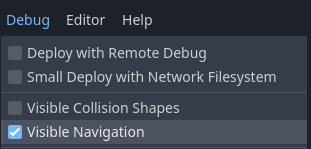
../../_images/navigation_debug_toggle.png

In Godot-Debug-Builds kann das Navigations-Debugging auch über die NavigationServer-Singletons von Skripten aus ein- und ausgeschaltet werden.

NavigationServer2D.set_debug_enabled(false)
NavigationServer3D.set_debug_enabled(true)
NavigationServer2D.SetDebugEnabled(false);
NavigationServer3D.SetDebugEnabled(true);

Debug-Visualisierungen basieren derzeit auf Nodes im Szenenbaum. Wenn die NavigationServer2D oder NavigationServer3D APIs exklusiv verwendet werden, werden Änderungen nicht von den Debug-Navigationswerkzeugen reflektiert.

Einstellungen zum Navigations-Debugging

Das Aussehen des Navigations-Debugging kann in den Projekteinstellungen unter debug/shapes/navigation geändert werden. Bestimmte Debug-Funktionen können auch nach Belieben aktiviert oder deaktiviert werden, erfordern aber möglicherweise einen Neustart der Szene, um wirksam zu werden.
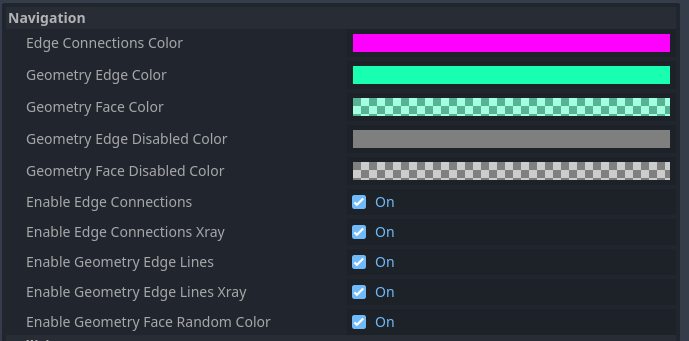
../../_images/nav_debug_settings.png

Polygone des Navigations-Meshes debuggen

Wenn enable_edge_lines aktiviert ist, werden die Kanten von Navigations-Mesh-Polygonen hervorgehoben. Wenn enable_edge_lines_xray ebenfalls aktiviert ist, werden die Kanten von Navigations-Meshes durch die Geometrie sichtbar.

Wenn enable_geometry_face_random_color aktiviert ist, wird die Farbe jeder Fläche des Meshs mit einer zufälligen Farbe gemischt, die wiederum mit der in geometry_face_color angegebenen Farbe gemischt wird.
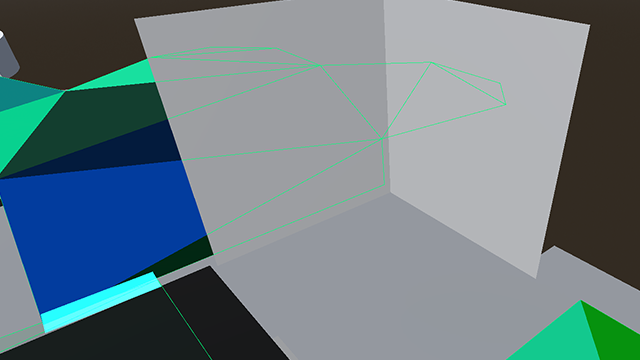
../../_images/nav_debug_xray_edge_lines.png

Debuggen von Kantenverbindungen

Wenn zwei Navigations-Meshes innerhalb der edge_connection_margin-Distanz verbunden sind, wird die Verbindung überlagert. Die Farbe der Überlagerung wird durch edge_connection_color gesteuert. Die Verbindungen können durch Geometrie mit enable_edge_connections_xray sichtbar gemacht werden.
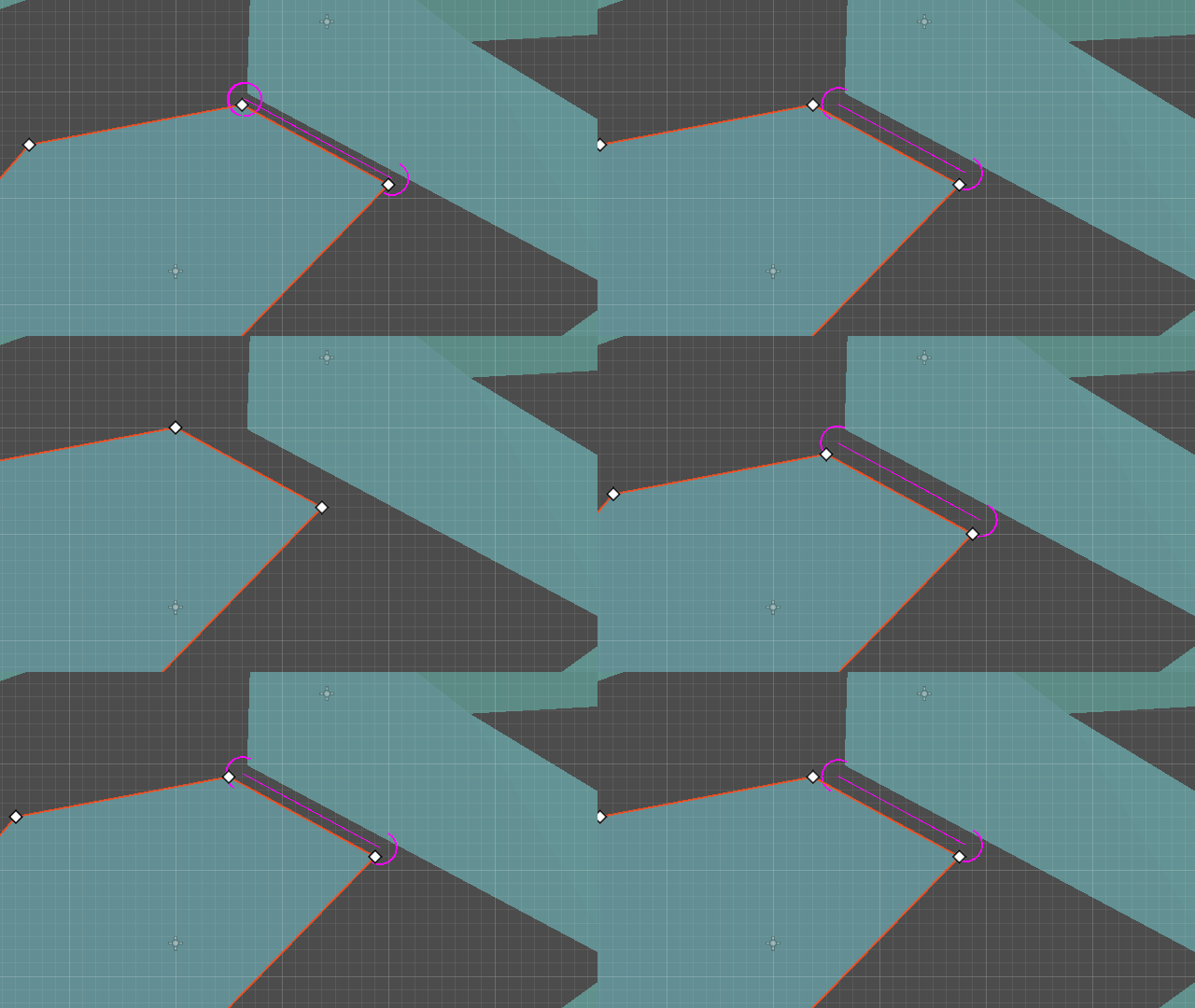
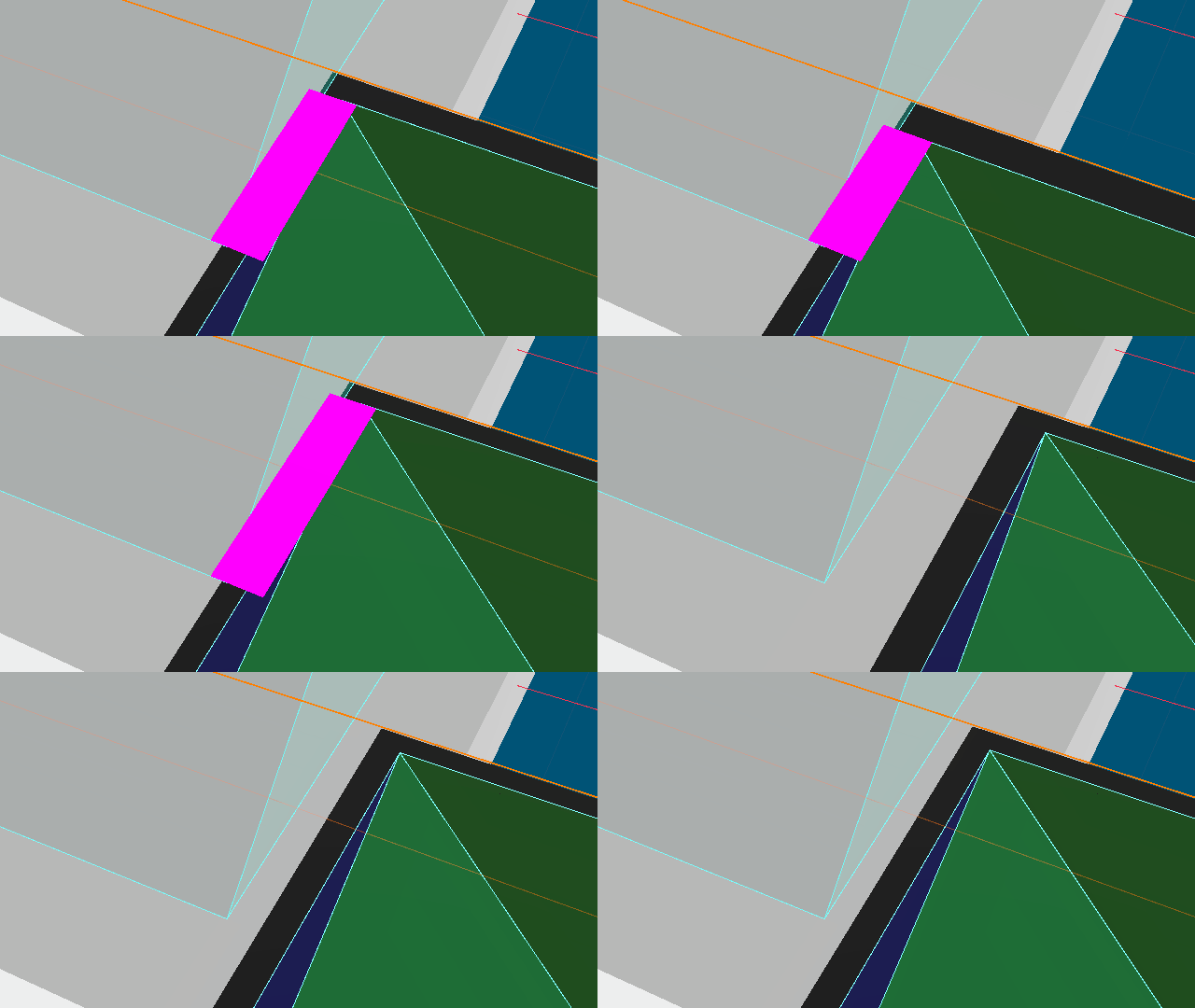
../../_images/nav_edge_connection2d.gif ../../_images/nav_edge_connection3d.gif

Bemerkung

Kantenverbindungen sind nur sichtbar, wenn der NavigationServer aktiv ist.

Debug-Performance

Um die Performance des Navigationsservers zu messen, gibt es einen eigenen Monitor, der im Editor-Debugger unter Debugger->Monitore->Navigationsprozess zu finden ist.
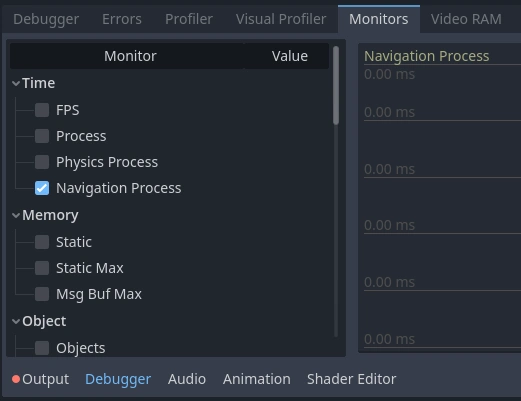
../../_images/navigation_debug_performance1.webp

Navigation Process zeigt in Millisekunden an, wie lange der NavigationServer mit der Aktualisierung seiner Interna in diesem Aktualisierungsframe verbringt. Navigation Process funktioniert ähnlich wie Process für visuelles Frame-Rendering und wie Physics Process für Kollisions- und feste Updates.

Navigation Process berücksichtigt alle Aktualisierungen von Navigations-Maps, Navigationsregionen und Navigationsagenten sowie alle Ausweichberechnungen für den Aktualisierungs-Frame.

Bemerkung

Der Navigationsprozess umfasst NICHT die Performance der Wegfindung, da die Wegfindung unabhängig von der Aktualisierung des Serverprozesses auf den Navigations-Map-Daten basiert.

Der Navigationsprozess sollte im Allgemeinen so niedrig und stabil wie möglich gehalten werden, um Probleme mit der Framerate zu vermeiden. Da die Aktualisierung des Navigationsserver-Prozesses in der Mitte des Physik-Updates stattfindet, wird eine Erhöhung des Navigationsprozesses automatisch den Physikprozess um den gleichen Betrag erhöhen.

Die Navigation liefert auch detailliertere Statistiken über die aktuellen navigationsbezogenen Objekte und die Zusammensetzung der Navigations-Map auf dem NavigationServer.
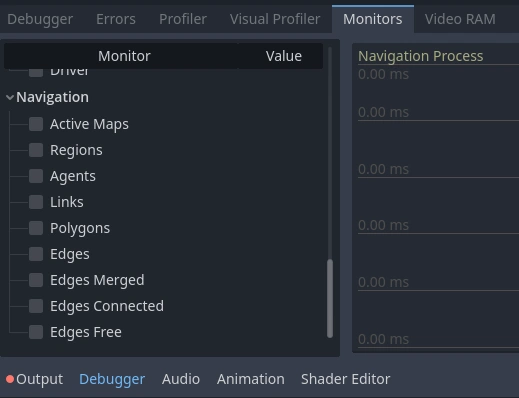
../../_images/navigation_debug_performance2.webp

Die hier gezeigten Navigationsstatistiken können nicht als gut oder schlecht für die Performance bewertet werden, da es ganz vom jeweiligen Projekt abhängt, was als angemessen oder fürchterlich übertrieben angesehen werden kann.

Navigationsstatistiken helfen bei der Identifizierung von Performance-Bottlenecks, die weniger offensichtlich sind, weil die Quelle nicht immer eine sichtbare Darstellung hat. Z.B. Performance-Probleme bei der Wegfindung, die durch zu detaillierte Navigations-Meshes mit Tausenden von Kanten/Polygonen entstehen, oder Probleme, die durch schiefgelaufene prozedurale Navigation verursacht werden.

Vorheriger Tab Nächster Tab

© Copyright 2014-present Juan Linietsky, Ariel Manzur and the Godot community (CC BY 3.0).

Erstellt mit Sphinx mit einem theme bereitgestellt von Read the Docs.