Attention: Here be dragons
This is the latest
(unstable) version of this documentation, which may document features
not available in or compatible with released stable versions of Godot.
Checking the stable version of the documentation...
Exporting 3D scenes
概要
In Godot, it is possible to export 3D scenes as a glTF 2.0 file. You can
export as a glTF binary (.glb file) or glTF embedded with textures
(gltf + .bin + textures). This allows you to create scenes in Godot,
such as a CSG mesh blockout for a level, export it to clean it up in a
program such as Blender, and then bring it back into Godot.
注釈
Blender 2.83以上で、Godotで書き出したglTFファイルを読み込めます。
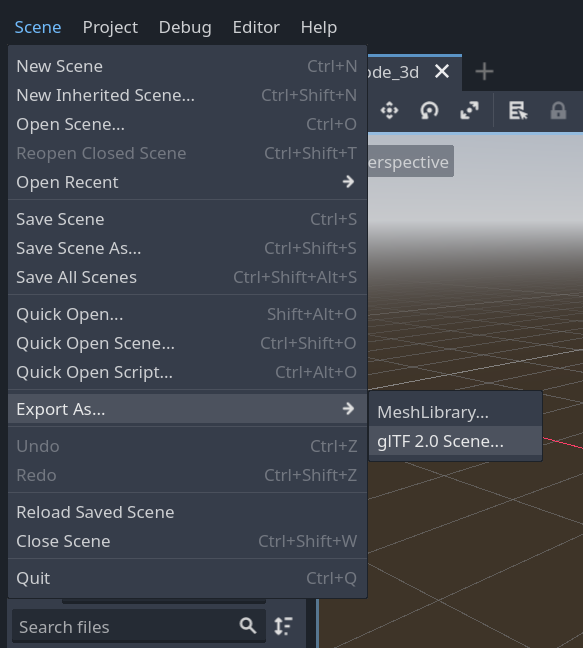
To export a scene in the editor go to Scene > Export As... > glTF 2.0 Scene...
制限事項
glTF エクスポートにはいくつかの制限があります。
No support for exporting particles since their implementation varies across engines.
ShaderMaterials cannot be exported.
No support for exporting 2D scenes.
参考
3D scenes can be saved at runtime using runtime file loading and saving, including from an exported project.