Attention: Here be dragons
This is the latest
(unstable) version of this documentation, which may document features
not available in or compatible with released stable versions of Godot.
Checking the stable version of the documentation...
GDScript 경고 시스템
경고 시스템은 정적 타이핑 GDScript을 보완해줍니다(정적 타이핑 없이도 동작할 수 있습니다). 개발 중에 발견하기 어렵고 실행 시간 오류로 이어질 수 있는 실수를 방지하는 데 도움이 됩니다.
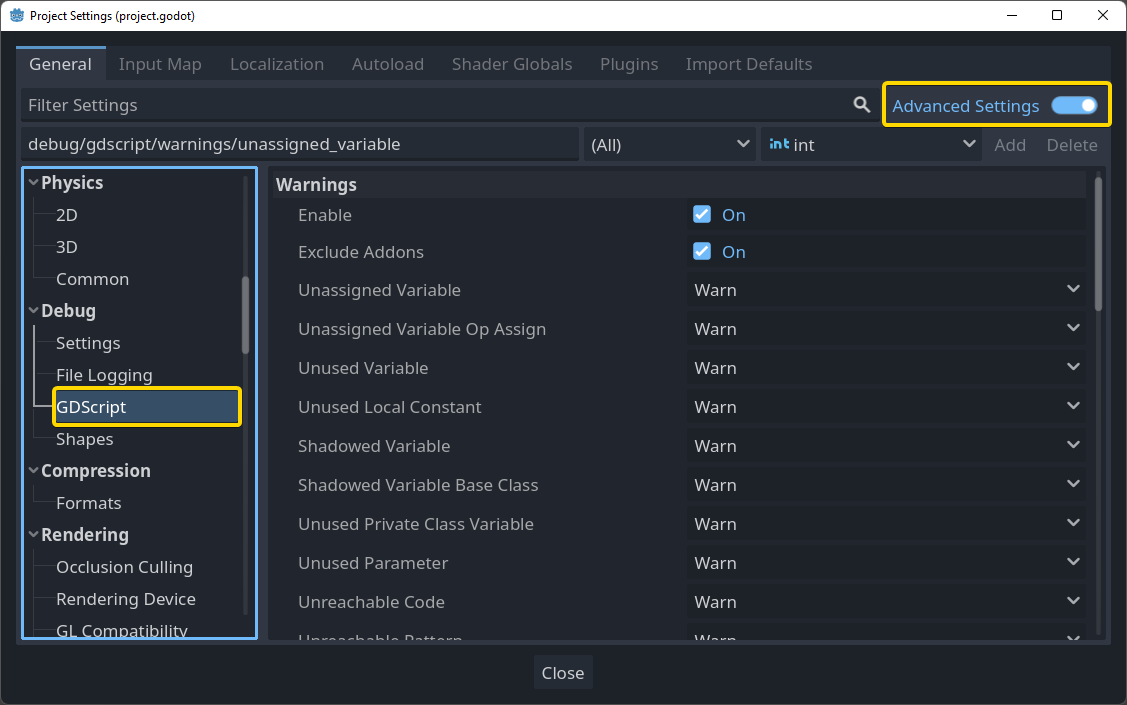
프로젝트 설정 아래에 GDScript 섹션에서 경고를 구성할 수 있습니다:
참고
사이드바에서 GDScript 섹션을 보려면 **고급 설정**을 활성화해야 합니다. 고급 설정이 꺼져 있으면 "GDScript"를 검색할 수도 있습니다.
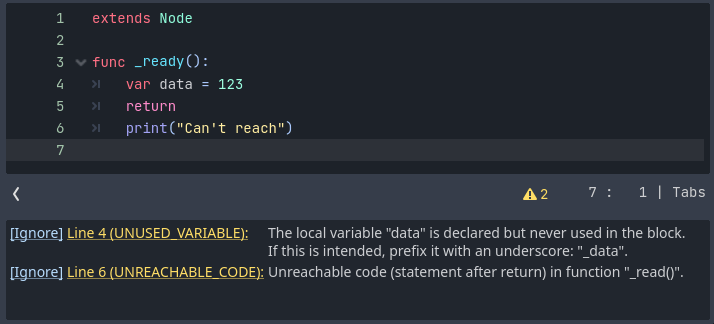
스크립트 편집기의 상태 바에서 활성화된 GDScript 파일에 대한 경고 목록을 찾을 수 있습니다. 밑의 예제는 2개의 경고를 가집니다:
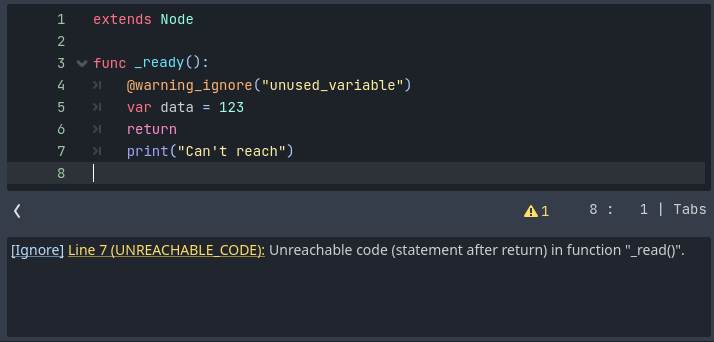
한 파일에서 특정 경고를 무시하려면, #warning-ignore:warning-id 형식의 특수 주석을 삽입하거나 경고 설명 옆에 무시를 클릭하세요. Godot는 해당 줄 위에 주석을 추가해서 더 이상 해당 경고를 발생하지 않게 됩니다:
파일 내의 한 영역에서 여러 경고를 무시하려면 @warning_ignore_start 및 @warning_ignore_restore 주석을 사용하세요. 파일 끝까지 지정된 경고 유형을 무시하려면 ``@warning_ignore_restore``를 생략할 수 있습니다.
The names of the warnings to ignore match the names of the project settings.
For example, to ignore the warning configured by the
debug/gdscript/warnings/unused_variable
project setting, use @warning_ignore("unused_variable").
An autocompletion dialog displays when entering a warning name in the
annotation, listing all available warnings.
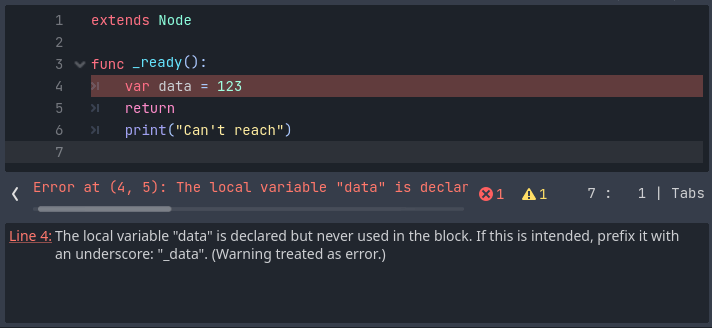
경고가 게임 실행을 방해하지는 않지만 원한다면 경고를 오류로 전환할 수 있습니다. 이렇게 하면 모든 경고를 수정하지 않는 한 게임이 컴파일되지 않습니다. 이 옵션을 켜려면 프로젝트 설정의 GDScript 섹션으로 이동하세요. 다음은 경고를 오류로 바꾸는 옵션을 킨 이전 예제와 동일한 파일입니다: