Attention: Here be dragons
This is the latest
(unstable) version of this documentation, which may document features
not available in or compatible with released stable versions of Godot.
Checking the stable version of the documentation...
Android Studio
Android Studio ist eine kostenlose IDE für die Android-Entwicklung, die von Google und JetBrains entwickelt wurde. Es basiert auf IntelliJ IDEA und hat einen funktionsreichen Editor, der Java und C/C++ unterstützt. Es kann sowohl für die Arbeit an der Godot-Kern-Engine als auch für die Codebasis der Android-Plattform verwendet werden.
Projekt importieren
Wählen Sie im Begrüßungsfenster von Android Studio Öffnen.
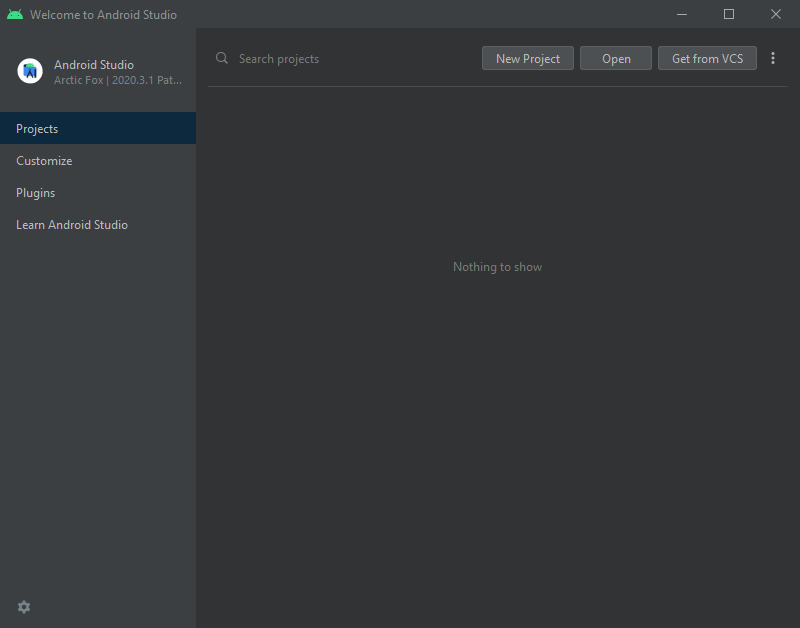
Android Studio's Willkommensbildschirm.
Navigieren Sie zu
<Godot-Stammverzeichnis>/platform/android/javaund wählen Sie die Dateisettings.gradle.Android Studio wird das Projekt importieren und indizieren.
Android Studio Projektaufbau
Das Projekt ist mit den Modulen von Android Studio organisiert:
lib module:
Located under
<Godot root directory>/platform/android/java/lib, this is a library module that organizes the Godot java and native code and make it available as a reusable Android library.The generated Godot Android library is made available for other Android modules / projects via MavenCentral, along with its documentation.
editor module:
Located under
<Godot root directory>/platform/android/java/editor, this is an application module that holds the source code for the Android and XR ports of the Godot Editor.This module has a dependency on the lib module.
app module:
Located under
<Godot root directory>/platform/android/java/app, this is an application module that holds the source code for the Android build templates.This module has a dependency on the lib module.
Bauen und Debuggen des Editormoduls
Um das
Editor-Modul zu bauen:Wählen Sie das Dropdown-Menü Run/Debug Configurations und wählen Sie
editor.
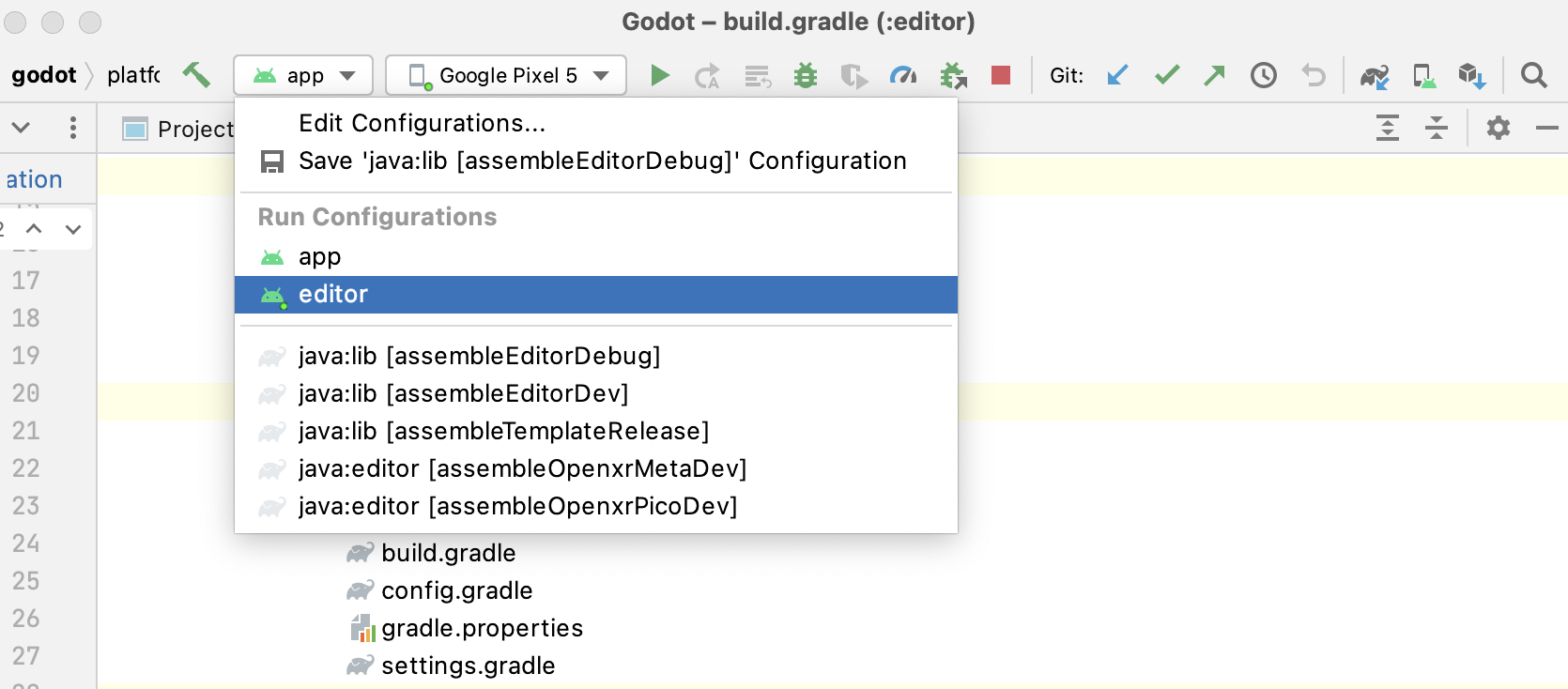
Wählen Sie Run > Run 'editor' aus dem oberen Menü oder klicken Sie auf das Run-Icon.
Um das
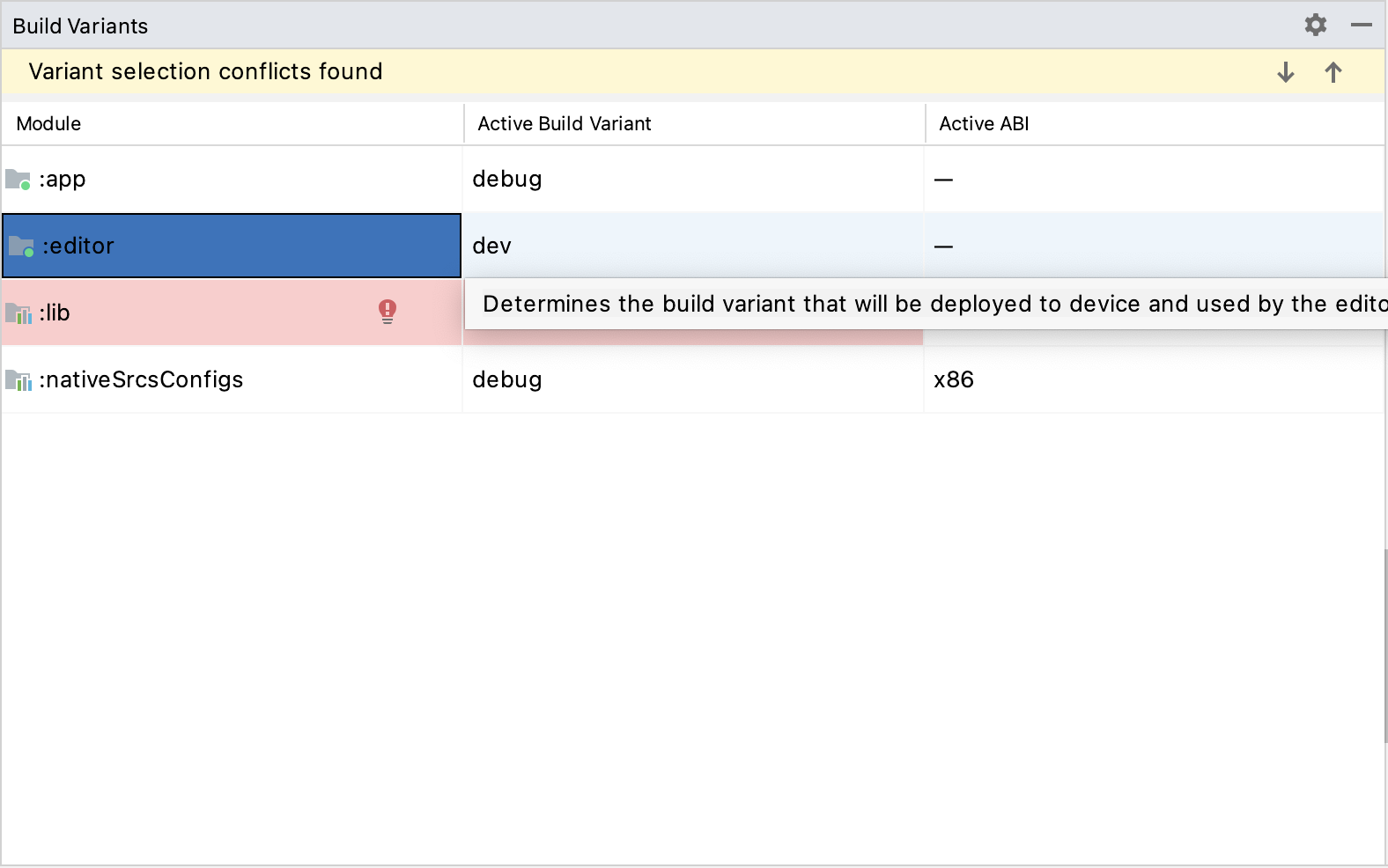
Editor-Modul zu debuggen:Öffnen Sie das Fenster Build Variants mit View > Tools Windows > Build Variants aus dem oberen Menü.
In the Build Variants window, make sure that in the Active Build Variant column, the
:editorentry is set to one of the Debug variants.
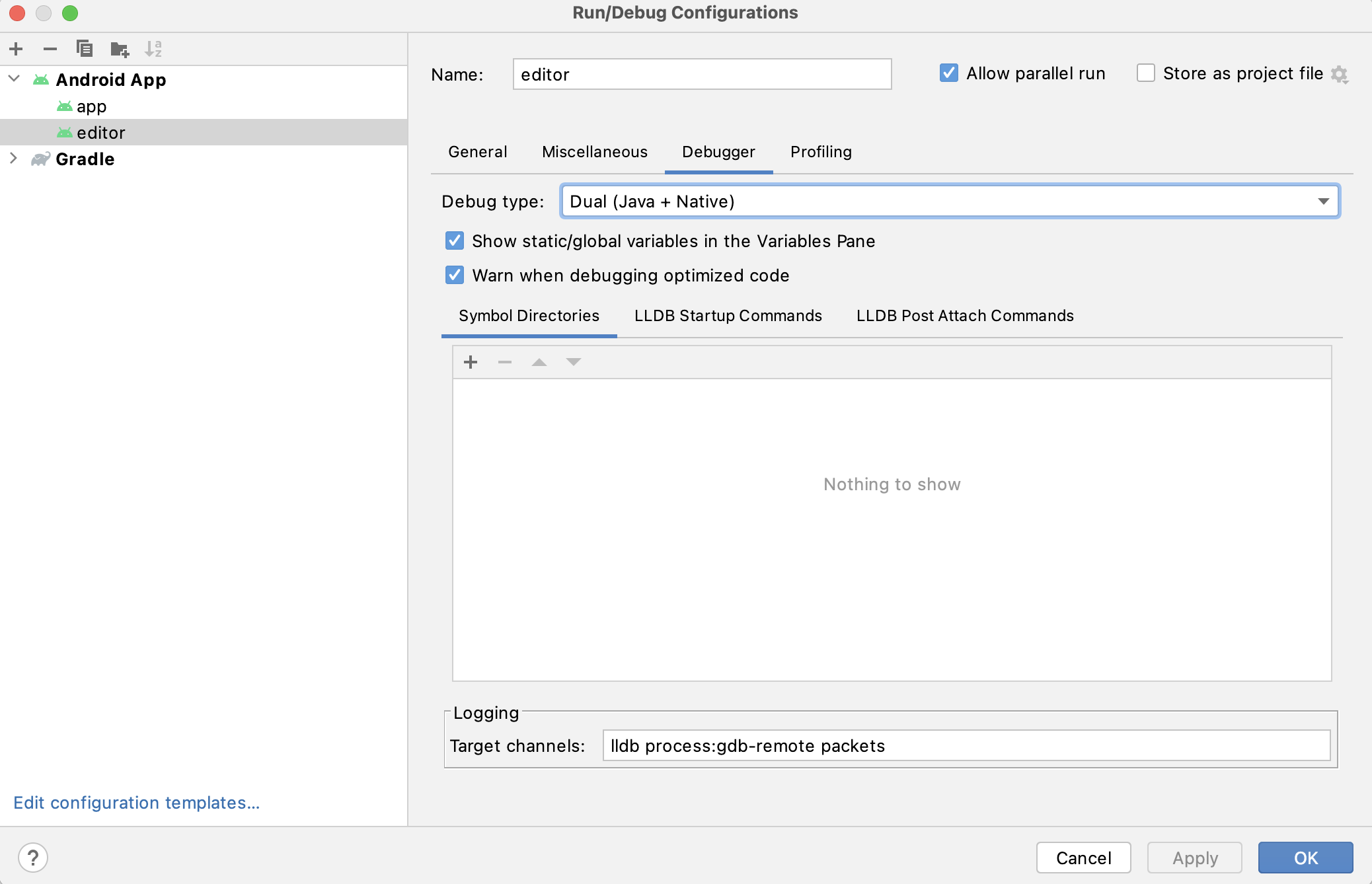
Öffnen Sie das Fenster Run/Debug Configurations, indem Sie im oberen Menü auf Run > Edit Configurations... klicken.
Wählen Sie im Fenster Run/Debug Configurations den Eintrag
editorund stellen Sie unter Debugger sicher, dass der Debug-Type aufDual (Java + Native)gesetzt istClick the
+sign under the Symbol Directories section, and add theplatform/android/java/lib/libs/tools/debugdirectory.
Wählen Sie Run > Debug 'editor' aus dem oberen Menü oder klicken Sie auf das Debug-Icon.
Bauen und Debuggen des App-Moduls
The app module requires the presence of a Godot project in its assets directory (<Godot root directory>/platform/android/java/app/src/main/assets) to run.
This is usually handled by the Godot Editor during the export process.
While developing in Android Studio, it's necessary to manually add a Godot project under that directory to replicate the export process.
Once that's done, you can follow the instructions below to run/debug the app module:
Um das Modul
appzu erstellen:Wählen Sie die Dropdown-Liste Run/Debug Configurations und wählen Sie
app.
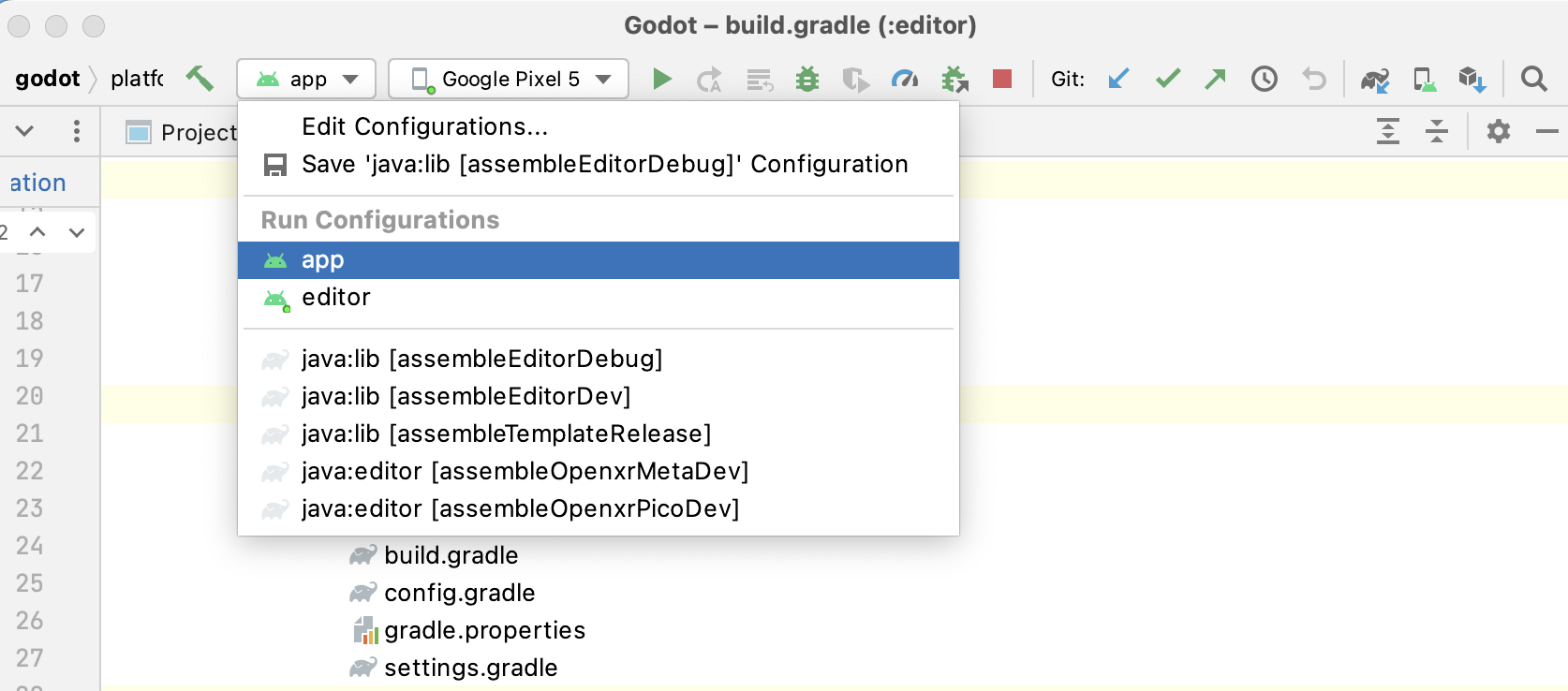
Wählen Sie Run > Run 'app' aus dem oberen Menü oder klicken Sie auf das Ausführen-Icon.
Um das
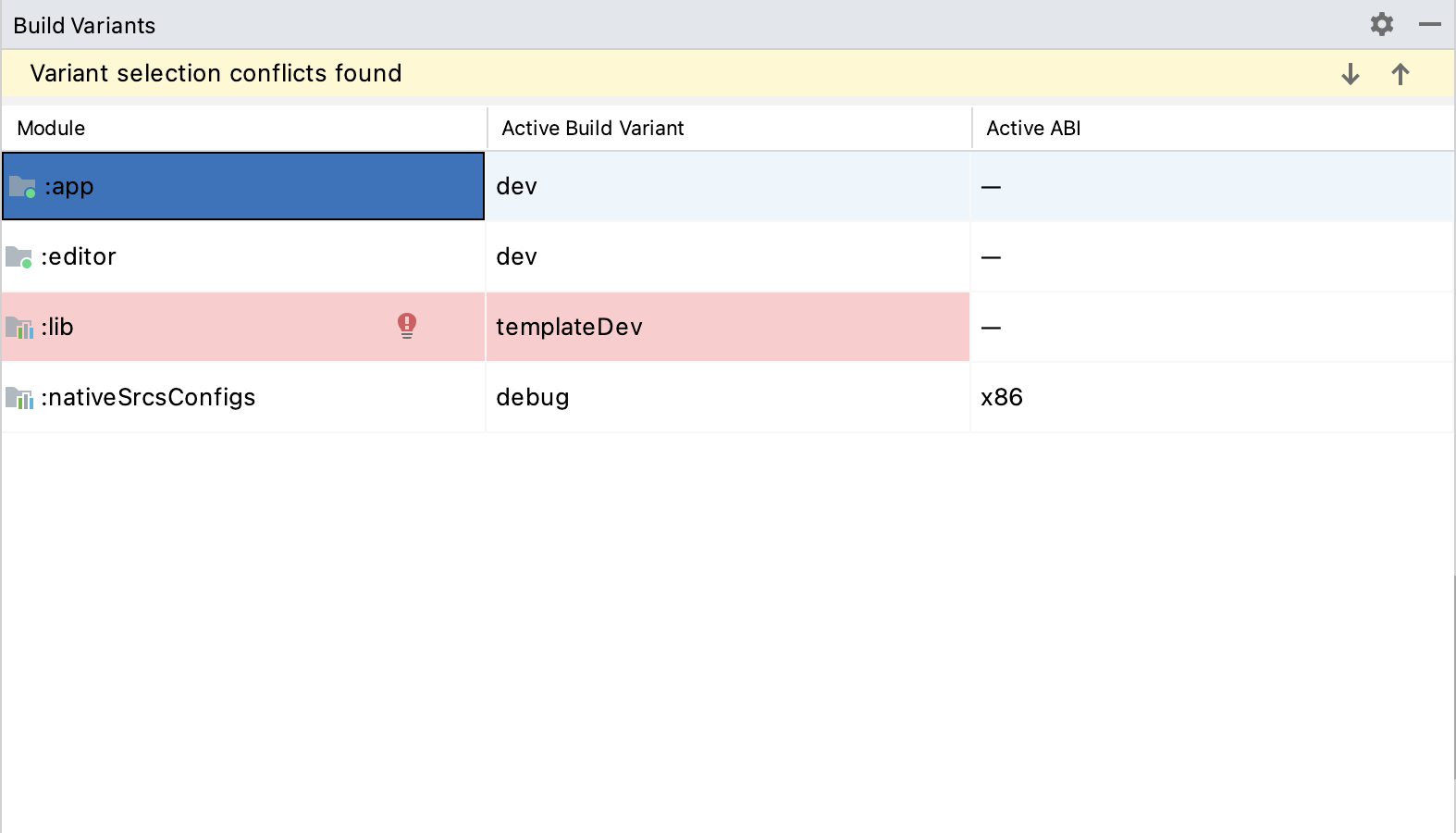
app-Modul zu debuggen:Öffnen Sie das Fenster Build Variants mit View > Tools Windows > Build Variants aus dem oberen Menü.
In the Build Variants window, make sure that in the Active Build Variant column, the
:appentry is set to one of the Debug variants.
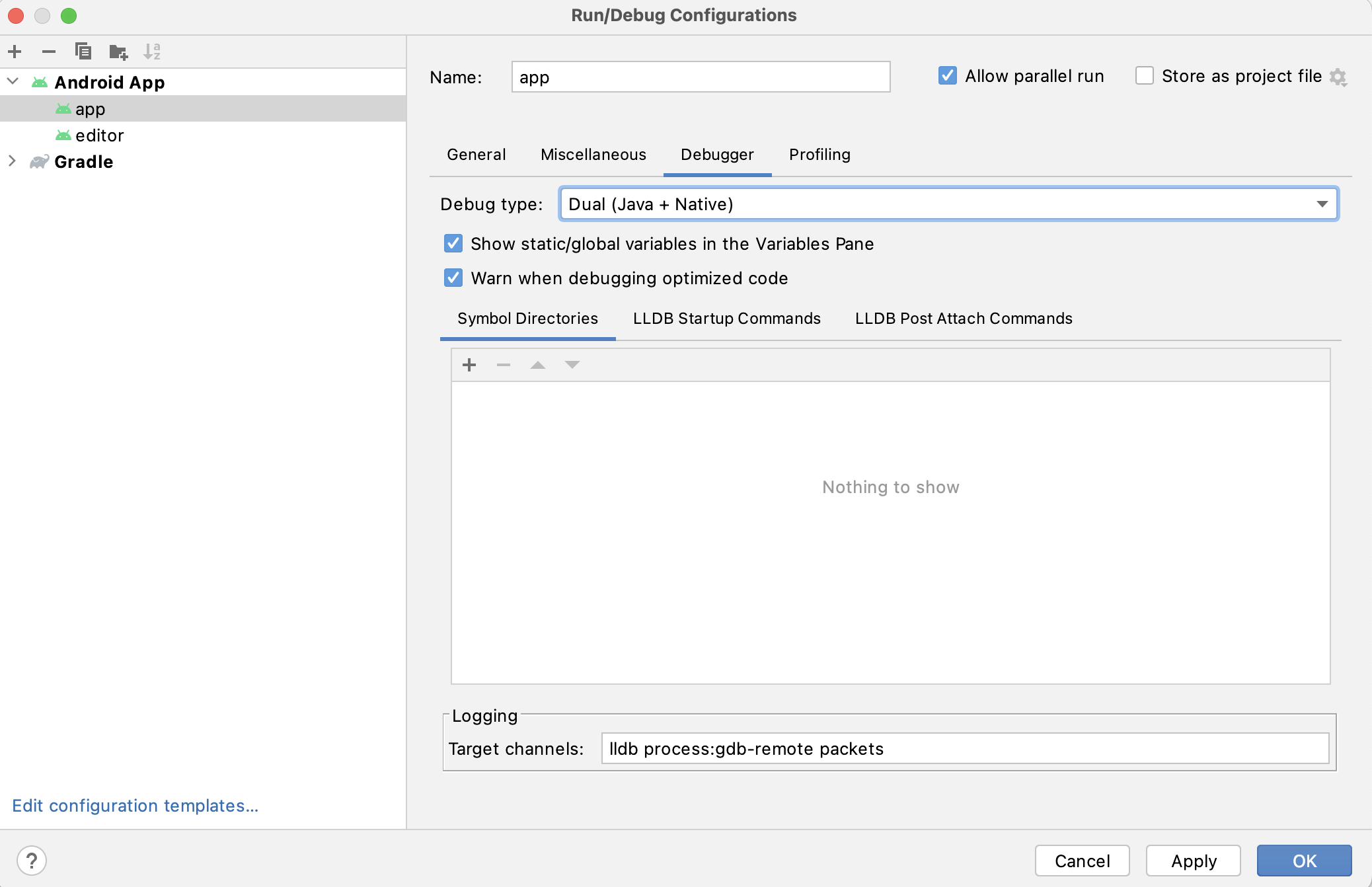
Öffnen Sie das Fenster Run/Debug Configurations, indem Sie im oberen Menü auf Run > Edit Configurations... klicken.
Wählen Sie im Fenster Run/Debug Configurations den Eintrag
appund stellen Sie unter Debugger sicher, dass der Debug-Typ aufDual (Java + Native)gesetzt istClick the
+sign under the Symbol Directories section, and add theplatform/android/java/lib/libs/debugdirectory.
Wählen Sie Run > Debug 'app' aus dem oberen Menü oder klicken Sie auf das Debug-Icon.
Wenn Sie auf Probleme stoßen, bitten Sie um Hilfe im Godot Android Dev Channel.