Attention: Here be dragons
This is the latest
(unstable) version of this documentation, which may document features
not available in or compatible with released stable versions of Godot.
Checking the stable version of the documentation...
Superluminal
参考
Please see the sampling profiler instructions for more information on how to set up Godot to work with sampling profilers like Superluminal.
Superluminal is a commercial profiler with many features and a special focus on game development. It has support for profiling on Windows, Linux, Xbox, and Playstation.
While it does not have a free version, it has more advanced features that aren't available in the open source profilers.
Here are the steps to use it:
Open Superluminal. Set the Application field to the Godot executable path. Set the Working Directory to the project path.
Set the Commandline Arguments field based on your needs. Use
--editorif you want to profile the editor, for instance. You can leave it empty for profiling a running project.
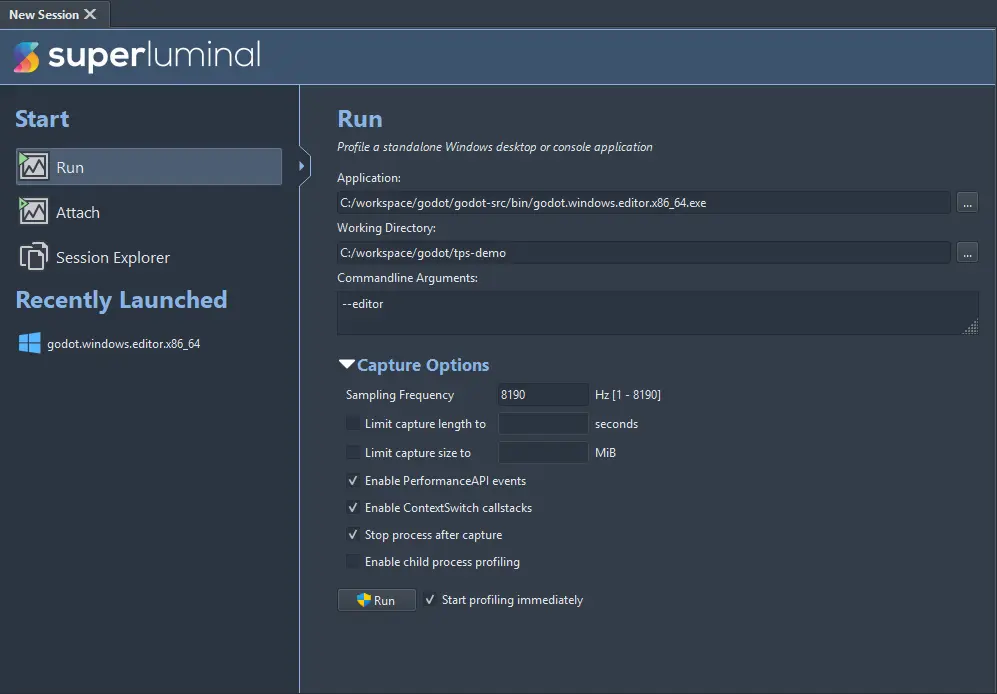
If needed, you can adjust the Capture Options. The defaults are usually fine. You can use this to enable child process profiling, which allows for profiling the editor and running the game from it on the same session.
Click on the Run button to start profiling. The software will ask for elevated privileges which are necessary to capture the information.
Perform the actions you need to profile on the running process.
Once done, you can close the executable, or click on the Start Analyzing button (which will kill the executable process).
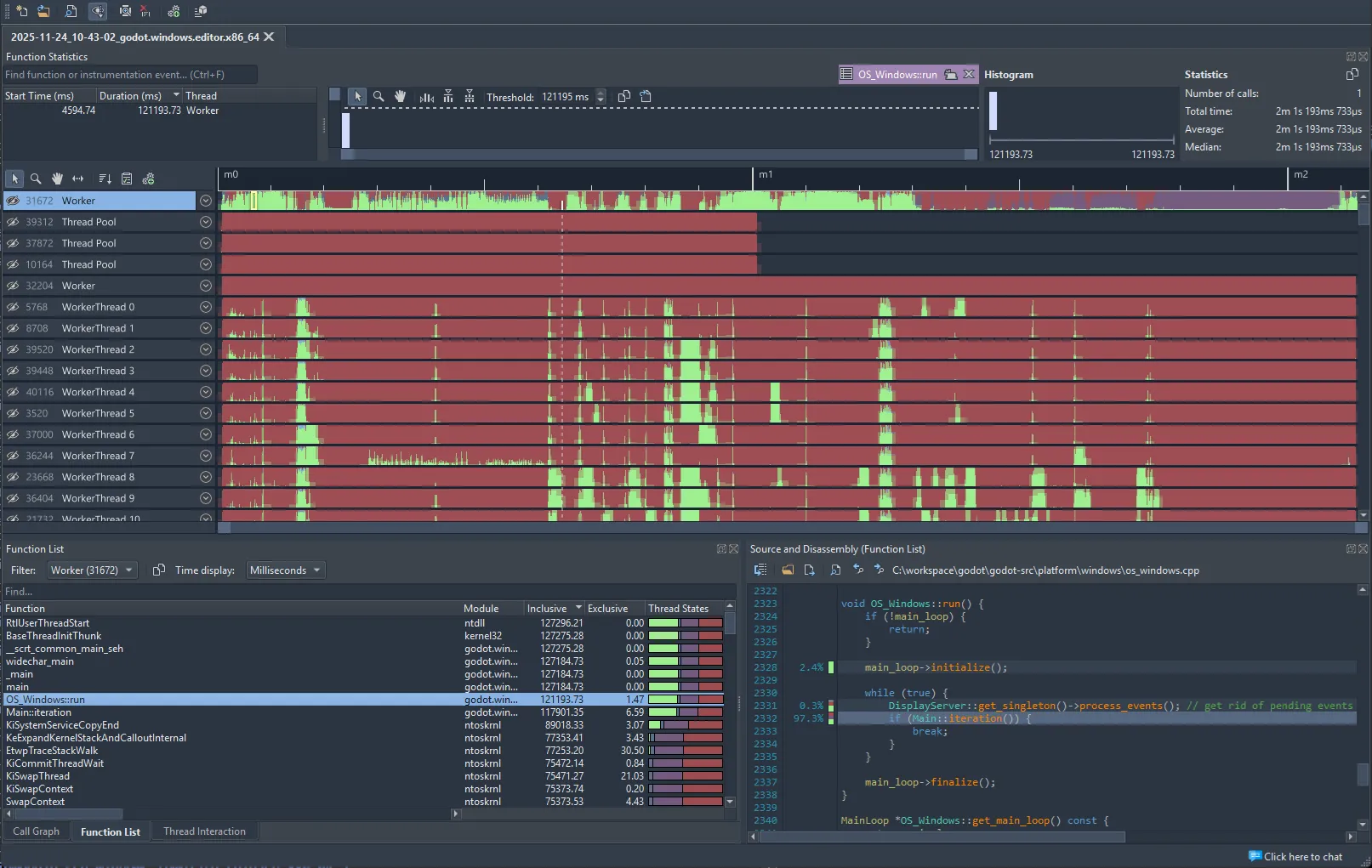
The results will be shown on screen. For more information on how to use this, see the Superluminal documentation.