Attention: Here be dragons
This is the latest
(unstable) version of this documentation, which may document features
not available in or compatible with released stable versions of Godot.
Checking the stable version of the documentation...
iOS用にエクスポート
参考
This page describes how to export a Godot project to iOS. If you're looking to compile export template binaries from source instead, read iOS用のコンパイル.
これらは、XcodeでGodotプロジェクトを読み込む手順です。これにより、iOS デバイスにビルドして展開し、AppStore用のリリースをビルドし、Xcodeで通常実行できるその他のすべてを実行できます。
注意
Projects written in C# can be exported to iOS as of Godot 4.2, but support is experimental and some limitations apply.
必要条件
XcodeがインストールされているmacOSを実行しているコンピュータからiOS用にエクスポートする必要があります。
Godotエクスポートテンプレートをダウンロードします。Godotメニューを使用する: エディタ > エクスポート テンプレートの管理
GodotプロジェクトをXcodeにエクスポートする
Godotエディタで、プロジェクト メニューから エクスポート ウィンドウを開きます。エクスポートウィンドウが開いたら、追加..をクリックし、iOS を選択します。
The App Store Team ID and (Bundle) Identifier options in the Application category are required. Leaving them blank will cause the exporter to throw an error. The bundle ID must be unique.
注釈
A valid bundle ID can only contain alphanumeric characters, hyphens, and periods (A-Z, a-z, 0-9, -, and .).
Apple recommends using reverse-DNS format (e.g. com.example.your-game) of a domain you own, so that your bundle ID is guaranteed to be unique.
Bundle IDs are case-insensitive. See CFBundleIdentifier.
注釈
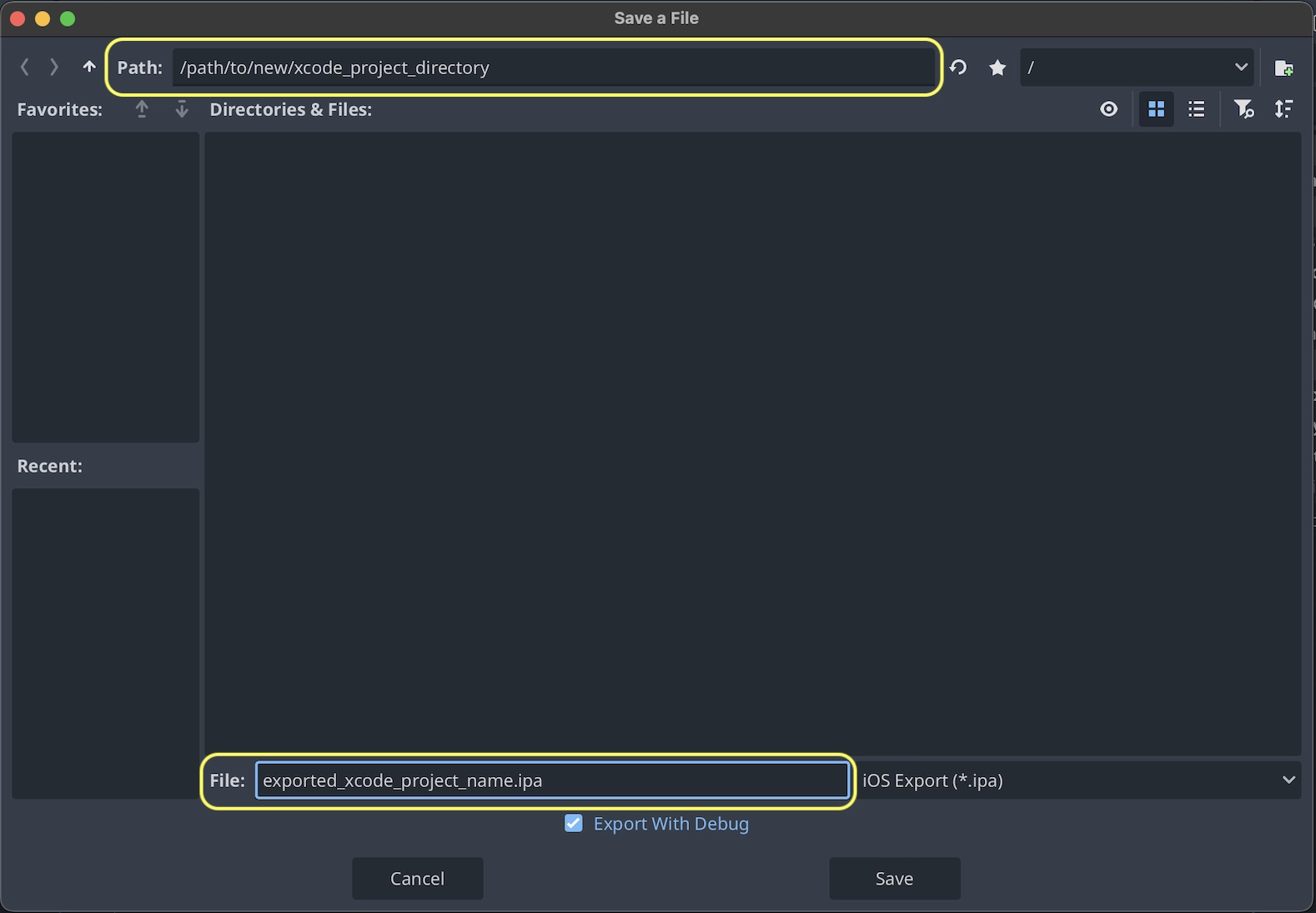
JSON text did not start with array or object and option to allow fragments not setABCDE12XYZ and not, e.g., your name as Xcode likes to display in the Signing & Capabilities tab.プロジェクトのエクスポート をクリックした後、2つの重要なオプションが残っています:
パスは、エクスポートされたXcodeプロジェクトファイルを含む空のフォルダです。
ファイルは、Xcodeプロジェクトといくつかのプロジェクト固有のファイルとディレクトリの名前になります。
注釈
このチュートリアルでは、exported_xcode_project_nameを使用しますが、プロジェクトの名前を使用します。次の手順でexported_xcode_project_nameが表示された場合は、代わりに使用した名前に置き換えます。
注釈
exported_xcode_project_name を修正するときに名称にスペースを使用しないでください。XCodeプロジェクトファイルが破損する可能性があります。
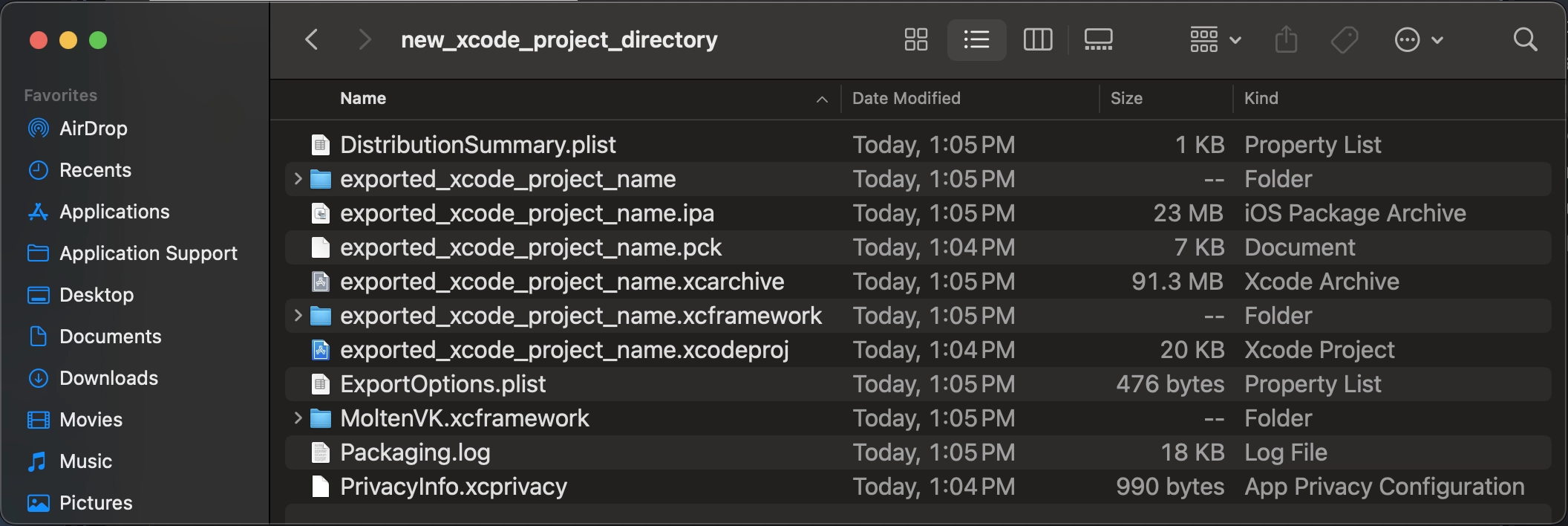
エクスポートが完了すると、出力フォルダは次のようになります:
警告
The iOS simulator only supports the Compatibility renderer.
Apple Silicon Macs can run iOS apps natively, so you can run exported iOS projects directly on an Apple Silicon Mac without iOS simulator limitations.
exported_xcode_project_name.xcodeprojを開くと、他のiOSアプリと同様にビルドおよびデプロイできます。
積極的な開発に関する考慮事項
上記の方法では、リリース用にビルドできるエクスポートされたプロジェクトを作成しますが、Godotを変更するたびに再エクスポートする必要があります。
開発中は、Godotプロジェクトファイルをアプリに直接リンクすることで、このプロセスを高速化できます。
次の例を参照してください:
exported_xcode_project_nameは、エクスポートされたiOSアプリケーションの名前です(上記のように)。
godot_project_to_exportはGodotプロジェクトの名前です。
注釈
godot_project_to_export must not be the same as exported_xcode_project_name to prevent signing issues in Xcode.
GodotプロジェクトフォルダをXcodeにリンクする手順
エクスポートされたiOSプロジェクトから開始します (上記の手順に従います)。
Finderで、GodotプロジェクトフォルダをXcodeファイルブラウザにドラッグします。
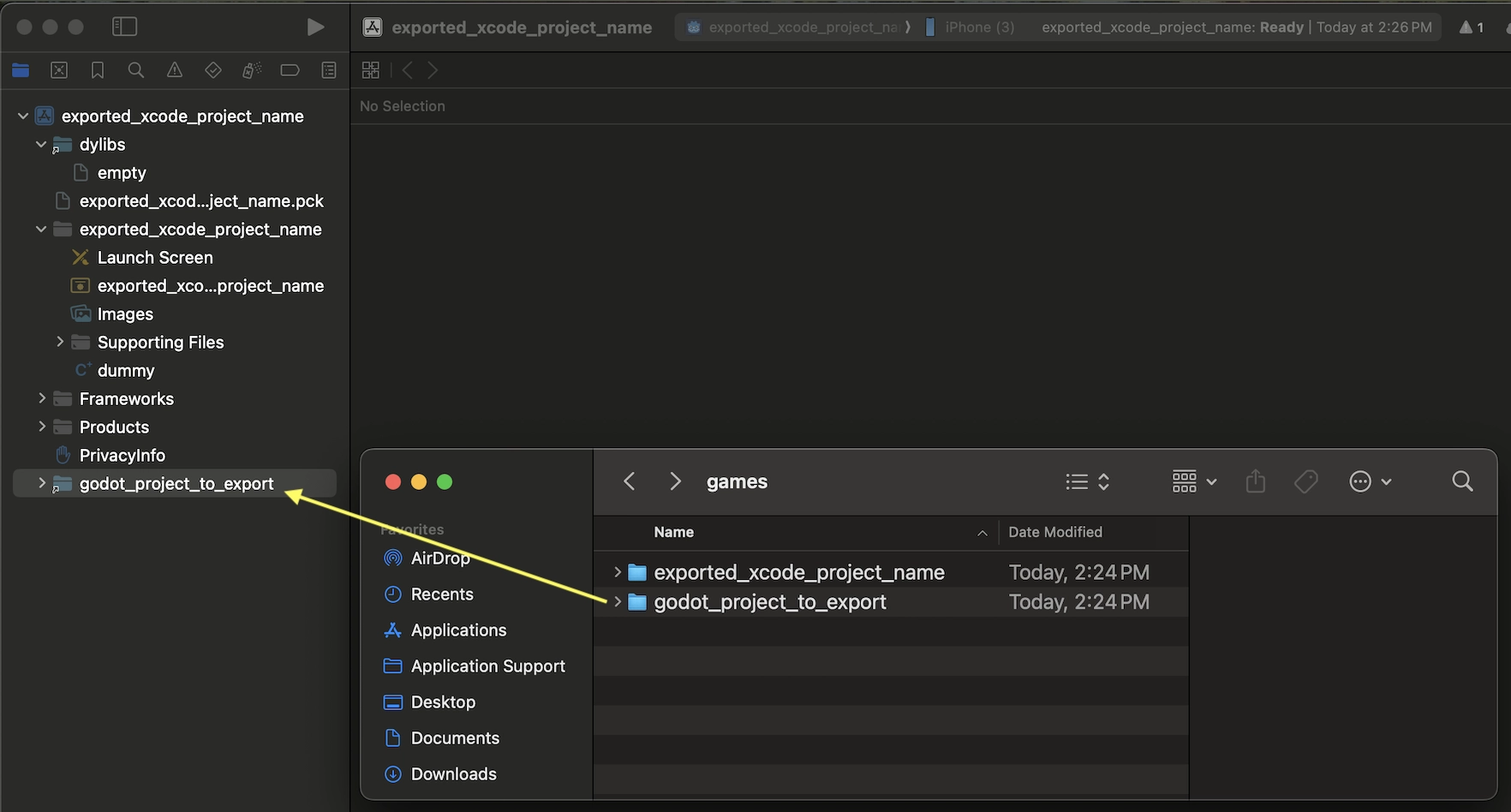
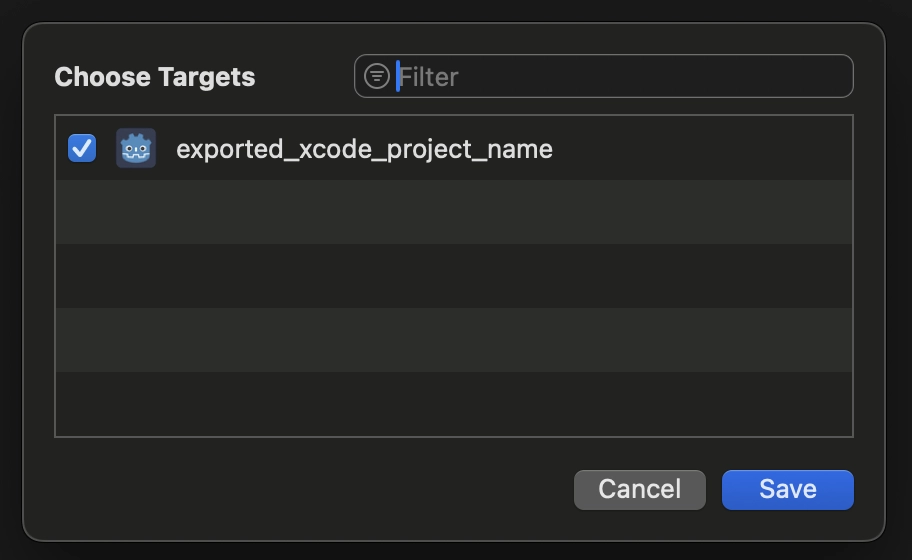
In the dialog, make sure to select Action: Reference files in place and Groups: Create folders. Uncheck Targets: exported_xcode_project_name.
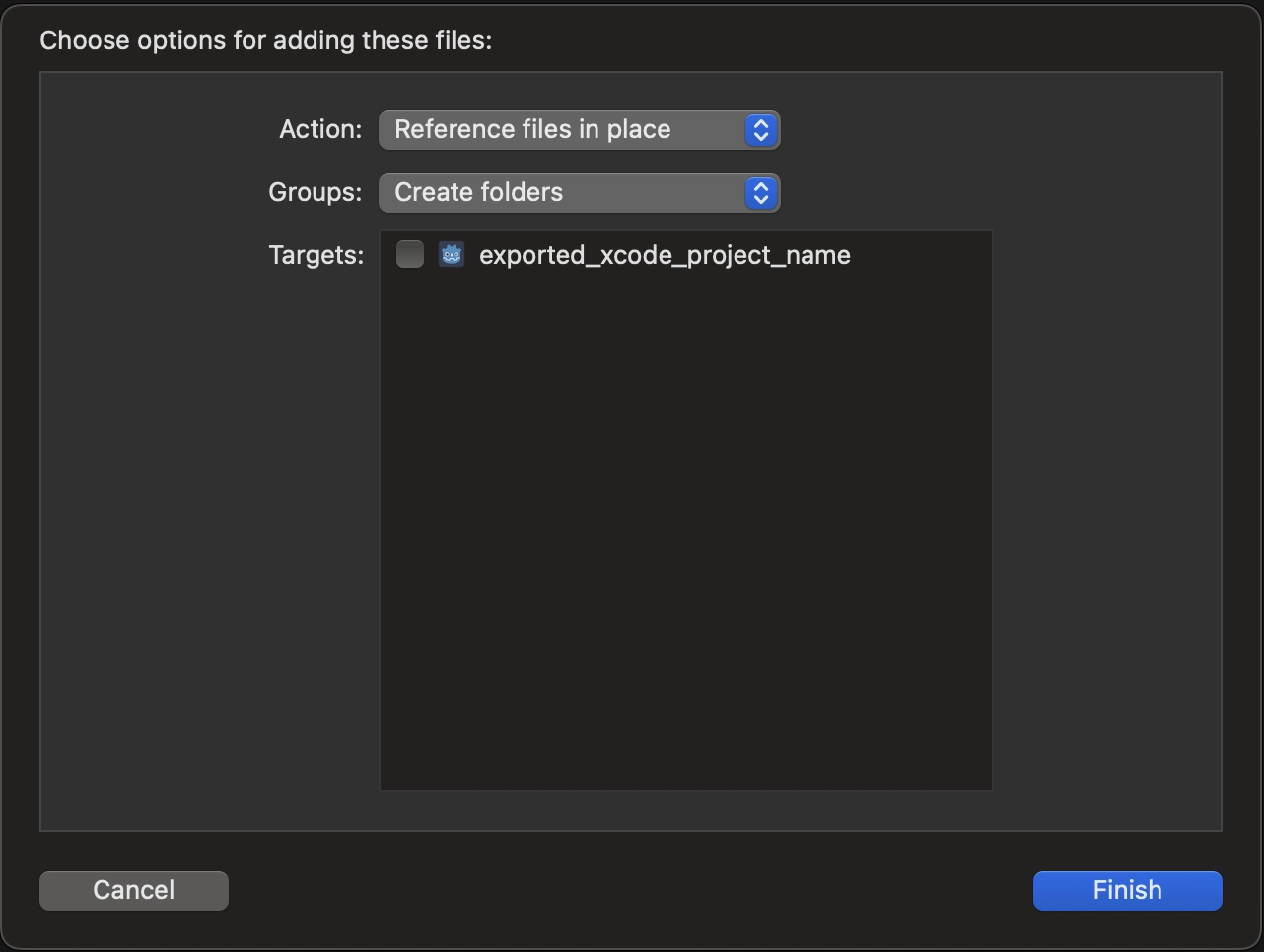
Xcodeファイルブラウザのgodot_project_to_exportフォルダを参照してください。
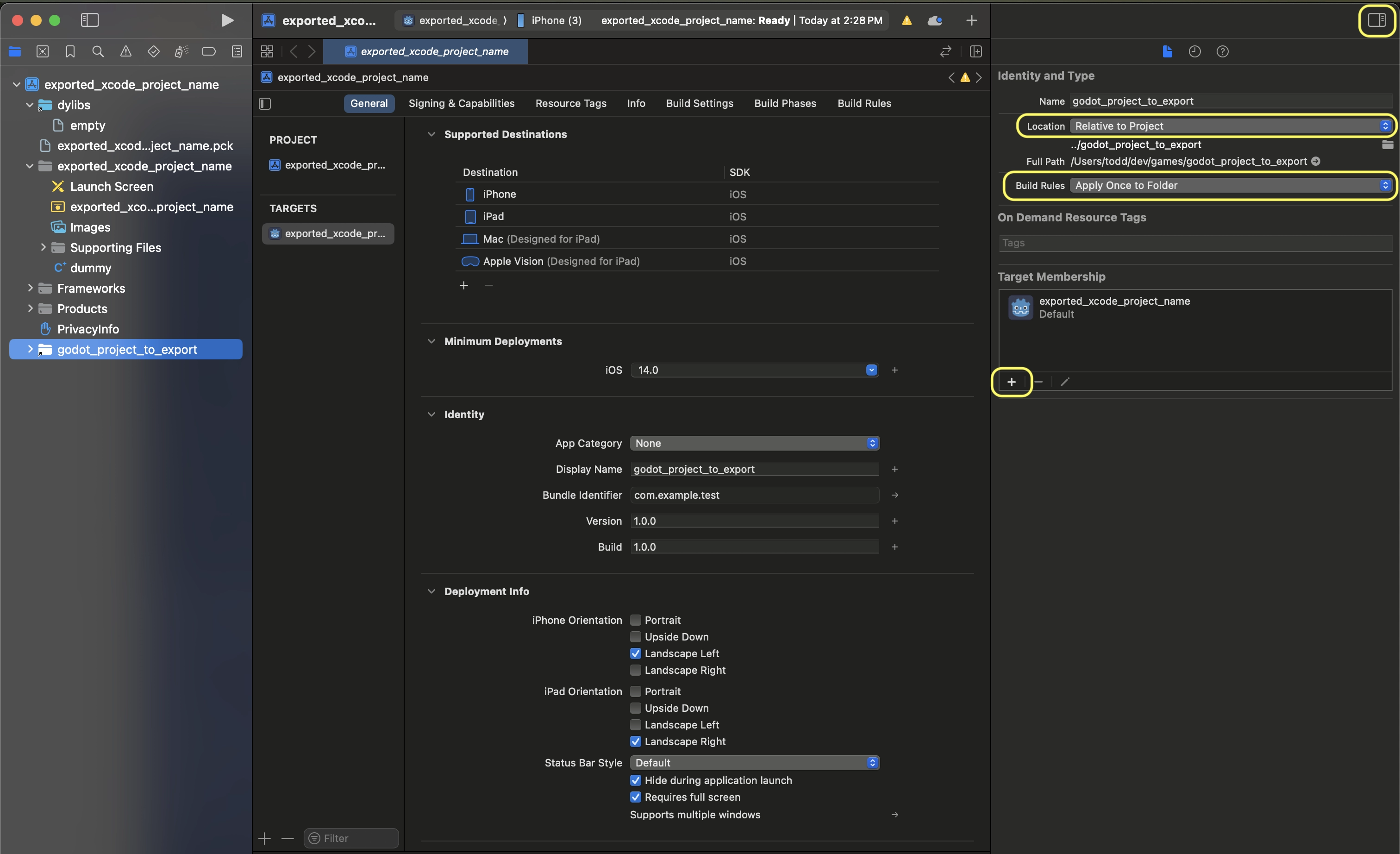
Select the godot project in the Project navigator. Then on the other side of the XCode window, in the File Inspector, make these selections:
Location: Relative to Project
Build Rules: Apply Once to Folder
add your project to Target Membership
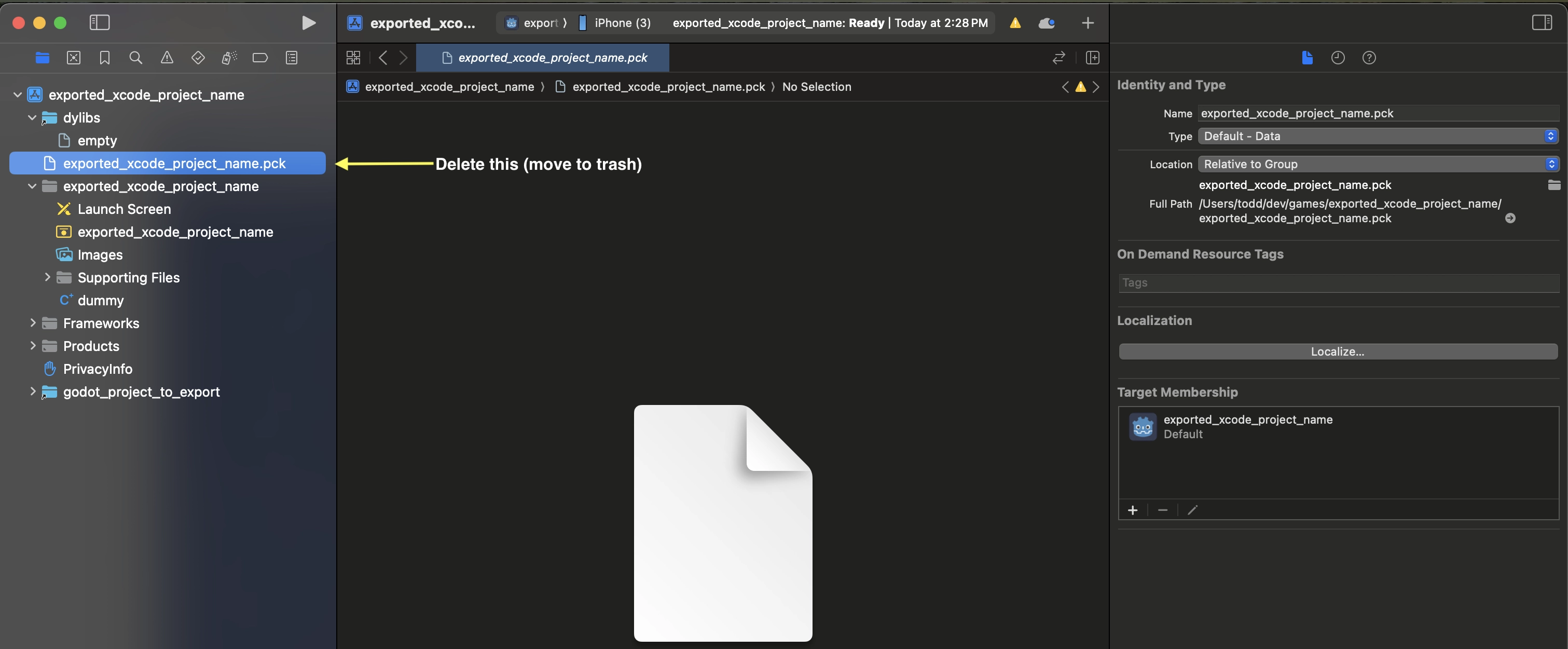
Delete exported_xcode_project_name.pck from the Xcode project in the project navigator.
8. Open exported_xcode_project_name-Info.plist and add a string property named godot_path (this is the real key name) with a value godot_project_to_export (this is the name of your project)
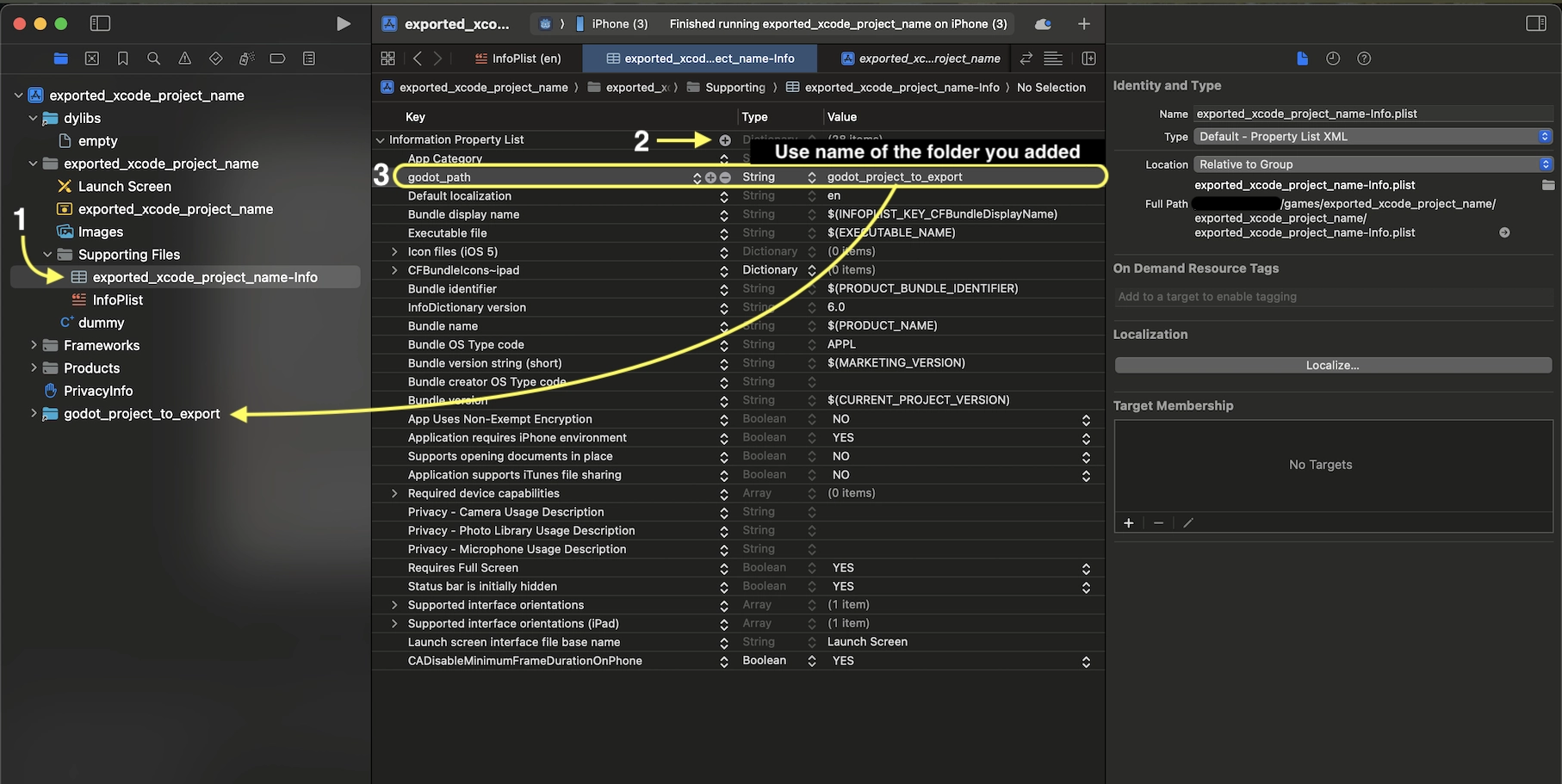
以上です!Godotエディタでプロジェクトを編集し、デバイス上で実行するときにXcodeでビルドできるようになりました。
iOS用プラグイン
Special iOS plugins can be used in Godot. Check out the Creating iOS plugins page.
環境変数
You can use the following environment variables to set export options outside of the editor. During the export process, these override the values that you set in the export menu.
Export option |
Environment variable |
|---|---|
Encryption / Encryption Key |
|
Options / Application / Provisioning Profile UUID Debug |
|
Options / Application / Provisioning Profile UUID Release |
|
トラブルシューティング
xcode-select points at wrong SDK location
xcode-select is a tool that comes with Xcode and among other things points at iOS SDKs on your Mac. If you have Xcode installed, opened it, agreed to the license agreement, and installed the command line tools, xcode-select should point at the right location for the iPhone SDK. If it somehow doesn't, Godot will fail exporting to iOS with an error that may look like this:
MSB3073: The command ""clang" <LOTS OF PATHS AND COMMAND LINE ARGUMENTS HERE>
"/Library/Developer/CommandLineTools/Platforms/iPhoneOS.platform/Developer/SDKs/iPhoneOS.sdk"" exited with code 1.
In this case, Godot is trying to find the Platforms folder containing the iPhone SDK inside the
/Library/Developer/CommandLineTools/ folder, but the Platforms folder with the iPhone SDK is
actually located under /Applications/Xcode.app/Contents/Developer. To verify this, you can open
up Terminal and run the following command to see what xcode-select points at:
xcode-select -p
To fix xcode-select pointing at a wrong location, enter this command in Terminal:
sudo xcode-select -switch /Applications/Xcode.app
After running this command, Godot should be able to successfully export to iOS.
エクスポートオプション
You can find a full list of export options available in the EditorExportPlatformIOS class reference.