Attention: Here be dragons
This is the latest
(unstable) version of this documentation, which may document features
not available in or compatible with released stable versions of Godot.
Checking the stable version of the documentation...
doc_visual_shader_plugins
Visual 셰이더 플러그인은 GDScript에서 사용자 정의 VisualShader 노드를 만드는 데 사용됩니다.
생성 과정은 일반적인 편집기 플러그인과 다릅니다. 등록하기 위해 plugin.cfg 파일을 생성할 필요는 없습니다. 대신 스크립트 파일을 생성하고 저장하면 사용자 정의 노드가 class_name에 등록되어 있는 경우 사용할 수 있습니다.
이 짧은 튜토리얼에서는 Perlin-3D 노이즈 노드(이 `GPU 노이즈 셰이더 플러그인 <https://github.com/curly-brace/Godot-3.0-Noise-Shaders/blob/master/assets/gpu_noise_shaders/classic_perlin3d.tres>`_의 원본 코드를 만드는 방법을 설명합니다.
만들기를 Sprite2D로 지정하고 해당 재질 슬롯에 :ref:`class_ShaderMaterial`를 할당합니다.
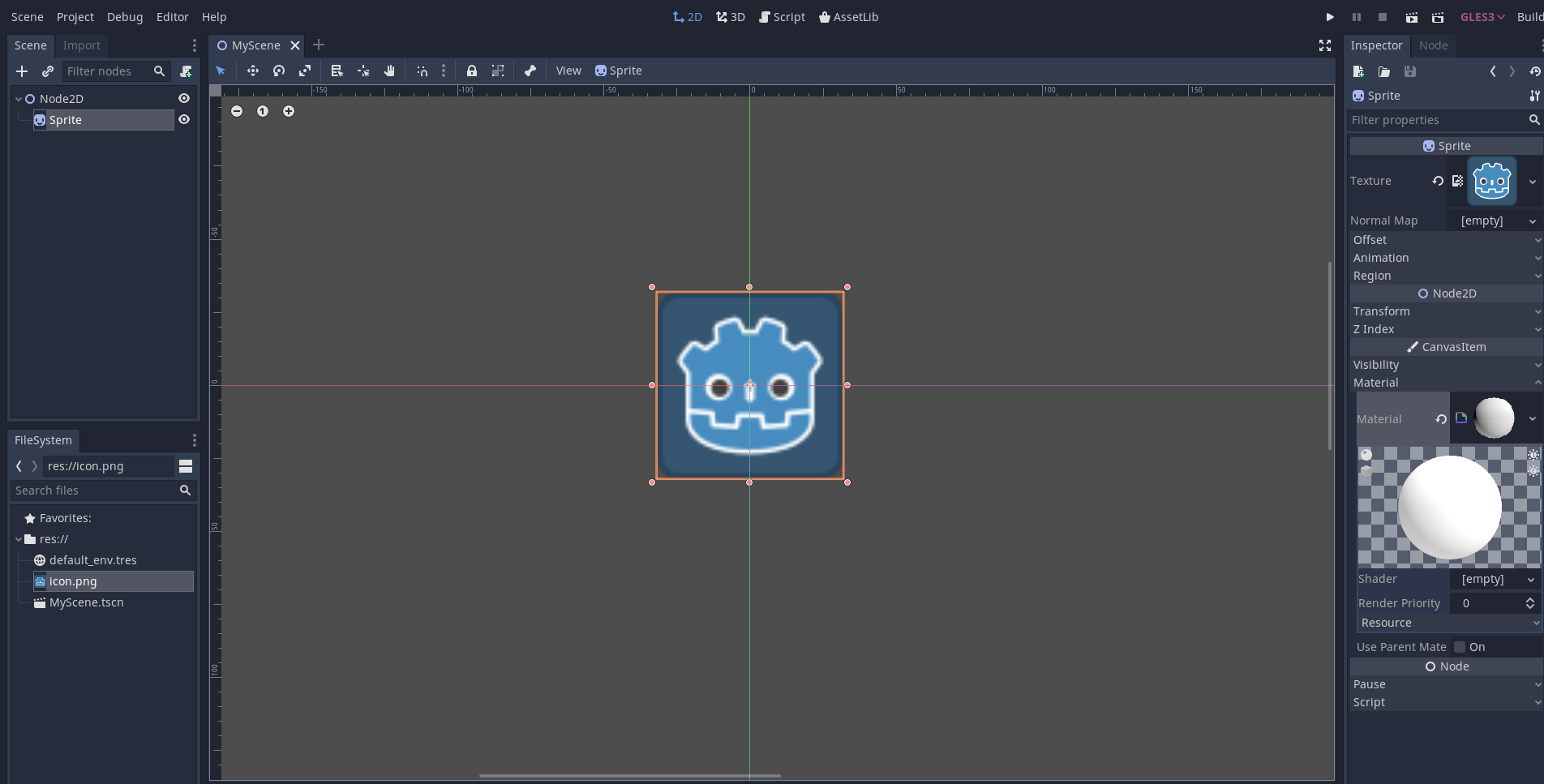
재료의 셰이더 슬롯에 VisualShader를 지정합니다.
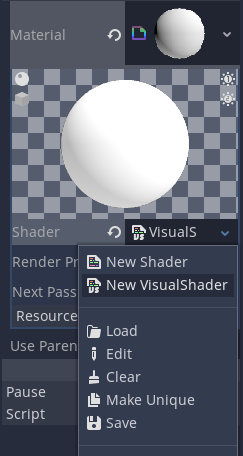
모드를 "CanvasItem"으로 변경하는 것을 잊지 마세요(Sprite2D를 사용하는 경우).
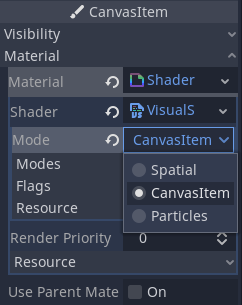
만들기 VisualShaderNodeCustom에서 파생된 스크립트입니다. 이것이 플러그인을 초기화하는 데 필요한 전부입니다.
# perlin_noise_3d.gd
@tool
extends VisualShaderNodeCustom
class_name VisualShaderNodePerlinNoise3D


func _get_name():
    # This must be a valid identifier and should follow PascalCase naming conventions.
    # The name must start with a letter, and spaces in the name are *not* allowed.
    return "PerlinNoise3D"


func _get_category():
    # This must be a valid identifier and should follow PascalCase naming conventions.
    # The category must start with a letter, and spaces in the category are *not* allowed.
    return "MyShaderNodes"


func _get_description():
    return "Classic Perlin-Noise-3D function (by Curly-Brace)"


func _init():
    set_input_port_default_value(2, 0.0)


func _get_return_icon_type():
    return VisualShaderNode.PORT_TYPE_SCALAR


func _get_input_port_count():
    return 4


func _get_input_port_name(port):
    match port:
        0:
            return "uv"
        1:
            return "offset"
        2:
            return "scale"
        3:
            return "time"
        _:
            push_error("Unknown port name: %d" % port)
            return ""


func _get_input_port_type(port):
    match port:
        0:
            return VisualShaderNode.PORT_TYPE_VECTOR_3D
        1:
            return VisualShaderNode.PORT_TYPE_VECTOR_3D
        2:
            return VisualShaderNode.PORT_TYPE_SCALAR
        3:
            return VisualShaderNode.PORT_TYPE_SCALAR
        _:
            push_error("Unknown port type: %d" % port)
            return VisualShaderNode.PORT_TYPE_MAX


func _get_output_port_count():
    return 1


func _get_output_port_name(_port):
    return "result"


func _get_output_port_type(_port):
    return VisualShaderNode.PORT_TYPE_SCALAR


func _get_global_code(_mode):
    return """
        vec3 mod289_3(vec3 x) {
            return x - floor(x * (1.0 / 289.0)) * 289.0;
        }

        vec4 mod289_4(vec4 x) {
            return x - floor(x * (1.0 / 289.0)) * 289.0;
        }

        vec4 permute(vec4 x) {
            return mod289_4(((x * 34.0) + 1.0) * x);
        }

        vec4 taylorInvSqrt(vec4 r) {
            return 1.79284291400159 - 0.85373472095314 * r;
        }

        vec3 fade(vec3 t) {
            return t * t * t * (t * (t * 6.0 - 15.0) + 10.0);
        }

        // Classic Perlin noise.
        float cnoise(vec3 P) {
            vec3 Pi0 = floor(P); // Integer part for indexing.
            vec3 Pi1 = Pi0 + vec3(1.0); // Integer part + 1.
            Pi0 = mod289_3(Pi0);
            Pi1 = mod289_3(Pi1);
            vec3 Pf0 = fract(P); // Fractional part for interpolation.
            vec3 Pf1 = Pf0 - vec3(1.0); // Fractional part - 1.0.
            vec4 ix = vec4(Pi0.x, Pi1.x, Pi0.x, Pi1.x);
            vec4 iy = vec4(Pi0.yy, Pi1.yy);
            vec4 iz0 = vec4(Pi0.z);
            vec4 iz1 = vec4(Pi1.z);

            vec4 ixy = permute(permute(ix) + iy);
            vec4 ixy0 = permute(ixy + iz0);
            vec4 ixy1 = permute(ixy + iz1);

            vec4 gx0 = ixy0 * (1.0 / 7.0);
            vec4 gy0 = fract(floor(gx0) * (1.0 / 7.0)) - 0.5;
            gx0 = fract(gx0);
            vec4 gz0 = vec4(0.5) - abs(gx0) - abs(gy0);
            vec4 sz0 = step(gz0, vec4(0.0));
            gx0 -= sz0 * (step(0.0, gx0) - 0.5);
            gy0 -= sz0 * (step(0.0, gy0) - 0.5);

            vec4 gx1 = ixy1 * (1.0 / 7.0);
            vec4 gy1 = fract(floor(gx1) * (1.0 / 7.0)) - 0.5;
            gx1 = fract(gx1);
            vec4 gz1 = vec4(0.5) - abs(gx1) - abs(gy1);
            vec4 sz1 = step(gz1, vec4(0.0));
            gx1 -= sz1 * (step(0.0, gx1) - 0.5);
            gy1 -= sz1 * (step(0.0, gy1) - 0.5);

            vec3 g000 = vec3(gx0.x, gy0.x, gz0.x);
            vec3 g100 = vec3(gx0.y, gy0.y, gz0.y);
            vec3 g010 = vec3(gx0.z, gy0.z, gz0.z);
            vec3 g110 = vec3(gx0.w, gy0.w, gz0.w);
            vec3 g001 = vec3(gx1.x, gy1.x, gz1.x);
            vec3 g101 = vec3(gx1.y, gy1.y, gz1.y);
            vec3 g011 = vec3(gx1.z, gy1.z, gz1.z);
            vec3 g111 = vec3(gx1.w, gy1.w, gz1.w);

            vec4 norm0 = taylorInvSqrt(vec4(dot(g000, g000), dot(g010, g010), dot(g100, g100), dot(g110, g110)));
            g000 *= norm0.x;
            g010 *= norm0.y;
            g100 *= norm0.z;
            g110 *= norm0.w;
            vec4 norm1 = taylorInvSqrt(vec4(dot(g001, g001), dot(g011, g011), dot(g101, g101), dot(g111, g111)));
            g001 *= norm1.x;
            g011 *= norm1.y;
            g101 *= norm1.z;
            g111 *= norm1.w;

            float n000 = dot(g000, Pf0);
            float n100 = dot(g100, vec3(Pf1.x, Pf0.yz));
            float n010 = dot(g010, vec3(Pf0.x, Pf1.y, Pf0.z));
            float n110 = dot(g110, vec3(Pf1.xy, Pf0.z));
            float n001 = dot(g001, vec3(Pf0.xy, Pf1.z));
            float n101 = dot(g101, vec3(Pf1.x, Pf0.y, Pf1.z));
            float n011 = dot(g011, vec3(Pf0.x, Pf1.yz));
            float n111 = dot(g111, Pf1);

            vec3 fade_xyz = fade(Pf0);
            vec4 n_z = mix(vec4(n000, n100, n010, n110), vec4(n001, n101, n011, n111), fade_xyz.z);
            vec2 n_yz = mix(n_z.xy, n_z.zw, fade_xyz.y);
            float n_xyz = mix(n_yz.x, n_yz.y, fade_xyz.x);
            return 2.2 * n_xyz;
        }
    """


func _get_code(input_vars, output_vars, _mode, _type):
    return output_vars[0] + " = cnoise(vec3((%s.xy + %s.xy) * %s, %s)) * 0.5 + 0.5;" % [input_vars[0], input_vars[1], input_vars[2], input_vars[3]]
저장하고 Visual 셰이더를 엽니다. 애드온 카테고리 아래 회원 대화 상자에 새 노드 유형이 표시되어야 합니다. 새 노드가 표시되지 않으면 편집기를 다시 시작해 보세요.
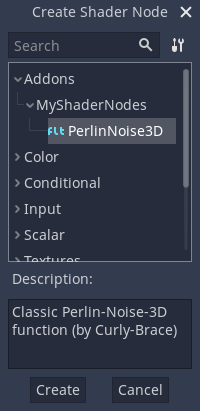
그래프에 배치하고 필요한 포트를 연결합니다.
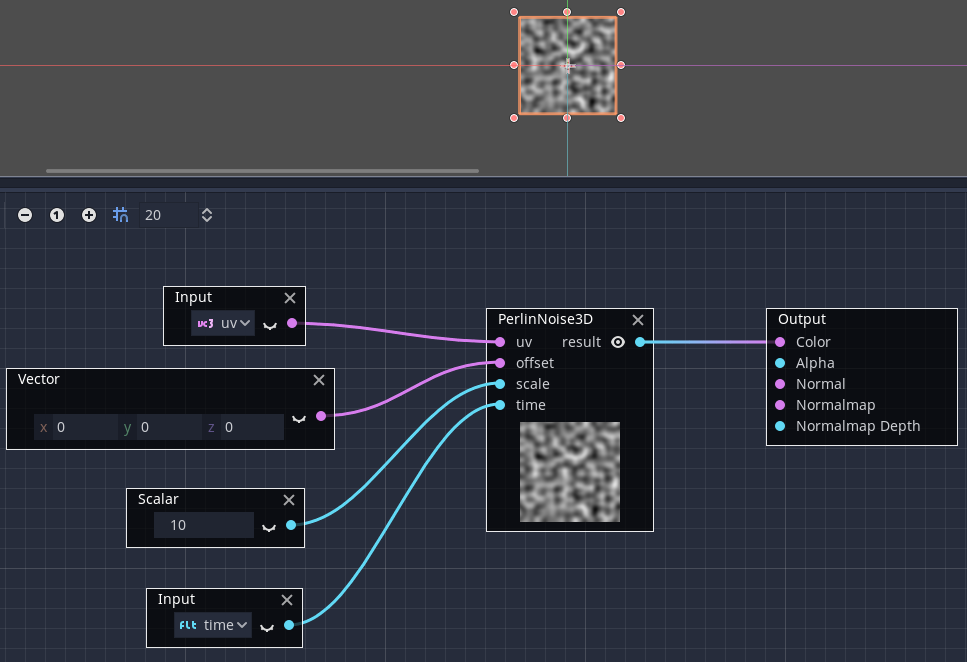
보시다시피 사용자 정의 VisualShader 노드를 만드는 것은 쉽습니다!