Attention: Here be dragons
This is the latest
(unstable) version of this documentation, which may document features
not available in or compatible with released stable versions of Godot.
Checking the stable version of the documentation...
KDevelop
`KDevelop <https://www.kdevelop.org>`_은 모든 데스크톱 플랫폼을 위한 무료 오픈 소스 IDE입니다.
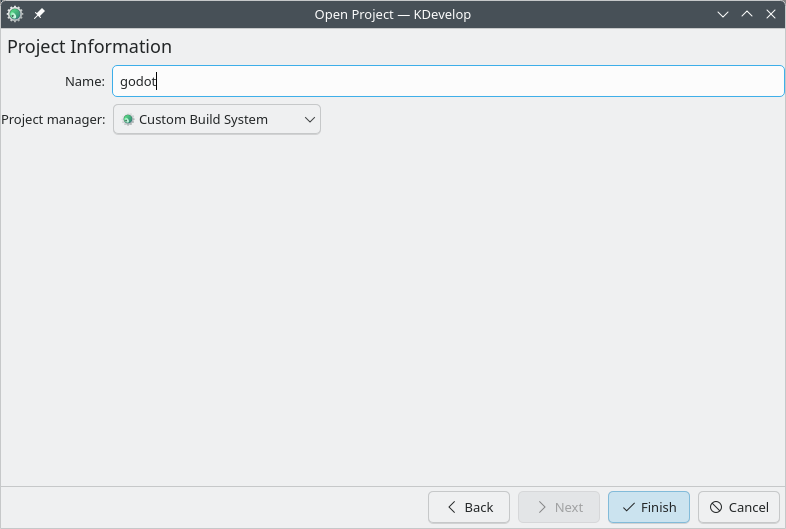
프로젝트 가져오기
KDevelop의 메인 화면에서 **Open 프로젝트**를 선택하세요.
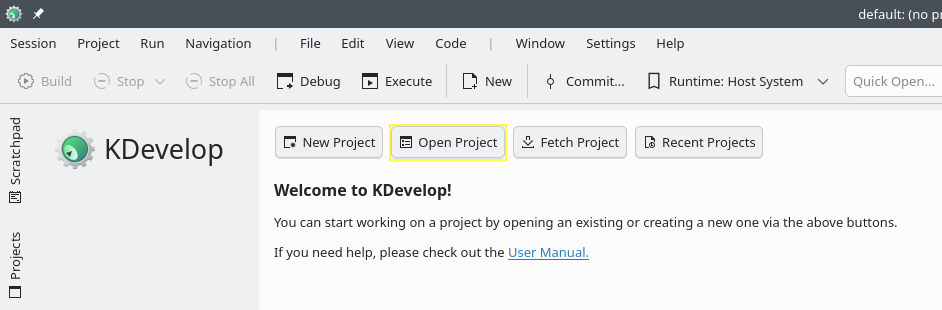
KDevelop의 메인 화면입니다.
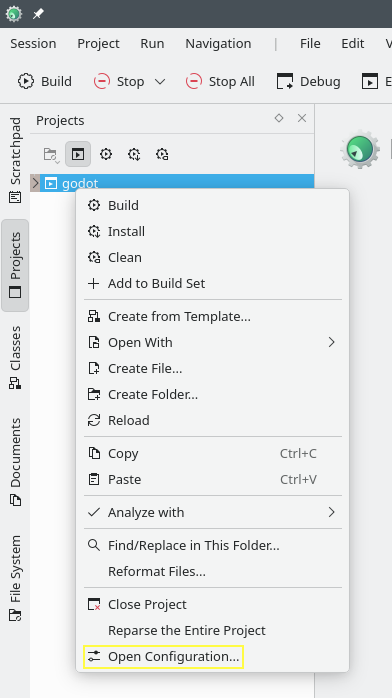
프로젝트를 가져온 후 프로젝트 패널에서 해당 프로젝트를 마우스 오른쪽 버튼으로 클릭하고 구성 열기.. 옵션을 선택하여 프로젝트 구성을 엽니다.
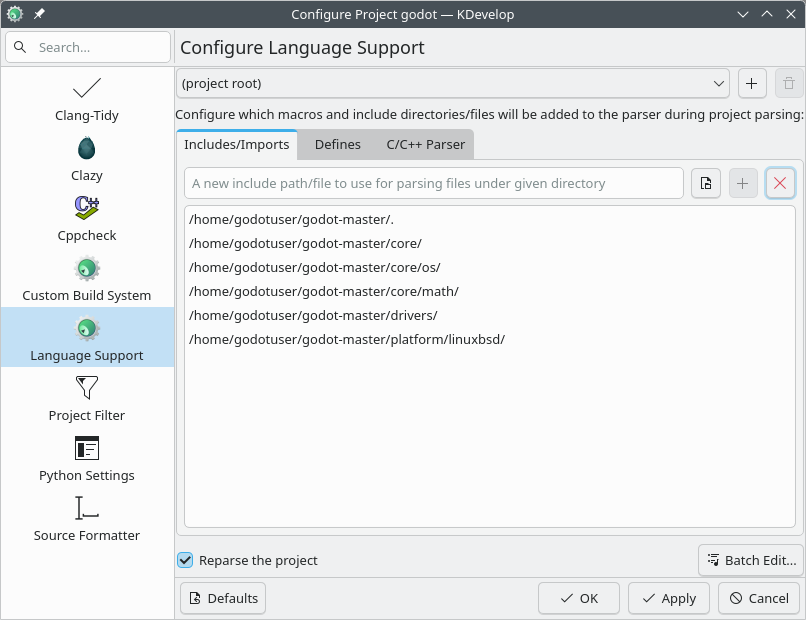
언어 지원**에서 **포함/가져오기 탭을 열고 다음 경로를 추가합니다.
.  // A dot, to indicate the root of the Godot project
core/
core/os/
core/math/
drivers/
platform/<your_platform>/  // Replace <your_platform> with a folder
                              corresponding to your current platform
변경 사항을 적용합니다.
**Custom Build System**에서 다음 설정을 사용하여 새 빌드 구성을 추가합니다.
디렉토리 구축
공백
활성화
True
실행 가능
스콘
인수
godot의 UI 시스템이 어떻게 작동하는지 알아보려면 :doc:'ui_introduction_to_the_ui_system'를 먼저 읽어보세요.
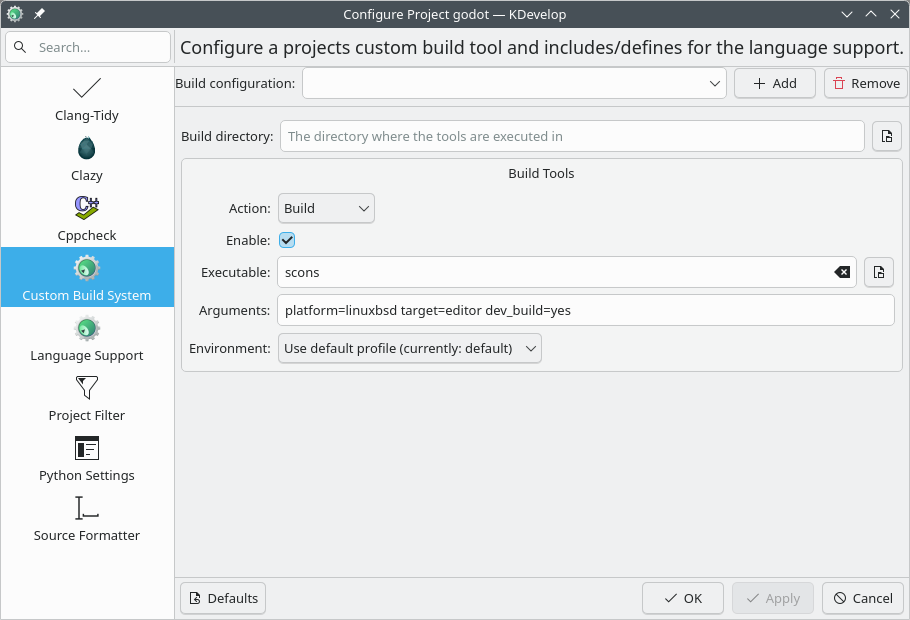
변경 사항을 적용하고 구성 창을 닫습니다.
프로젝트 준비하기
상단 메뉴에서 **실행 > 시작 구성...**을 선택합니다.
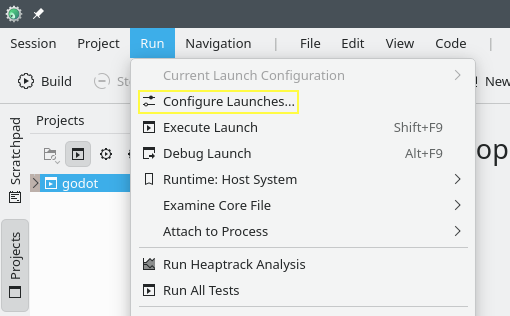
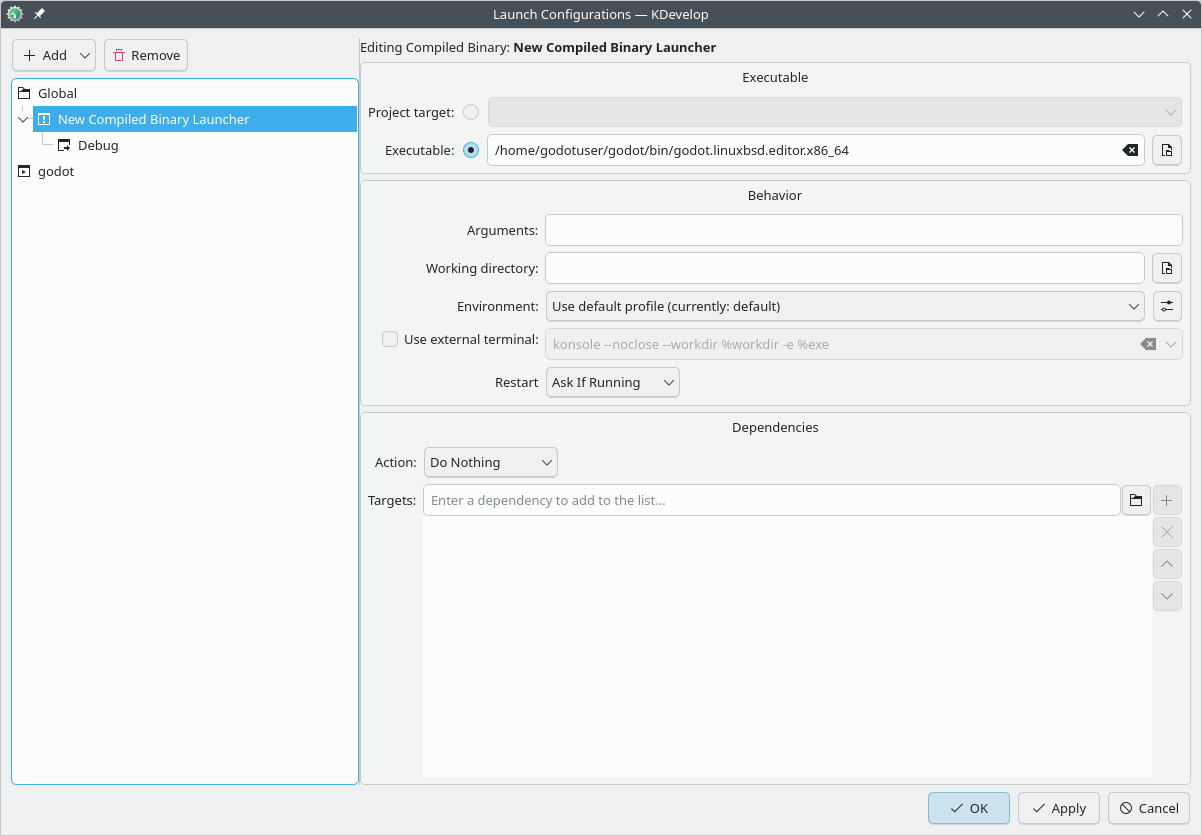
**추가**를 클릭하여 새 시작 구성을 만듭니다.
실행 파일 옵션을 선택하고
<Godot root directory>/bin폴더에 있는 실행 파일의 경로를 지정합니다. 이름은 빌드 구성에 따라 다릅니다.platform=linuxbsd,target=editor및dev_build=yes``가 포함된 64비트 LinuxBSD 플랫폼용 ``godot.linuxbsd.editor.dev.x86_64.
같은 Godot 웹사이트 페이지에서 참고하세요.