Attention: Here be dragons
This is the latest
(unstable) version of this documentation, which may document features
not available in or compatible with released stable versions of Godot.
Checking the stable version of the documentation...
CLion
CLion 是 JetBrains 推出的 C++ IDE,對個人非商業開發可免費使用。
匯入專案
CLion 可以匯入專案的 編譯資料庫檔,通常檔名為 compile_commands.json。要產生此編譯資料庫,請打開終端機,切換到 Godot 根目錄,然後執行:
scons compiledb=yes compile_commands.json
接著以 CLion 開啟 Godot 的根目錄,並等待專案完成索引。如果自動補全、參數資訊或重構沒有啟用,你需要用 CMake 載入專案。作法是找到 platform\android\java\nativeSrcsConfigs 目錄中的 CMakeLists.txt 檔,按右鍵並選擇 。專案重新載入後會新增一個 godot 建置組態。這個組態可以放心刪除,因為該 CMake 檔不會實際建置專案,只是為了讓 JetBrains 系列 IDE 能載入專案。
備註
Windows 使用者:
要讓 CLion 正確載入
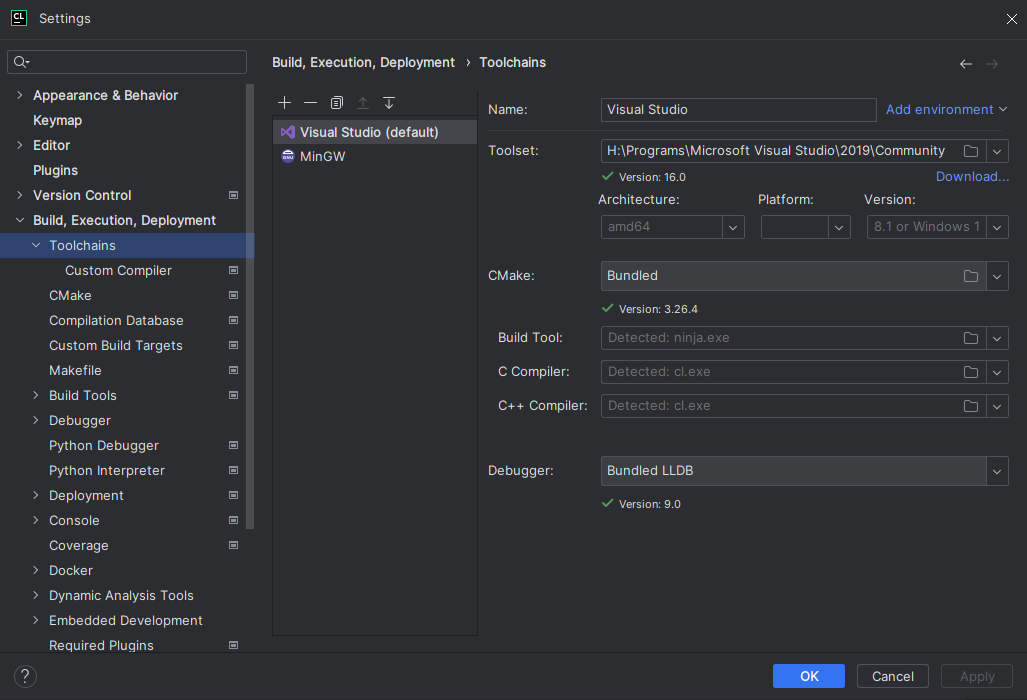
compile_commands.json,你必須先在 CLion 設定好 Visual Studio 工具鏈。
前往 Preferences > Build, Execution, Deployment > Toolchains
點擊 + 按鈕並選擇
Visual StudioCLion 會嘗試偵測你的 Visual Studio 安裝。如果失敗,請點
Toolset:右側的檔案圖示,手動選取你的 Visual Studio 安裝目錄。你可以關閉並重新開啟 CLion, 它就會重新載入
compile_commands.json
編譯與除錯專案
CLion 預設無法直接用 SCons 編譯與除錯 Godot,需自訂建置目標與執行設定。建立前,必須先於命令列 編譯 Godot 一次,以產生可執行檔。開啟終端機,切換至 Godot 根目錄,然後執行:
scons dev_build=yes
新增以 SCons 編譯的自訂建置目標:
開啟 CLion,進入 Preferences > Build, Execution, Deployment > Custom Build Targets
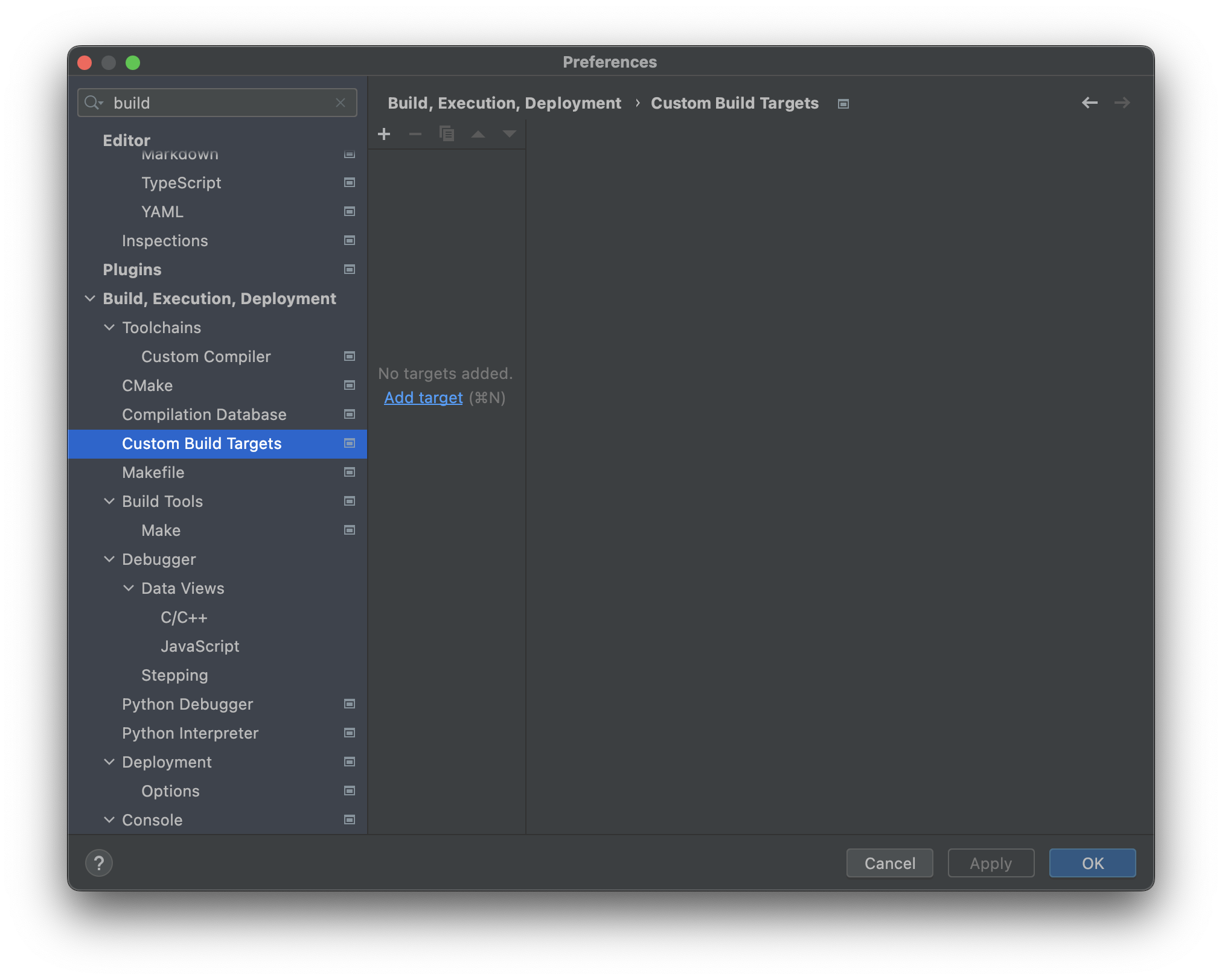
點擊 Add target 並命名(例如
Godot debug)。
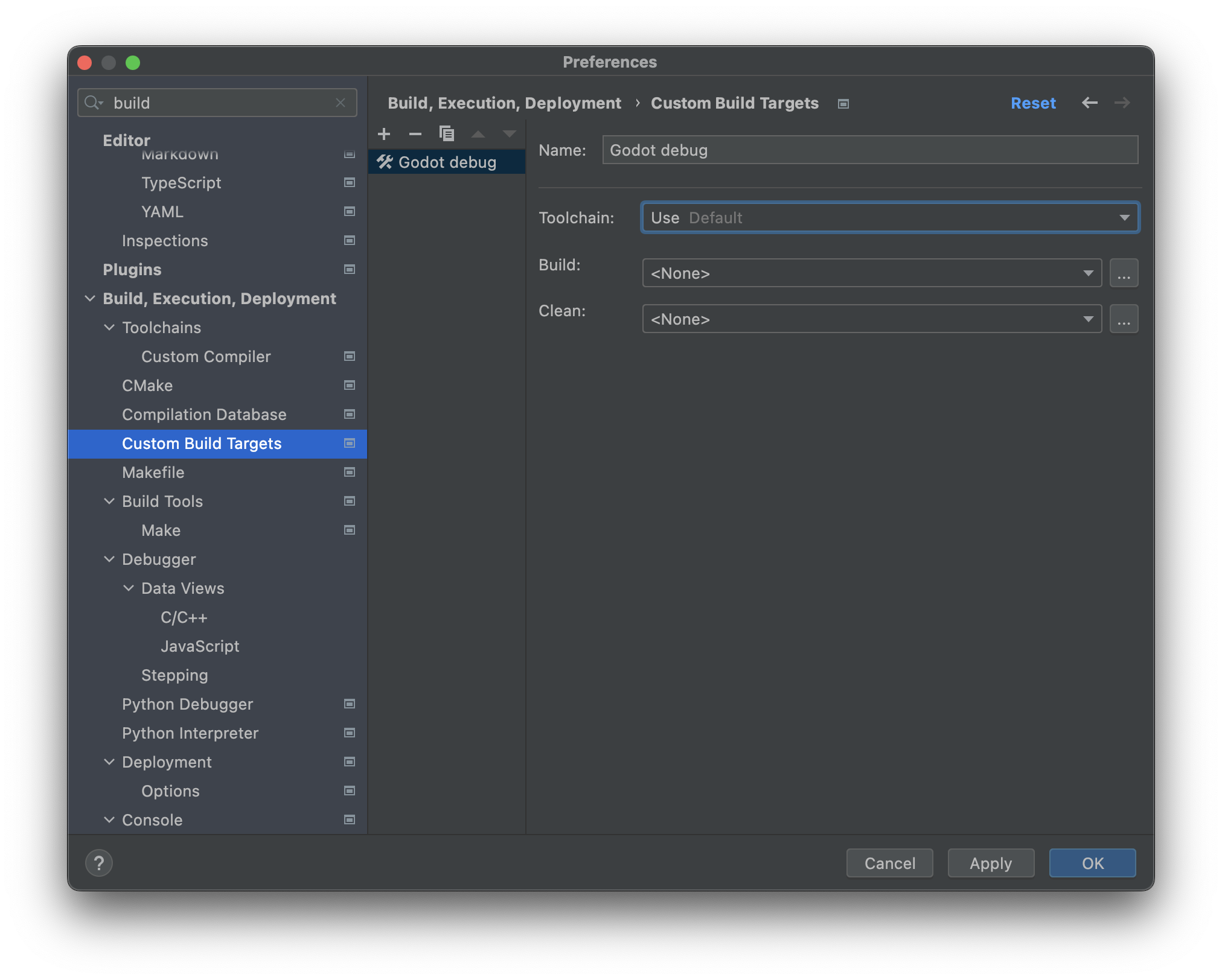
在 Build: 選擇框旁點擊 ...,於 External Tools 視窗點選 + 來新增外部工具。
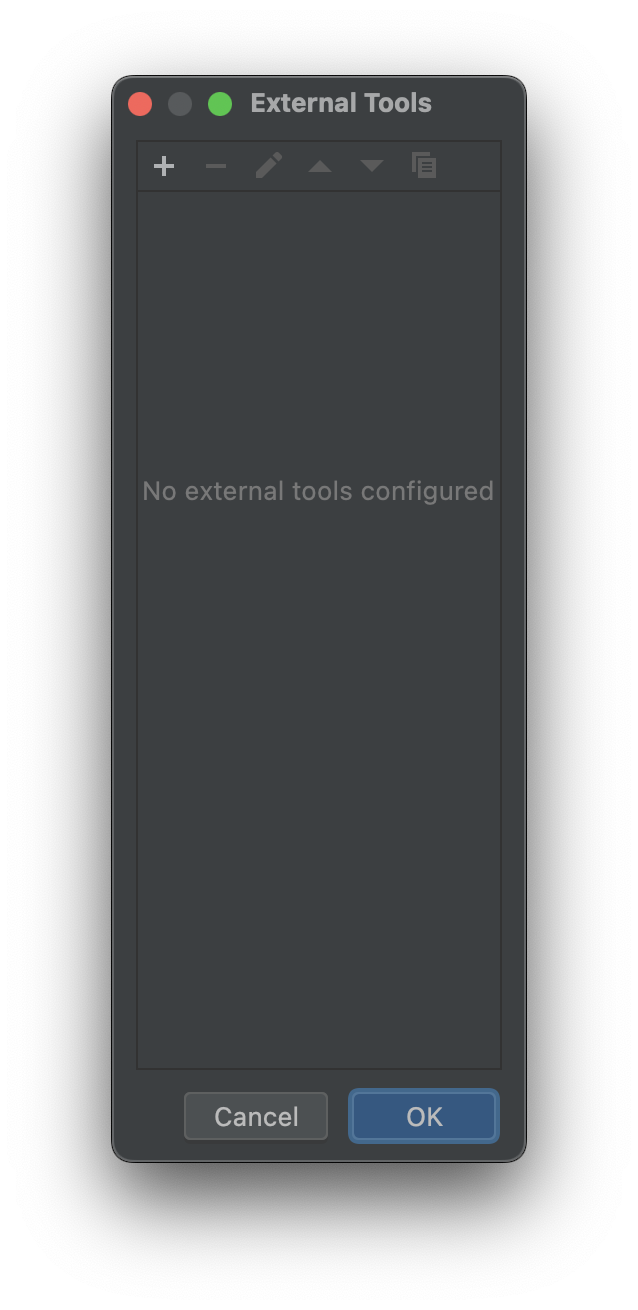
將工具命名(如
Build Godot debug),Program 設為scons, Arguments 填入欲用的編譯參數(詳見 編譯 Godot), Working directory 設為$ProjectFileDir$(即 Godot 根目錄),完成後點擊 OK 。備註
CLion 不會展開如
scons -j$(nproc)這種 shell 指令,請直接寫明值,例如scons -j8。
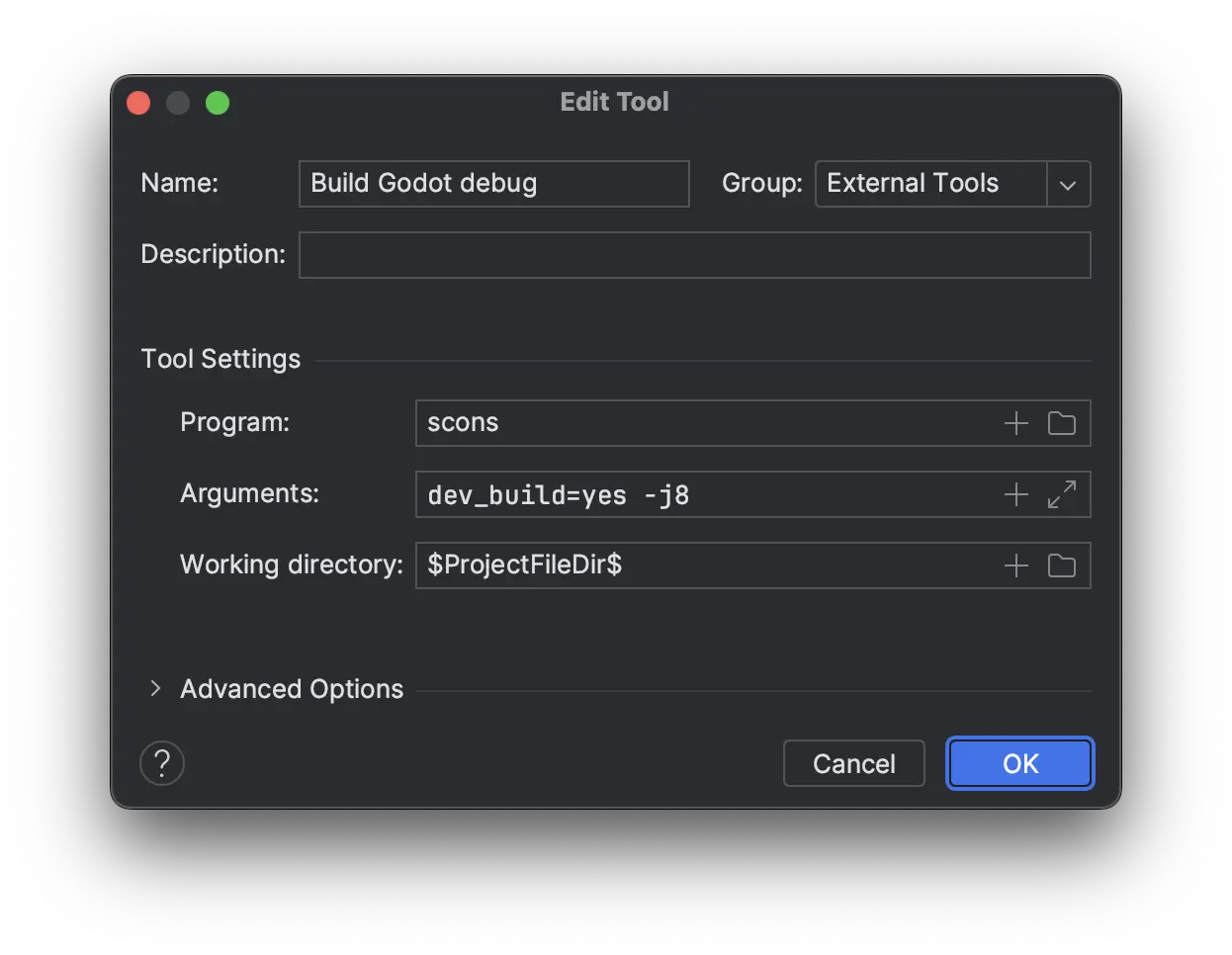
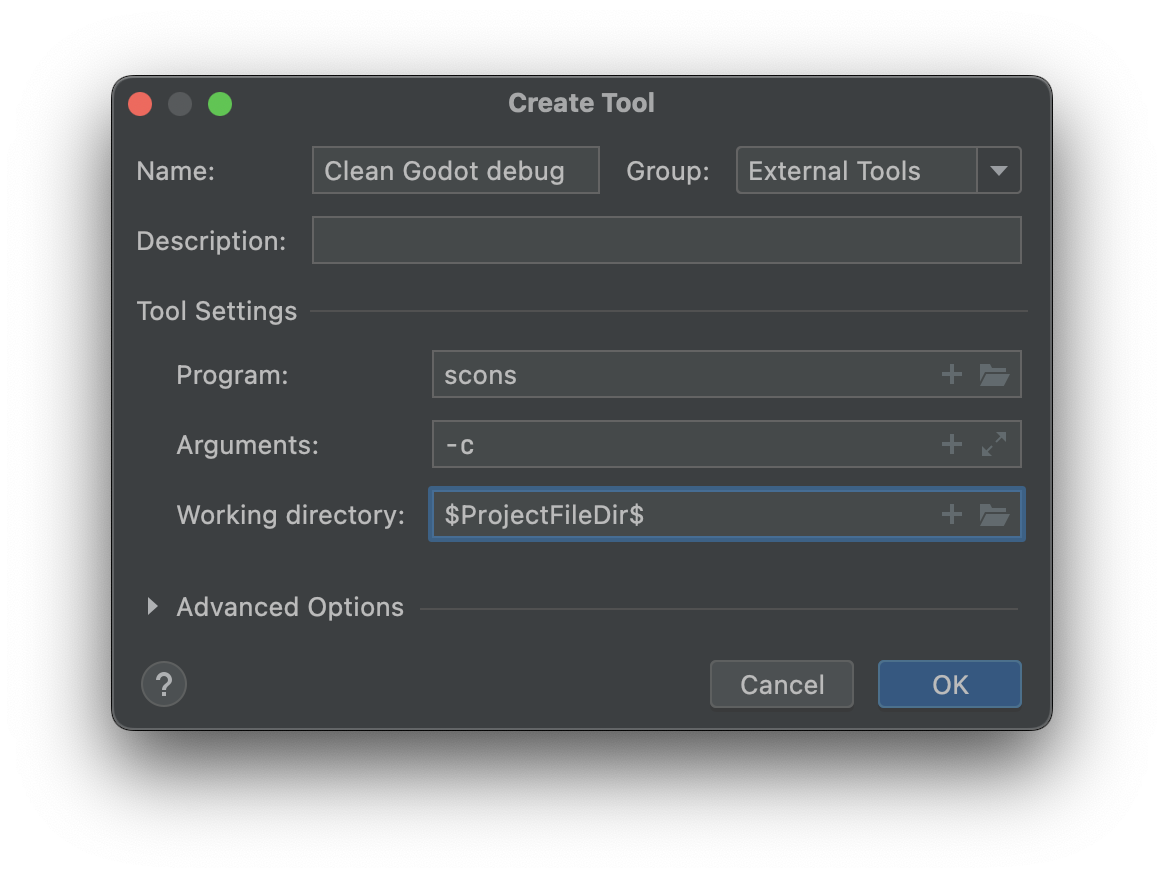
於 External Tools 視窗再點一次 +,新增一個用於清除建置的工具。命名為
Clean Godot debug,Program 設為scons,Arguments 設為-c,Working directory 設為$ProjectFileDir$,最後點 OK。
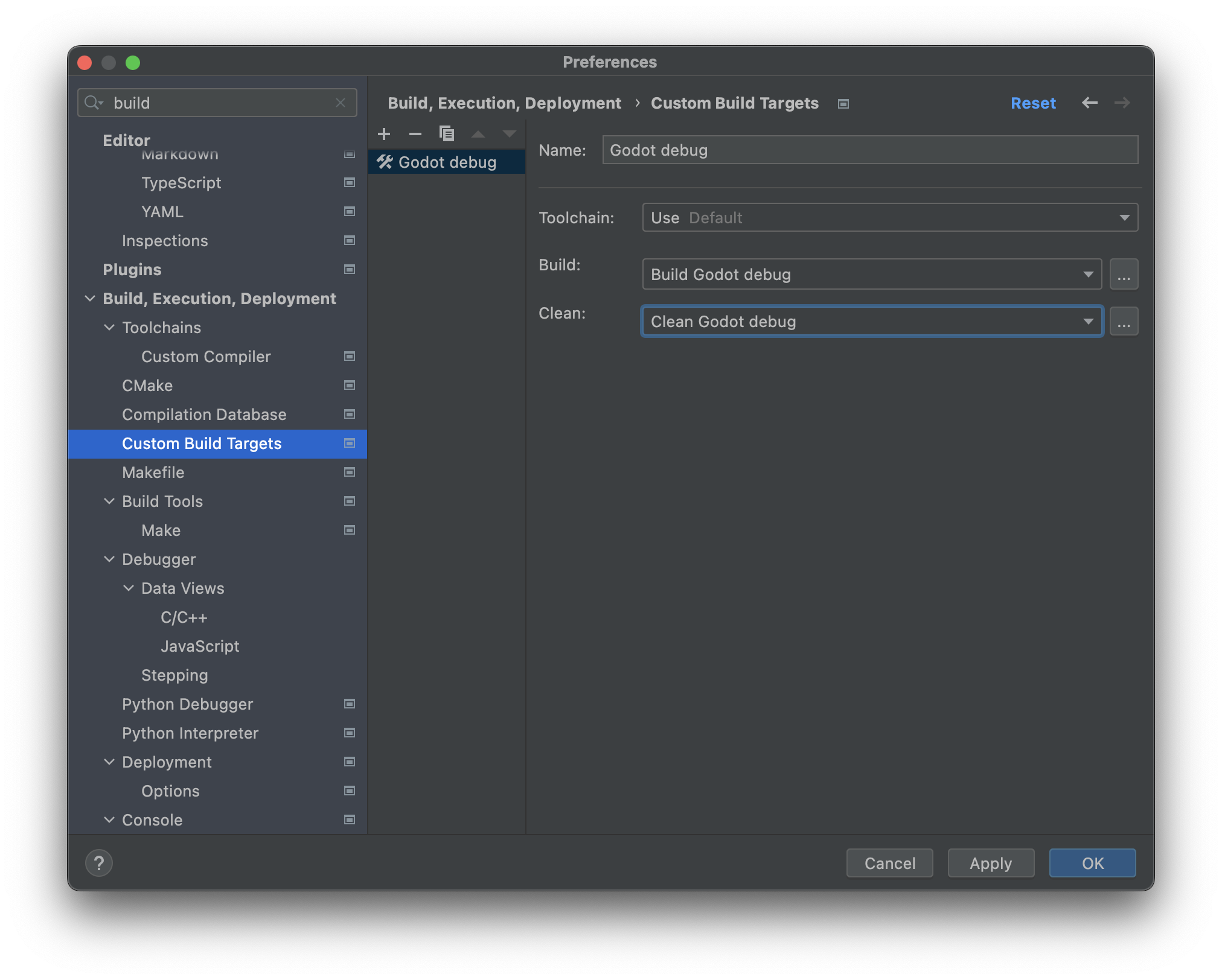
關閉 External Tools 視窗。在自訂
Godot debug建置目標的 Custom Build Target 視窗中,Build 欄位選擇 Build Godot debug,Clean 欄位選擇 Clean Godot debug,點 OK 完成。
在主 IDE 視窗中點選 Add Configuration。
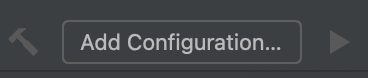
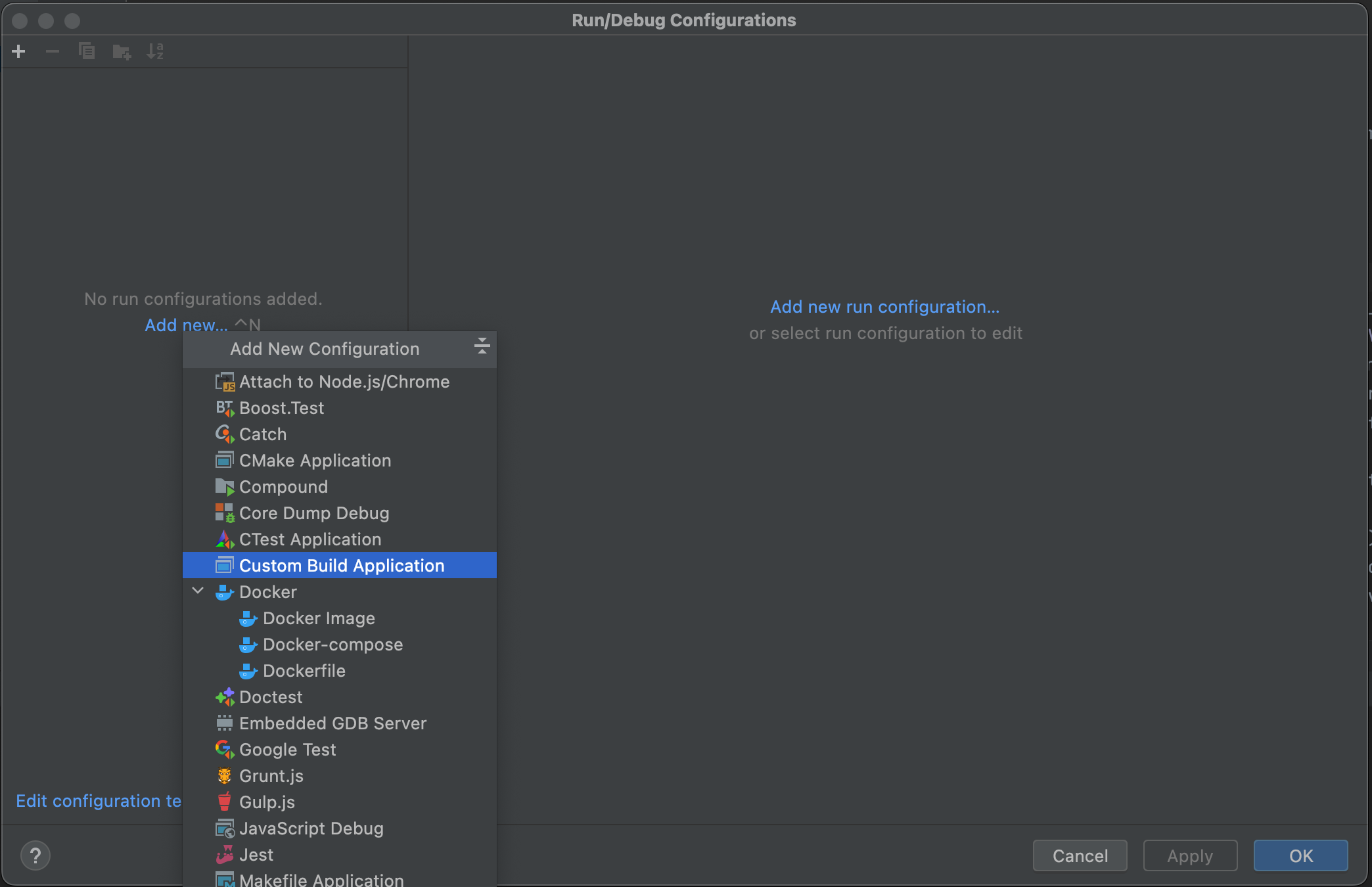
於 Run/Debug Configuration 視窗點選 Add new...,再選擇 Custom Build Application,新增自訂執行/除錯設定。
將此執行/除錯設定命名(如
Godot debug),Target 選擇Godot debug,Executable 選擇 bin/ 資料夾下的 Godot 執行檔,Program arguments 設為--editor --path path-to-your-project/``(`path-to-your-project/` 請填寫你專案的路徑),若省略 ``--path會只除錯專案管理員。完成後點 OK。
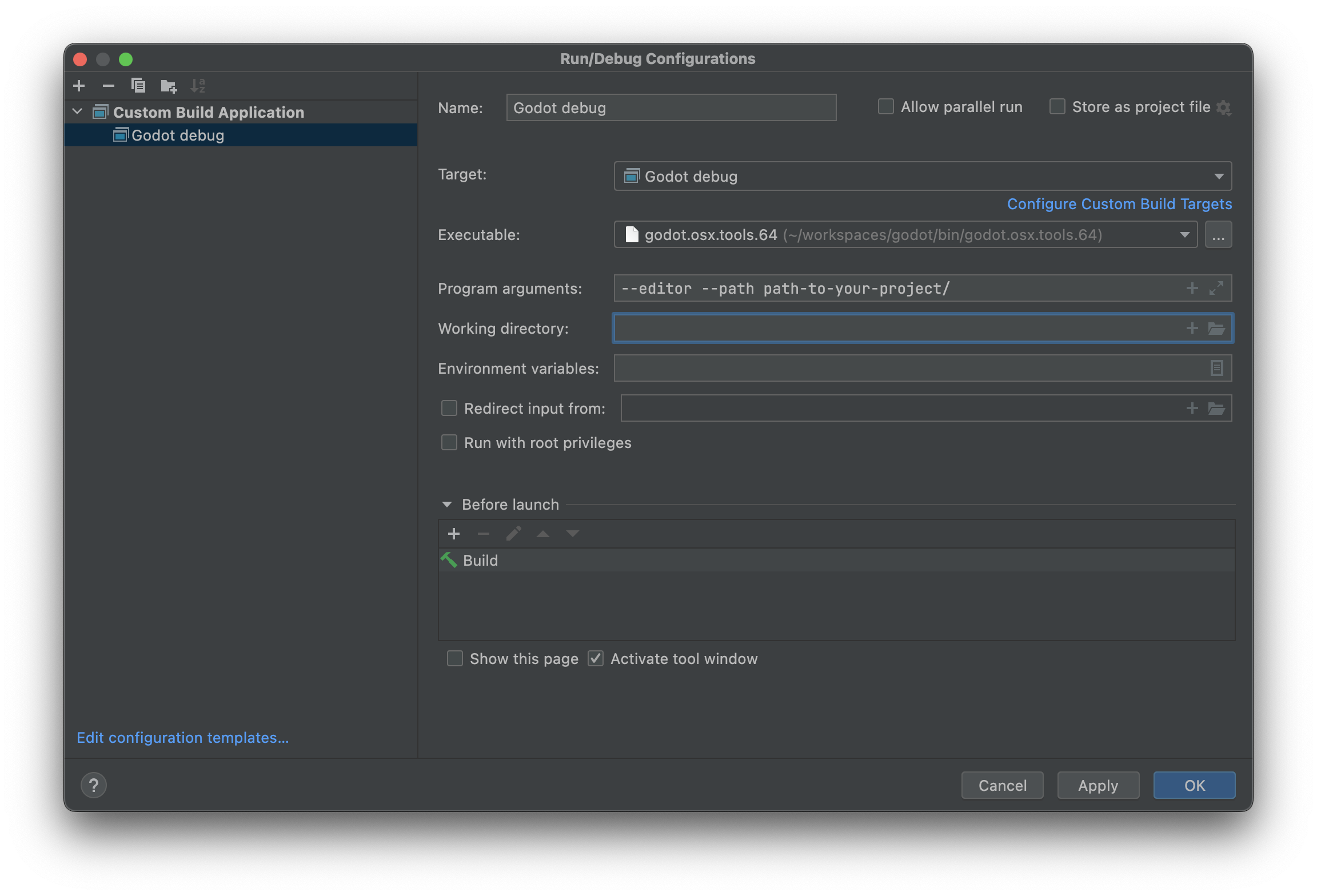
現在可以透過此設定建置、執行、除錯、分析甚至用 Valgrind 檢查 Godot 編輯器。

在執行場景時,Godot 編輯器會啟動另一個獨立程序。你可於 CLion 透過 Run > Attach to process...,搜尋 godot,再選取 pid(程序編號)最高的 Godot 程序進行除錯,這通常就是你執行的專案。
忽略物件檔和函式庫檔案
在 CLion 中建置 Godot 後,Project 檢視中可能會出現 .o 和 .a 等物件/函式庫檔。
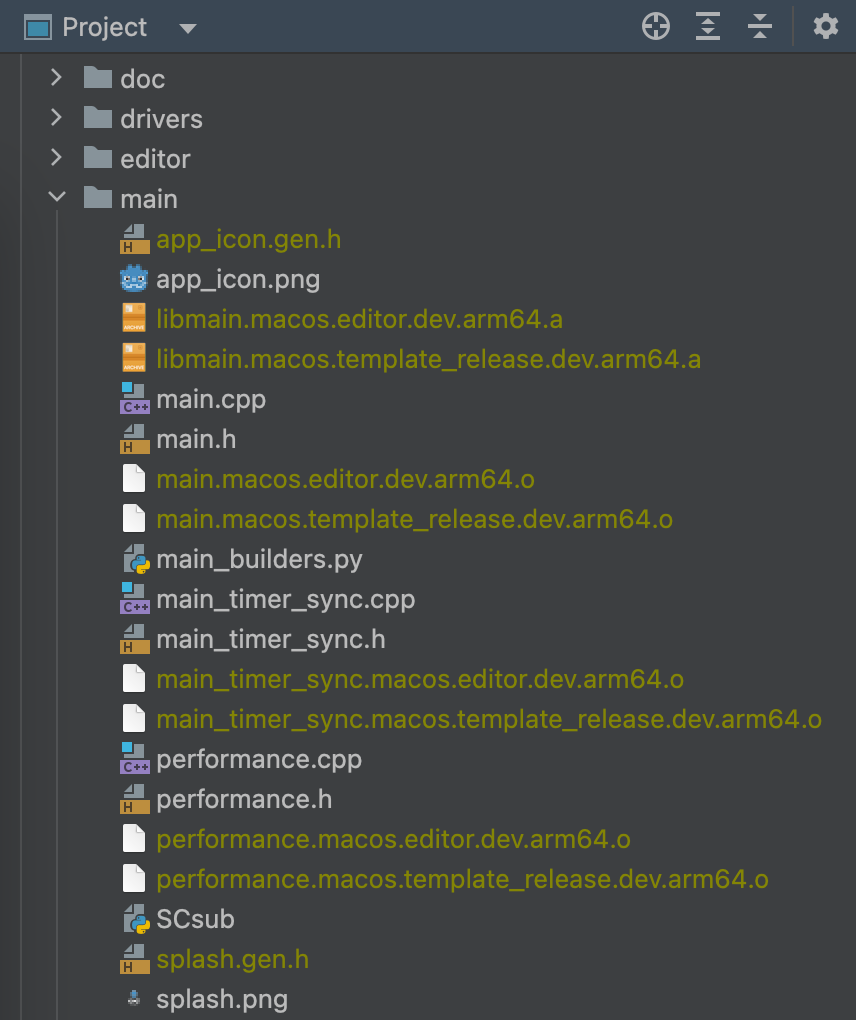
你可以設定 CLion 來忽略這些檔案:
開啟 CLion,進入 Preferences > Editor > File Types > Ignored Files and Folders
點選 + 將
*.o與*.a加入清單,若是 Windows 則加上*.obj和*.dll。
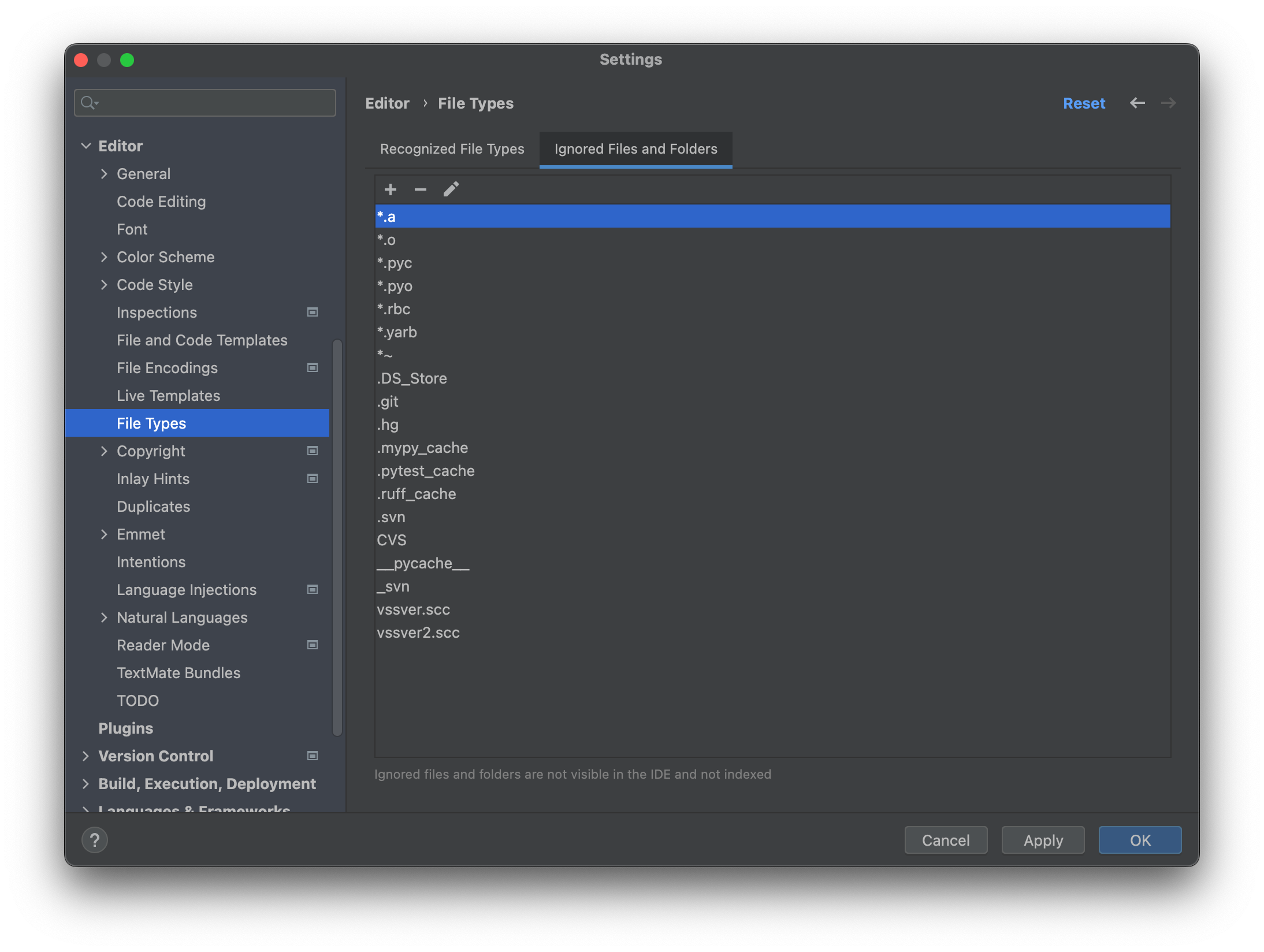
這樣這些檔案就不會在 Project 檢視中顯示。