Attention: Here be dragons
This is the latest
(unstable) version of this documentation, which may document features
not available in or compatible with released stable versions of Godot.
Checking the stable version of the documentation...
VerySleepy
也參考
Please see the sampling profiler instructions for more information.
請先啟動 Godot 編輯器或你的專案。如果是先啟動專案管理員,請記得要先編輯或執行專案,否則因為專案管理員會為每個專案開啟子程序,效能分析器將無法追蹤這些子程序。
Open VerySleepy and select the Godot executable in the list of processes on the left:
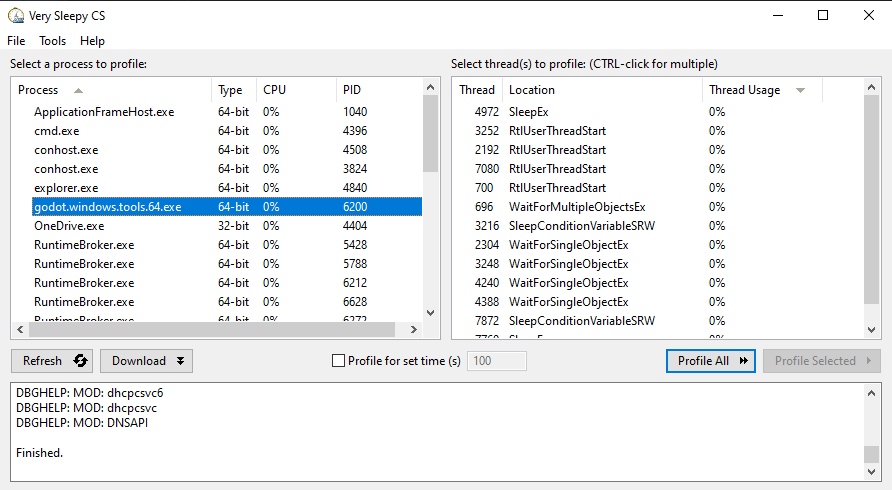
點擊右側的 Profile All 按鈕開始效能分析。
在編輯器或專案中執行你想進行效能分析的操作,完成後點擊 Stop (不是 Abort)。
等待結果視窗出現。
結果視窗出現後,請將檢視篩選掉外部模組(如顯示卡驅動程式)。方法是找到 Module 欄與 Godot 執行檔名稱相同的那一列,在該列上點擊右鍵,於下拉選單選擇 Filter Module to <Godot 執行檔名>。
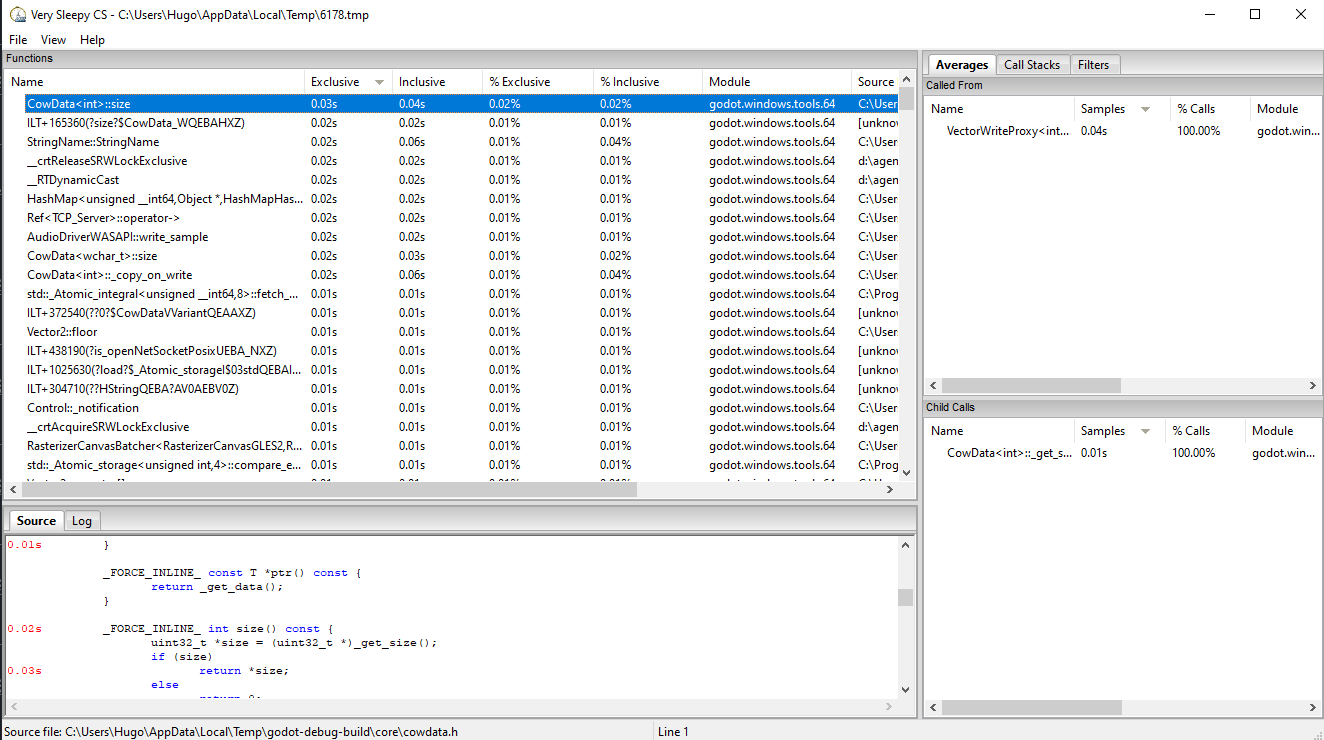
此時結果視窗大致會長這樣: