Attention: Here be dragons
This is the latest
(unstable) version of this documentation, which may document features
not available in or compatible with released stable versions of Godot.
Checking the stable version of the documentation...
KDevelop
KDevelop 是免費、開放原始碼,支援各桌面平台的 IDE。
匯入專案
在 KDevelop 主畫面選擇 Open Project。
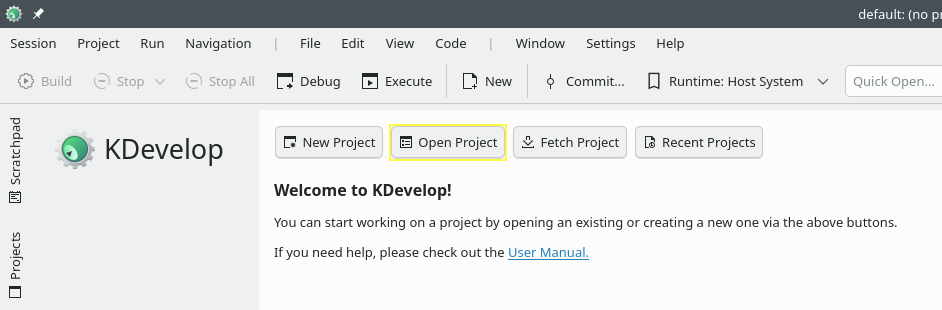
KDevelop 主畫面。
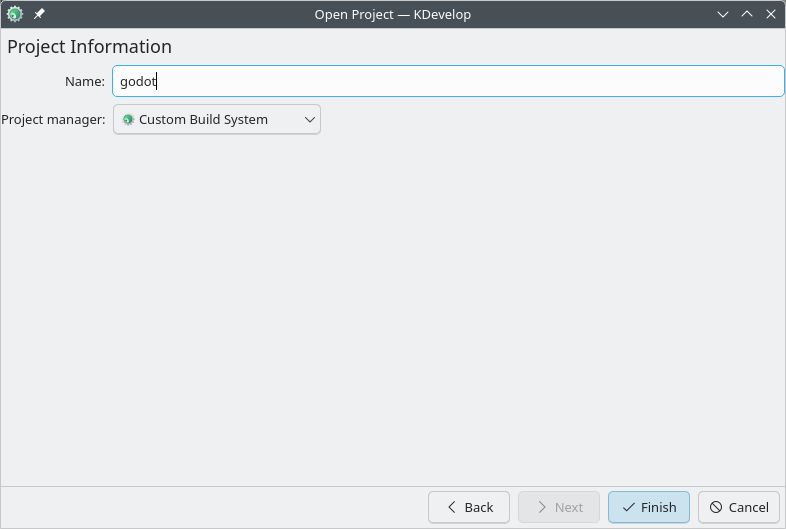
前往 Godot 根目錄並選取。
在下一步,將 Project Manager 選擇為 Custom Build System。
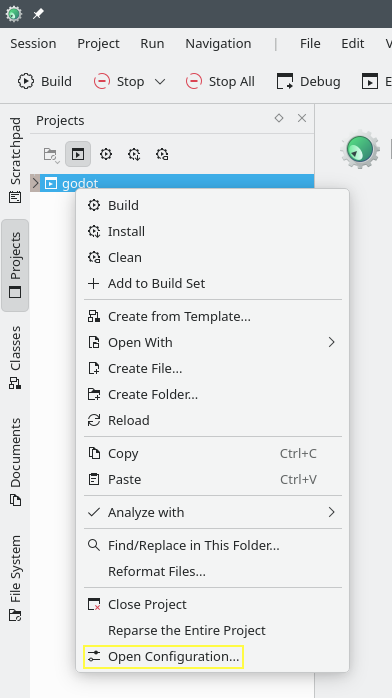
專案匯入後,在 Projects 面板對專案按右鍵,選擇 Open Configuration... 進行設定。
在 Language Support 展開 Includes/Imports 分頁,新增下列路徑:
.  // A dot, to indicate the root of the Godot project
core/
core/os/
core/math/
drivers/
platform/<your_platform>/  // Replace <your_platform> with a folder
                              corresponding to your current platform
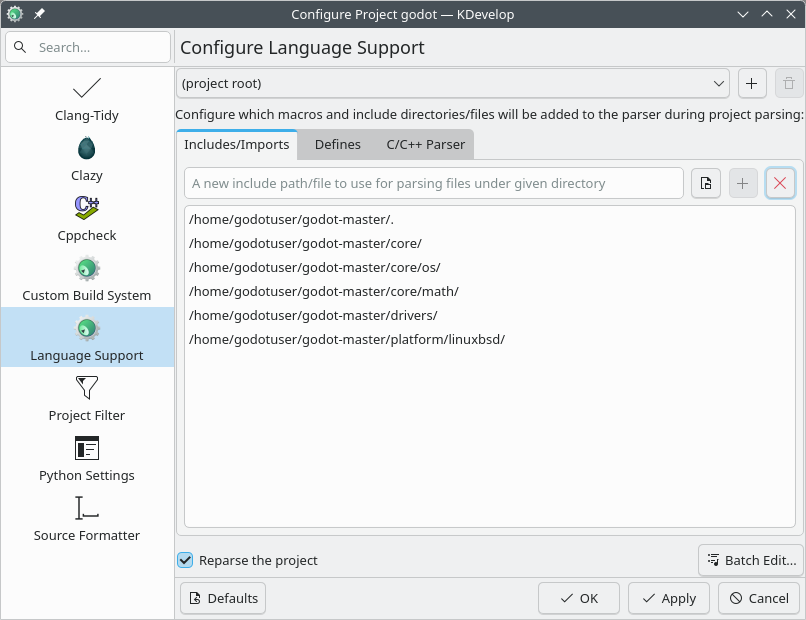
套用變更。
在 Custom Build System 新增一組建置設定,內容如下:
建置目錄
(留空)
啟用
True
可執行檔
scons
參數
所有可用參數請見 建置系統介紹。
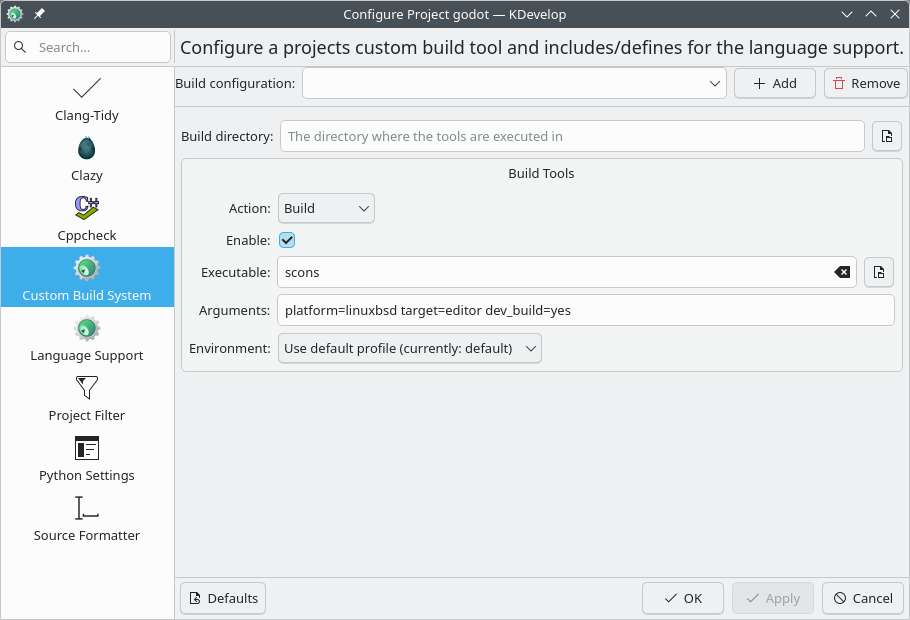
套用變更並關閉設定視窗。
除錯專案
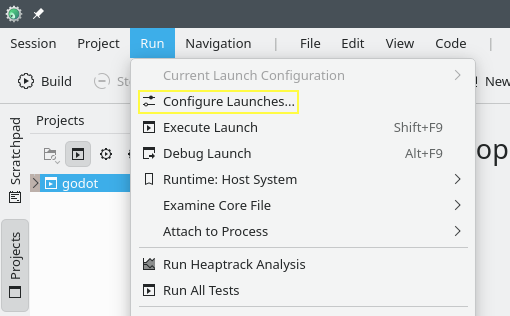
從上方選單選擇 Run > Configure Launches...。
點擊 Add 以建立新啟動設定。
選擇 Executable 選項,並指定位於
<Godot 根目錄>/bin資料夾中的可執行檔路徑。名稱取決於你的建置設定,例如在以platform=linuxbsd、target=editor、dev_build=yes建置的 64 位元 LinuxBSD 平台上,會是godot.linuxbsd.editor.dev.x86_64。
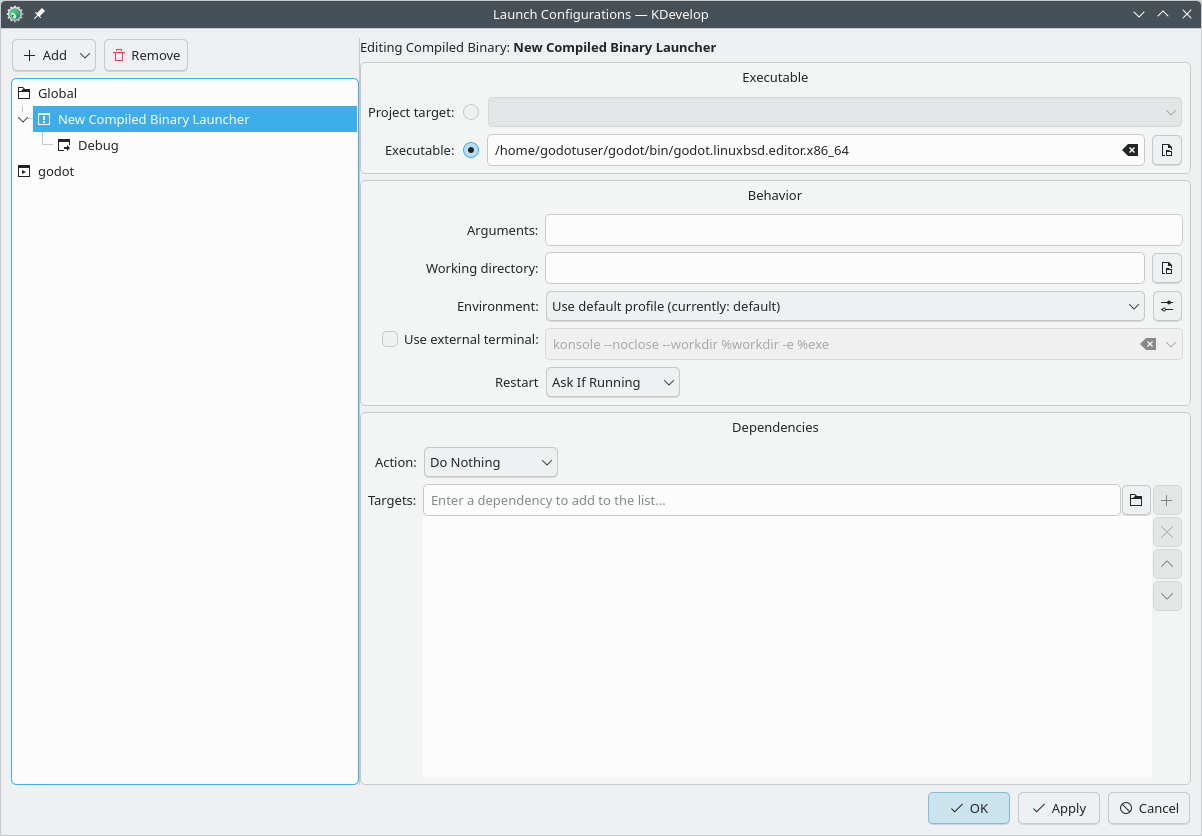
如遇問題,歡迎到 Godot 社群頻道 求助。