Attention: Here be dragons
This is the latest
(unstable) version of this documentation, which may document features
not available in or compatible with released stable versions of Godot.
Checking the stable version of the documentation...
VerySleepy
Ver también
Please see the sampling profiler instructions for more information.
Start the Godot editor or your project first. If you start the Project Manager, make sure to edit or run a project first. Otherwise, the profiler will not track the child process since the Project Manager will spawn a child process for every project edited or run.
Open VerySleepy and select the Godot executable in the list of processes on the left:
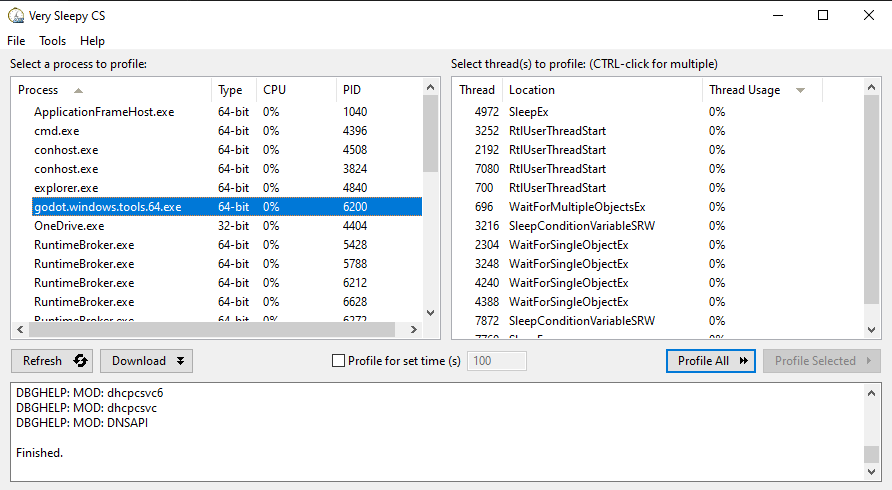
Haz clic en el botón Profile All (Perfilar Todo) que se encuentra a la derecha para comenzar el perfilado.
Realiza las acciones que deseas perfilar en el editor o el proyecto. Cuando hayas terminado, haz clic en Stop (Detener) (no en Abortar).
Espera a que aparezca la ventana de resultados.
Una vez que aparezca la ventana de resultados, filtra la vista para eliminar los módulos externos (como el controlador de gráficos). Puedes filtrar por módulo buscando una línea cuyo Module coincida con el nombre del ejecutable de Godot, haz clic derecho en esa línea y elige Filter Module to <Godot executable name> en el menú desplegable que aparece.
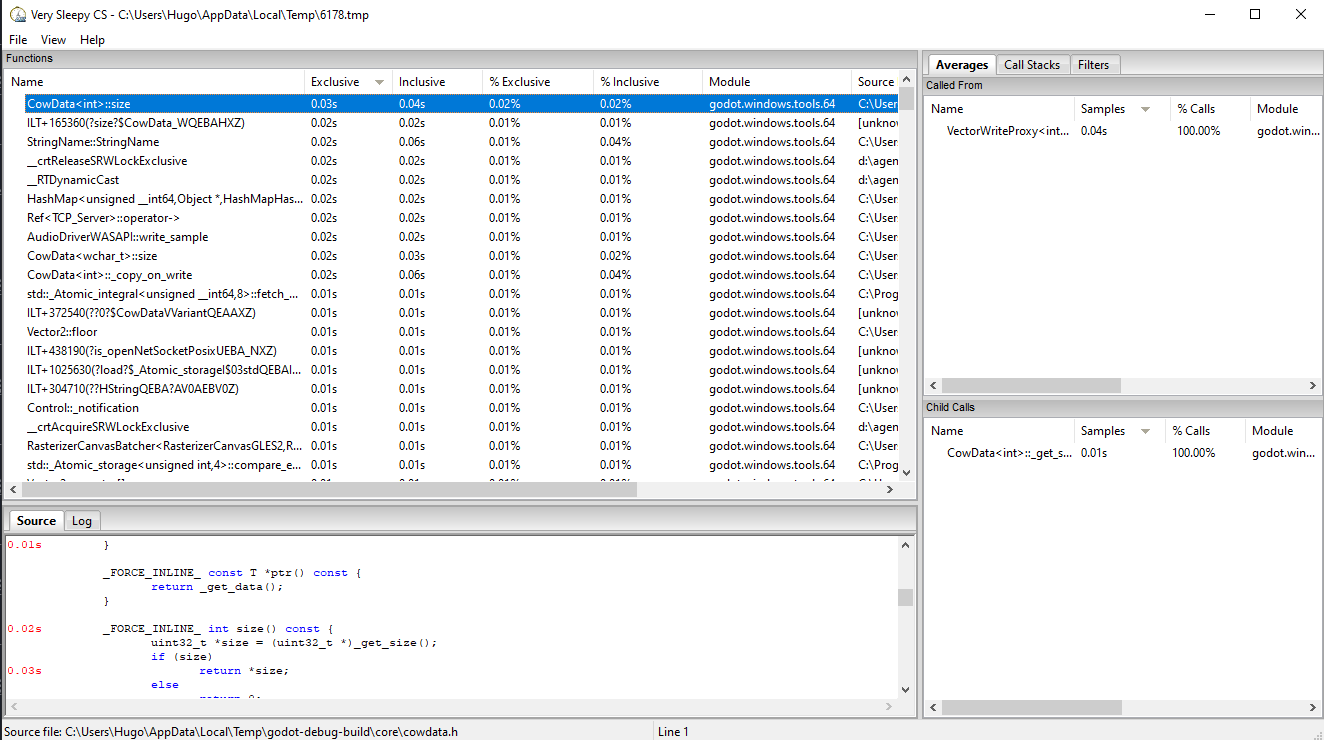
Tu ventana de resultados ahora debería verse algo como esto: