Attention: Here be dragons
This is the latest
(unstable) version of this documentation, which may document features
not available in or compatible with released stable versions of Godot.
Checking the stable version of the documentation...
KDevelop
KDevelop 是一个适用于所有桌面平台的自由且开源的 IDE。
导入项目
在KDevelop的主屏幕上选择 Open Project .
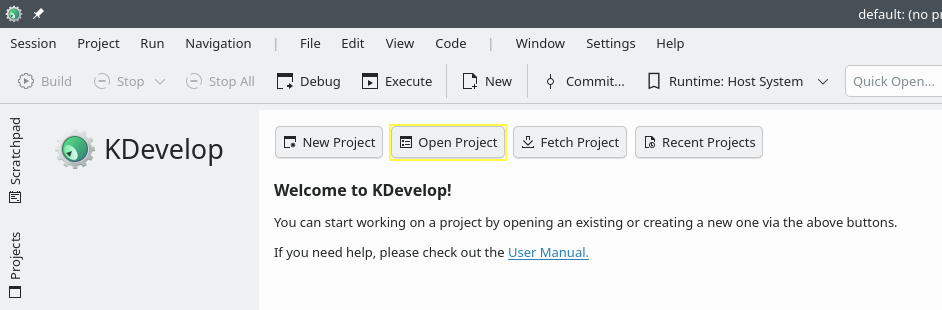
KDevelop的主屏幕.
导航到这Godot根文件夹并选择它.
在下一个屏幕上, 为 项目管理器 选择 自定义构建系统 .
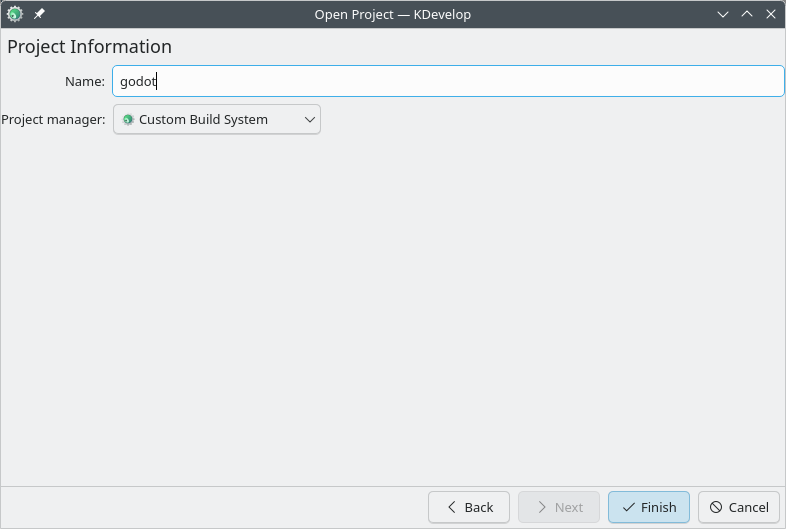
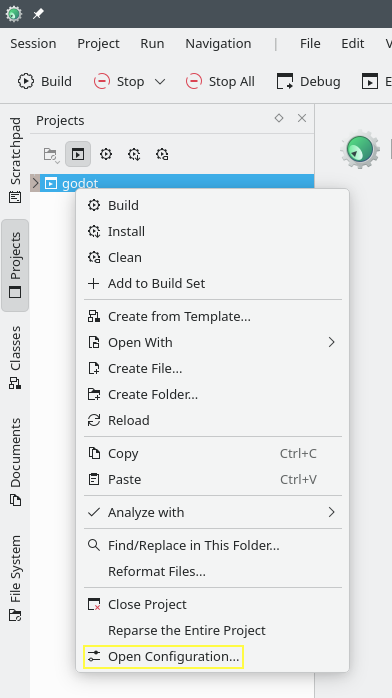
在导入项目后,在项目面板中单击右键并选择打开配置... 来打开项目配置。
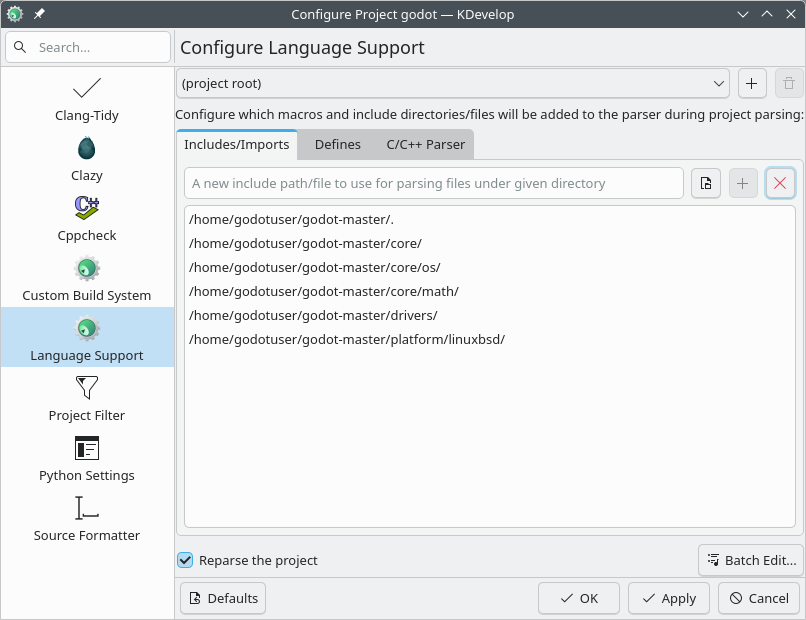
在 语言支持(Language Support) 下,打开 包含/导入(Includes/Imports) 选项卡,并添加以下路径:
.  // A dot, to indicate the root of the Godot project
core/
core/os/
core/math/
drivers/
platform/<your_platform>/  // Replace <your_platform> with a folder
                              corresponding to your current platform
应用更改.
在 自定义编译系统(Custom Build System) 下,添加一个新的编译配置,并设置以下参数:
构建目录
blank
Enable
True
可执行文件名称
scons
参数
参见 构建系统介绍, 获取完整的参数列表.
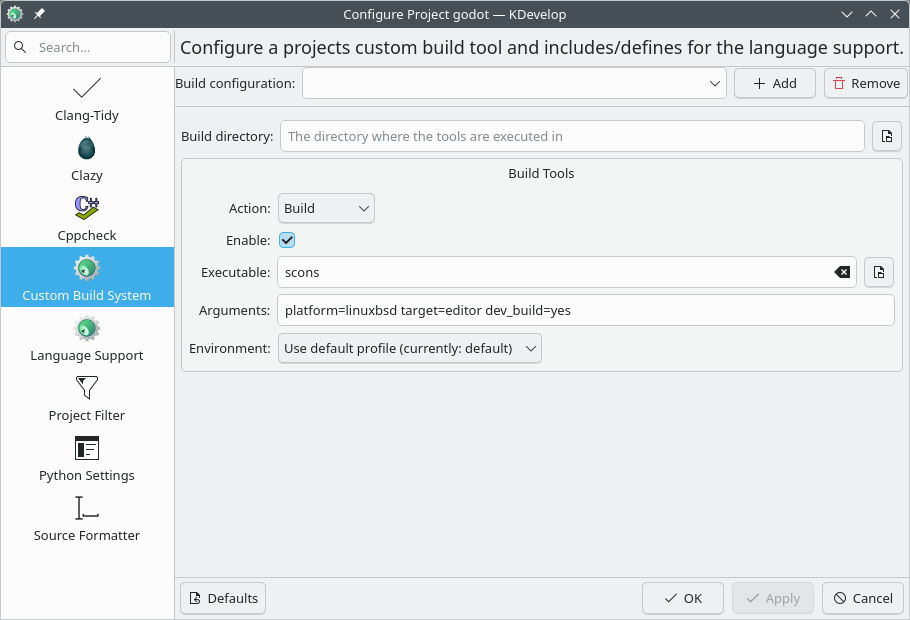
应用更改并关闭配置窗口.
调试项目
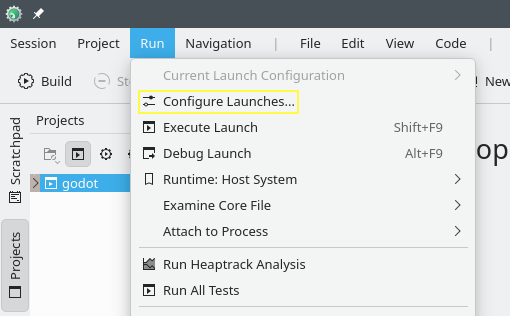
在顶部菜单栏中,选择 运行(Run) > 配置启动项(Configure Launches...) 。
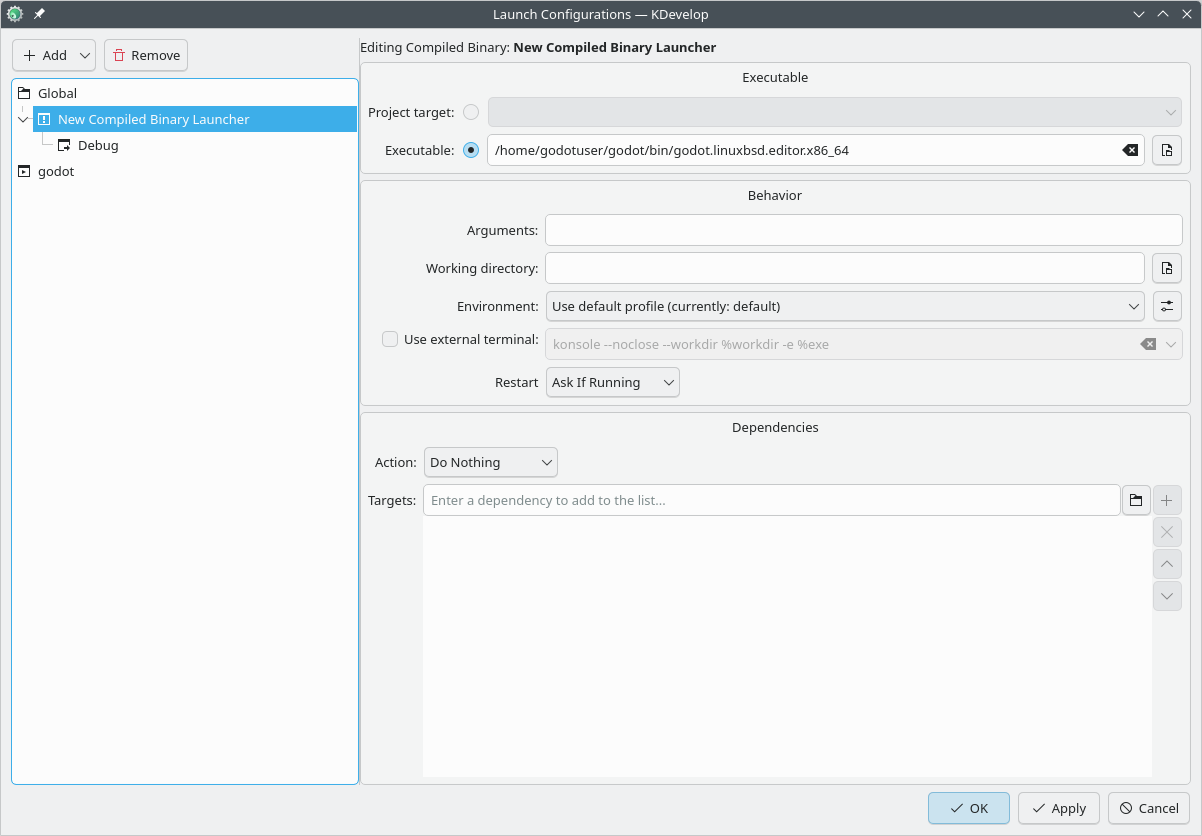
单击 Add 以创建新的启动配置.
选择 Executable(可执行文件) 选项,并指定位于
<Godot root directory>/bin文件夹中的可执行文件路径。该文件的名称取决于你的编译配置,例如,如果你编译的是 64 位 LinuxBSD 平台,且参数为platform=linuxbsd、target=editor和dev_build=yes,那么文件名就会是godot.linuxbsd.editor.dev.x86_64。
如果遇到问题, 也可在 Godot 社区论坛 中寻求帮助.