Attention: Here be dragons
This is the latest
(unstable) version of this documentation, which may document features
not available in or compatible with released stable versions of Godot.
Checking the stable version of the documentation...
VerySleepy
参见
详情请参阅 sampling profiler instructions 。
首先启动 Godot 编辑器或者你的项目。如果你是先打开了项目管理器(Project Manager),请务必确保先编辑或运行一个具体的项目。否则,性能分析器将无法追踪到子进程,因为项目管理器在编辑或运行任何项目时,都会重新生成(spawn)一个独立的子进程。
打开 VerySleepy ,然后在左侧的进程列表中选中 Godot 的可执行程序:
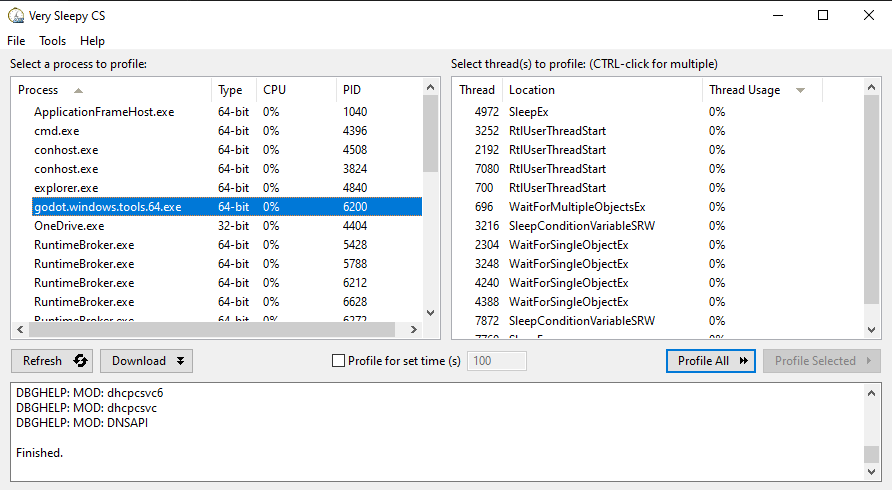
点击右侧的 Profile All 按钮开始性能分析。
在编辑器或者项目中执行你想分析性能的操作,完成后点击 Stop(注意不是 Abort)。
等待出现结果窗口。
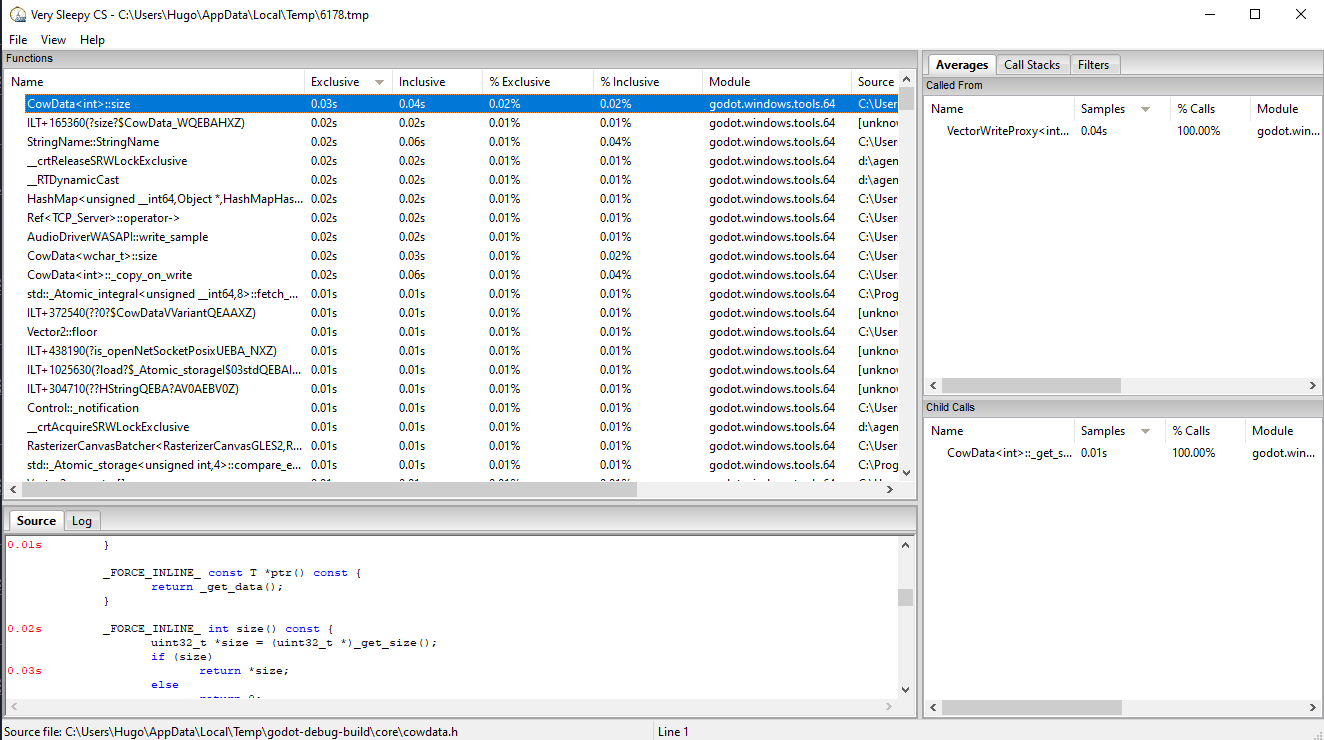
结果窗口出现后,在视图中筛选掉外部模块(例如图形驱动)。筛选模块的方法是,首先找到 Module 和 Godot 可执行文件名称一致的行,在那一行上单击右键,然后在下拉菜单中选择 Filter Module to <Godot 可执行文件名> 。
结果窗口现在应该类似这样: