Attention: Here be dragons
This is the latest
(unstable) version of this documentation, which may document features
not available in or compatible with released stable versions of Godot.
Checking the stable version of the documentation...
Effetti a schermo intero in XR
When adding custom full screen effects to your XR application, one approach is
using a full screen quad and applying effects to that quad's shader.
Add a MeshInstance3D node
to your scene as a child of your XRCamera3D,
and set the mesh property to a QuadMesh.
Set the width and height of the quad to 2.
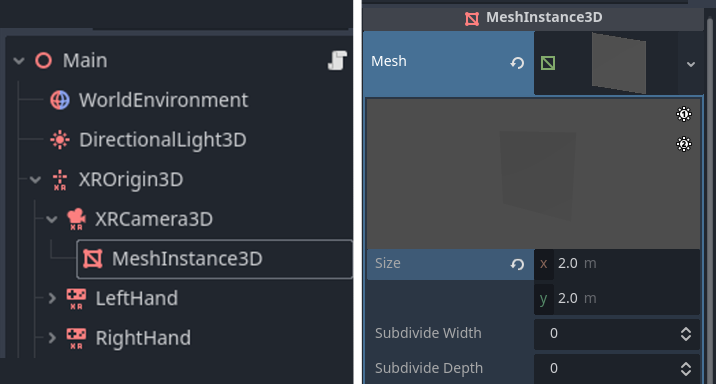
È quindi possibile aggiungere uno shader al quad per farlo coprire lo schermo. Si fa impostando la proprietà POSITION integrata nello shader dei vertici su vec4(VERTEX.xy, 1.0, 1.0). Tuttavia, quando si crea un effetto centrato direttamente di fronte alla visuale dell'utente (come un effetto vignettatura), il risultato finale potrebbe apparire errato in XR.
Below shows captures of the right-eye view with a vignette shader, both from the headset and the render target itself. The left captures are an unmodified shader; the right captures adjust the full screen quad using the projection matrix. While the capture on the left is centered in the render target, it is off-center in the headset view. But, after applying the projection matrix, we see that the effect is centered in the headset itself.
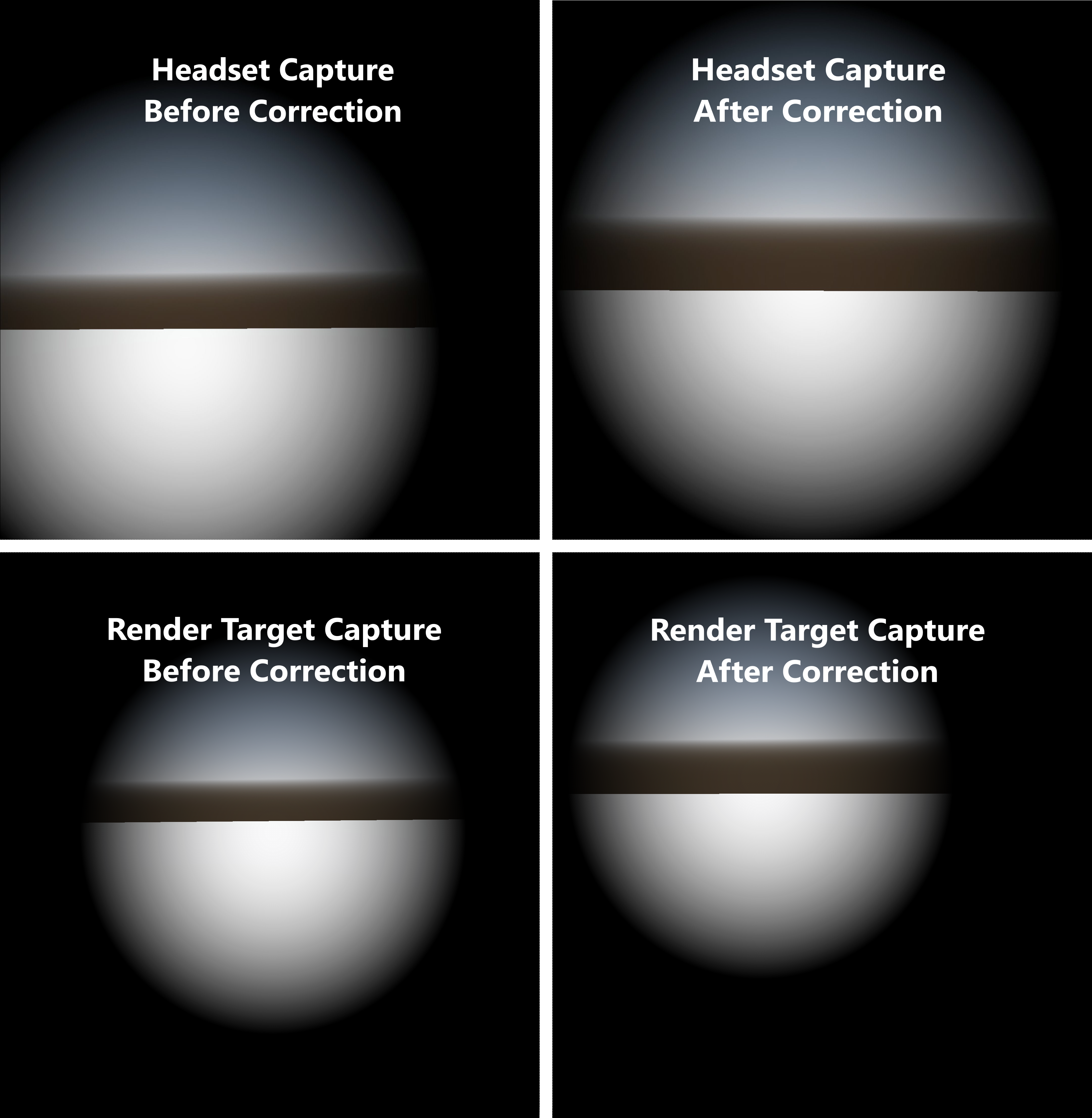
Applicare la matrice di proiezione
Per centrare correttamente l'effetto, la POSITION del quad sull'interno schermo deve tenere conto del campo visivo asimmetrico. Per farlo, garantendo anche che il quad copra completamente l'intera area di rendering, possiamo suddividerlo e applicare la matrice di proiezione ai vertici interni. Aumentiamo la larghezza e la profondità della suddivisione del quad.
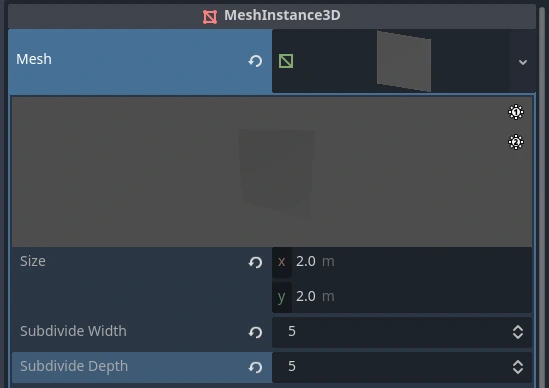
Then, in the vertex function of our shader, we apply an offset from the projection matrix to the inner vertices. Here's an example of how you might do this with the above simple vignette shader:
shader_type spatial;
render_mode depth_test_disabled, skip_vertex_transform, unshaded, cull_disabled;

// Modify VERTEX.xy using the projection matrix to correctly center the effect.
void vertex() {
        vec2 vert_pos = VERTEX.xy;

        if (length(vert_pos) < 0.99) {
                vec4 offset = PROJECTION_MATRIX * vec4(0.0, 0.0, 1.0, 1.0);
                vert_pos += (offset.xy / offset.w);
        }

        POSITION = vec4(vert_pos, 1.0, 1.0);
}

void fragment() {
        ALBEDO = vec3(0.0);
        ALPHA = dot(UV * 2.0 - 1.0, UV * 2.0 - 1.0) * 2.0;
}
Nota
For more info on asymmetric FOV and its purpose, see this Meta Asymmetric Field of View FAQ.
Limitazioni
Questo metodo per effetti a schermo intero non causa problemi di prestazioni per effetti per ogni pixel, come lo shader di vignettatura descritto prima. Tuttavia, si sconsiglia di leggere dalla texture dello schermo quando si utilizza questa tecnica. Tali effetti che richiedono questa lettura, effettivamente, disabilitano tutte le ottimizzazioni sulle prestazioni di rendering in XR. Questo perché, durante la lettura dalla texture dello schermo, Godot crea una copia completa del buffer di rendering; ciò aumenta drasticamente il carico di lavoro per la GPU e può causare problemi di prestazioni.