Attention: Here be dragons
This is the latest
(unstable) version of this documentation, which may document features
not available in or compatible with released stable versions of Godot.
Checking the stable version of the documentation...
Perfetto
Дивись також
Будь ласка, дивіться tracing profiler instructions для отримання додаткової інформації.
Perfetto є системою трасування за замовчуванням для Android. Фактично, служба трасування системи вбудована в платформу, починаючи з Android 9.
Using official Perfetto templates
Starting with Godot 4.7, Perfetto export templates are provided for every stable Godot release and can be downloaded from the GitHub Releases page.
Using the Gradle build template
Navigate to the release page and download the
Godot_v<godot_version>_android_source.perfetto.ziprelease artifact wheregodot_versioncorresponds to the version of the engine being used.In the Project > Export dialog, Advanced Options and Use Gradle Build must be enabled.
Point Android Source Template to the downloaded export template.
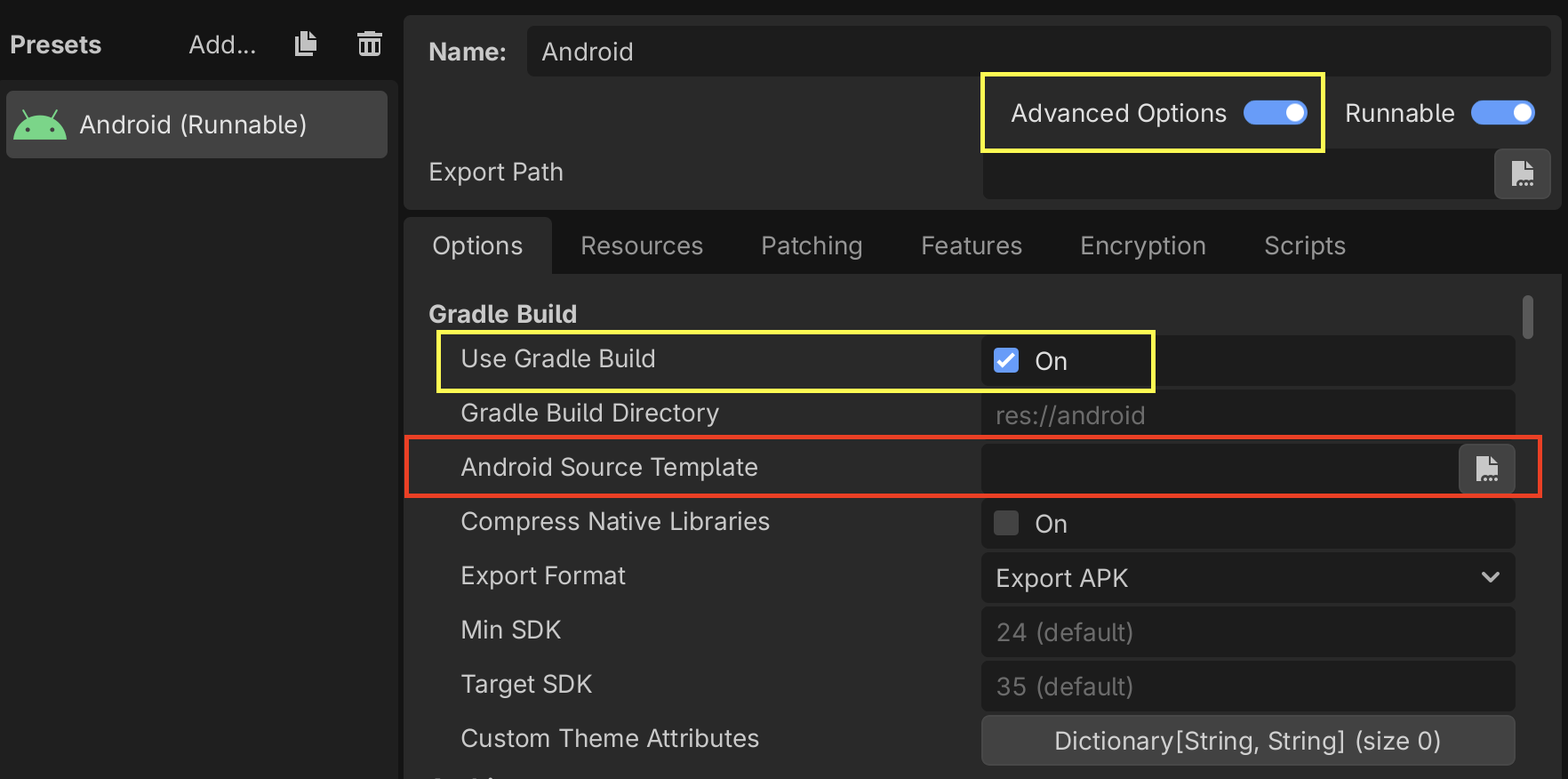
Follow the instructions in the Configuration section to learn how to configure and create a trace.
Using non-gradle build templates
Navigate to the release page and download the following release artifacts where
godot_versioncorresponds to the version of the engine being used:Godot_v<godot_version>_android_debug.perfetto.apk(for debug builds)Godot_v<godot_version>_android_release.perfetto.apk(for release builds)
In the Project > Export dialog:
Advanced Options must be enabled
Use Gradle Build must be disabled
Point Custom Template to the downloaded export templates.
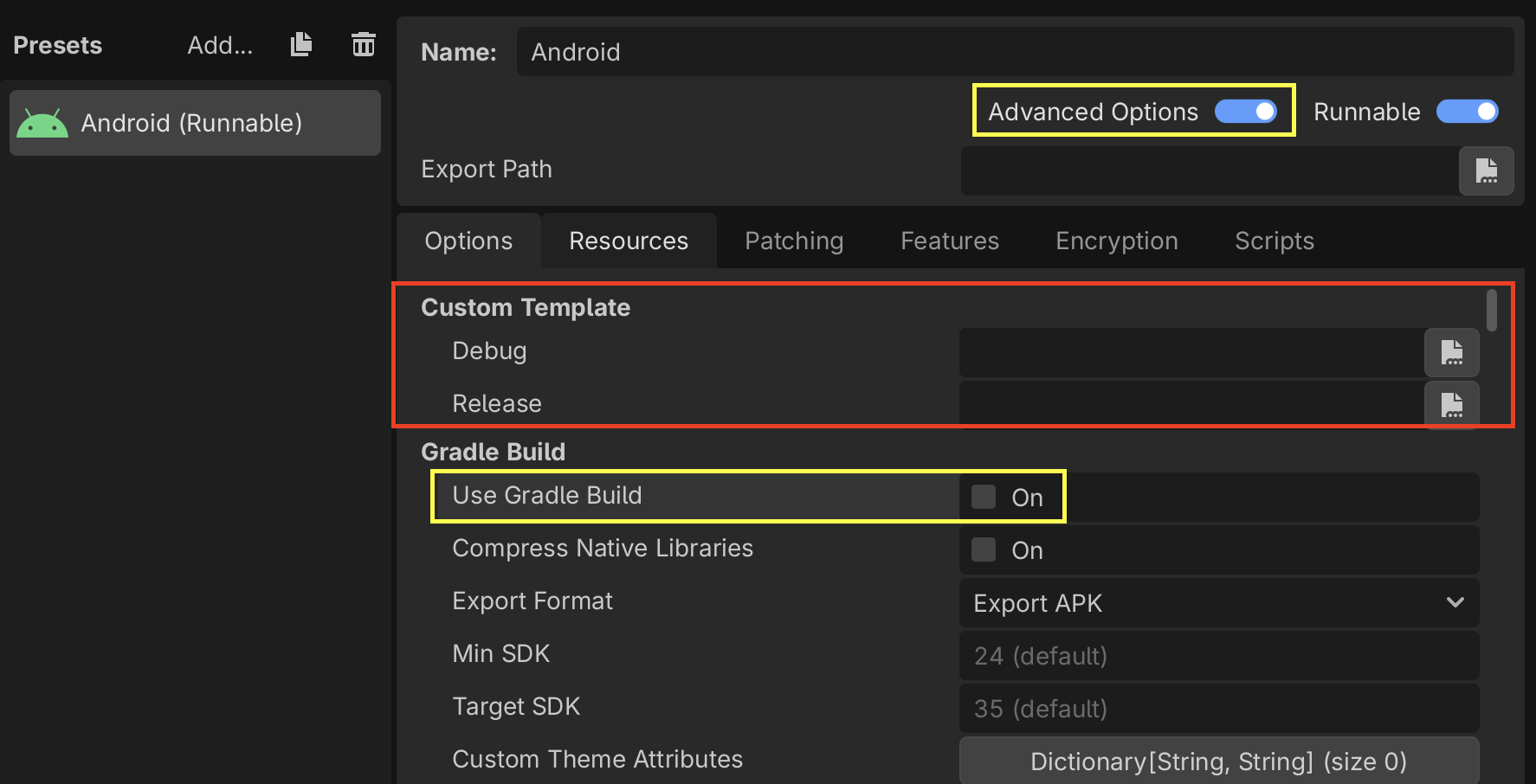
Follow the instructions in the Configuration section to learn how to configure and create a trace.
Custom Godot builds with Perfetto support
From the godot root directory, run the following python script to install
the latest version of the Perfetto SDK under thirdparty/perfetto:
python misc/scripts/install_perfetto.py
Next, build the Android debug or release templates for your architecture using
scons (per Compiling for Android), but
adding the profiler=perfetto argument.
Примітка
Зазвичай рекомендується створювати профілі шаблонів релізів, оскільки це версія, яку використовуватимуть ваші гравці, і вона працюватиме інакше, ніж інші типи збірок. Однак у випадку Android іноді може бути корисним використовувати шаблони налагодження, оскільки Godot може виконувати віддалене налагодження лише ігор, експортованих із шаблонів налагодження.
Наприклад, щоб створити шаблони релізів для arm64:
scons platform=android target=template_release arch=arm64 generate_android_binaries=yes profiler=perfetto
Налаштування
Perfetto потребує файлу конфігурації, щоб вказати, які події відстежувати.
Create a file called godot.config with this content:
# Trace for 10 seconds.
duration_ms: 10000

buffers {
    size_kb: 32768
    fill_policy: RING_BUFFER
}

# Write to file once every second to prevent overflowing the buffer.
write_into_file: true
file_write_period_ms: 1000

# Track events in the "godot" category.
data_sources {
    config {
        name: "track_event"
        track_event_config {
            enabled_categories: "godot"
        }
    }
}
Примітка
Godot records two categories of track events:
godot: Used to record Godot engine events. This is used for performance analysis. Event tracing overhead should not significantly impact performance. This should be the typical tracing mode for most developers.
godot_scripting: Used to record Godot scripting events. This is a slow category as it profiles the entire game scripting logic. This is used for code understanding / debugging / finding what caused a frame hitch. Performance is much slower, but it helps to find that one problematic function call that was otherwise hidden.
Записати трасування
Нарешті, запустіть свою гру на пристрої Android, використовуючи шаблони експорту, які ви створили раніше.
When you're ready to record a trace (for example, when you've hit the part of your game that is exhibiting performance issues), you can use this script from the Perfetto GitHub repository.
./record_android_trace -c /path/to/godot.config
Запис триватиме 10 секунд (відповідно до конфігурації) або доки ви не натиснете Ctrl + C.
Дослідження сліду
Щойно цей скрипт завершить роботу, він запустить інтерфейс користувача Perfetto у веббраузері.
To see the Godot events, expand the row for your application by clicking on its Android Unique Name / Package Name / App ID (Perfetto will also include some events from system services in the trace).
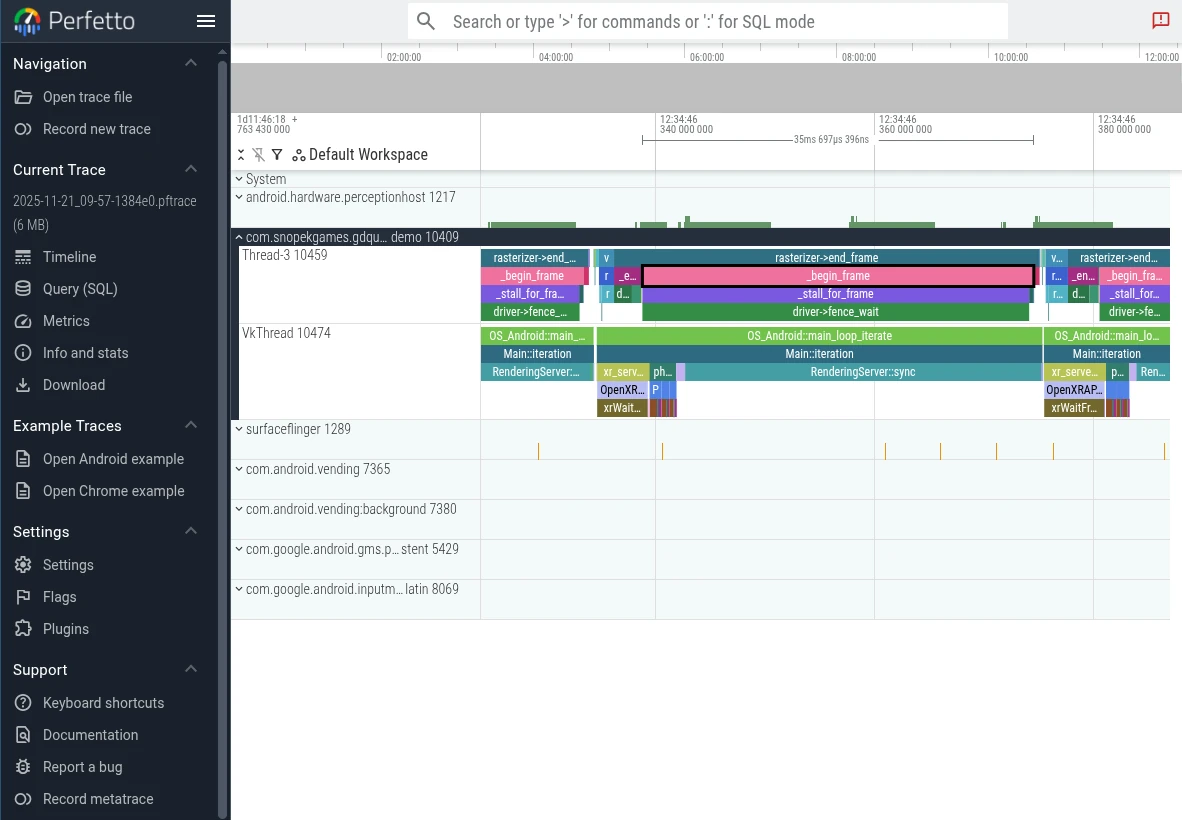
Потім ви можете використовувати клавіші WASD для навігації по графіку:
Натисніть A або D, щоб переміщатися вперед або назад по часовій шкалі
Натисніть W або S, щоб збільшити або зменшити масштаб
Вам, ймовірно, доведеться трохи збільшити масштаб, перш ніж ви зможете побачити окремі події з «Godot».
Щоб дізнатися більше, див. документацію з інтерфейсу користувача Perfetto <https://perfetto.dev/docs/visualization/perfetto-ui>`_.