Attention: Here be dragons
This is the latest
(unstable) version of this documentation, which may document features
not available in or compatible with released stable versions of Godot.
Checking the stable version of the documentation...
Android Studio
Android Studio <https://developer.android.com/studio> — это бесплатная IDE для разработки приложений под Android, разработанная компаниями Google <https://about.google/> и JetBrains <https://www.jetbrains.com/>. Она основана на IntelliJ IDEA <https://www.jetbrains.com/idea/> и имеет многофункциональный редактор, поддерживающий Java и C/C++. Её можно использовать как для работы с основным движком Godot, так и с кодовой базой платформы Android.
Импортирование проекта
В окне приветствия Android Studio выберите Open.
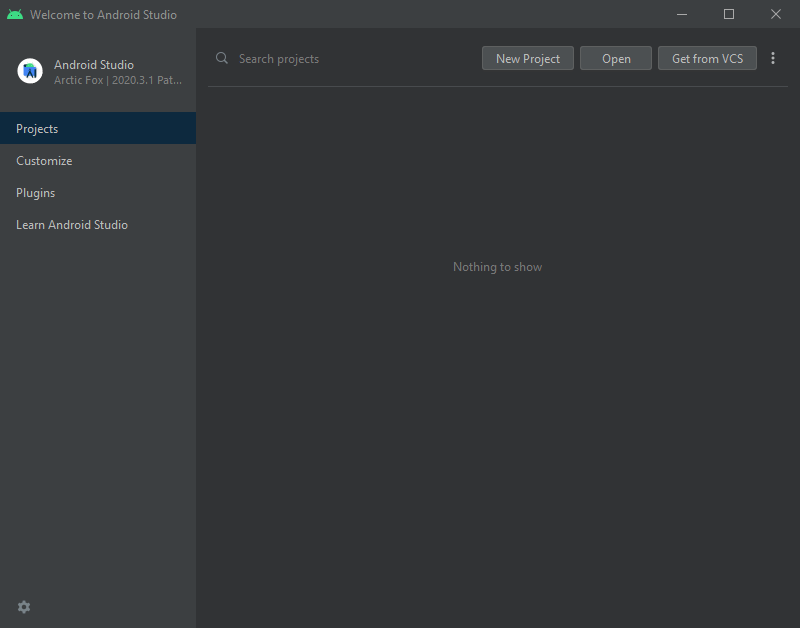
Приветственное окно Android Studio.
Перейдите в
<корневой каталог Godot>/platform/android/javaи выберите файлsettings.gradle.Android Studio импортирует и проиндексирует проект.
Макет проекта Android Studio
Проект организован с использованием модулей Android Studio:
lib module:
Located under
<Godot root directory>/platform/android/java/lib, this is a library module that organizes the Godot java and native code and make it available as a reusable Android library.The generated Godot Android library is made available for other Android modules / projects via MavenCentral, along with its documentation.
editor module:
Located under
<Godot root directory>/platform/android/java/editor, this is an application module that holds the source code for the Android and XR ports of the Godot Editor.This module has a dependency on the lib module.
app module:
Located under
<Godot root directory>/platform/android/java/app, this is an application module that holds the source code for the Android build templates.This module has a dependency on the lib module.
Сборка и отладка модуля редактора
Чтобы собрать модуль
редактор:Выберите раскрывающийся список Конфигурации запуска/отладки и выберите
редактор.
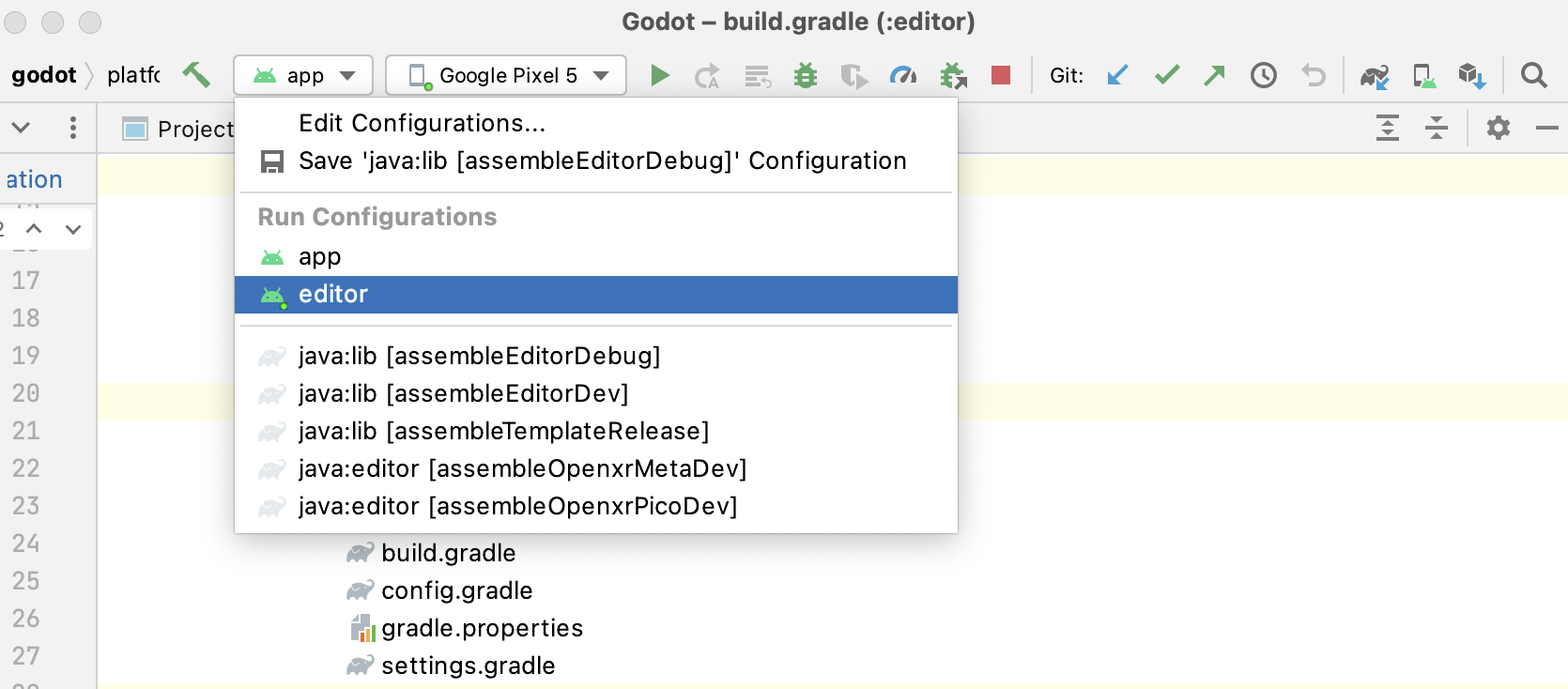
Выберите Run > Run 'editor' в верхнем меню или нажмите значок "Run".
Для отладки модуля
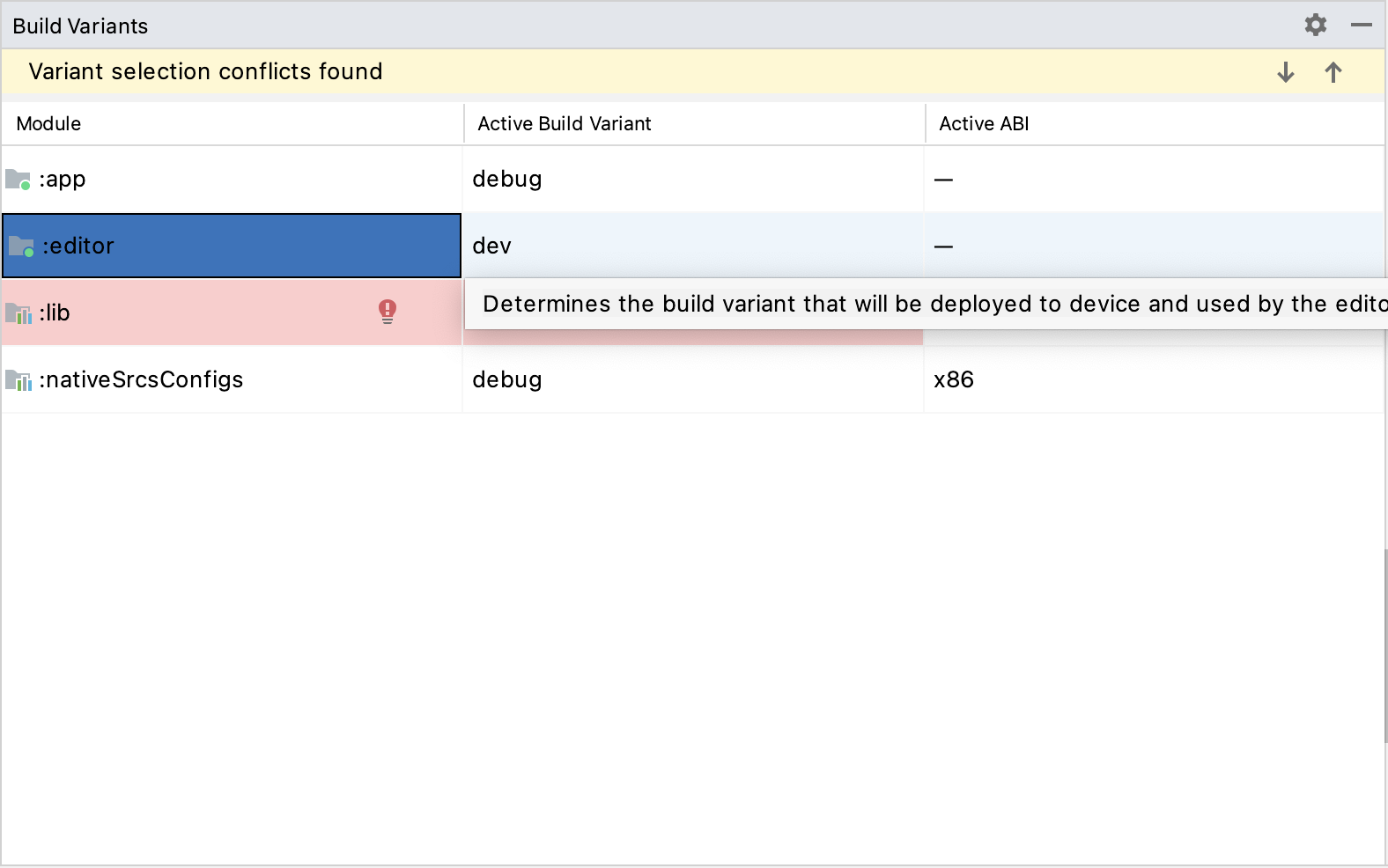
editor:Откройте окно Build Variants, выбрав View > Tools Windows > Build Variants в верхнем меню.
In the Build Variants window, make sure that in the Active Build Variant column, the
:editorentry is set to one of the Debug variants.
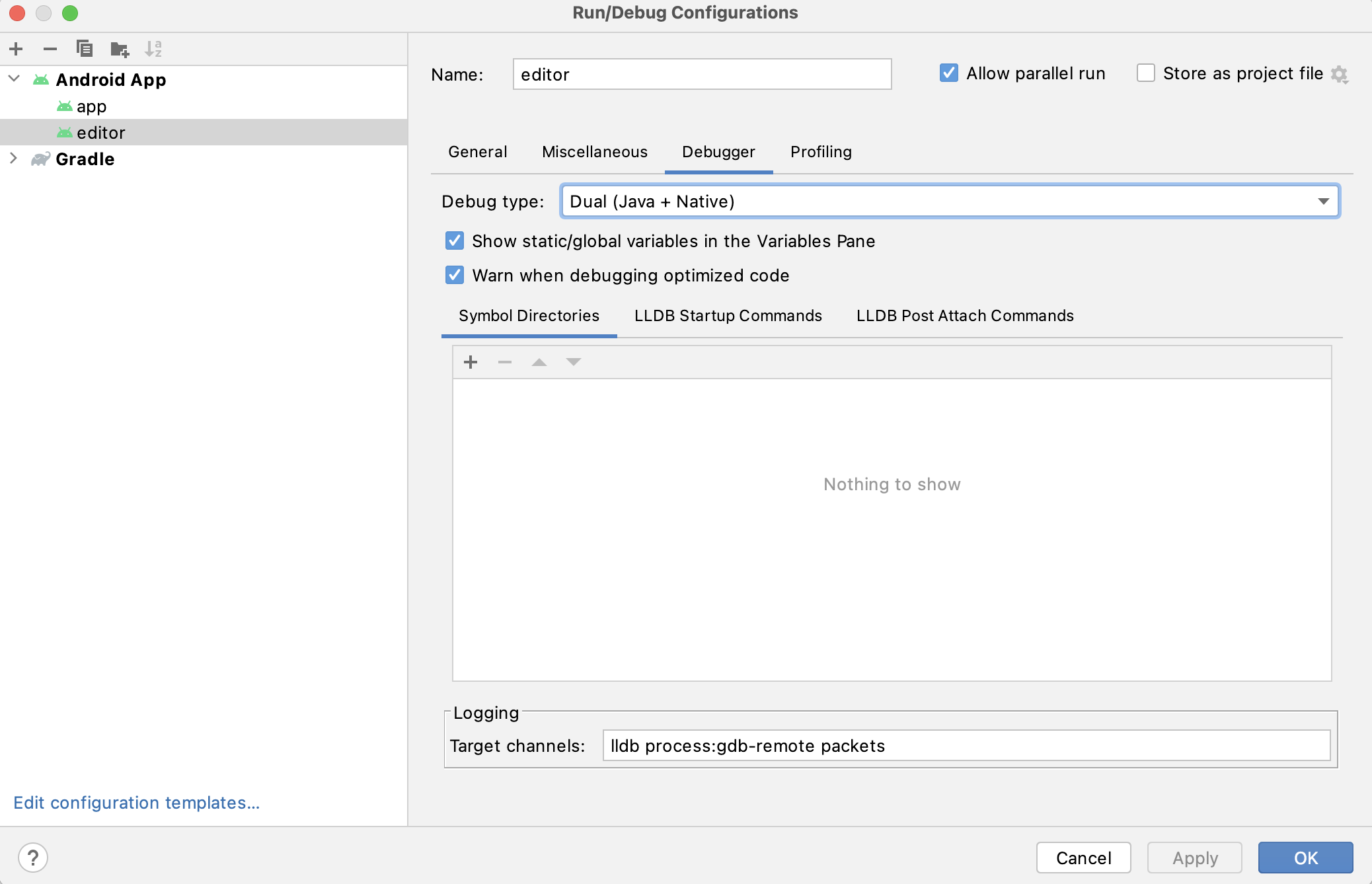
Откройте окно Run/Debug Configurations, нажав Run > Edit Configurations... в верхнем меню.
В окне Run/Debug Configurations выберите запись
editorи в разделе Debugger убедитесь, что для Debug Type установлено значениеDual (Java + Native)Click the
+sign under the Symbol Directories section, and add theplatform/android/java/lib/libs/tools/debugdirectory.
Выберите Run > Debug 'editor' в верхнем меню или щелкните значок "Debug".
Сборка и отладка модуля приложения
The app module requires the presence of a Godot project in its assets directory (<Godot root directory>/platform/android/java/app/src/main/assets) to run.
This is usually handled by the Godot Editor during the export process.
While developing in Android Studio, it's necessary to manually add a Godot project under that directory to replicate the export process.
Once that's done, you can follow the instructions below to run/debug the app module:
Чтобы собрать модуль
app:Выберите раскрывающийся список Run/Debug Configurations и выберите
app.
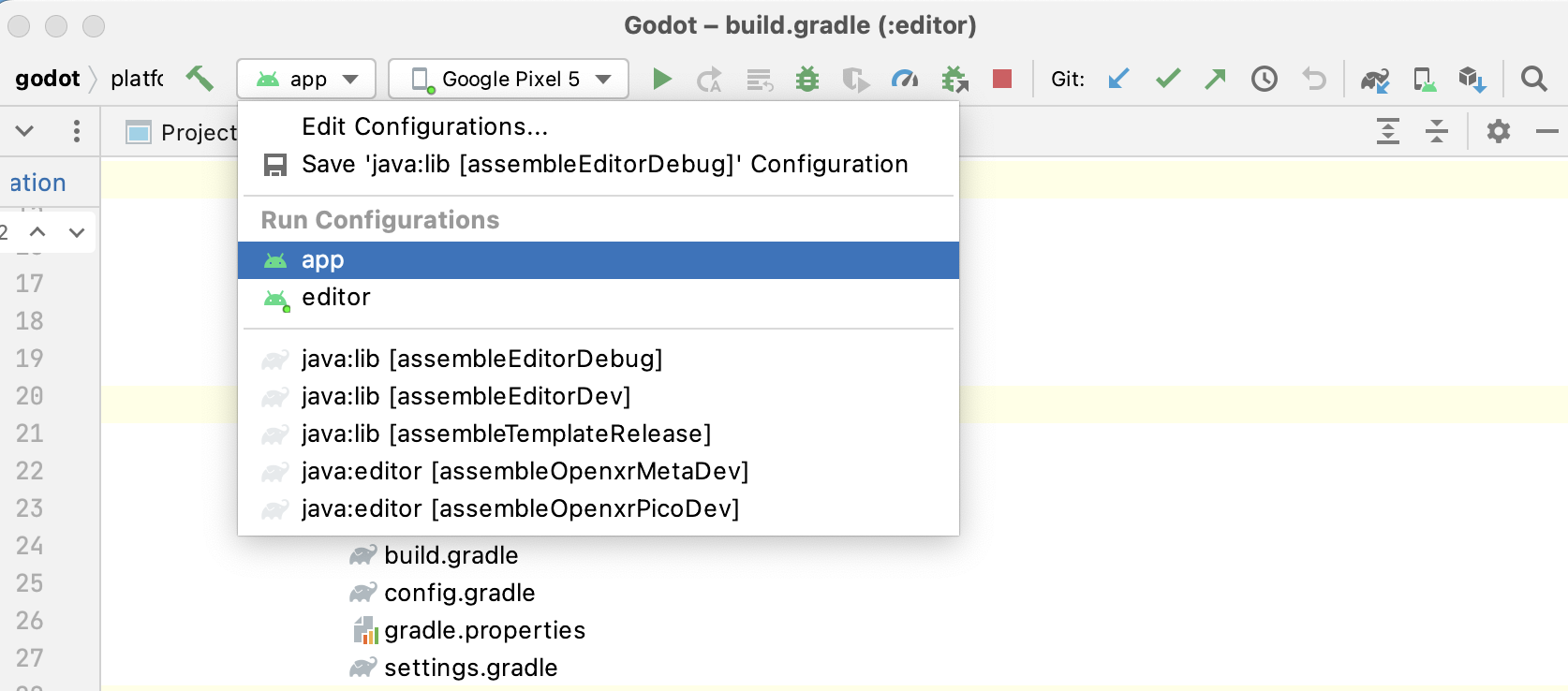
Выберите Run > Run 'app' в верхнем меню или нажмите значок «Выполнить» <https://developer.android.com/studio/run/rundebugconfig#running>`_.
Для отладки модуля
app:Откройте окно Build Variants, выбрав View > Tools Windows > Build Variants в верхнем меню.
In the Build Variants window, make sure that in the Active Build Variant column, the
:appentry is set to one of the Debug variants.
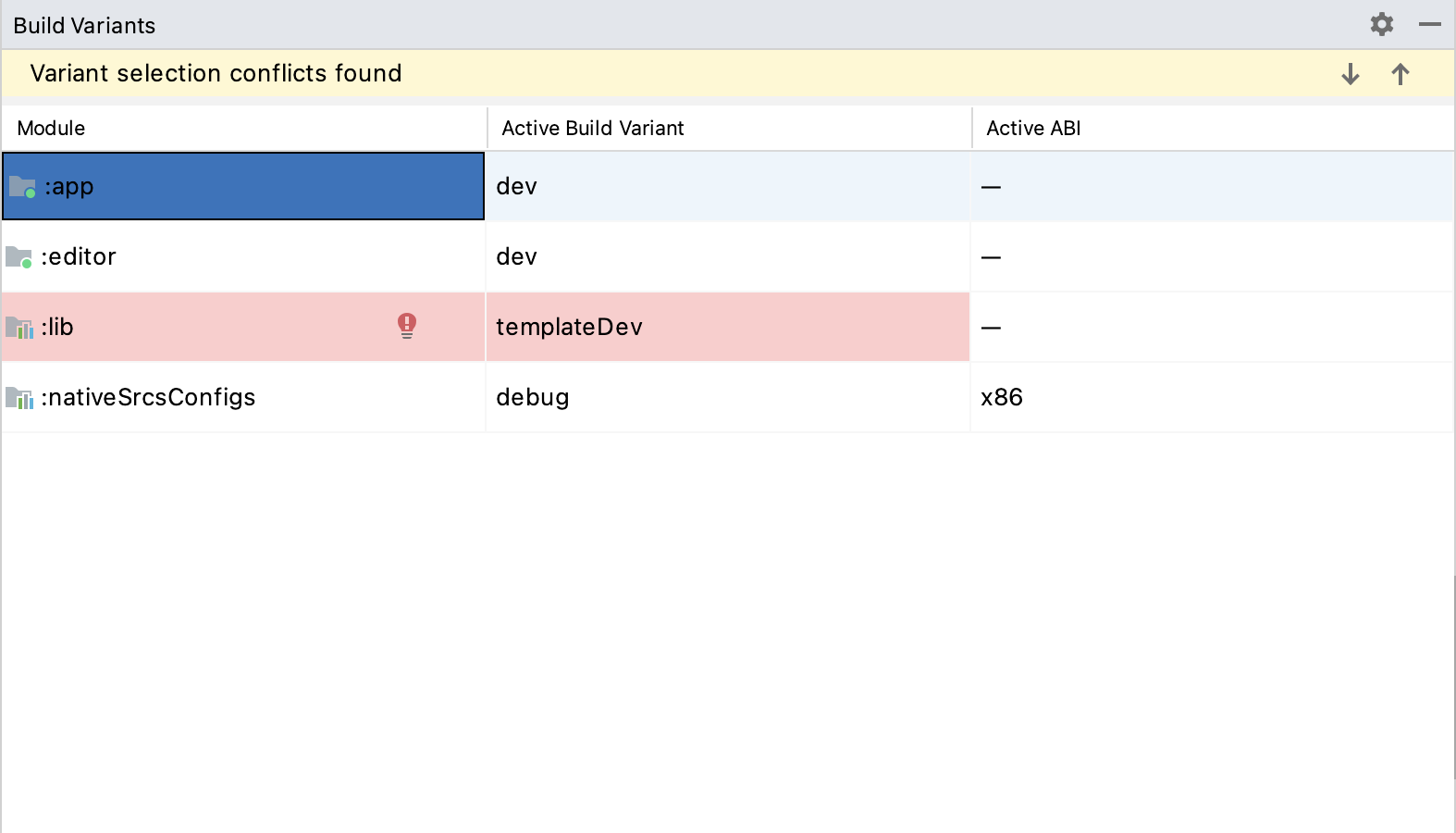
Откройте окно Run/Debug Configurations, нажав Run > Edit Configurations... в верхнем меню.
В окне Run/Debug Configurations выберите запись
appи в разделе Debugger убедитесь, что для Debug Type установлено значениеDual (Java + Native)Click the
+sign under the Symbol Directories section, and add theplatform/android/java/lib/libs/debugdirectory.
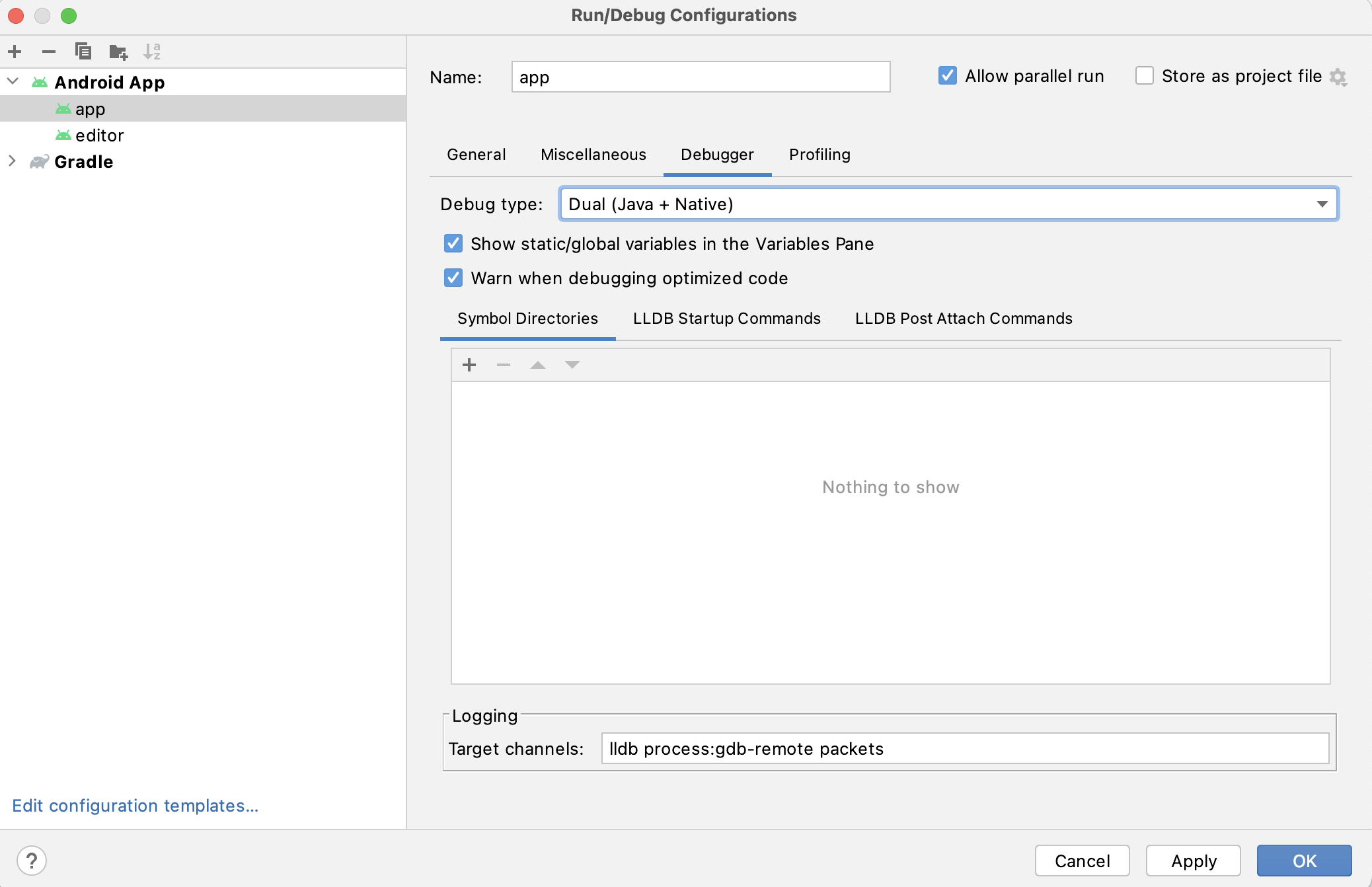
Выберите Run > Debug 'app' в верхнем меню или` щелкните значок «Отладка» <https://developer.android.com/studio/run/rundebugconfig#running>`_.
Если у вас возникнут какие-либо проблемы, обратитесь за помощью на канале разработчиков Android Godot.